> ## Documentation Index
> Fetch the complete documentation index at: https://docs.ale.run/llms.txt
> Use this file to discover all available pages before exploring further.
# Metric Drivers
> Monitor your service metrics in the dashboard by configuring metric drivers
***
## InfluxDB
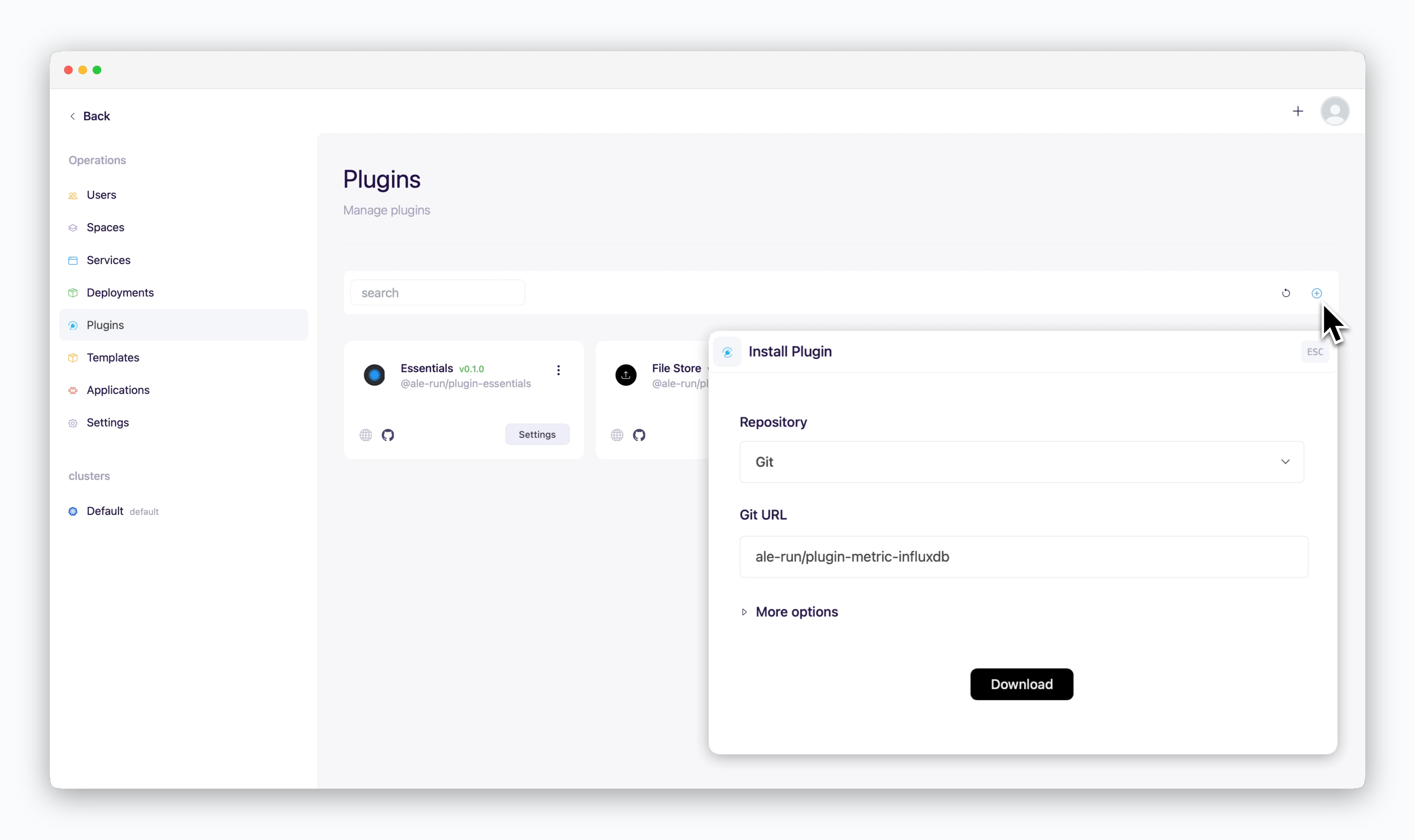 * Repository: Git
* URL: ale-run/plugin-metric-influxdb
* Repository: Git
* URL: ale-run/plugin-metric-influxdb
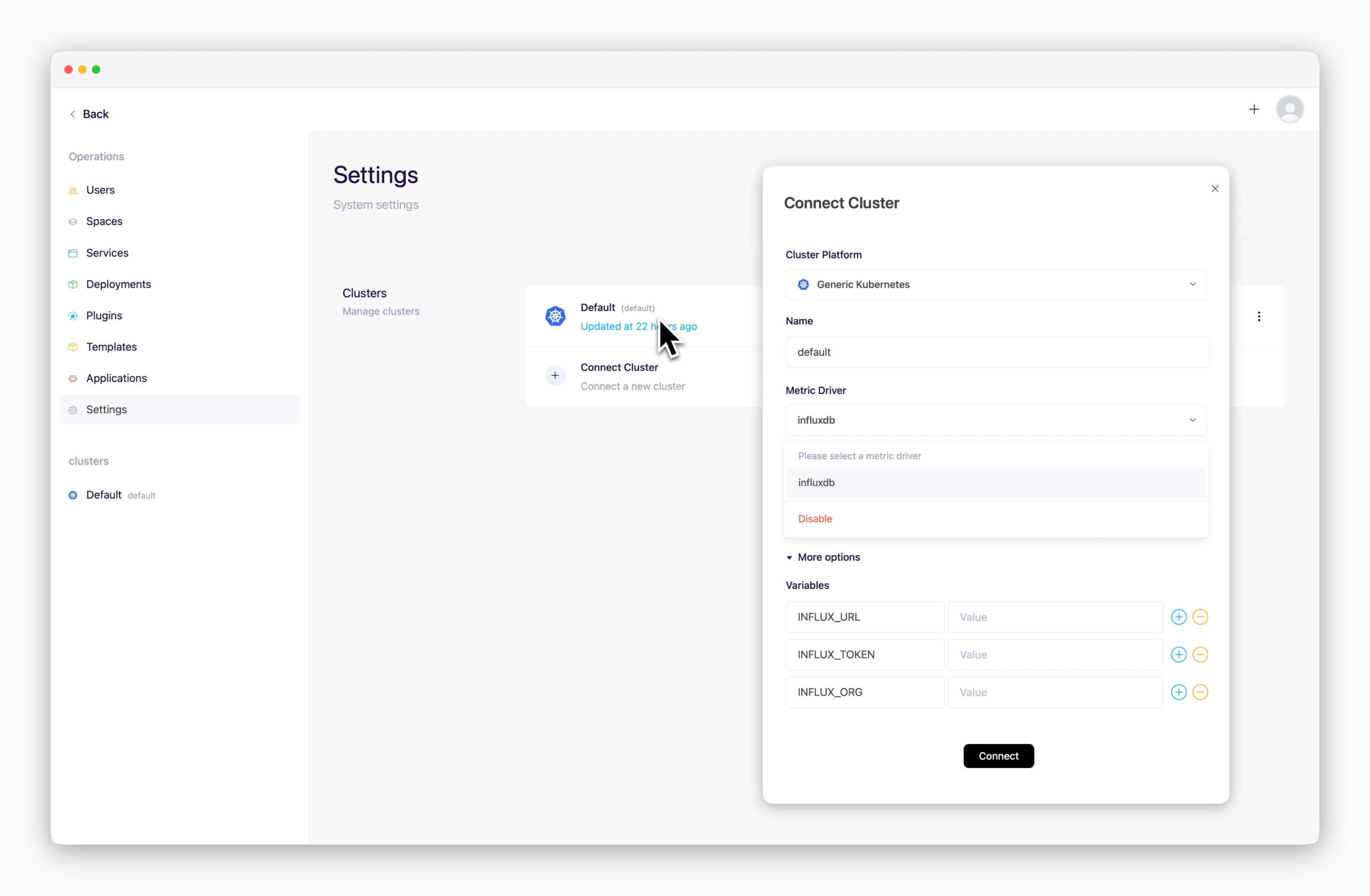 * Environment Variables
* `INFLUX_URL`: InfluxDB server URL
* `INFLUX_TOKEN`: InfluxDB access token
* `INFLUX_ORG`: InfluxDB organization
## Prometheus
* Environment Variables
* `INFLUX_URL`: InfluxDB server URL
* `INFLUX_TOKEN`: InfluxDB access token
* `INFLUX_ORG`: InfluxDB organization
## Prometheus
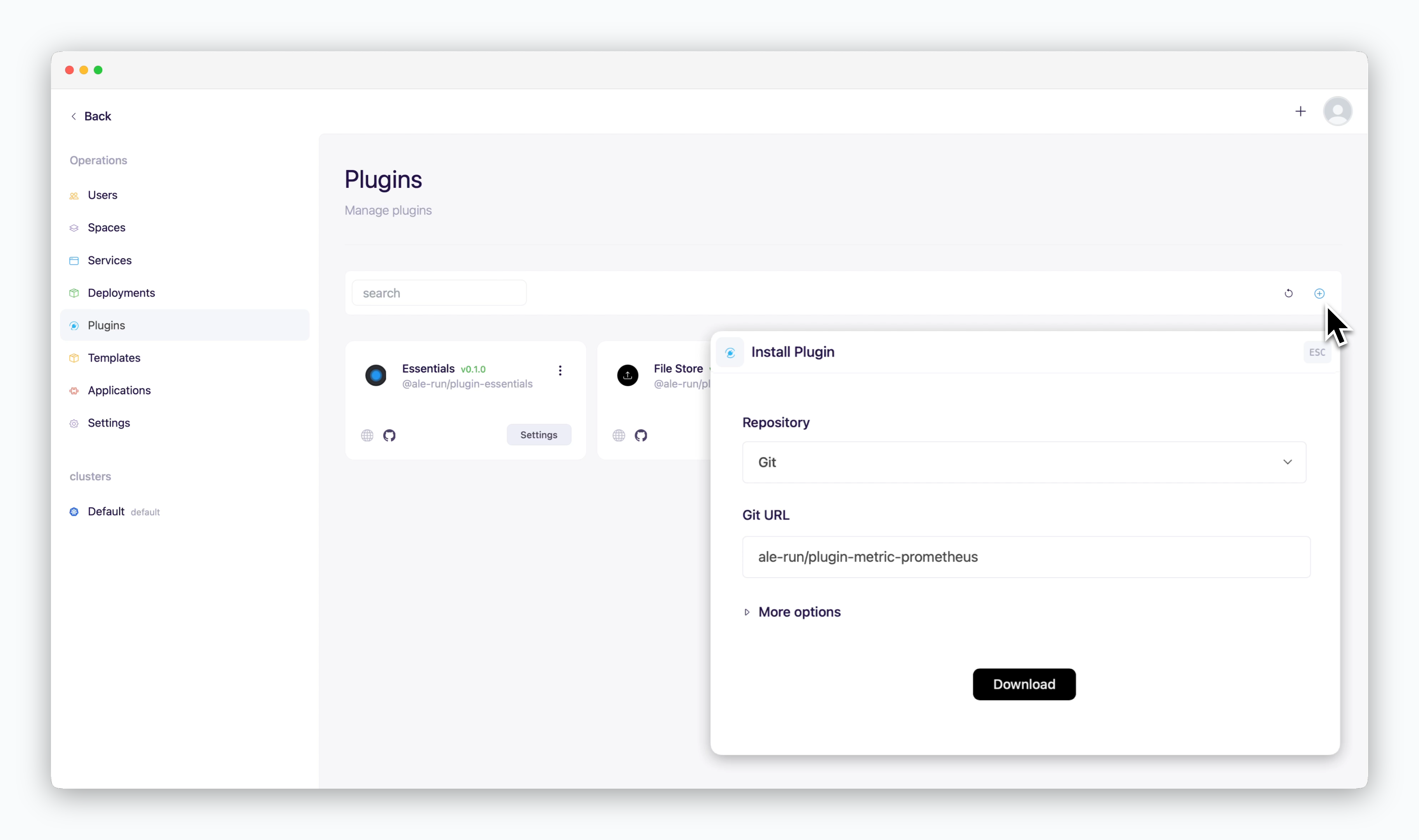 * Repository: Git
* URL: ale-run/plugin-metric-prometheus
* Repository: Git
* URL: ale-run/plugin-metric-prometheus
 * Environment Variables
* `PROMETHEUS_URL`: Prometheus server URL
## AWS CloudWatch
* Environment Variables
* `PROMETHEUS_URL`: Prometheus server URL
## AWS CloudWatch
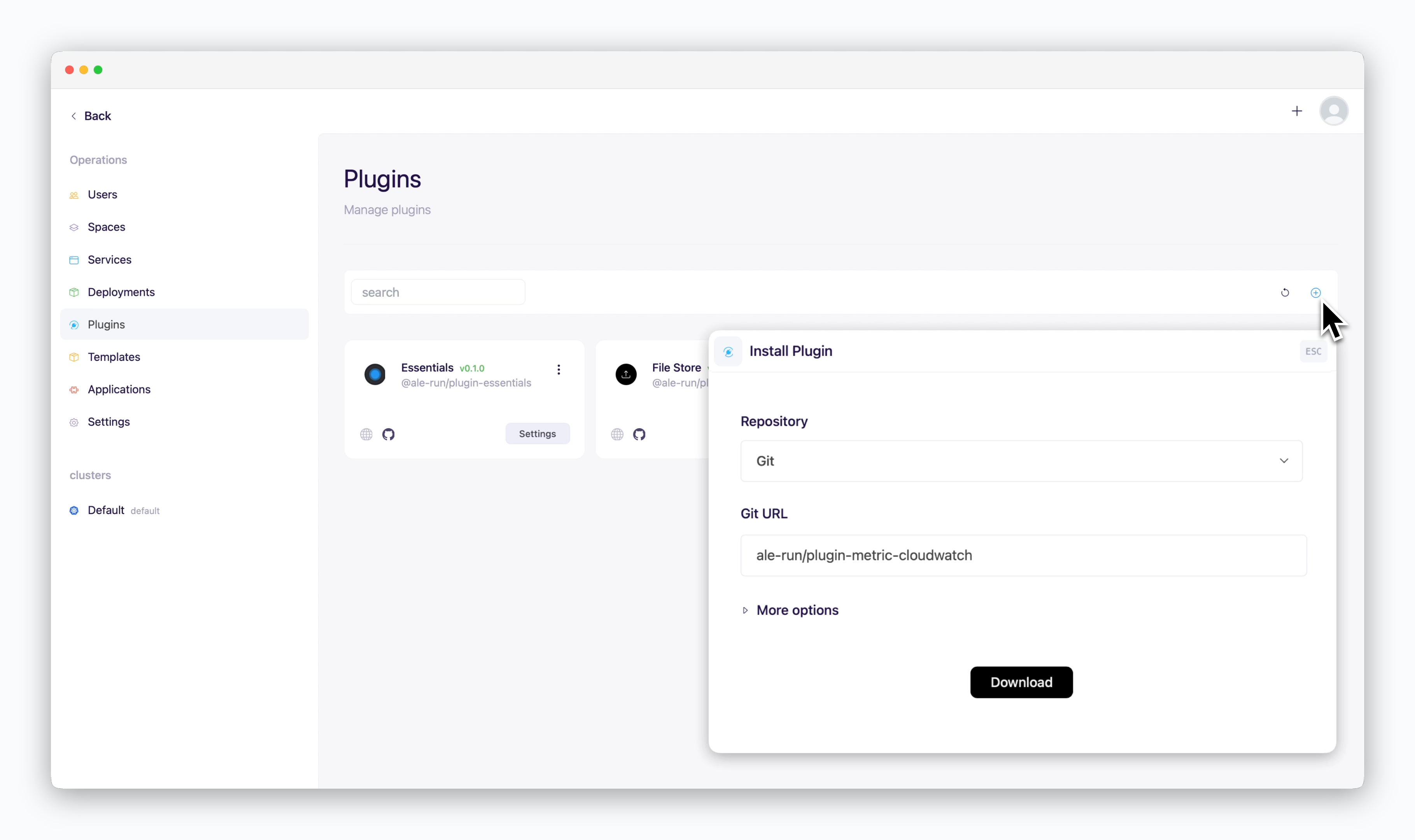 * Repository: Git
* URL: ale-run/plugin-metric-cloudwatch
* Repository: Git
* URL: ale-run/plugin-metric-cloudwatch
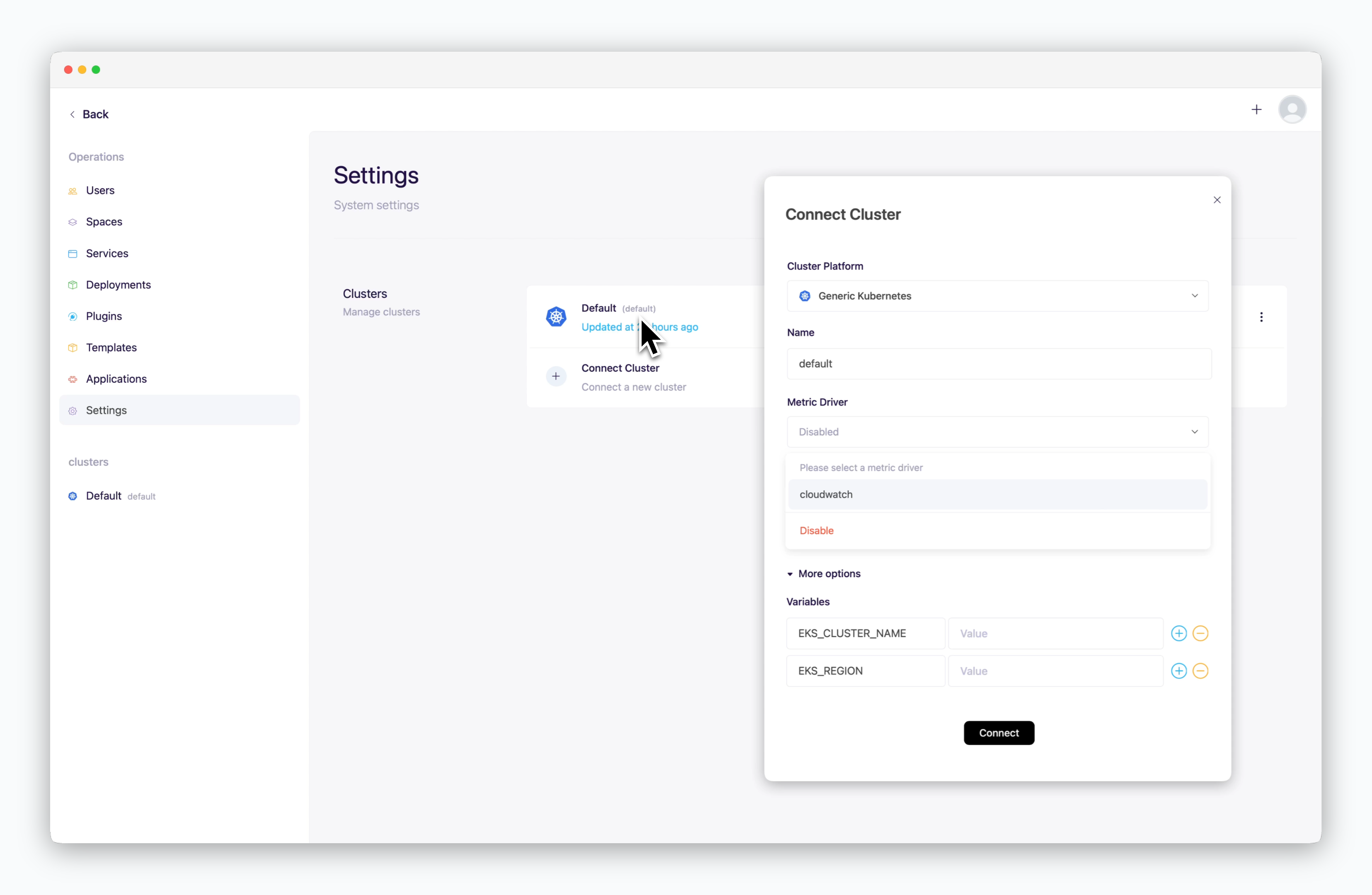 * Environment Variables
* `EKS_CLUSTER_NAME`: Name of your EKS cluster
* `EKS_REGION`: Region of your EKS cluster
* Environment Variables
* `EKS_CLUSTER_NAME`: Name of your EKS cluster
* `EKS_REGION`: Region of your EKS cluster