> ## Documentation Index
> Fetch the complete documentation index at: https://docs.ale.run/llms.txt
> Use this file to discover all available pages before exploring further.
# Environment Variables
> You can store and manage secrets per environment. During deployment setup, you can easily apply saved secrets as environment variables.
## Pre-set Secrets
> In the Secrets section of environment settings tab, you can either drag and drop an ENV file or click the icon to manually input multiple environment variables.
ENV files follow the standard `NAME=VALUE` format. Any file extension is acceptable.
## Apply During Deployment
> In the Environment Variables section of the deployment modal, Click to load previously saved environment variables in the environment.
Environment variables are configured at environment level. If you can't load the variables, [check the environment of your service.](/en/developers/environment#switch-environments)
## Manage after Deployment
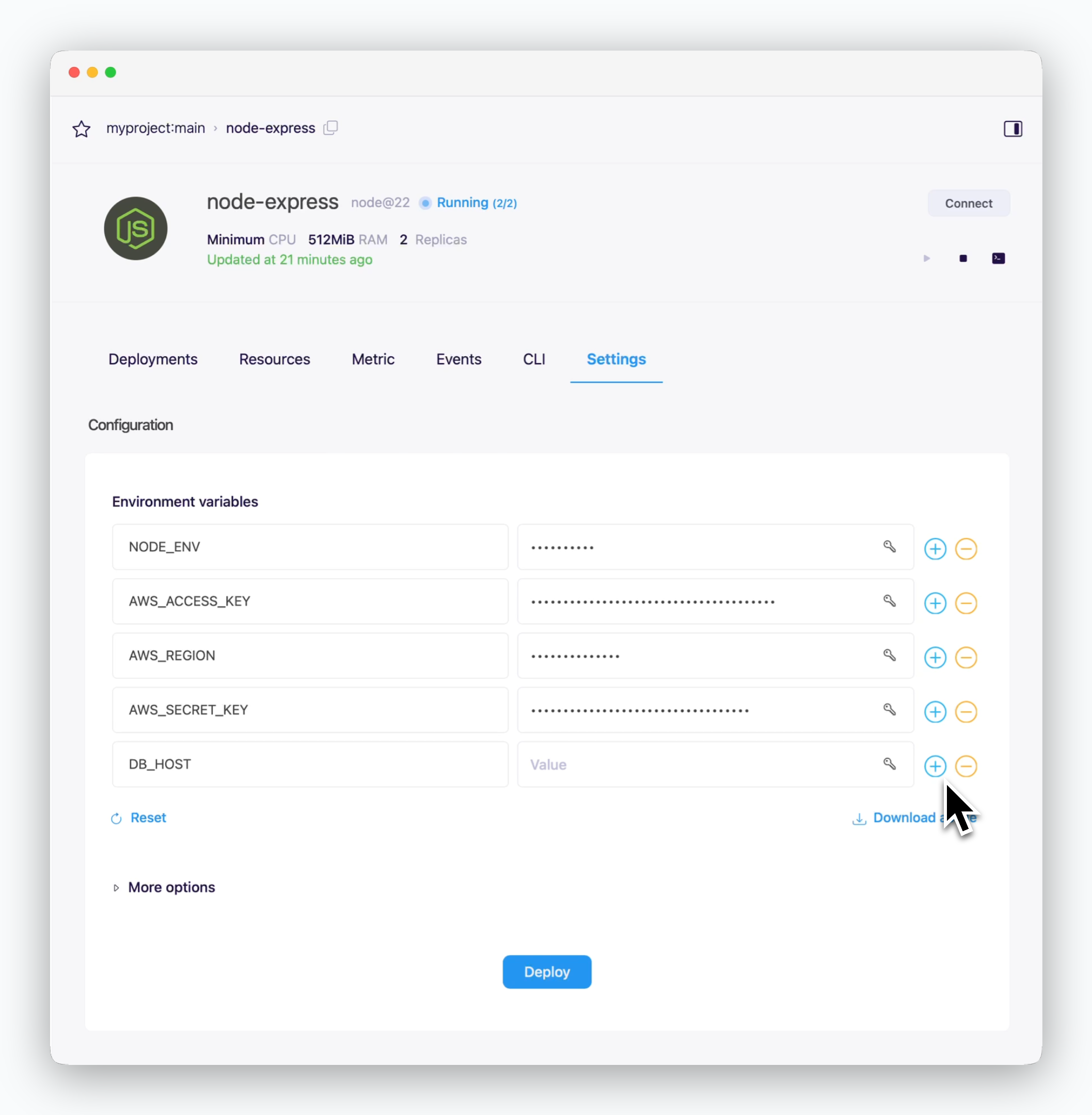 > You can update environment variables in the deployment settings section under the Settings tab of your service page. Click `Deploy` to apply the changes.
## Apply by YAML
> The following example demonstrates how to set environment variables in YAML when using CLI or CI tools for deployment. Use `secret` for secrets:
```yaml theme={null}
name: flask
app: python@3.9
options:
env:
- name: FLASK_ENV
secret: flask-env
- name: DB_PASSWORD
secret: mariadb-root-password
ports: 5000
start: gunicorn -b 0.0.0.0:5000 app:app
context:
git:
url: https://github.com/cloudtype-examples/flask.git
branch: main
preset: python-flask
```
> You can update environment variables in the deployment settings section under the Settings tab of your service page. Click `Deploy` to apply the changes.
## Apply by YAML
> The following example demonstrates how to set environment variables in YAML when using CLI or CI tools for deployment. Use `secret` for secrets:
```yaml theme={null}
name: flask
app: python@3.9
options:
env:
- name: FLASK_ENV
secret: flask-env
- name: DB_PASSWORD
secret: mariadb-root-password
ports: 5000
start: gunicorn -b 0.0.0.0:5000 app:app
context:
git:
url: https://github.com/cloudtype-examples/flask.git
branch: main
preset: python-flask
```