> ## Documentation Index
> Fetch the complete documentation index at: https://docs.ale.run/llms.txt
> Use this file to discover all available pages before exploring further.
# GitHub Actions
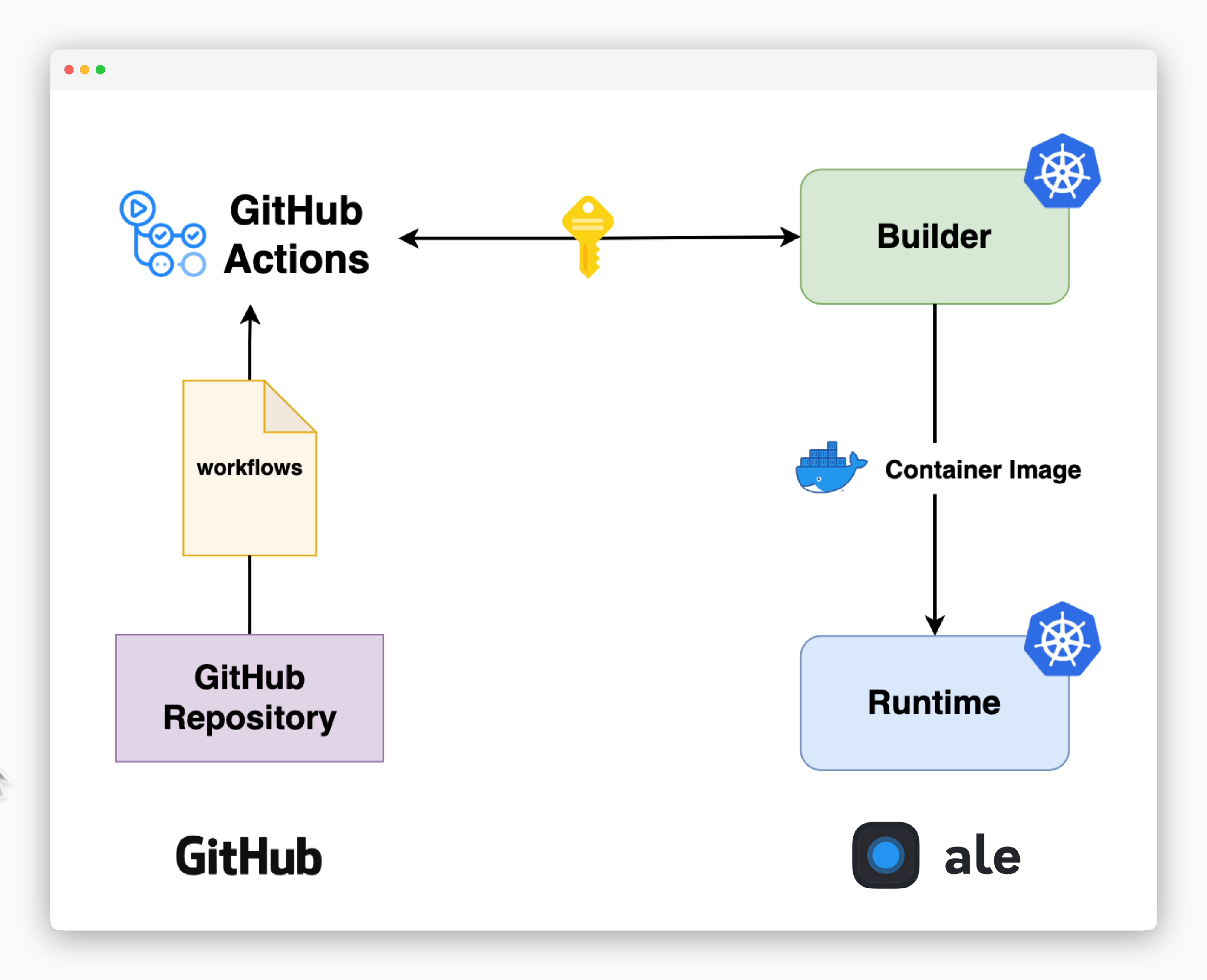
> Automate service deployments using [GitHub Actions workflows that are automatically generated upon deployment.](/en/developers/githubactions#get-workflow-code)
 >
***
## Credentials Setup
> To enable communication between ale and GitHub, set up authentication credentials.
>
***
## Credentials Setup
> To enable communication between ale and GitHub, set up authentication credentials.
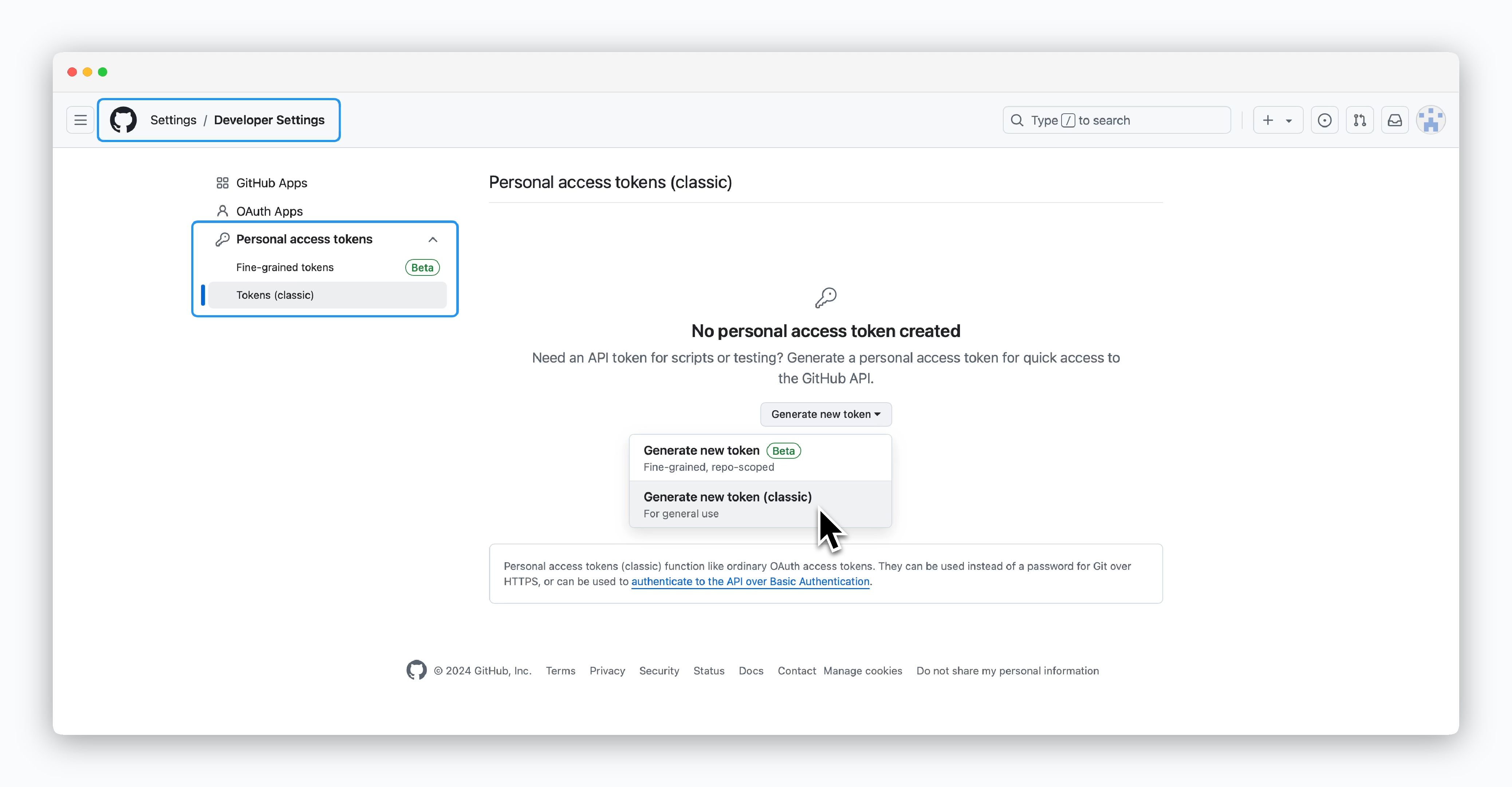 > Go to Developer Settings in your GitHub account, select Personal access tokens from the sidebar, then click `Generate new token (classic)`
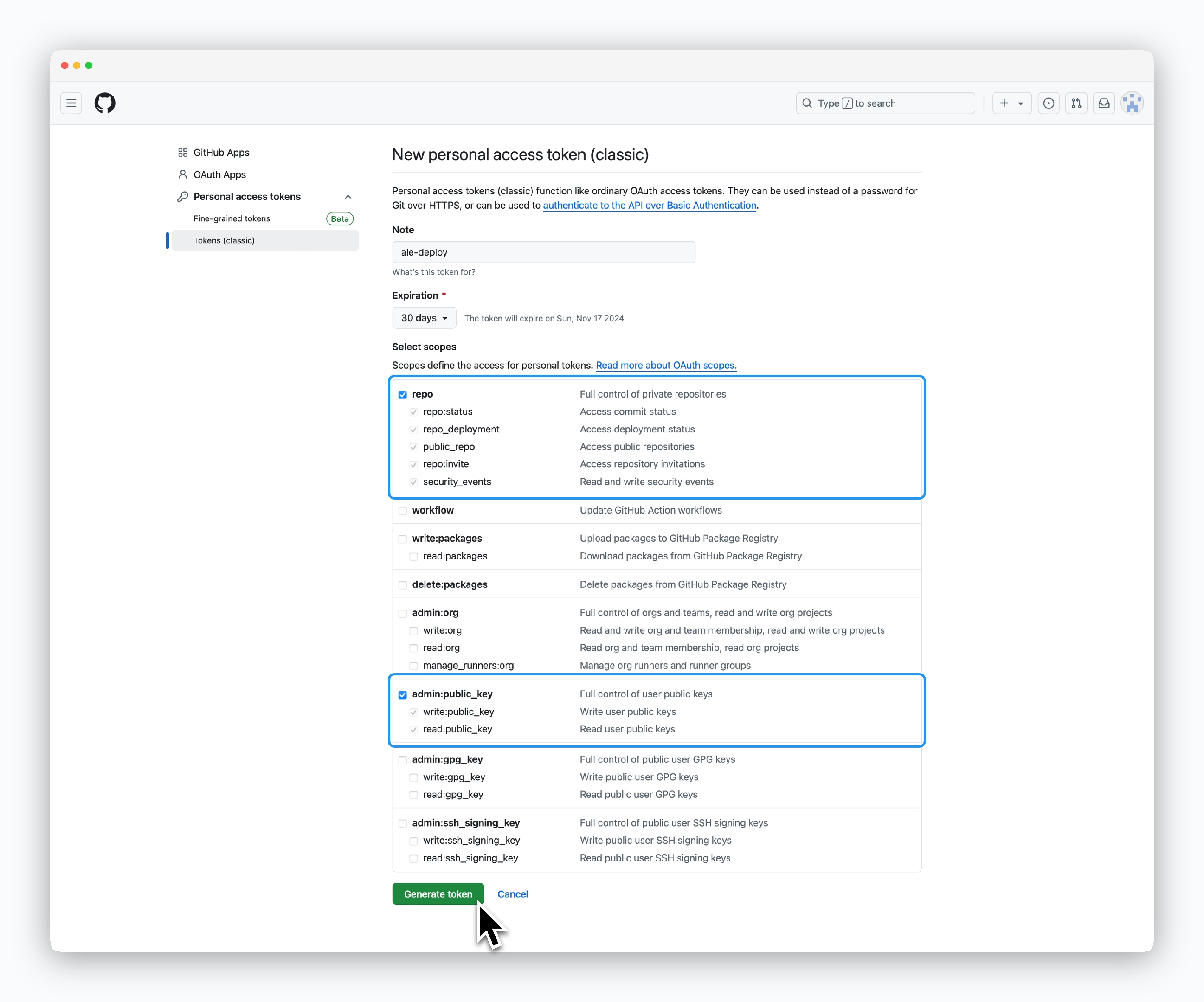 > Select both `repo` and `admin:public_key` scopes, then click `Generate token`.
The workflow will stop working when your token expires according to the expiration date you set.
> Select both `repo` and `admin:public_key` scopes, then click `Generate token`.
The workflow will stop working when your token expires according to the expiration date you set.
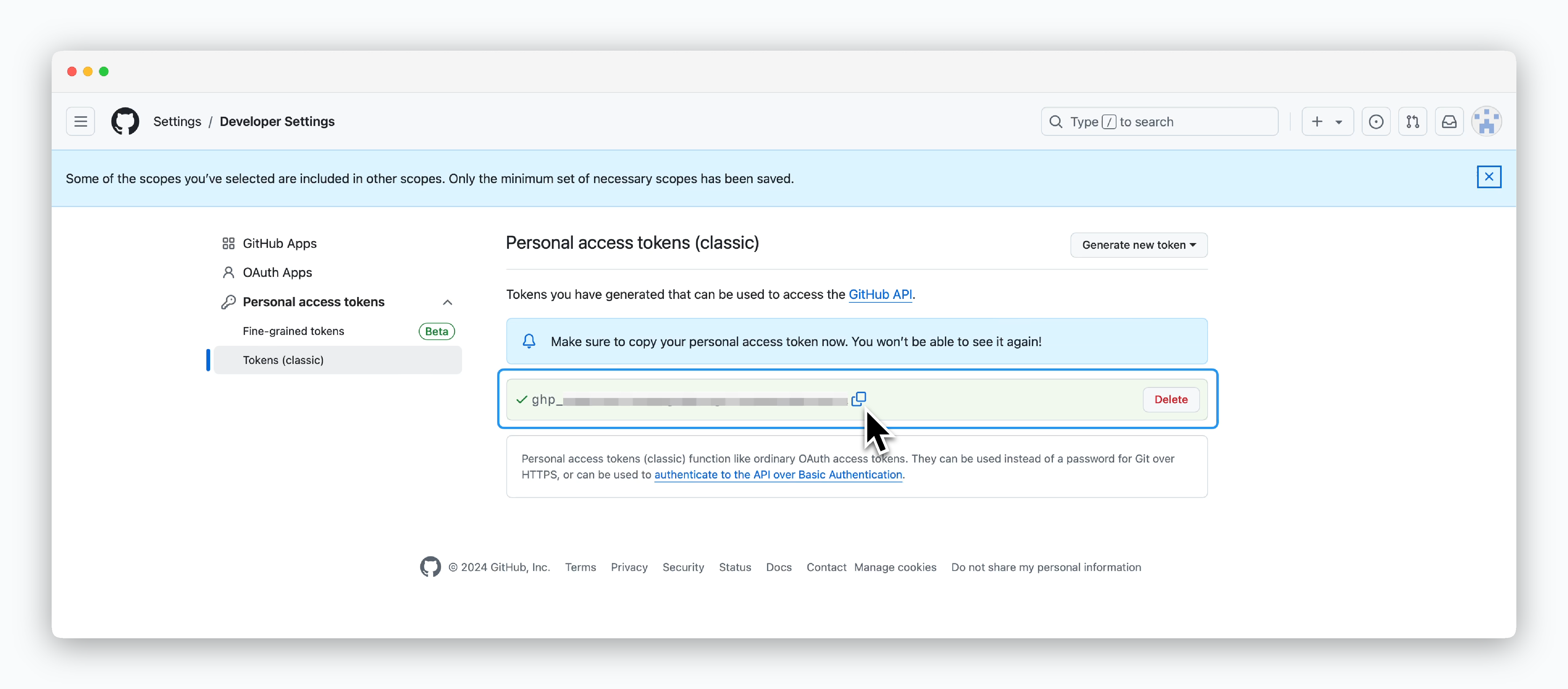 > Copy and store the token.
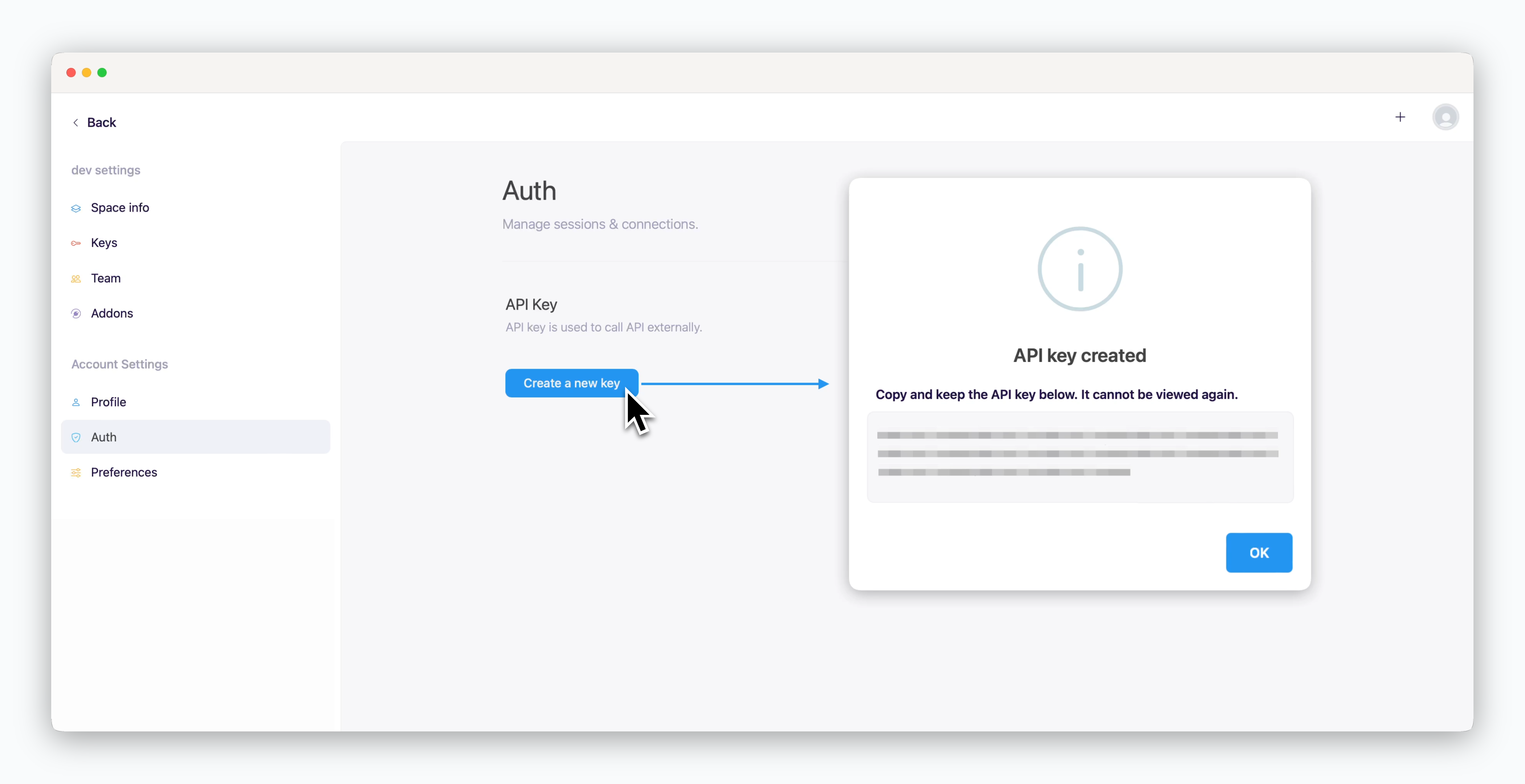 > In `ale`, click `Create a New Key` in the Auth page of your space settings.
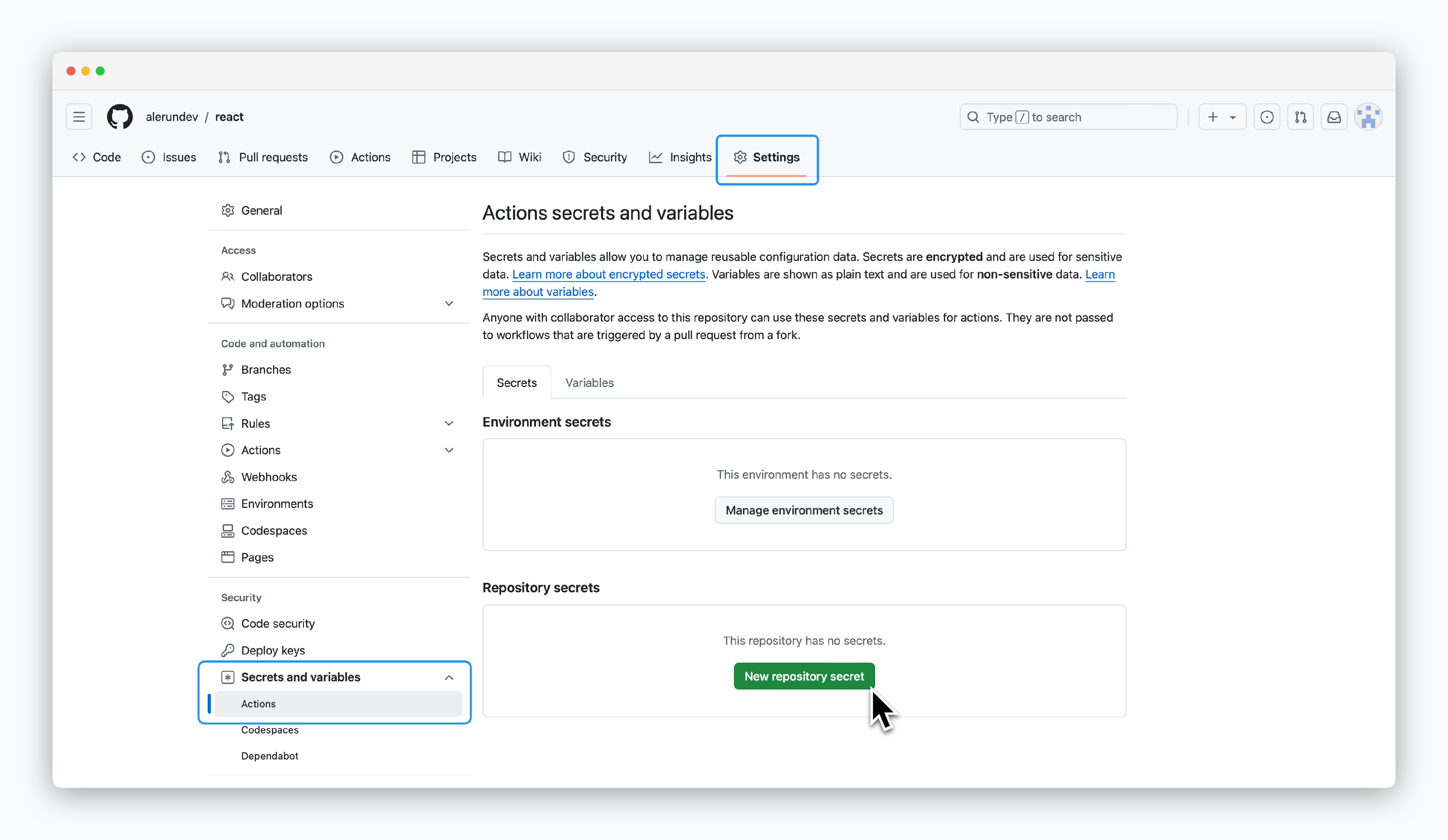 > Go to **Repository Settings > Secrets and variables > Actions**, then click `New repository secret.`
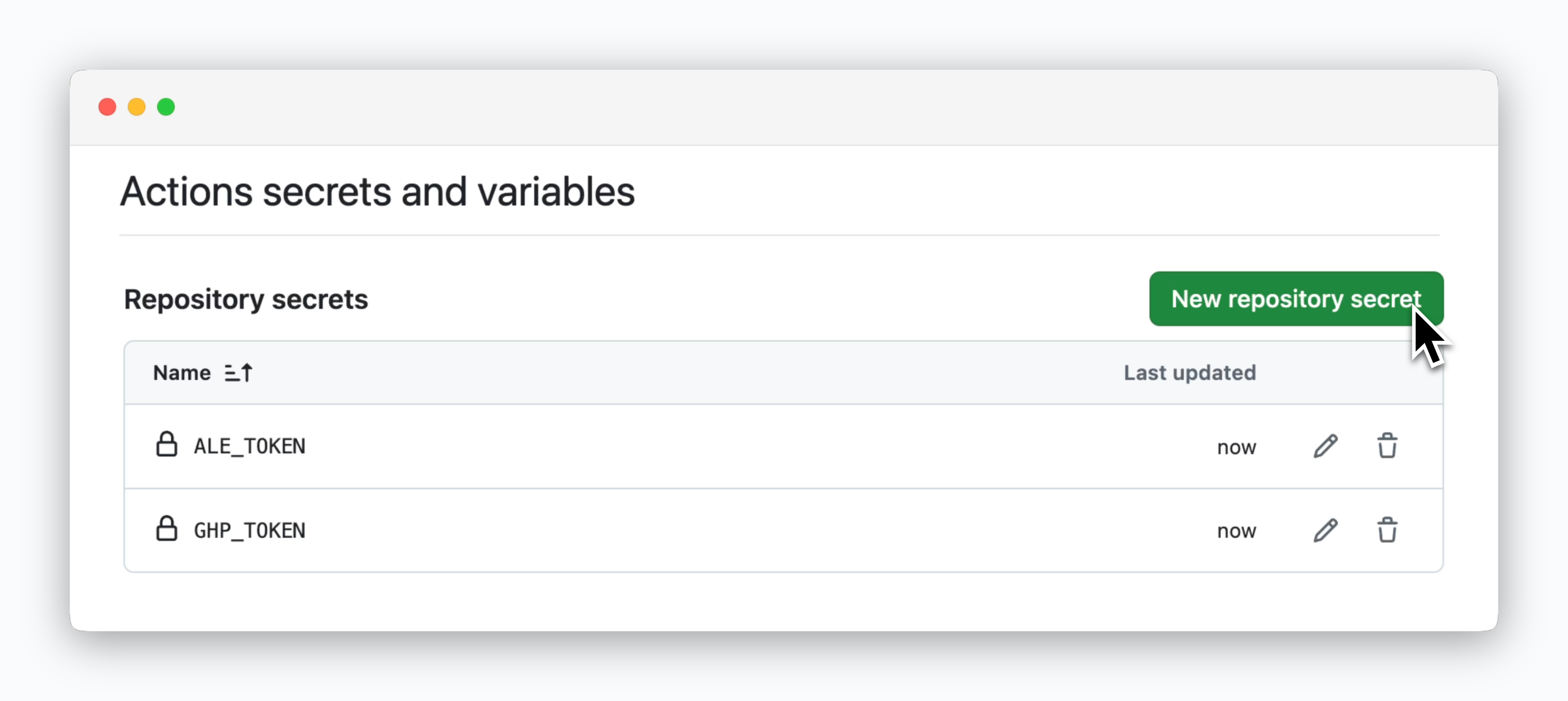 > Add two repository secrets with the following values:
| Name | Secret |
| ---------- | ------------------------------------- |
| ALE\_TOKEN | ale API key |
| GHP\_TOKEN | GitHub Personal Access Token |
## GitHub Actions Setup
### Get Workflow Code
> Add two repository secrets with the following values:
| Name | Secret |
| ---------- | ------------------------------------- |
| ALE\_TOKEN | ale API key |
| GHP\_TOKEN | GitHub Personal Access Token |
## GitHub Actions Setup
### Get Workflow Code
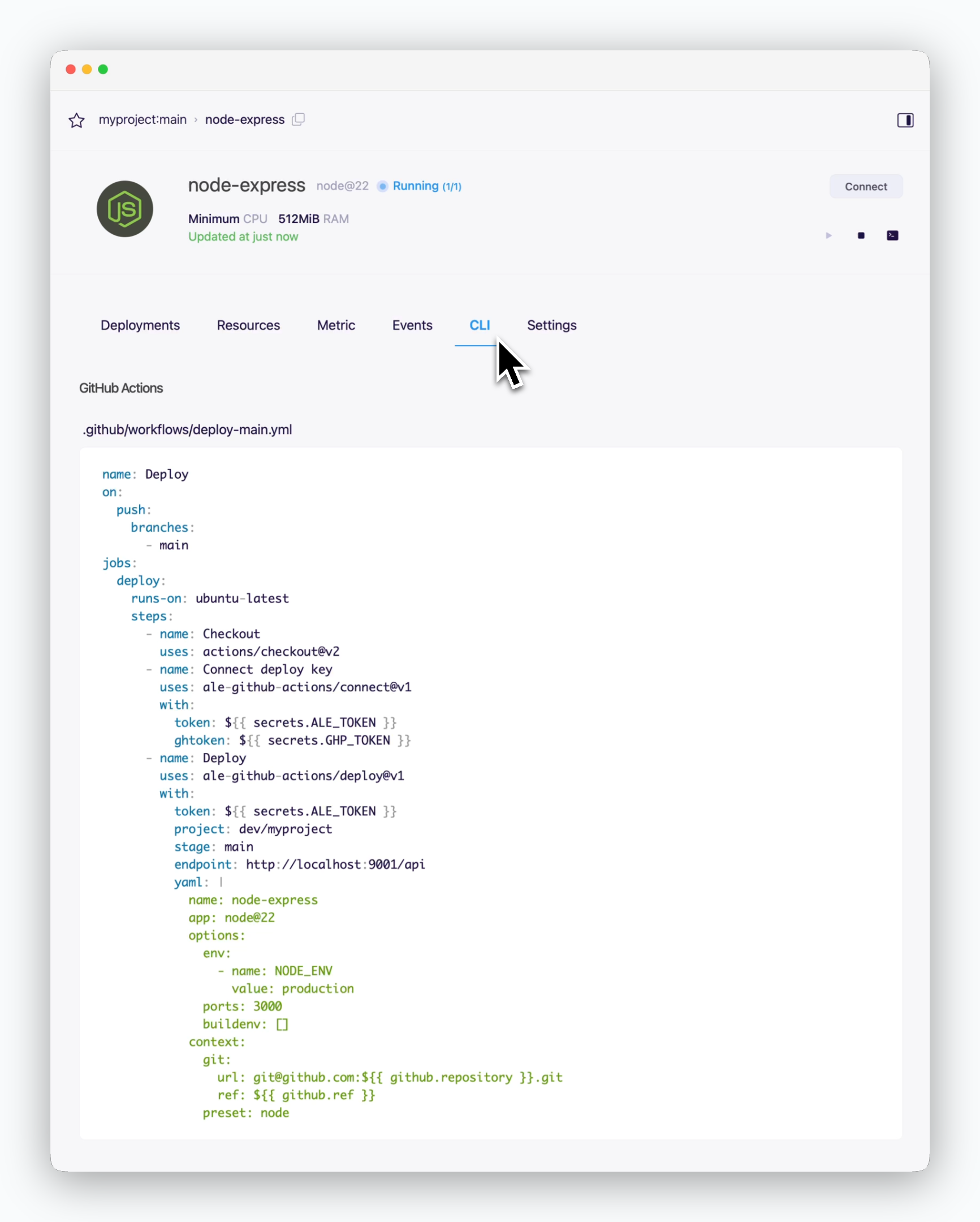 > Navigate to the service page and copy the auto-generated GitHub Actions workflow code from the CLI tab.
The endpoint automatically changes depending on the environment where `ale` is installed.
### Create Workflow File
> Create a **.github/workflows** directory in your project's root and add a yaml file using the code copied from `ale`.
The **.github/workflows** folder path is required and fixed, but you can choose any filename for your workflow.
## Action Input Parameters
> The pre-configured GitHub Actions workflow includes two main actions: **the connect action**, which configures GitHub repository Deploy Keys for `ale`'s source access, and **the deploy action**, which sends deployment settings to `ale` and triggers the deployment process.
| Input | Description | Required / Default |
| -------------------- | ------------------------------------------------------------ | ---------------------------------------------- |
| **token** | ale API Key | Required |
| **ghtoken** | GitHub Personal Token | Required |
| **endpoint** | ale API Endpoint | Required (https\://
> Navigate to the service page and copy the auto-generated GitHub Actions workflow code from the CLI tab.
The endpoint automatically changes depending on the environment where `ale` is installed.
### Create Workflow File
> Create a **.github/workflows** directory in your project's root and add a yaml file using the code copied from `ale`.
The **.github/workflows** folder path is required and fixed, but you can choose any filename for your workflow.
## Action Input Parameters
> The pre-configured GitHub Actions workflow includes two main actions: **the connect action**, which configures GitHub repository Deploy Keys for `ale`'s source access, and **the deploy action**, which sends deployment settings to `ale` and triggers the deployment process.
| Input | Description | Required / Default |
| -------------------- | ------------------------------------------------------------ | ---------------------------------------------- |
| **token** | ale API Key | Required |
| **ghtoken** | GitHub Personal Token | Required |
| **endpoint** | ale API Endpoint | Required (https\://app.\[domain]/api) |
| **scope** | Target space name | Default: API Key user's space name |
| **repo** | GitHub repository (format: user/repo) | Default: Current action's repository |
| **readOnly** | Generate read-only deploy key if set to 'true' | Default: false |
| Input | Description | Required / Default |
| ------------- | ------------------------------------- | ---------------------------------------------- |
| **token** | ale API Key | Required |
| **endpoint** | ale API Endpoint | Required (https\://app.\[domain]/api) |
| **project** | Project name to deploy | Required (space/project) |
| **stage** | Deployment environment name | Default: Project's default environment |
| **allStages** | Deploy to all environments if 'true' | Default: false |
| **repo** | GitHub repository (format: user/repo) | Default: Current action's repository |
| **file** | Deployment config file location | Default: .cloudtype/app.yaml |
| **json** | Deployment config JSON text | - |
| **yaml** | Deployment config YAML text | - |
One of **file**, **json**, or **yaml** inputs must be provided.
## Advanced Usage
> The generated workflow file can be customized to fit your service needs.
* Specify the deployment directory with the path field
```bash theme={null}
context:
git:
...
path: /pathname
```
> By default, services use the resource configuration defined in `ale`. You can customize resource settings in the resources section of your YAML file
```bash theme={null}
...
yaml: |
name: springboot-crud-example
app: java@17
resources:
spot: false
cpu: 1
memory: 1.5
replicas: 2
...
```
The spot field determines [the VM type](/en/developers/resource#on-demand-spot): `true` for Spot, `false` for On-demand.
> Environment variables can be managed in two ways:
>
> 1. Configure via dashboard (automatically synced to workflow)
> 2. Define directly in YAML using the **options.env** array
```bash theme={null}
...
yaml: |
name: springboot-crud-example
app: java@17
options:
ports: 8080
env:
- name: JAVA_OPTS
value: -Xms256m -Xmx512m
- name: SPRING_PROFILES_ACTIVE
value: dev
...
```
You can use your registered secret name in `ale` as the value field to reference secrets in environment variables.
> Specify up to three service ports in the options.ports field using comma-separated values.
```bash theme={null}
...
yaml: |
name: springboot-crud-example
app: java@17
options:
ports: 8080, 8081, 8082
...
```