> ## Documentation Index
> Fetch the complete documentation index at: https://docs.ale.run/llms.txt
> Use this file to discover all available pages before exploring further.
# Next.js
> Guide for deploying Next.js applications.
***
## Prerequisites
\-- **8, 10, 12, 14, 16, 18, 20**
Ensure the Node.js version specified in your project configuration files (e.g., package.json, .nvmrc) matches the version selected during deployment. A mismatch may cause build and runtime errors.
When deploying a Next.js application, distinguish between injecting values at build time and referencing them at runtime, and set build arguments or environment variables accordingly.
* **Build Arguments:** Inject values during the build process
* **Environment Variables:** Reference values at runtime
## Select Template and Repository
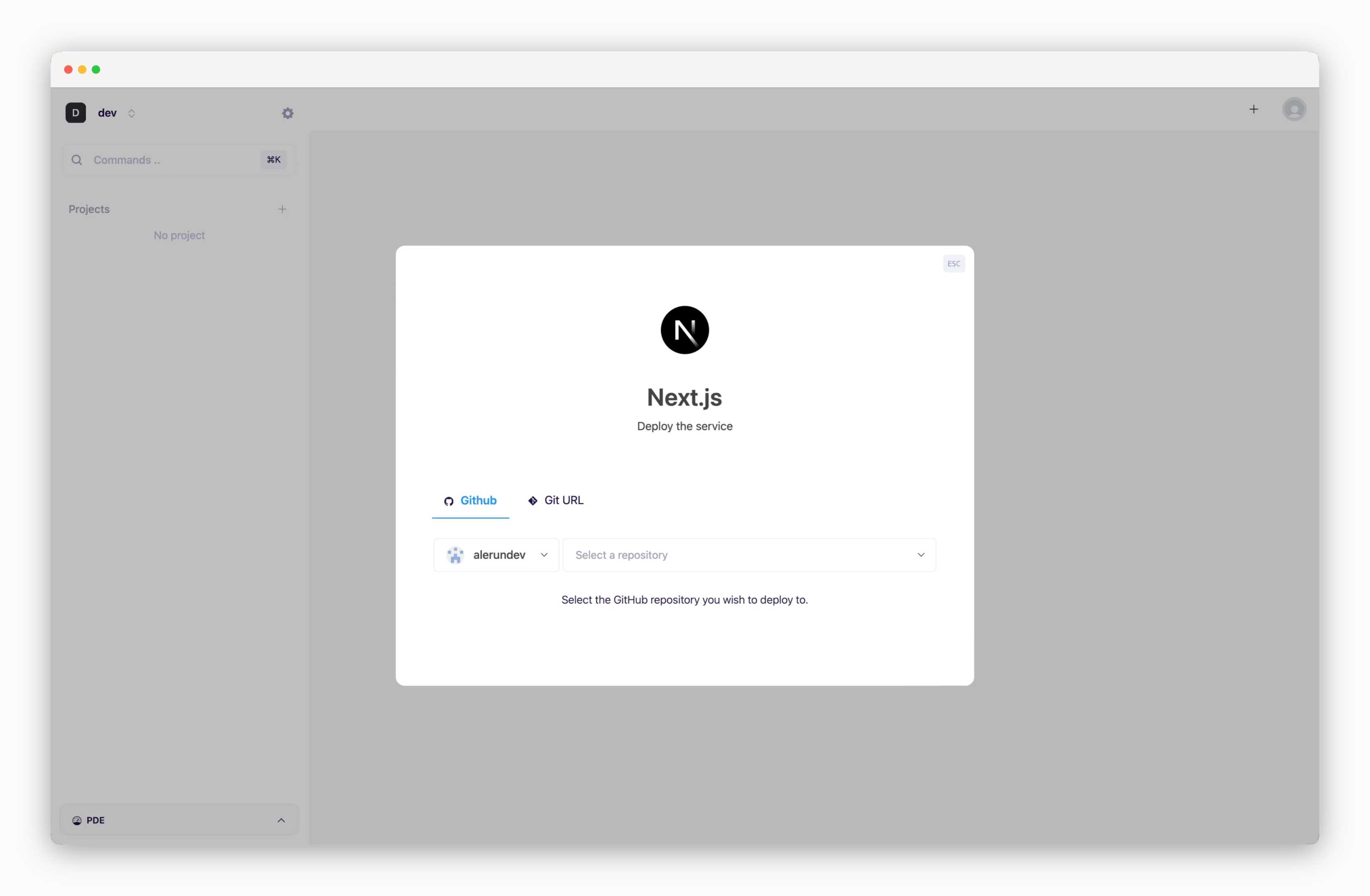 > On the dashboard, click or `⌘ + K` to open the deployment modal and select the **Next.js** template. Then choose a GitHub repository from the dropdown or [input a Git repository URL in the Git URL tab](/en/developers/private-repo).
## Deployment Settings
> Apply the following settings to ensure your service runs seamlessly.
* **Version**
* [Environment Variables](/en/developers/env)
* **Port Number**
* **Install Command**: npm/yarn package install command
* **Build Command**: npm/yarn build command
* **Start Command**: node execution command
* [Health Check](/en/developers/zero-downtime-deployment): Endpoint for verifying container status
* **Build Variables**: Variables to include during container image builds
* **Output Directory**: Directory for build outputs
* **Include files in build**: Paths to files or directories needed during the build
* **Update strategy**
* **Rolling Update**: Deploy new version incrementally while maintaining service availability. Requires sufficient node resources
* **Recreate**: Stop all instances before deploying new version. Results in downtime
* **.npmrc**: Configuration for npm package registry path, proxy settings, etc.
## Set Resources and Deploy
> On the dashboard, click or `⌘ + K` to open the deployment modal and select the **Next.js** template. Then choose a GitHub repository from the dropdown or [input a Git repository URL in the Git URL tab](/en/developers/private-repo).
## Deployment Settings
> Apply the following settings to ensure your service runs seamlessly.
* **Version**
* [Environment Variables](/en/developers/env)
* **Port Number**
* **Install Command**: npm/yarn package install command
* **Build Command**: npm/yarn build command
* **Start Command**: node execution command
* [Health Check](/en/developers/zero-downtime-deployment): Endpoint for verifying container status
* **Build Variables**: Variables to include during container image builds
* **Output Directory**: Directory for build outputs
* **Include files in build**: Paths to files or directories needed during the build
* **Update strategy**
* **Rolling Update**: Deploy new version incrementally while maintaining service availability. Requires sufficient node resources
* **Recreate**: Stop all instances before deploying new version. Results in downtime
* **.npmrc**: Configuration for npm package registry path, proxy settings, etc.
## Set Resources and Deploy
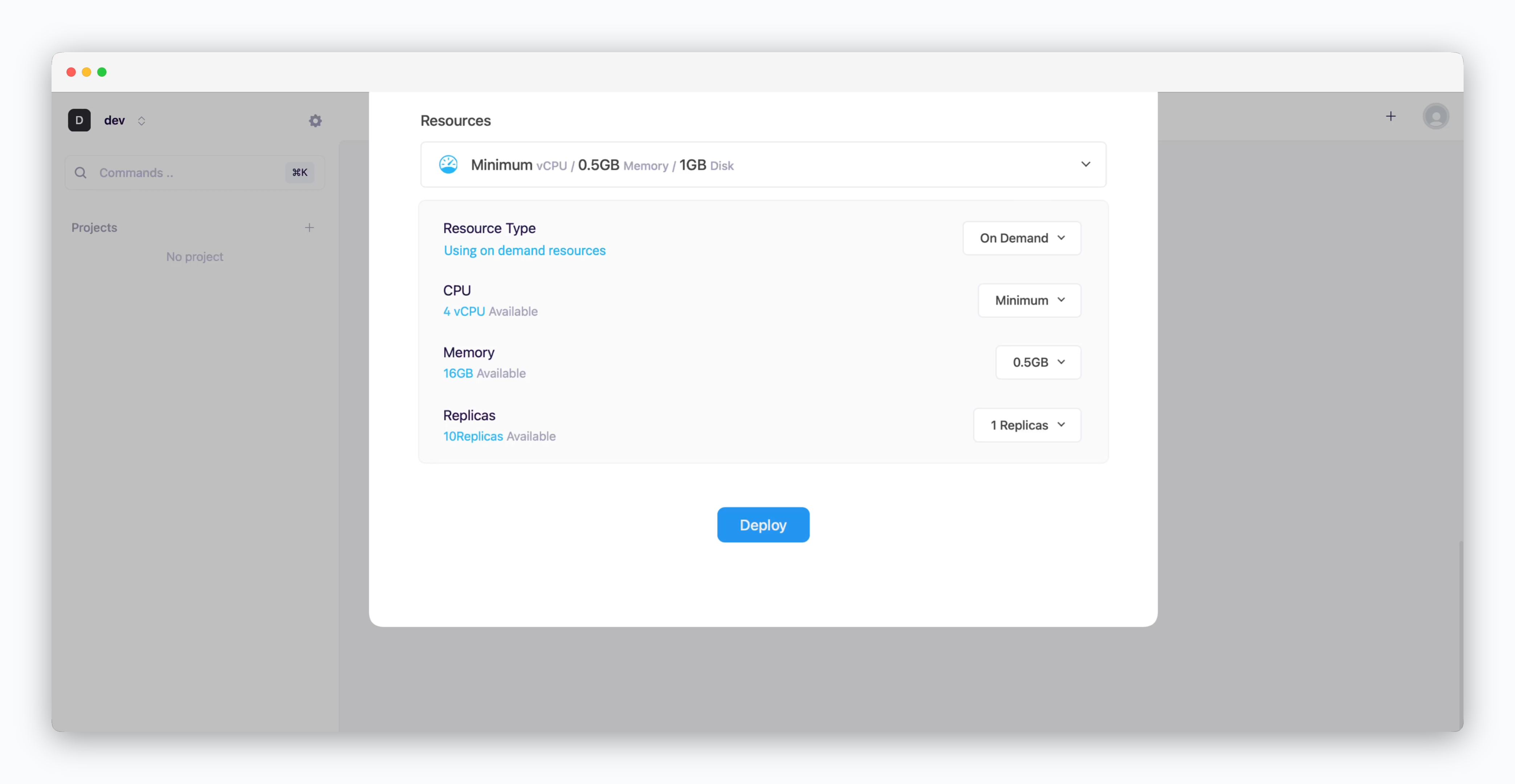 * **Resource Type**: Select between [On-demand or Spot instance types](/en/developers/resource#on-demand-spot)
* **CPU**: Maximum vCPU resource for the service. Minimum vCPU means 0.1 vCPU
* **Memory**: Maximum memory size your service can use
* [Replica](/en/developers/replica): Number of service replicas for high availability and load balancing
* **Deploy**: Click `Deploy`
Once deployment is complete, you can access the web page via the preview domain or send requests using an API tool.
If deployment fails due to resource limitations, see [the Space and Resource Management page](/en/operations/spaces#allocate-resources) to add resources to your space.
***
[Next.js Docs](https://nextjs.org/docs/getting-started)
* **Resource Type**: Select between [On-demand or Spot instance types](/en/developers/resource#on-demand-spot)
* **CPU**: Maximum vCPU resource for the service. Minimum vCPU means 0.1 vCPU
* **Memory**: Maximum memory size your service can use
* [Replica](/en/developers/replica): Number of service replicas for high availability and load balancing
* **Deploy**: Click `Deploy`
Once deployment is complete, you can access the web page via the preview domain or send requests using an API tool.
If deployment fails due to resource limitations, see [the Space and Resource Management page](/en/operations/spaces#allocate-resources) to add resources to your space.
***
[Next.js Docs](https://nextjs.org/docs/getting-started)