> ## Documentation Index
> Fetch the complete documentation index at: https://docs.ale.run/llms.txt
> Use this file to discover all available pages before exploring further.
# Private Git
> `ale` supports SSH authentication to deploy code from private repositories across various platforms including GitHub, GitLab, Bitbucket, and others.
***
## Generate Deploy Key
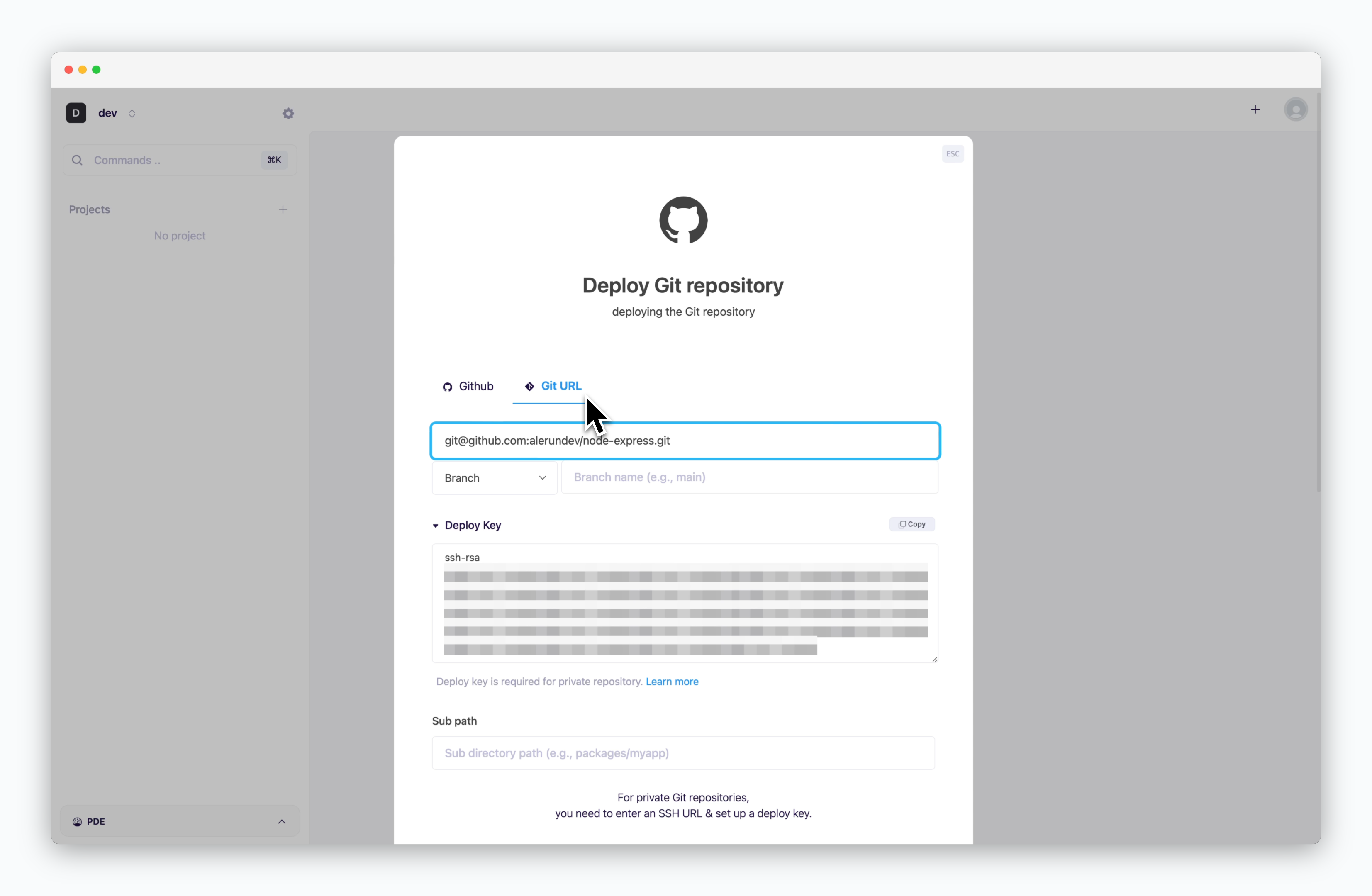 > Click or press `⌘ + K` to open the deployment modal and select **Deploy Git Repository** and under the Git URL tab, paste your repository's **Git URL(SSH)**. A Deploy Key will be automatically generated.
## Add the Deploy Key
### GitHub
> Click or press `⌘ + K` to open the deployment modal and select **Deploy Git Repository** and under the Git URL tab, paste your repository's **Git URL(SSH)**. A Deploy Key will be automatically generated.
## Add the Deploy Key
### GitHub
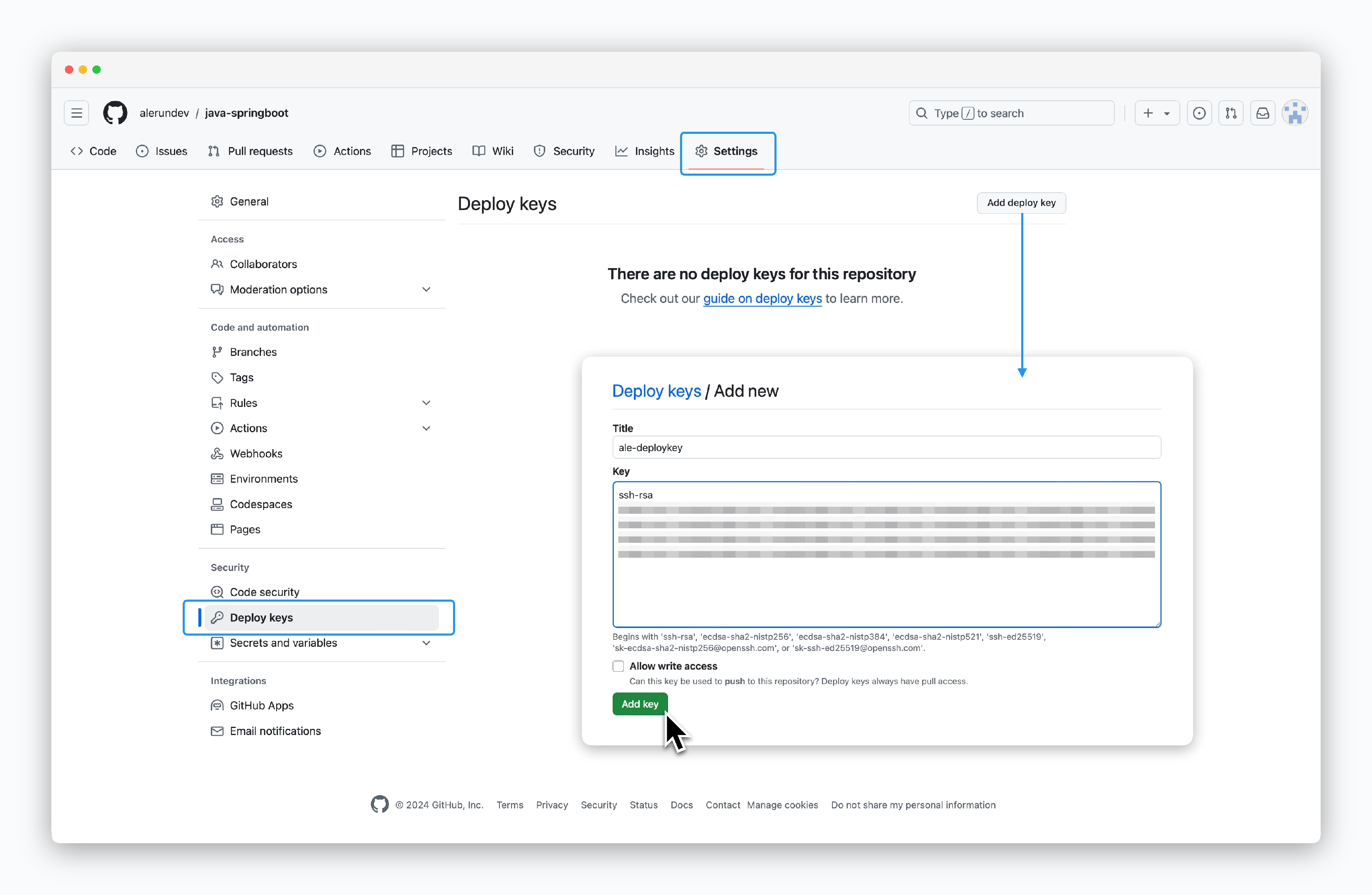 > Go to **Settings > Deploy keys** in your repository. Then click `Add deploy key` in the top right corner and paste the deploy key from `ale`.
### GitLab
> Go to **Settings > Deploy keys** in your repository. Then click `Add deploy key` in the top right corner and paste the deploy key from `ale`.
### GitLab
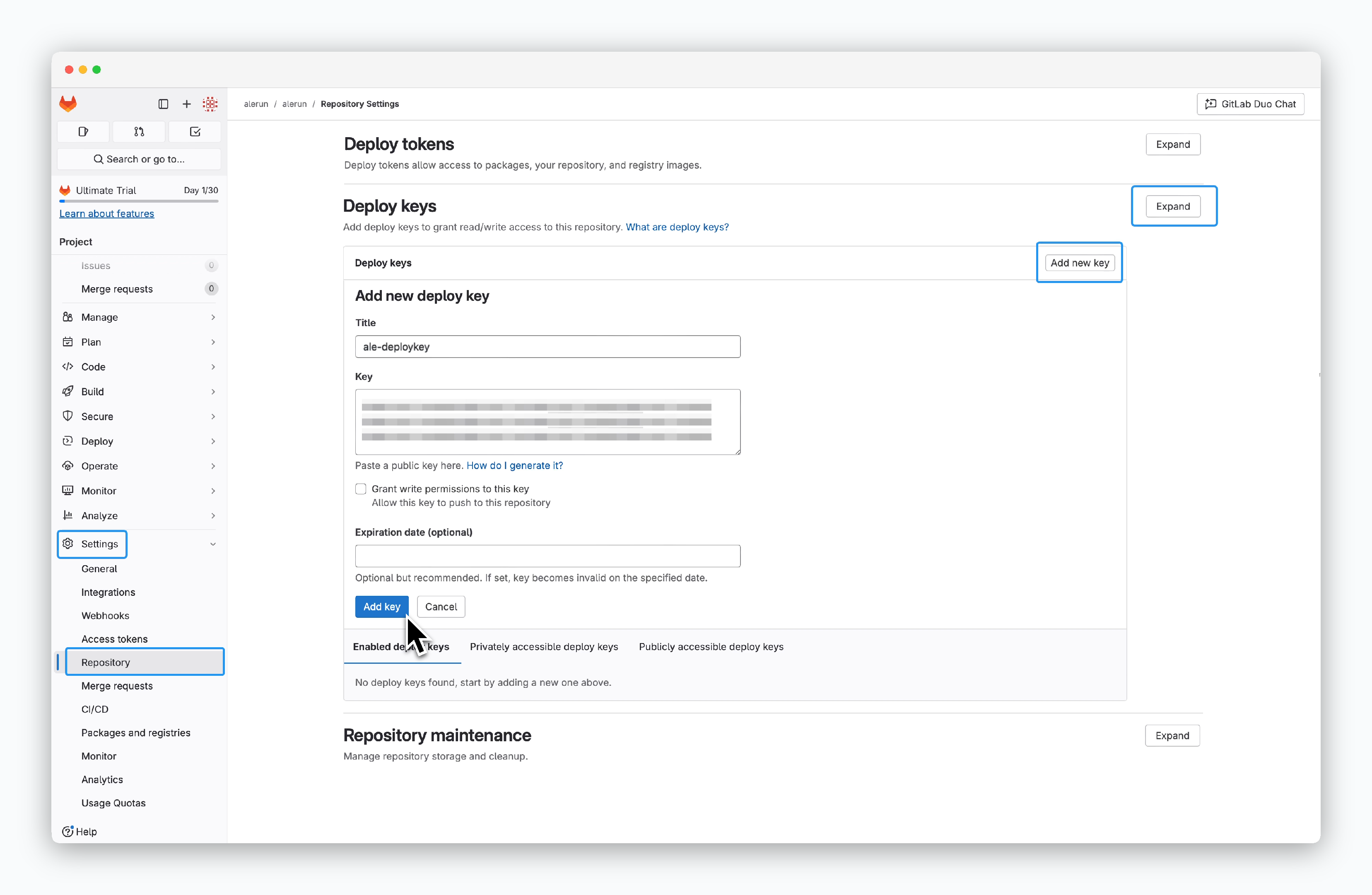 > Go to **Settings > Repository** in your repository. Under the **Deploy keys** section, click `Expand`, then `Add new key`, and paste the deploy key from `ale`.
### Bitbucket
> Go to **Settings > Repository** in your repository. Under the **Deploy keys** section, click `Expand`, then `Add new key`, and paste the deploy key from `ale`.
### Bitbucket
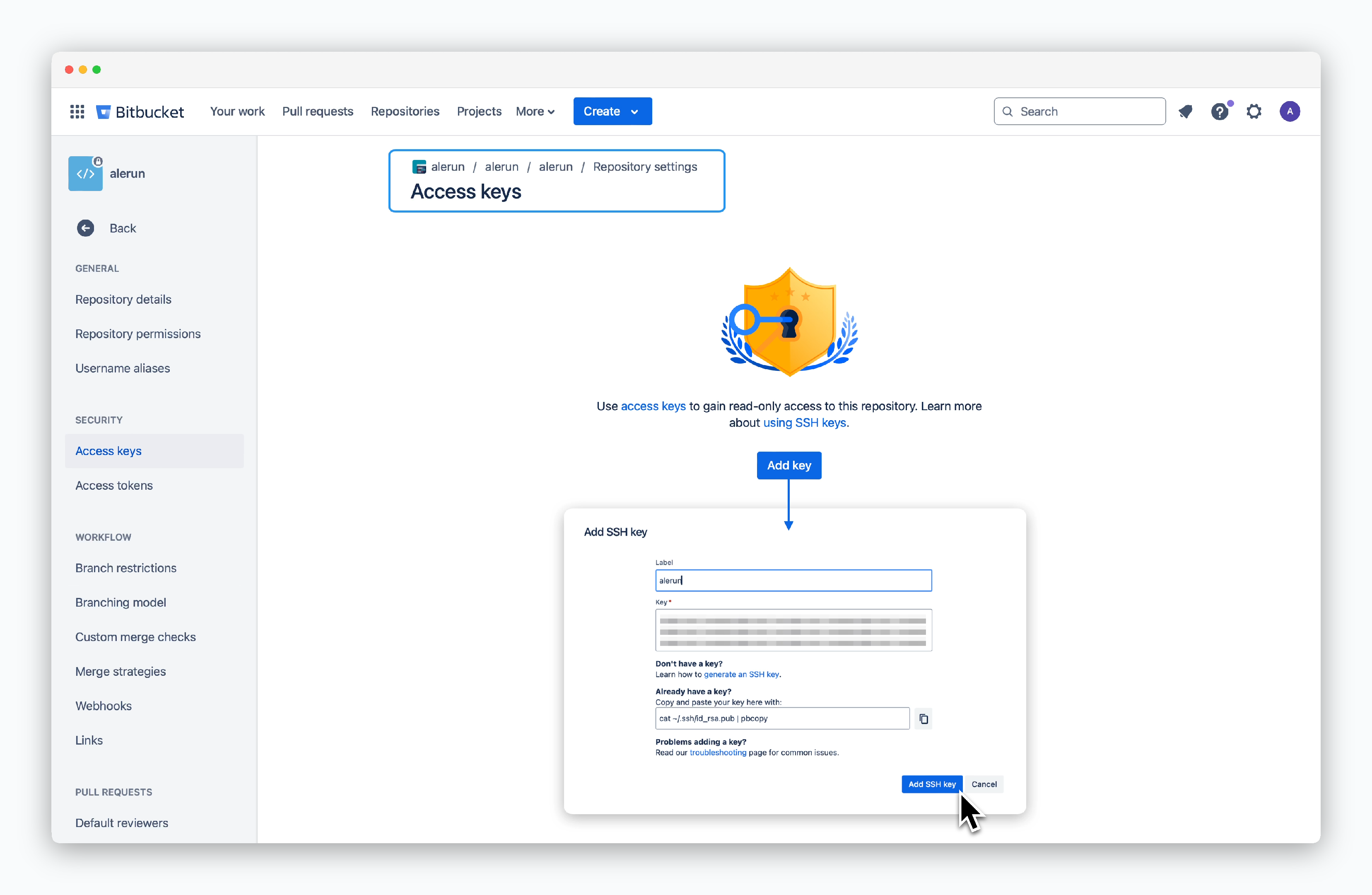 > Go to **Repository settings > Access keys** in your repository. Click `Add key` and paste the deploy key from `ale`.
## Deploy
### Select Language/Framework
> Go to **Repository settings > Access keys** in your repository. Click `Add key` and paste the deploy key from `ale`.
## Deploy
### Select Language/Framework
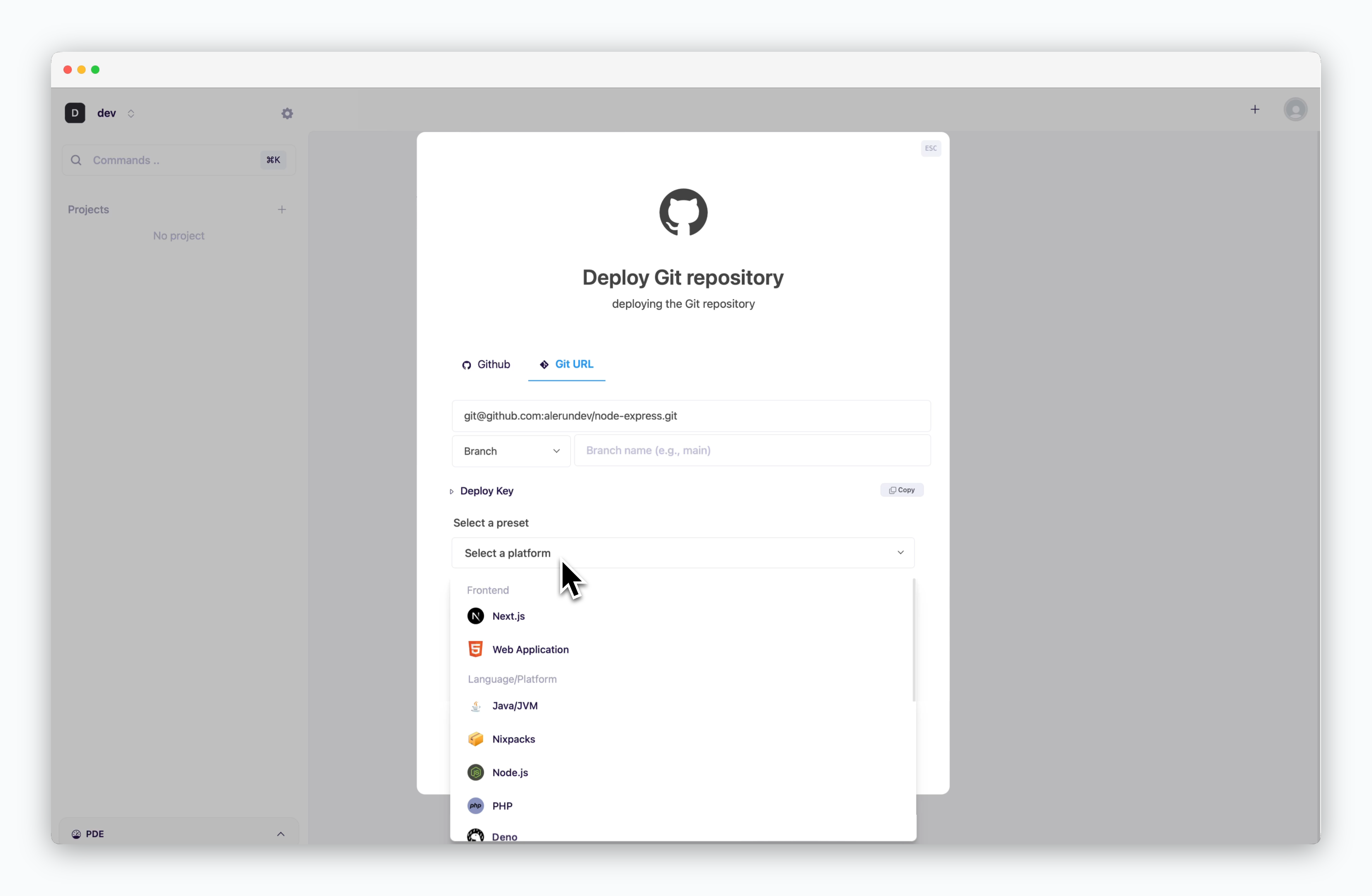 > Choose the preset that matches your repository.
For static sites like React or Vue, select **Web Application**.
### Configure and Deploy
> For subsequent configuration and deployment steps, see the [Deploying with ale page](/en/developers/deploy#configure-and-deploy).
> Choose the preset that matches your repository.
For static sites like React or Vue, select **Web Application**.
### Configure and Deploy
> For subsequent configuration and deployment steps, see the [Deploying with ale page](/en/developers/deploy#configure-and-deploy).