> ## Documentation Index
> Fetch the complete documentation index at: https://docs.ale.run/llms.txt
> Use this file to discover all available pages before exploring further.
# Quickstart
> **Deploy Node.js**
***
## Prerequisites
* [ale account](/en/operations/user-management#registration)
* GitHub account
## Select a Template
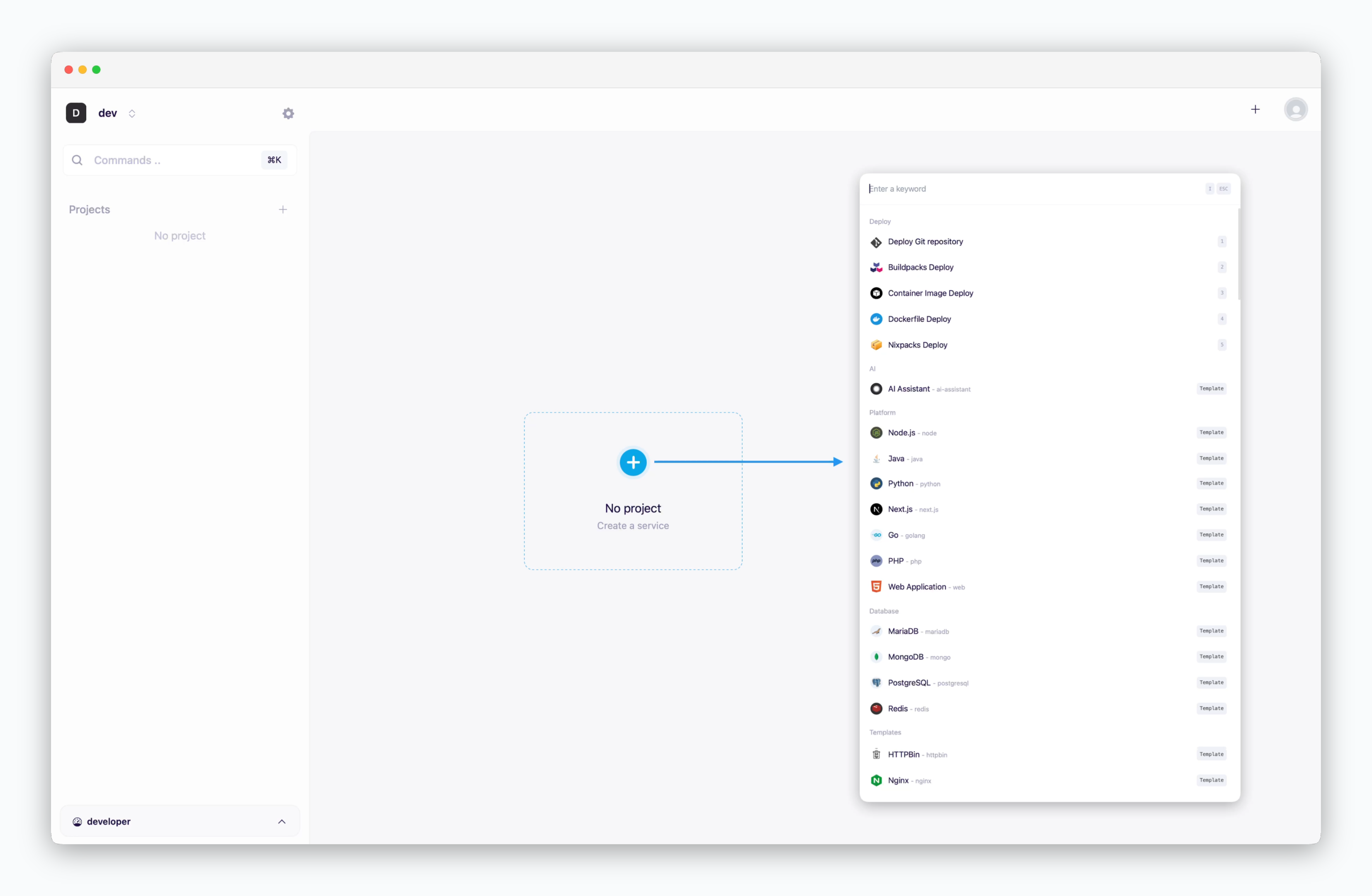 > Click on the dashboard or use `⌘ + K`, then select the **Node.js** template.
## Select a Repository
> Click on the dashboard or use `⌘ + K`, then select the **Node.js** template.
## Select a Repository
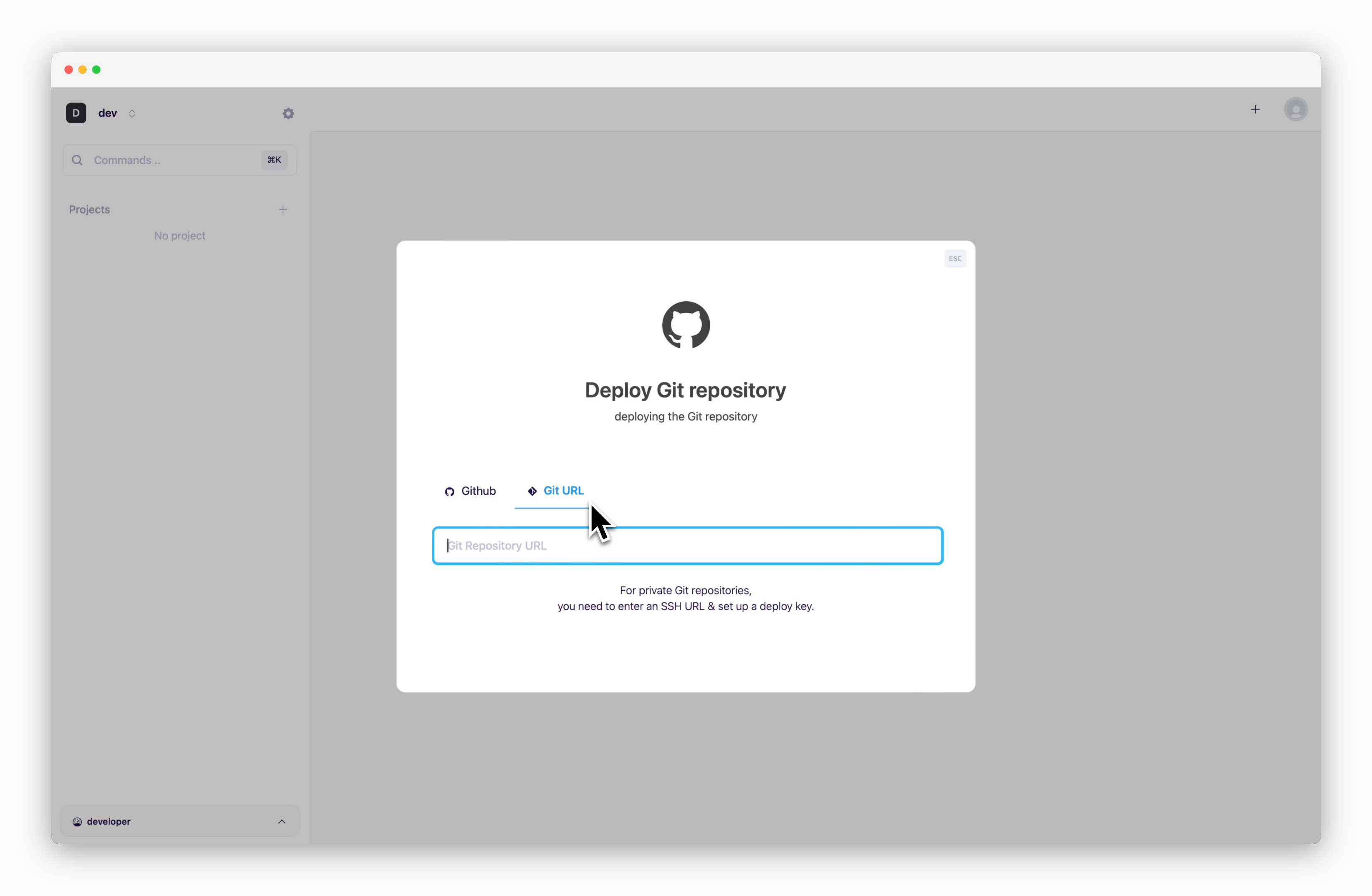 > Enter the URL of the public repository below, or select a repository from your GitHub account.
```
https://github.com/cloudtype-examples/node-express.git
```
## Deploy
> Enter the URL of the public repository below, or select a repository from your GitHub account.
```
https://github.com/cloudtype-examples/node-express.git
```
## Deploy
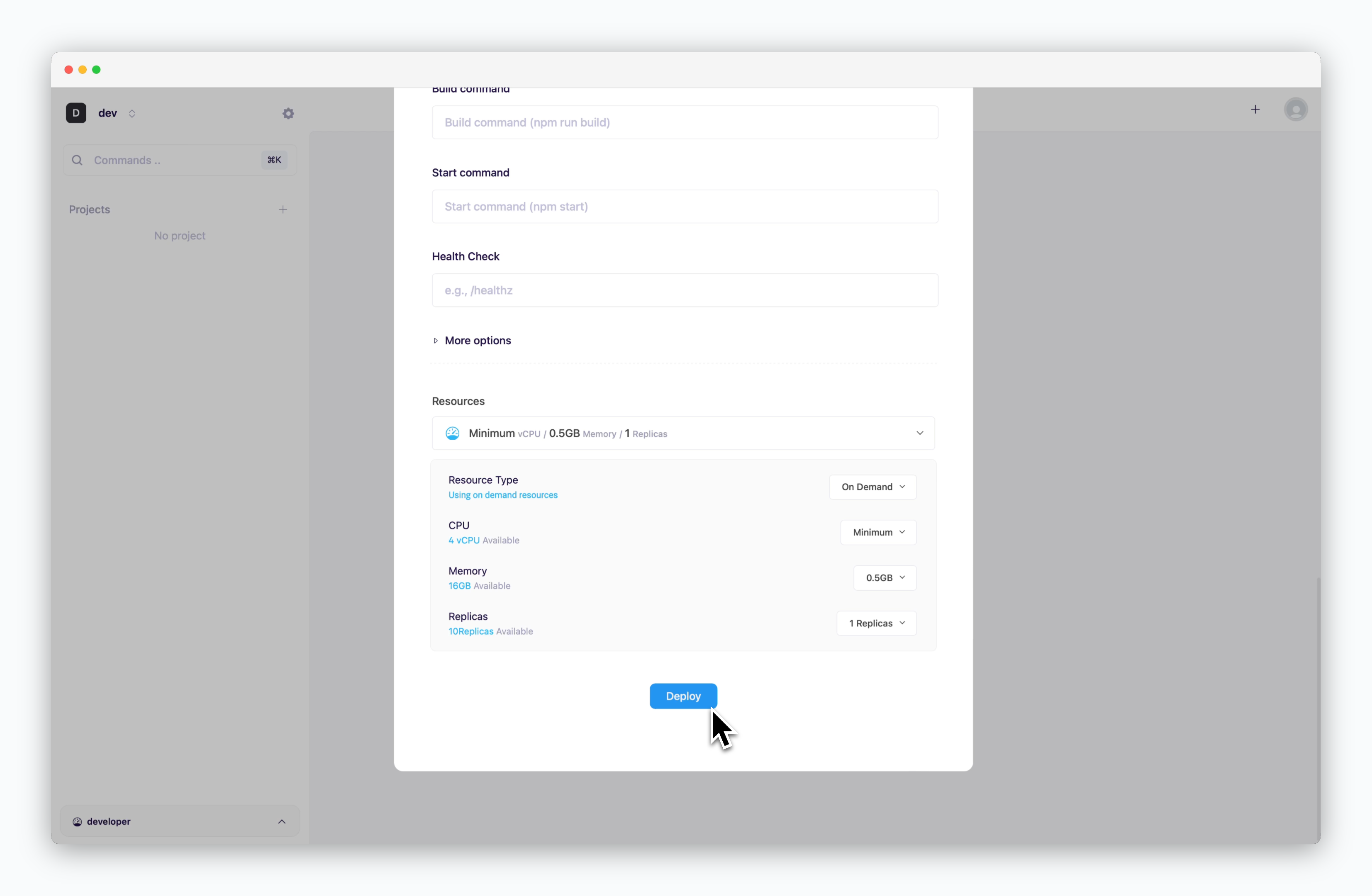 > Configure deployment settings and click `Deploy` at the bottom.
For more information about deployment settings, see the [Deploying with ale](/en/developers/deploy).
## Access
> Configure deployment settings and click `Deploy` at the bottom.
For more information about deployment settings, see the [Deploying with ale](/en/developers/deploy).
## Access
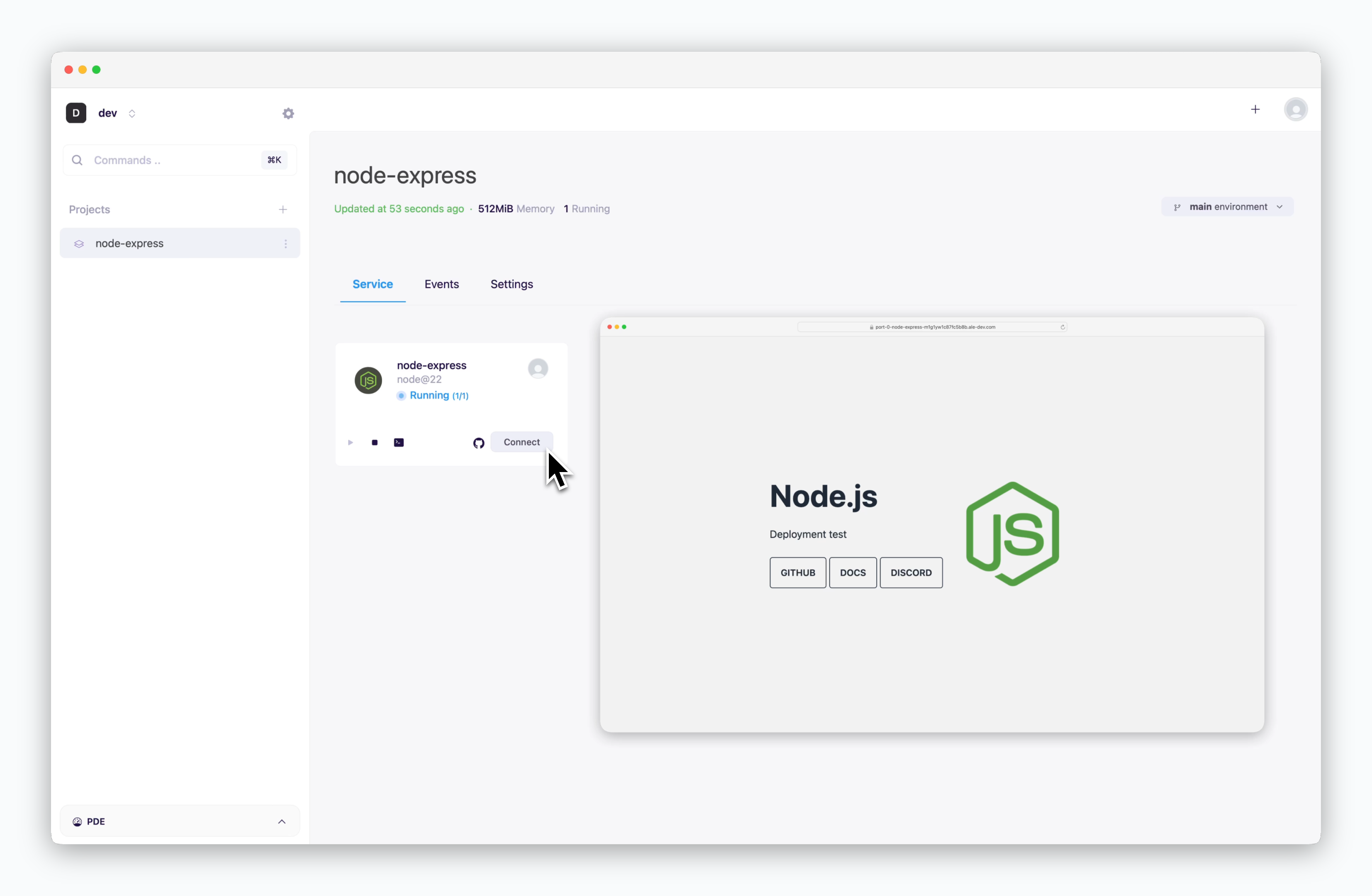 > Once the service is running, click `connect` to access the service at a preview domain.