> ## Documentation Index
> Fetch the complete documentation index at: https://docs.ale.run/llms.txt
> Use this file to discover all available pages before exploring further.
# React
> Guide for deploying React applications.
***
## Prerequisites
* **8, 10, 12, 14, 16, 18, 20**
Ensure the Node.js version specified in your project configuration files (e.g., package.json, .nvmrc) matches the version selected during deployment. A mismatch may cause build and runtime errors.
## Select Template and Repository
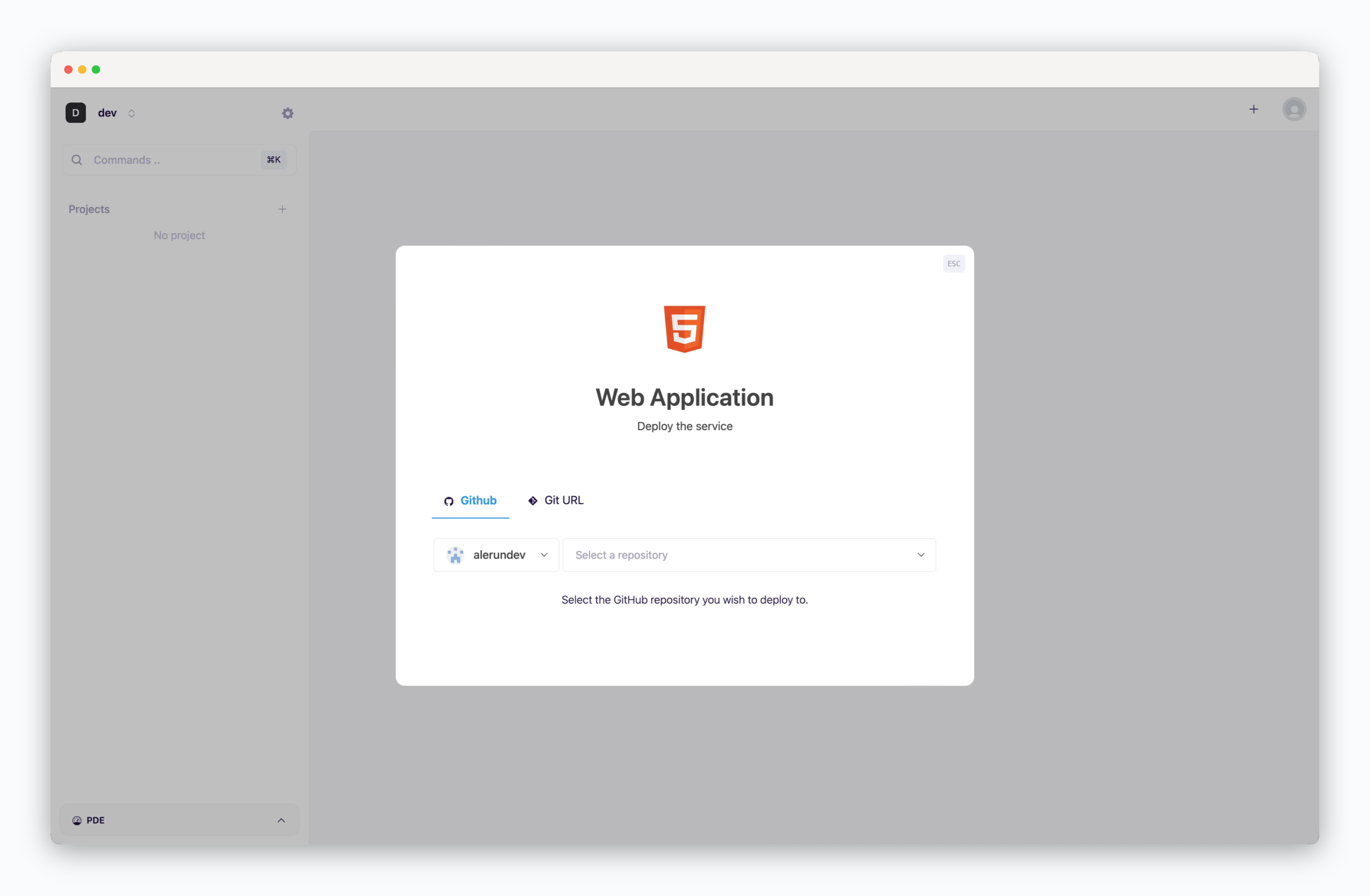 > On the dashboard, click or `⌘ + K` to open the deployment modal and select the **Web application** template. Then choose a GitHub repository from the dropdown or [input a Git repository URL in the Git URL tab](/en/developers/private-repo).
## Deployment Settings
> Apply the following settings to ensure your service runs seamlessly.
* **Build Variables**: Variables to include when building the React project
* **Docbase**: Output directory for build artifacts
* [Rewrites: Path and URL for proxying](/en/developers/reverseproxy)
* **Node.js Version**
* **Build Command**: Command to build the React project
* **Single Page Application**: Indicates if it is a single page app
* [Health Check](/en/developers/zero-downtime-deployment): Endpoint for verifying container status
* **Install command**: Variables to include during container image builds
* **.npmrc**: Configuration for npm package registry path, proxy settings, etc.
* **Index page**: Filename of the index page
`ale` provides built-in reverse proxy support without the need to configure a Nginx server. For more details, refer to [the Reverse Proxy page](/en/developers/reverseproxy).
## Set Resources and Deploy
> On the dashboard, click or `⌘ + K` to open the deployment modal and select the **Web application** template. Then choose a GitHub repository from the dropdown or [input a Git repository URL in the Git URL tab](/en/developers/private-repo).
## Deployment Settings
> Apply the following settings to ensure your service runs seamlessly.
* **Build Variables**: Variables to include when building the React project
* **Docbase**: Output directory for build artifacts
* [Rewrites: Path and URL for proxying](/en/developers/reverseproxy)
* **Node.js Version**
* **Build Command**: Command to build the React project
* **Single Page Application**: Indicates if it is a single page app
* [Health Check](/en/developers/zero-downtime-deployment): Endpoint for verifying container status
* **Install command**: Variables to include during container image builds
* **.npmrc**: Configuration for npm package registry path, proxy settings, etc.
* **Index page**: Filename of the index page
`ale` provides built-in reverse proxy support without the need to configure a Nginx server. For more details, refer to [the Reverse Proxy page](/en/developers/reverseproxy).
## Set Resources and Deploy
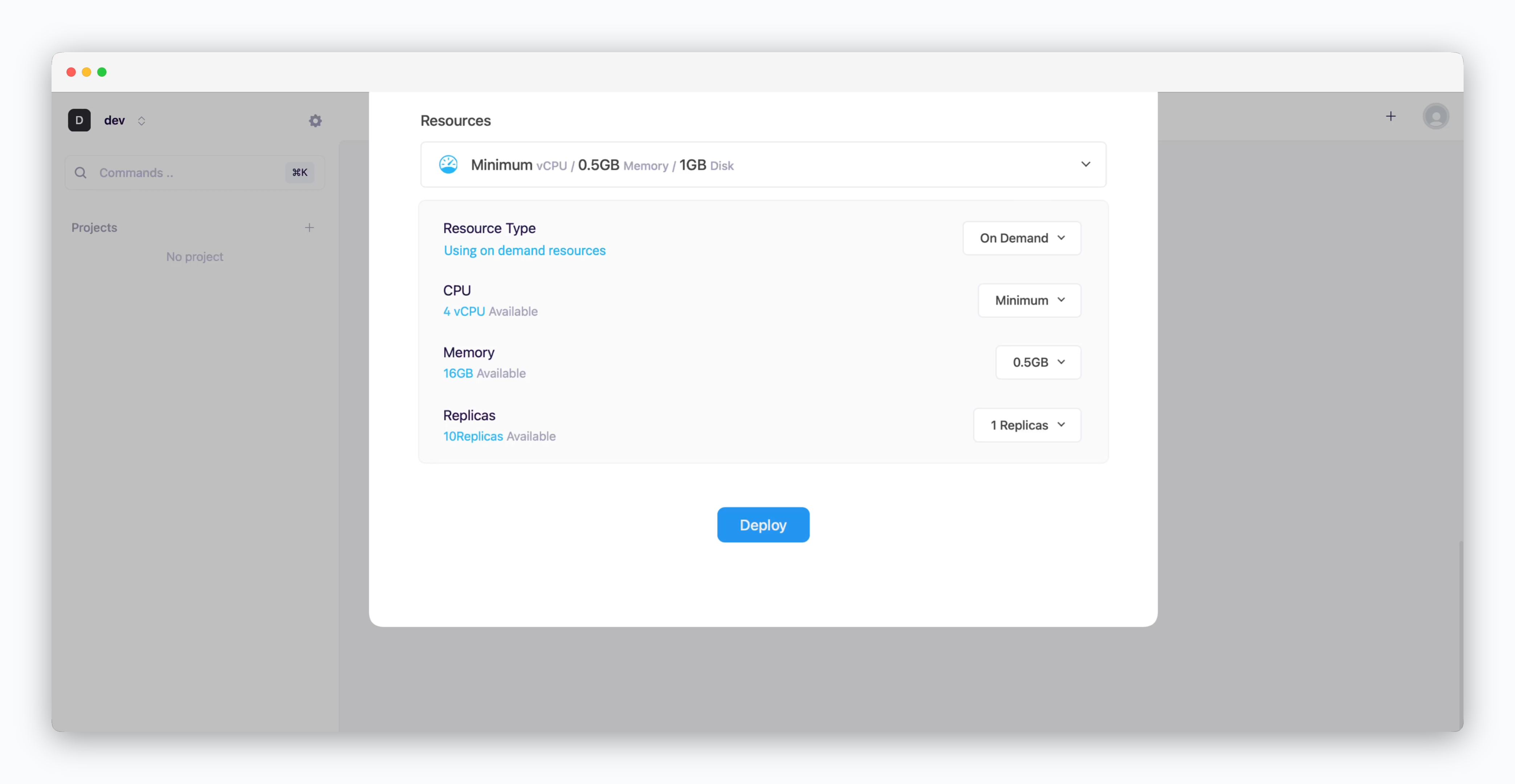 * **Resource Type**: Select between [On-demand or Spot instance types](/en/developers/resource#on-demand-spot)
* **CPU**: Maximum vCPU resource for the service. Minimum vCPU means 0.1 vCPU
* **Memory**: Maximum memory size your service can use
* [Replica](/en/developers/replica): Number of service replicas for high availability and load balancing
* **Deploy**: Click `Deploy`
Once deployment is complete, you can access the web page via the preview domain or send requests using an API tool.
If deployment fails due to resource limitations, see [the Space and Resource Management page](/en/operations/spaces#allocate-resources) to add resources to your space.
***
[React Docs](https://reactjs.org/docs/getting-started.html)
* **Resource Type**: Select between [On-demand or Spot instance types](/en/developers/resource#on-demand-spot)
* **CPU**: Maximum vCPU resource for the service. Minimum vCPU means 0.1 vCPU
* **Memory**: Maximum memory size your service can use
* [Replica](/en/developers/replica): Number of service replicas for high availability and load balancing
* **Deploy**: Click `Deploy`
Once deployment is complete, you can access the web page via the preview domain or send requests using an API tool.
If deployment fails due to resource limitations, see [the Space and Resource Management page](/en/operations/spaces#allocate-resources) to add resources to your space.
***
[React Docs](https://reactjs.org/docs/getting-started.html)