> ## Documentation Index
> Fetch the complete documentation index at: https://docs.ale.run/llms.txt
> Use this file to discover all available pages before exploring further.
# Environment Replication
> You can easily replicate environments using the **YAML Download** feature in the environment selector.
An environment is a work unit that can be composed of one or multiple services. For more details about `ale`'s work unit hierarchy, from spaces to services, see below.
> A space is the top-level unit of the workspace hierarchy. [Space owners can invite team members](/en/developers/space#team-management) to collaborate on projects within the resources allocated by the operations system. Members can create and manage projects in a self-service manner.
> **A project is a display name that represents a collection of environments.** It is designed for the management convenience of dashboard users, allowing them to manage one or more work-related environments (Dev, QA, Staging, Prod, and others) within a single project.
> **An environment corresponds to a namespace in a Kubernetes cluster.** Network isolation is configured on a per-namespace basis, and [services within the same environment (namespace) can communicate by referencing service names as hostnames.](/en/developers/connect#internal-service-connection) Frequently used [environment variables can be stored as secrets at the environment level](/en/developers/env) for management and application.
> **A service corresponds to a Deployment in Kubernetes.** Each service can be [accessed via terminal](/en/developers/log) and [connected to custom domains.](/en/developers/domain) For more details on deploying services, see the [Deploying with ale page.](/en/developers/deploy)
***
## Download YAML File
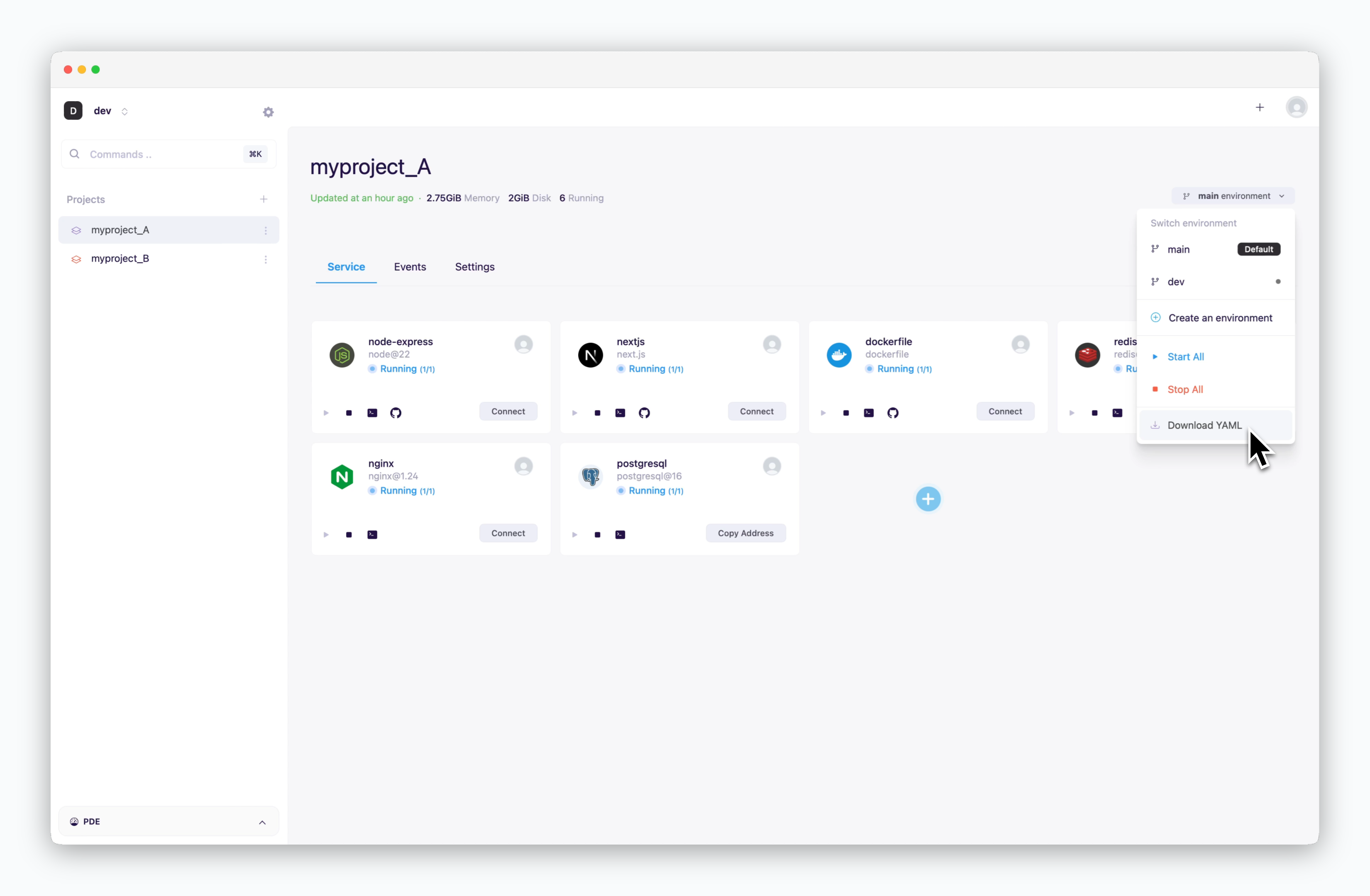 > Click the `Environment selector` on the right to download a YAML file containing deployment configurations for all services in the environment you want to replicate.
The YAML file includes configuration values such as resources, environment variables, and secret names, but it does not include the secret values. If the services in the environment use stored secrets, see below to store secrets in the new environment.
## Download Secrets
> Click the `Environment selector` on the right to download a YAML file containing deployment configurations for all services in the environment you want to replicate.
The YAML file includes configuration values such as resources, environment variables, and secret names, but it does not include the secret values. If the services in the environment use stored secrets, see below to store secrets in the new environment.
## Download Secrets
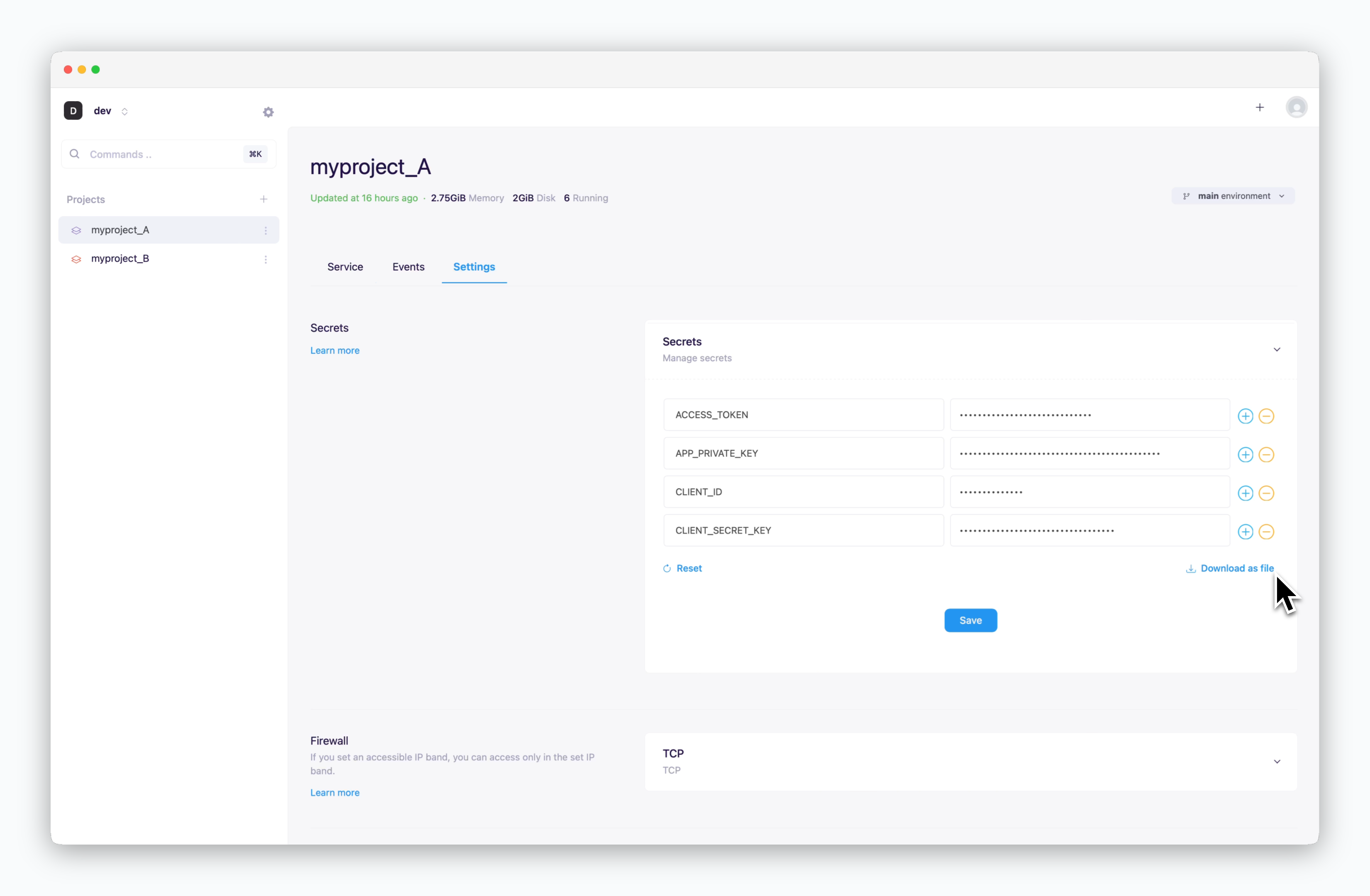 > Navigate to the Secrets section in the Settings tab and click `Download as file` to export your stored secrets.
## Save Secrets
> Apply the downloaded file to the new environment using drag & drop, then save.
## Apply YAML File
> Navigate to the Secrets section in the Settings tab and click `Download as file` to export your stored secrets.
## Save Secrets
> Apply the downloaded file to the new environment using drag & drop, then save.
## Apply YAML File
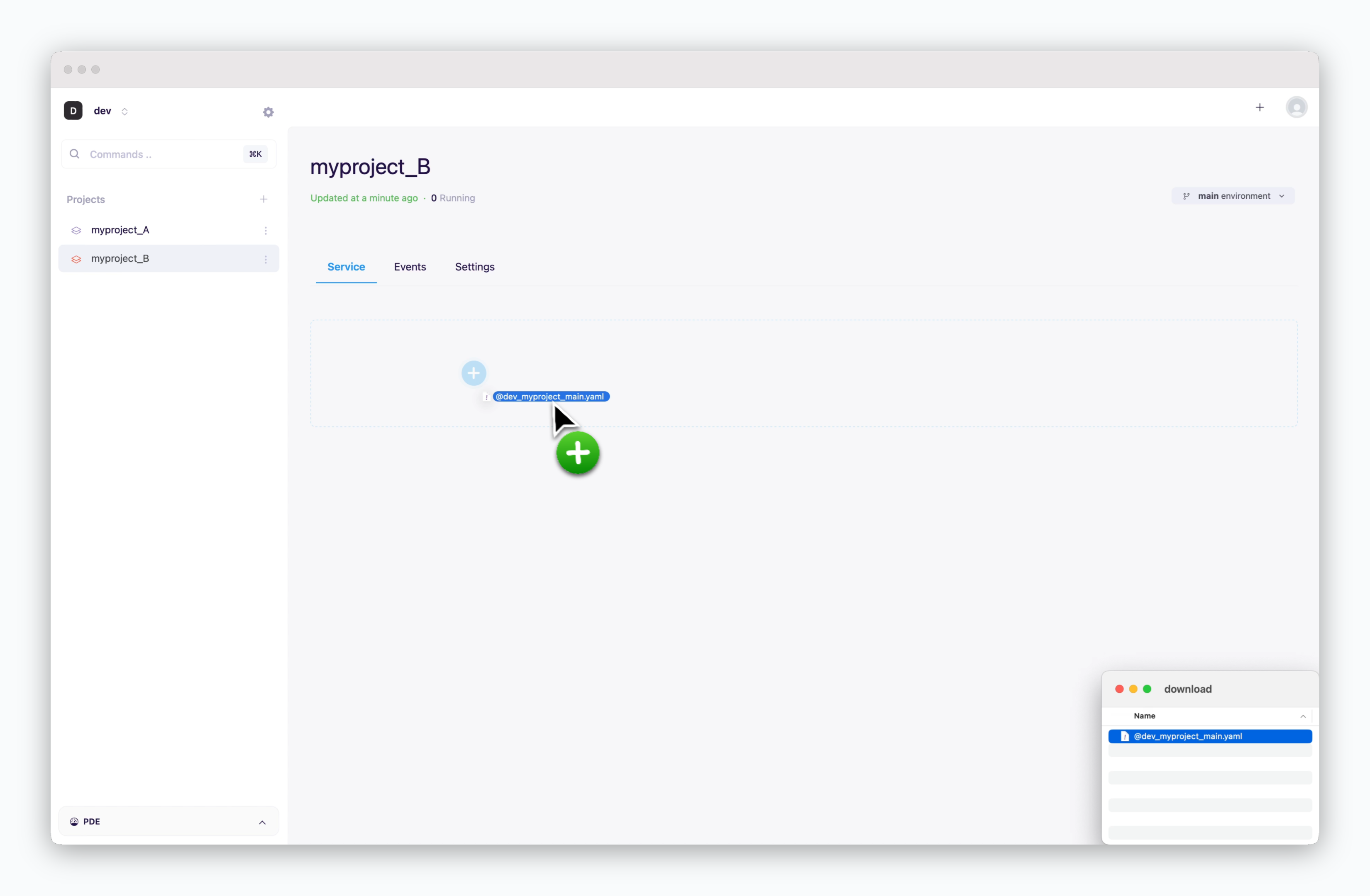 > When you apply the YAML file to the new environment using drag & drop, all services will be created in a stopped state.
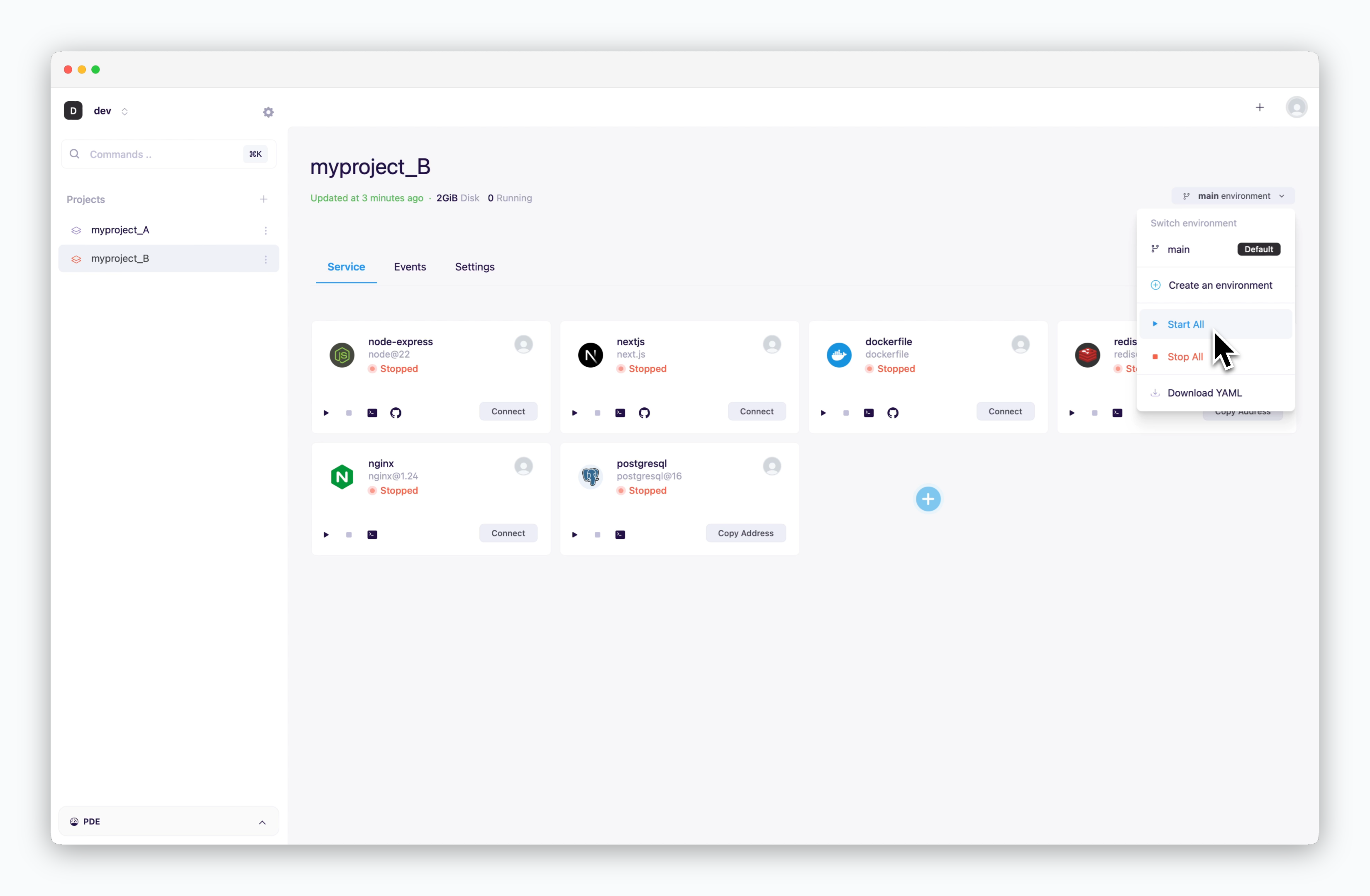 > Click the icon to start each service individually, or click `Start All` from the Environment selector to launch all services at once.
For services requiring external connections, make sure to [enable TCP external access.](/en/developers/connect#external-and-cross-env-services)
> Click the icon to start each service individually, or click `Start All` from the Environment selector to launch all services at once.
For services requiring external connections, make sure to [enable TCP external access.](/en/developers/connect#external-and-cross-env-services)