> ## Documentation Index
> Fetch the complete documentation index at: https://docs.ale.run/llms.txt
> Use this file to discover all available pages before exploring further.
# Version Rollback
> `ale` operates services based on container images, enabling quick rollbacks to previous versions when issues occur.
***
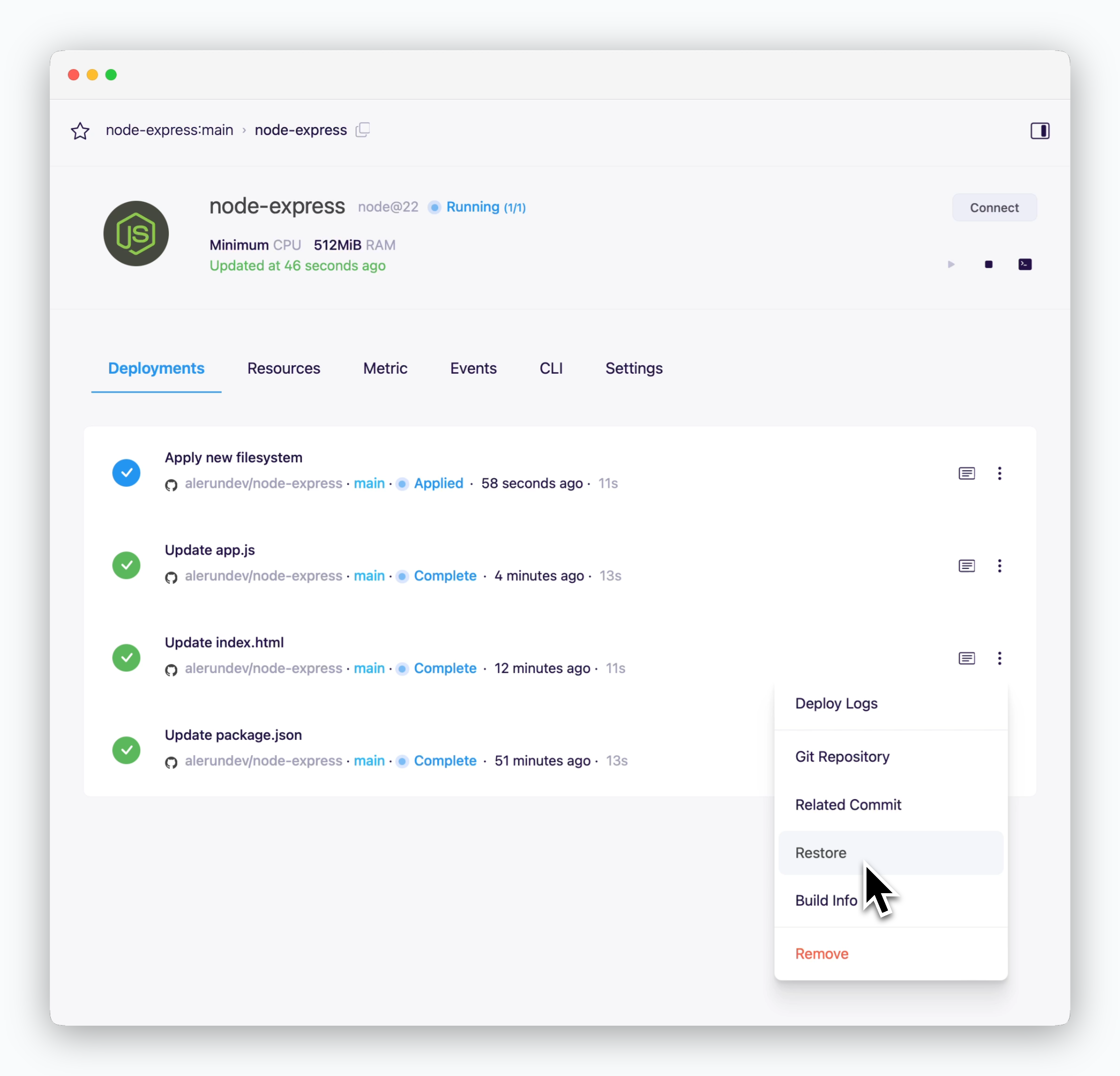 > To roll back your service, navigate to the Deployments tab in the service page and click the icon next to the desired deployment version.
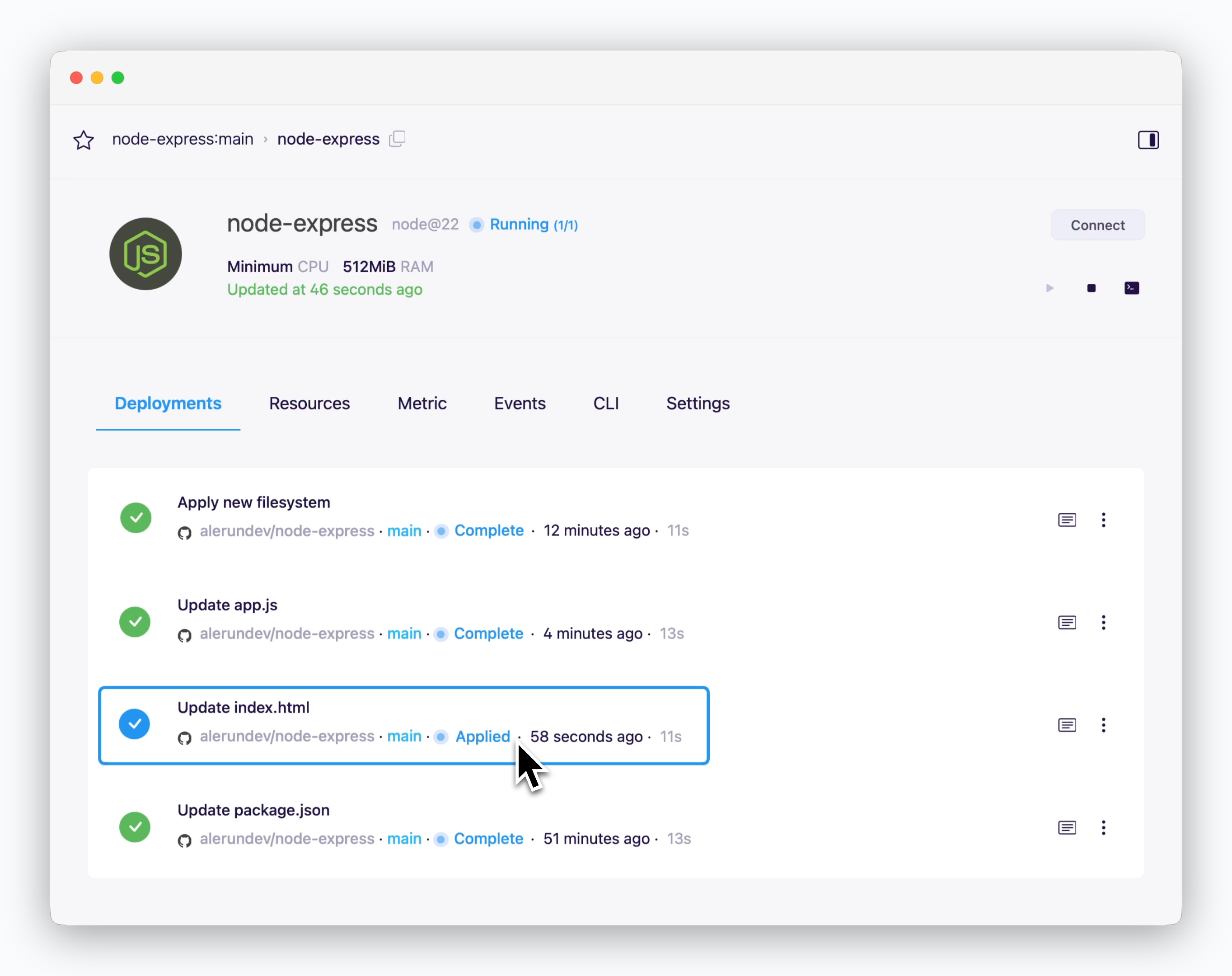 > Once the rollback is complete, you'll see the **Applied** status next to the selected deployment version.
Before rolling back, check the commit messages to identify the version you want to restore.
> Once the rollback is complete, you'll see the **Applied** status next to the selected deployment version.
Before rolling back, check the commit messages to identify the version you want to restore.