> ## Documentation Index
> Fetch the complete documentation index at: https://docs.ale.run/llms.txt
> Use this file to discover all available pages before exploring further.
# Services
## Service Details
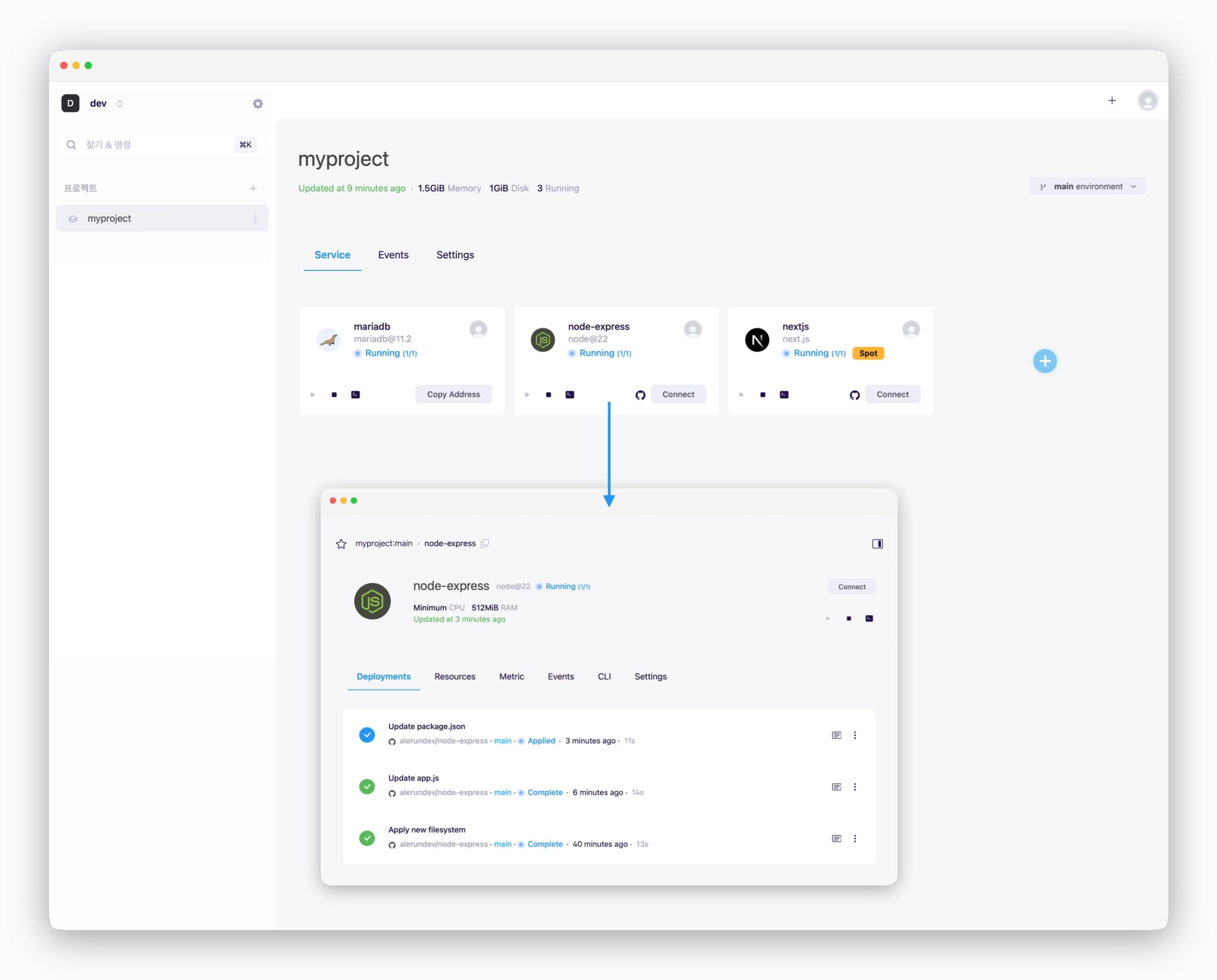 > Click a service card on the screen to enter the service page. In the service information tab, you can view the following information.
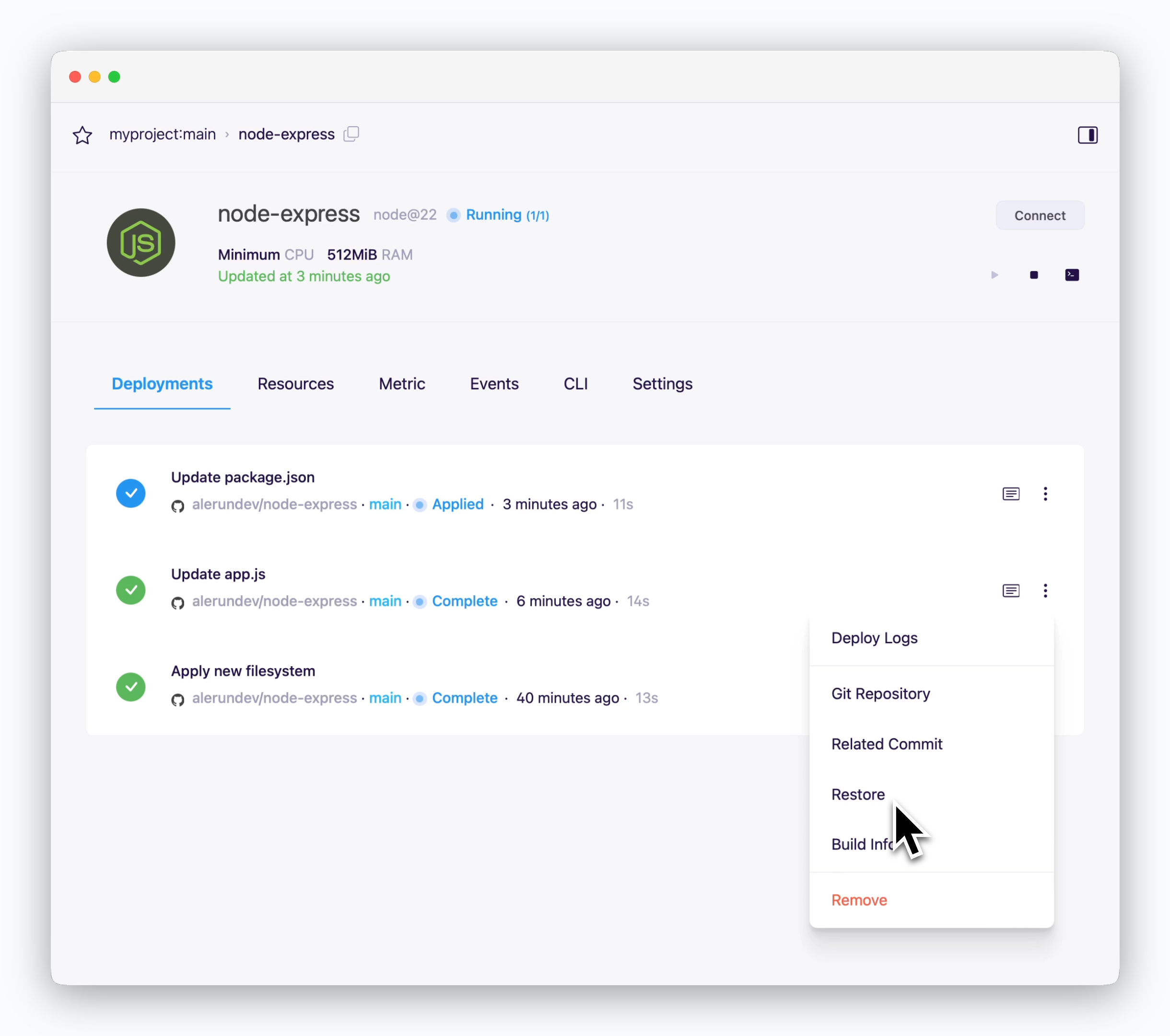 > You can view deployment history and build logs. Click the on the right of the deployment history to navigate to the related GitHub page or [rollback](/en/developers/rollback).
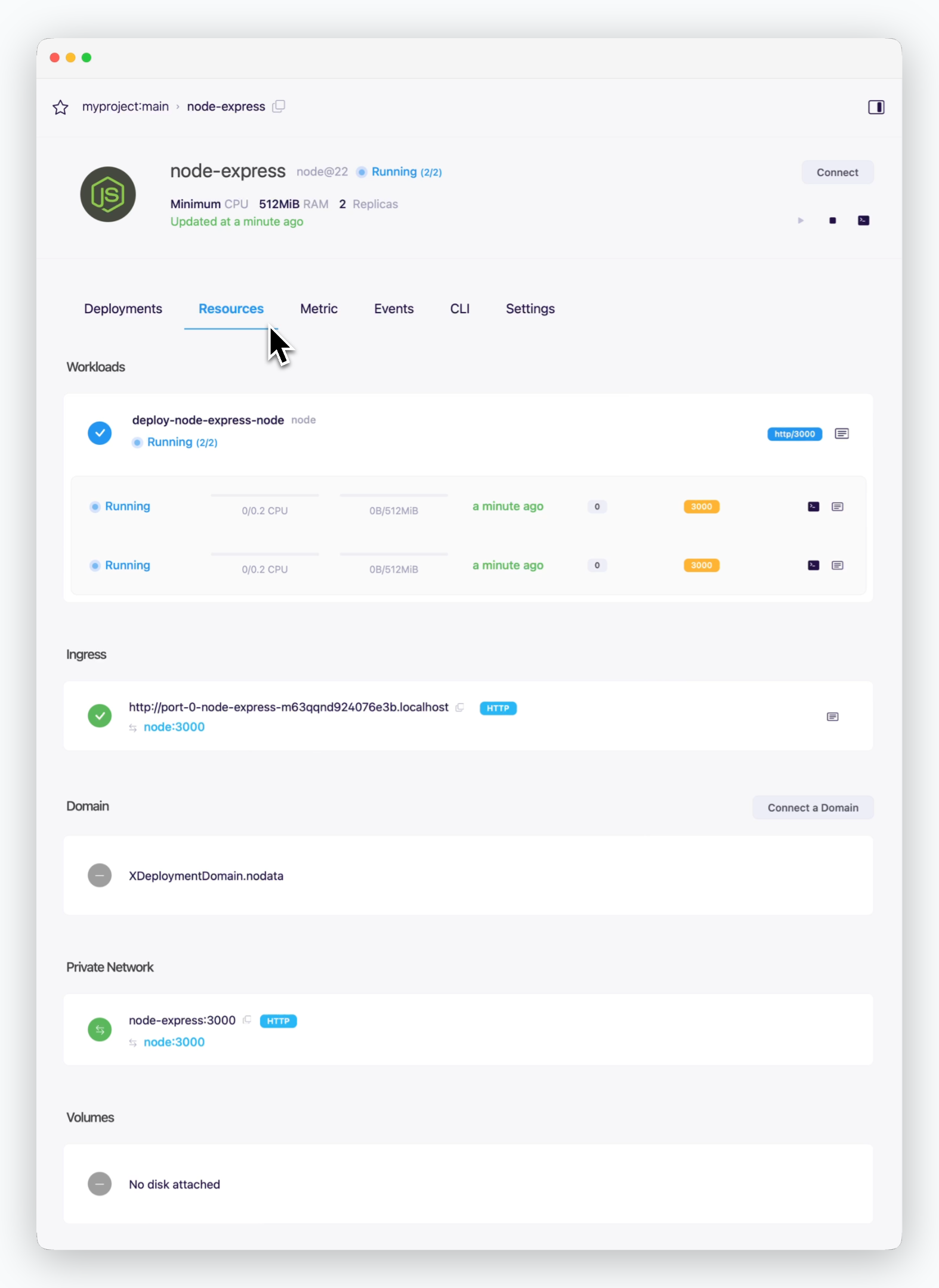 > You can view and manage the following details in the Resources tab.
* Shows resource usage and description of the service. If [replicas are configured,](/en/developers/replica) you can monitor the status of each instance.
* Shows the automatically assigned preview URL for the service or TCP access addresses for databases.
For a guide on communication with external services, refer to the [Service Connections page](/en/developers/connect#external-and-cross-env-services).
* Shows the custom domain for the service.
Click `Connect a domain` on the right to connect a custom domain. For more details, see the [Domain Connection page.](/en/developers/domain)
* Shows hostname and port number for [communication between services in the same environment](/en/developers/connect#internal-service-connection).
* For databases, you can view the connected disk capacity.
> You can view and manage the following details in the Resources tab.
* Shows resource usage and description of the service. If [replicas are configured,](/en/developers/replica) you can monitor the status of each instance.
* Shows the automatically assigned preview URL for the service or TCP access addresses for databases.
For a guide on communication with external services, refer to the [Service Connections page](/en/developers/connect#external-and-cross-env-services).
* Shows the custom domain for the service.
Click `Connect a domain` on the right to connect a custom domain. For more details, see the [Domain Connection page.](/en/developers/domain)
* Shows hostname and port number for [communication between services in the same environment](/en/developers/connect#internal-service-connection).
* For databases, you can view the connected disk capacity.
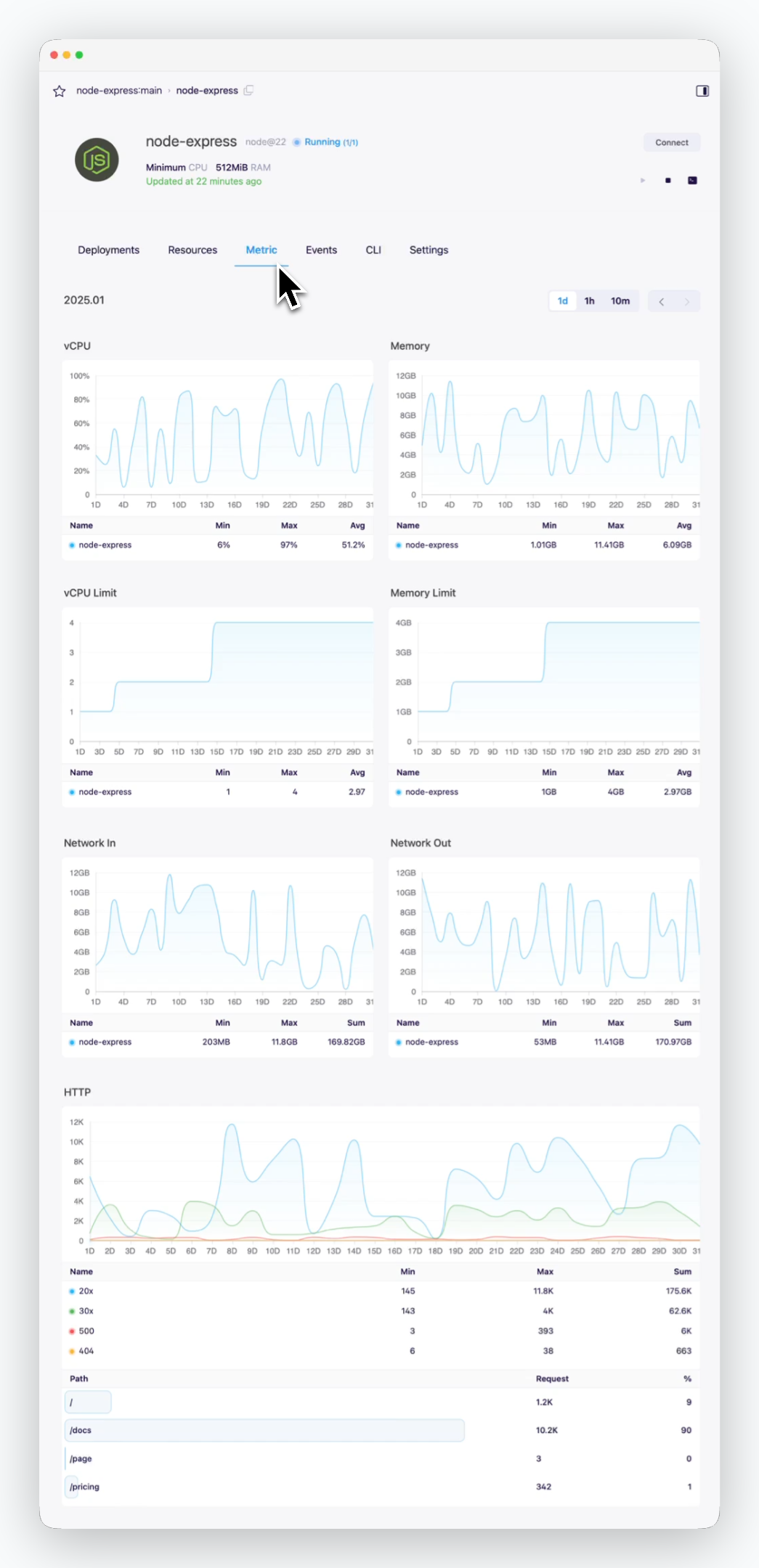 > You can view the metrics of the service.
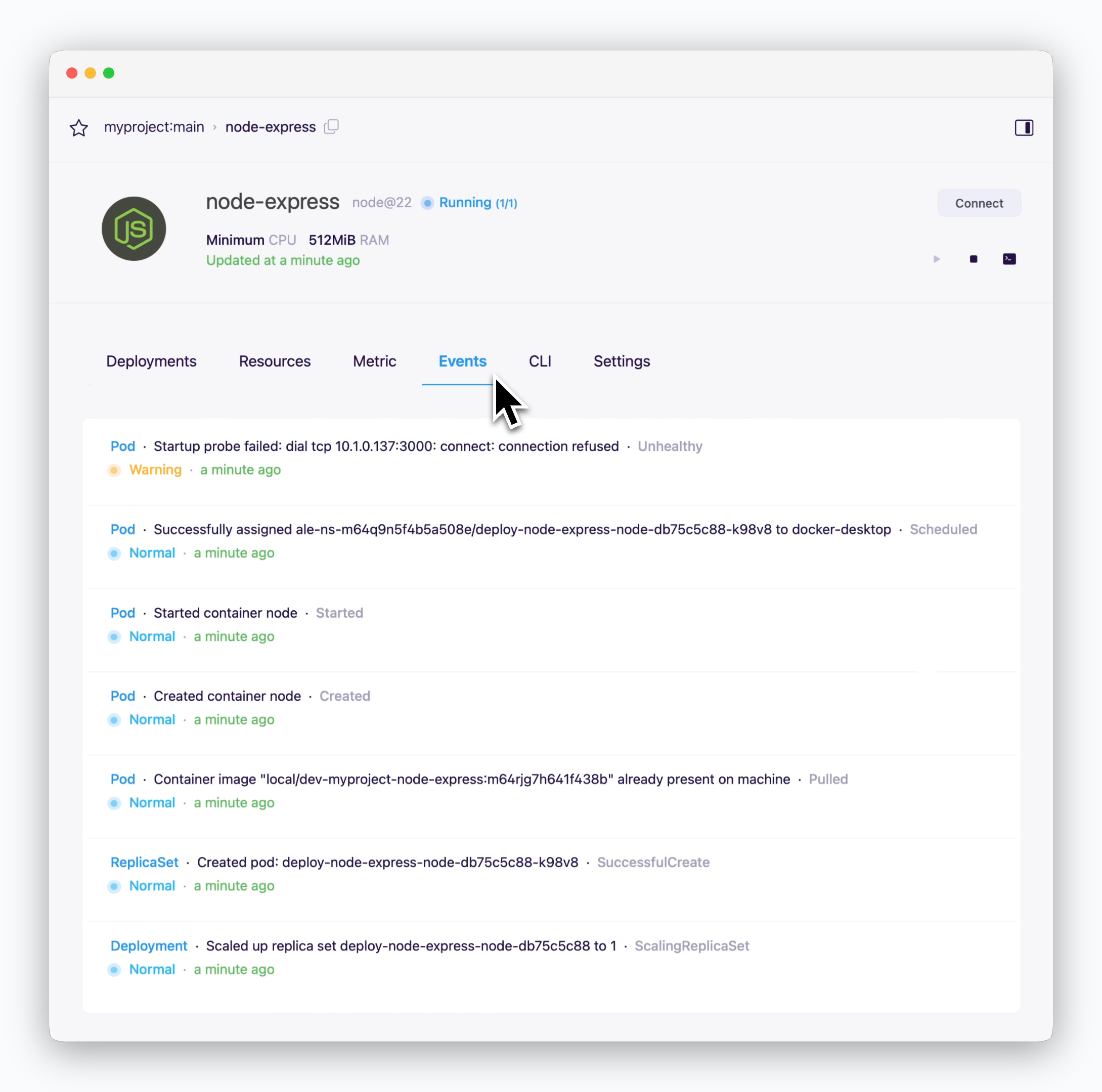 > View events that occurred in the related clusters with the service.
Events may no longer be viewable over time.
> View events that occurred in the related clusters with the service.
Events may no longer be viewable over time.
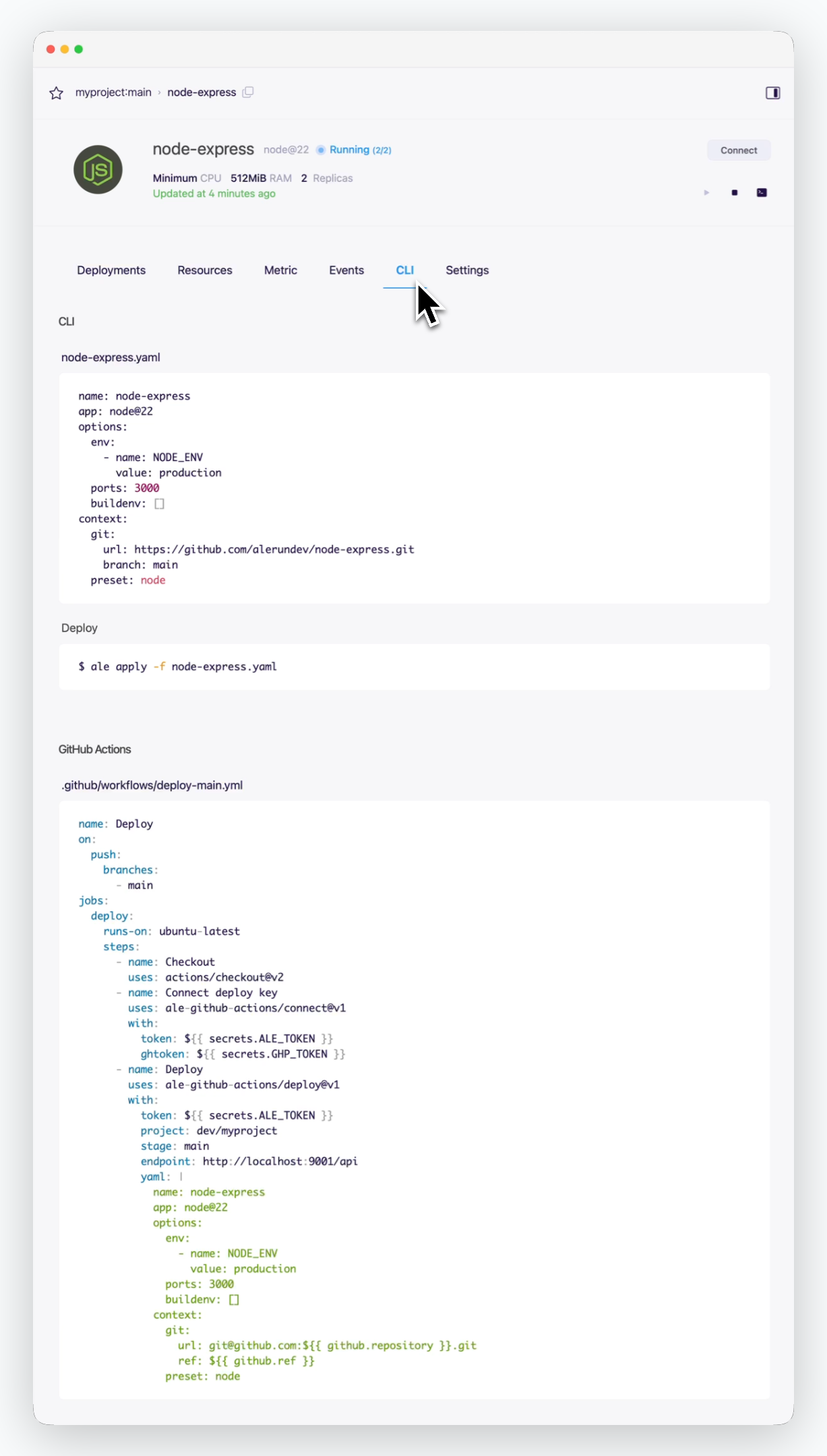 > View the yaml file content for deploying the service via CLI and the workflow file content for [applying GitHub Actions.](/en/developers/githubactions)
## Settings
> View the yaml file content for deploying the service via CLI and the workflow file content for [applying GitHub Actions.](/en/developers/githubactions)
## Settings
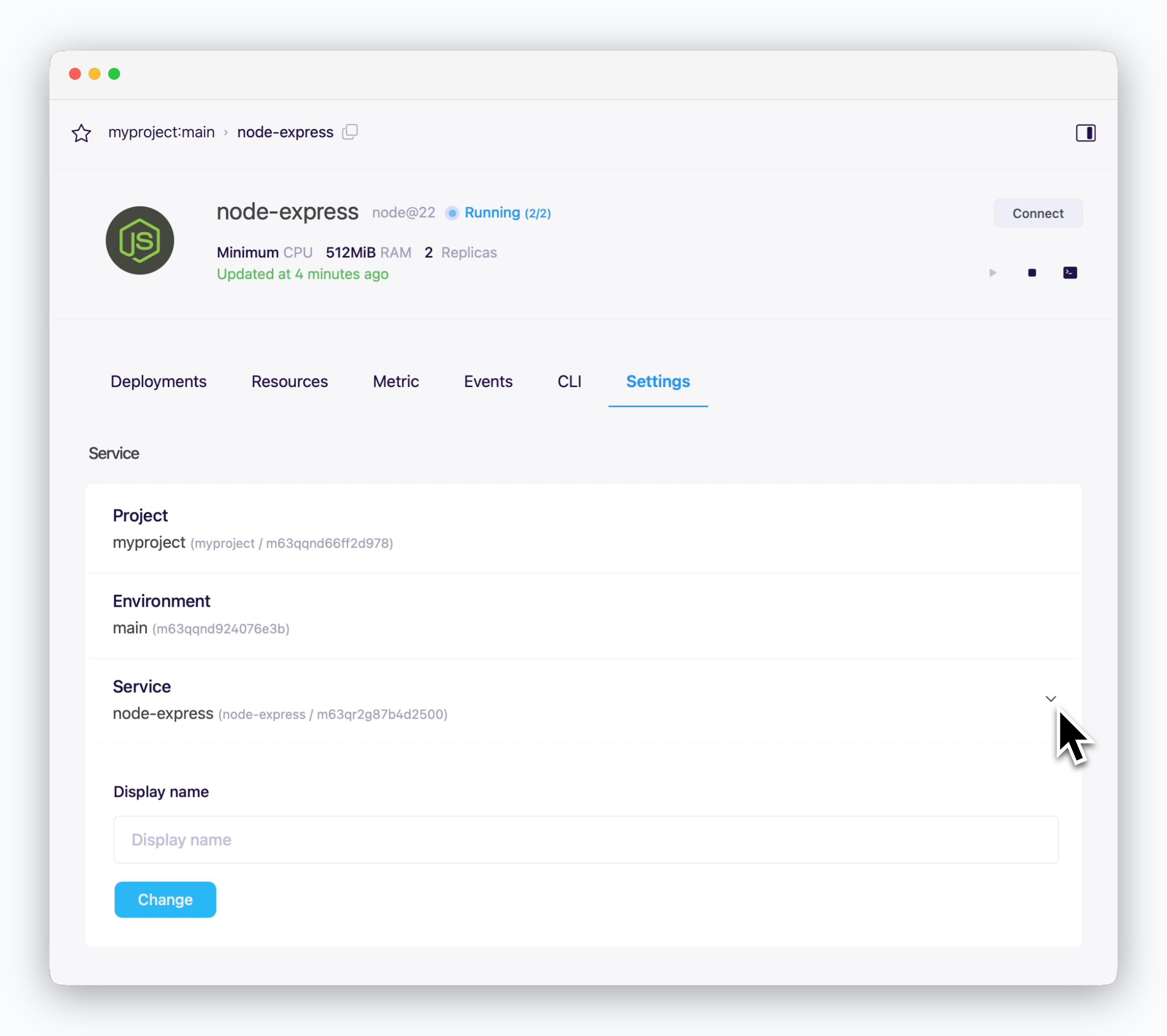 > You can view the project, deployment environment, and service name the service belongs to, and change the service display name.
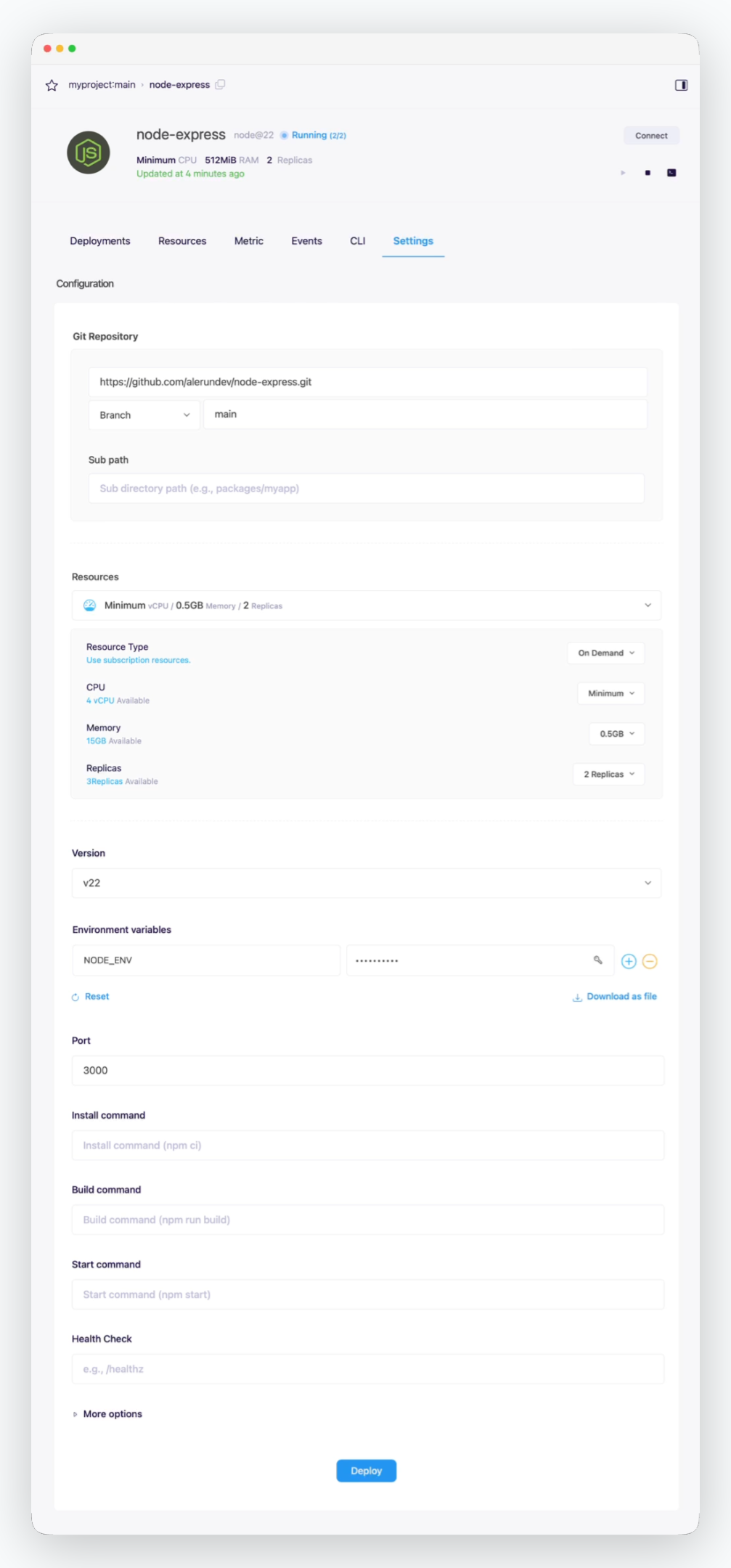 > You can view and change the settings configured during deployment.
If you change the deployment settings, click the `Deploy` at the bottom to apply the changed settings.
## Update
> You can view and change the settings configured during deployment.
If you change the deployment settings, click the `Deploy` at the bottom to apply the changed settings.
## Update
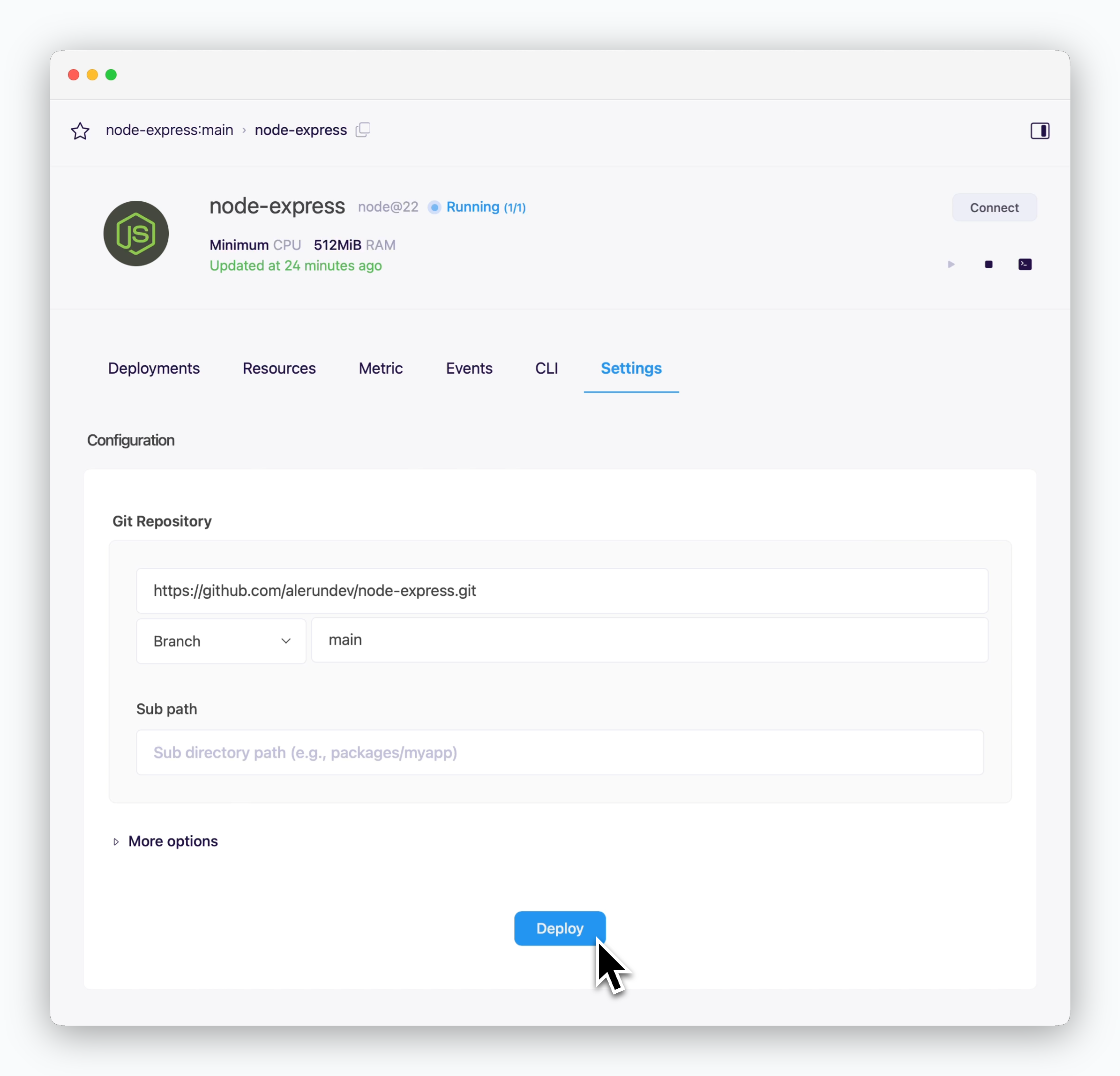 > When you update your code or modify resource settings, click `Deploy` at the bottom of the settings tab of the service page to apply these changes with a new deployment.
To set up automated deployments using GitHub Actions, see [the GitHub Actions page](/en/developers/githubactions).
## Deletion
> When you update your code or modify resource settings, click `Deploy` at the bottom of the settings tab of the service page to apply these changes with a new deployment.
To set up automated deployments using GitHub Actions, see [the GitHub Actions page](/en/developers/githubactions).
## Deletion
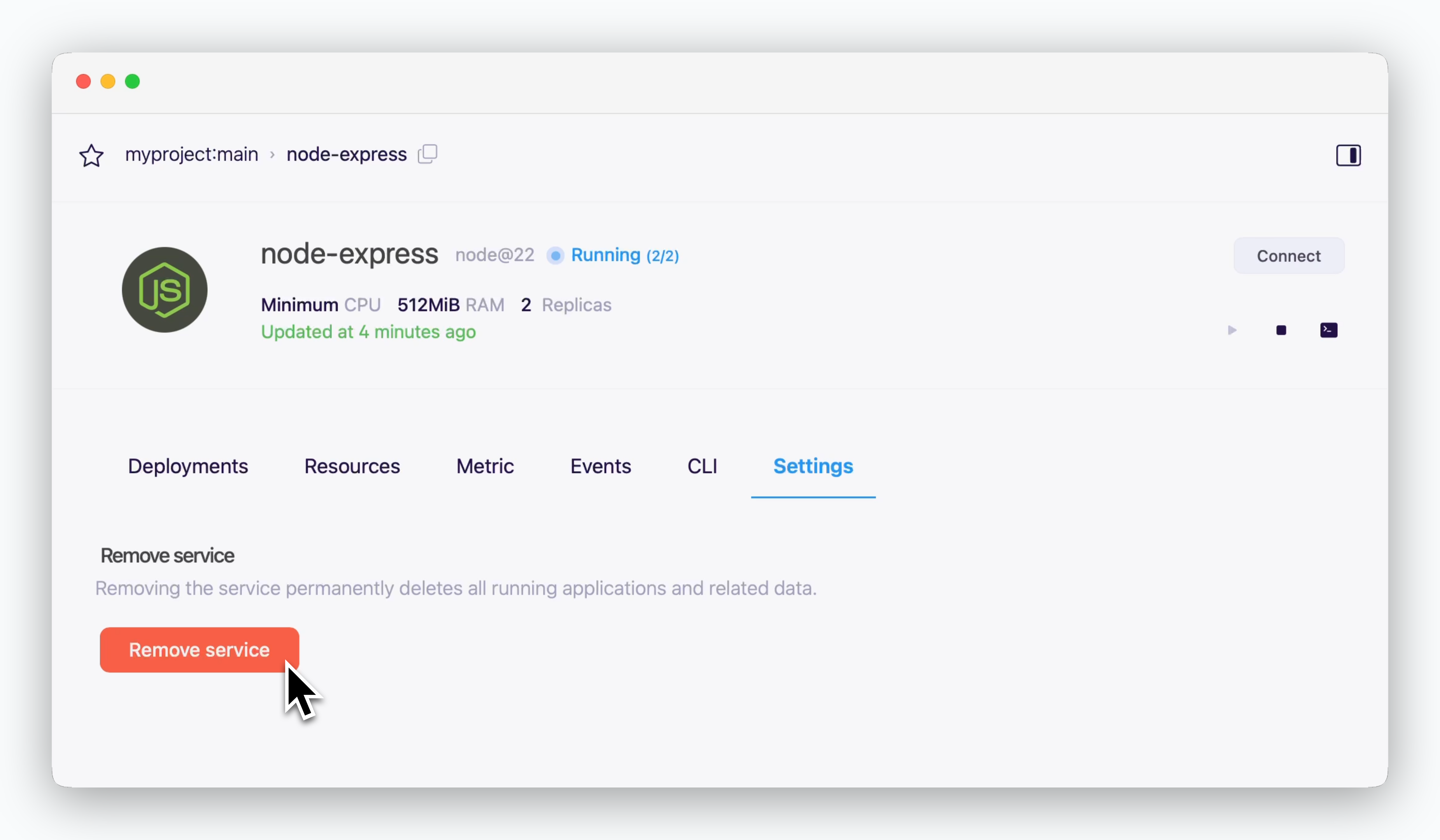 > The service will be deleted by clicking `Delete a service` at the bottom of the settings tab of the service page.