> ## Documentation Index
> Fetch the complete documentation index at: https://docs.ale.run/llms.txt
> Use this file to discover all available pages before exploring further.
# Spaces and Members
> A space is a workspace where you can [invite team members](/en/developers/space#team-management) to share projects. Team members can create and manage projects in a **self-service** manner within [the resources allocated to the space by the operations system](/en/operations/spaces#allocate-resources).
 Learn more about `ale`'s work unit hierarchy, from spaces to services, in the following section.
> A space is the top-level unit of the workspace hierarchy. [Space owners can invite team members](/en/developers/space#team-management) to collaborate on projects within the resources allocated by the operations system. Members can create and manage projects in a self-service manner.
> **A project is a display name that represents a collection of environments.** It is designed for the management convenience of dashboard users, allowing them to manage one or more work-related environments (Dev, QA, Staging, Prod, and others) within a single project.
> **An environment corresponds to a namespace in a Kubernetes cluster.** Network isolation is configured on a per-namespace basis, and [services within the same environment (namespace) can communicate by referencing service names as hostnames.](/en/developers/connect#internal-service-connection) Frequently used [environment variables can be stored as secrets at the environment level](/en/developers/env) for management and application.
> **A service corresponds to a Deployment in Kubernetes.** Each service can be [accessed via terminal](/en/developers/log) and [connected to custom domains.](/en/developers/domain) For more details on deploying services, see the [Deploying with ale page.](/en/developers/deploy)
***
## Space Management
### Add a Space
Learn more about `ale`'s work unit hierarchy, from spaces to services, in the following section.
> A space is the top-level unit of the workspace hierarchy. [Space owners can invite team members](/en/developers/space#team-management) to collaborate on projects within the resources allocated by the operations system. Members can create and manage projects in a self-service manner.
> **A project is a display name that represents a collection of environments.** It is designed for the management convenience of dashboard users, allowing them to manage one or more work-related environments (Dev, QA, Staging, Prod, and others) within a single project.
> **An environment corresponds to a namespace in a Kubernetes cluster.** Network isolation is configured on a per-namespace basis, and [services within the same environment (namespace) can communicate by referencing service names as hostnames.](/en/developers/connect#internal-service-connection) Frequently used [environment variables can be stored as secrets at the environment level](/en/developers/env) for management and application.
> **A service corresponds to a Deployment in Kubernetes.** Each service can be [accessed via terminal](/en/developers/log) and [connected to custom domains.](/en/developers/domain) For more details on deploying services, see the [Deploying with ale page.](/en/developers/deploy)
***
## Space Management
### Add a Space
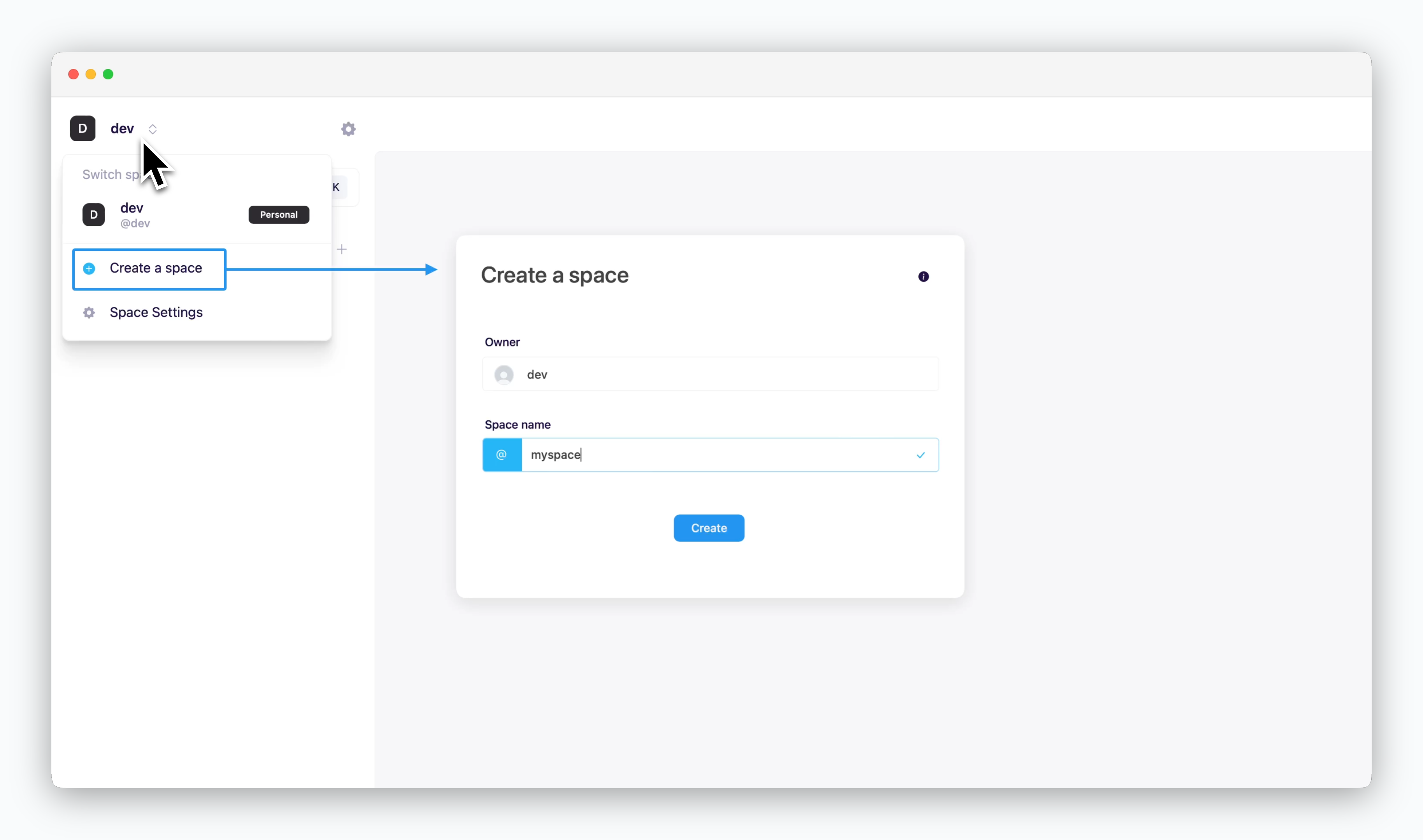 > To create a space other than your default space (automatically created at registration), click the space name in the top left corner and select **Create a space.**
Space names must consist of lowercase letters, numbers, hyphens(-), and dots(.) only, and must be between 4 and 20 characters long.
### Switch Spaces
> To create a space other than your default space (automatically created at registration), click the space name in the top left corner and select **Create a space.**
Space names must consist of lowercase letters, numbers, hyphens(-), and dots(.) only, and must be between 4 and 20 characters long.
### Switch Spaces
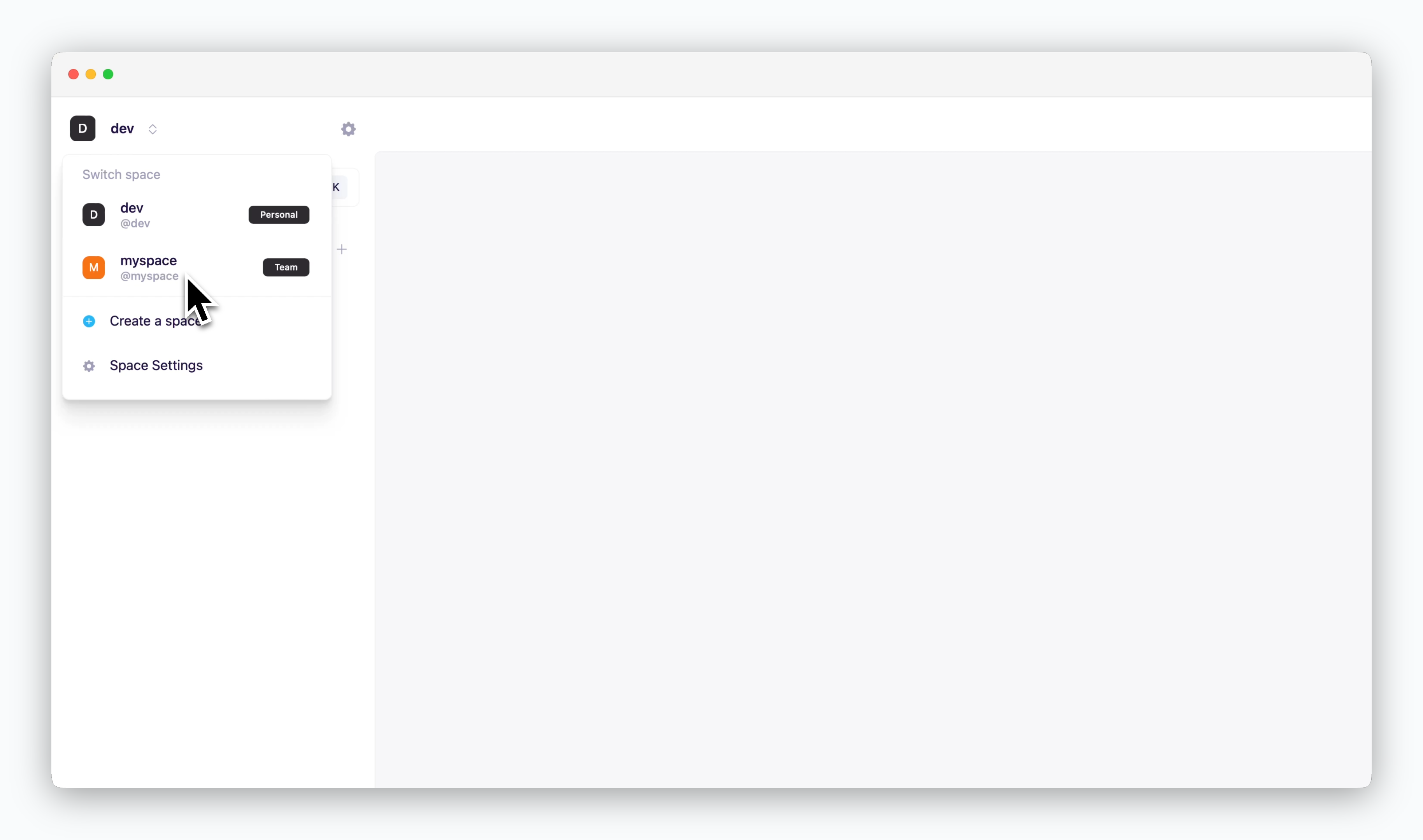 > Click the space name in the top left corner to switch to a different space.
### Rename a Space
> Click the space name in the top left corner to switch to a different space.
### Rename a Space
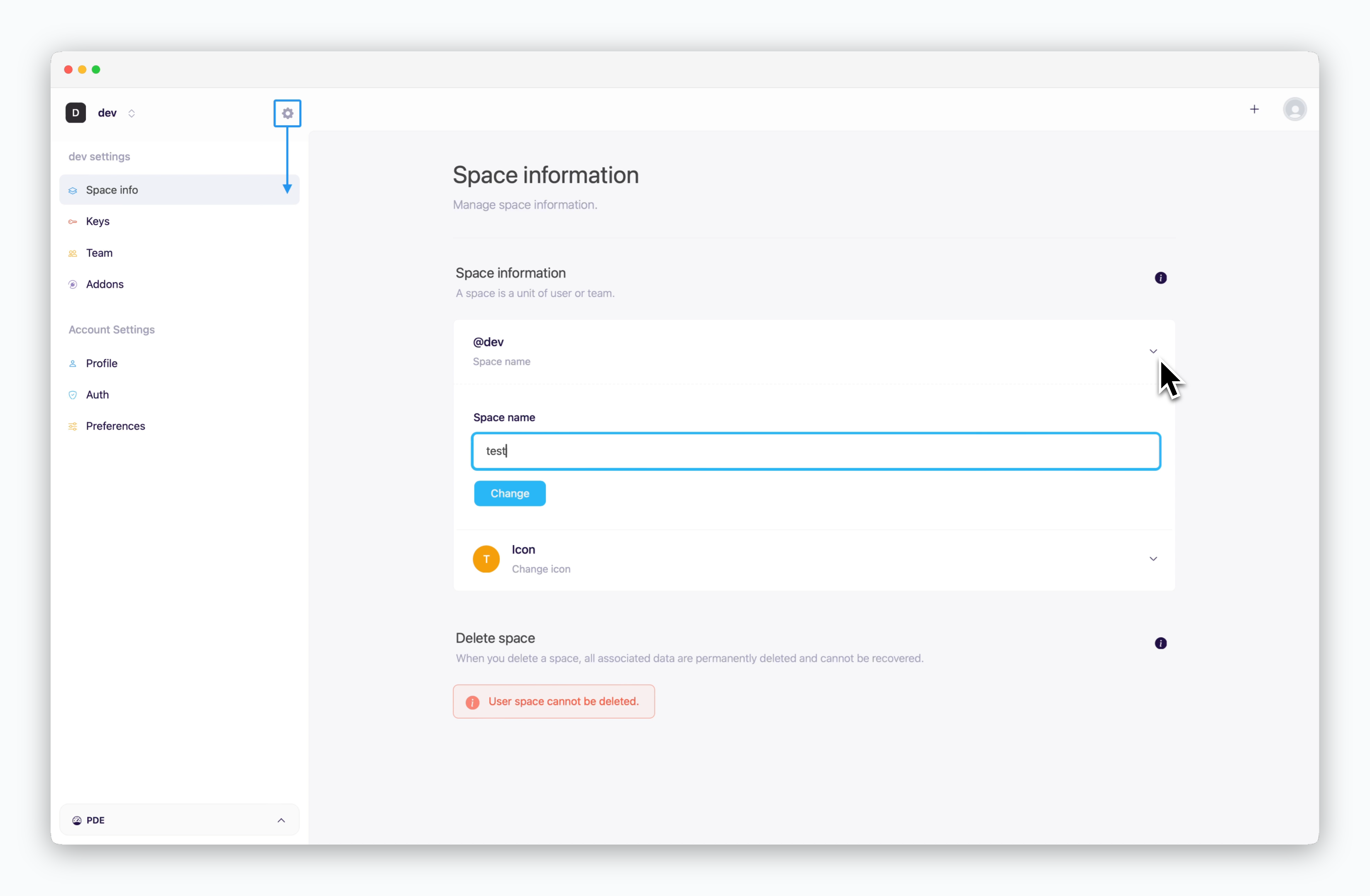 > To rename your space, navigate to the space settings by clicking the icon in the top left corner. Then select **Space Info** from the sidebar and update the space name.
A space name is a unique identifier within `ale` that represents a collection of projects. It is used in tools like the CLI or API to identify projects in the format `@space-name/project-name`.
### Delete a Space
> To rename your space, navigate to the space settings by clicking the icon in the top left corner. Then select **Space Info** from the sidebar and update the space name.
A space name is a unique identifier within `ale` that represents a collection of projects. It is used in tools like the CLI or API to identify projects in the format `@space-name/project-name`.
### Delete a Space
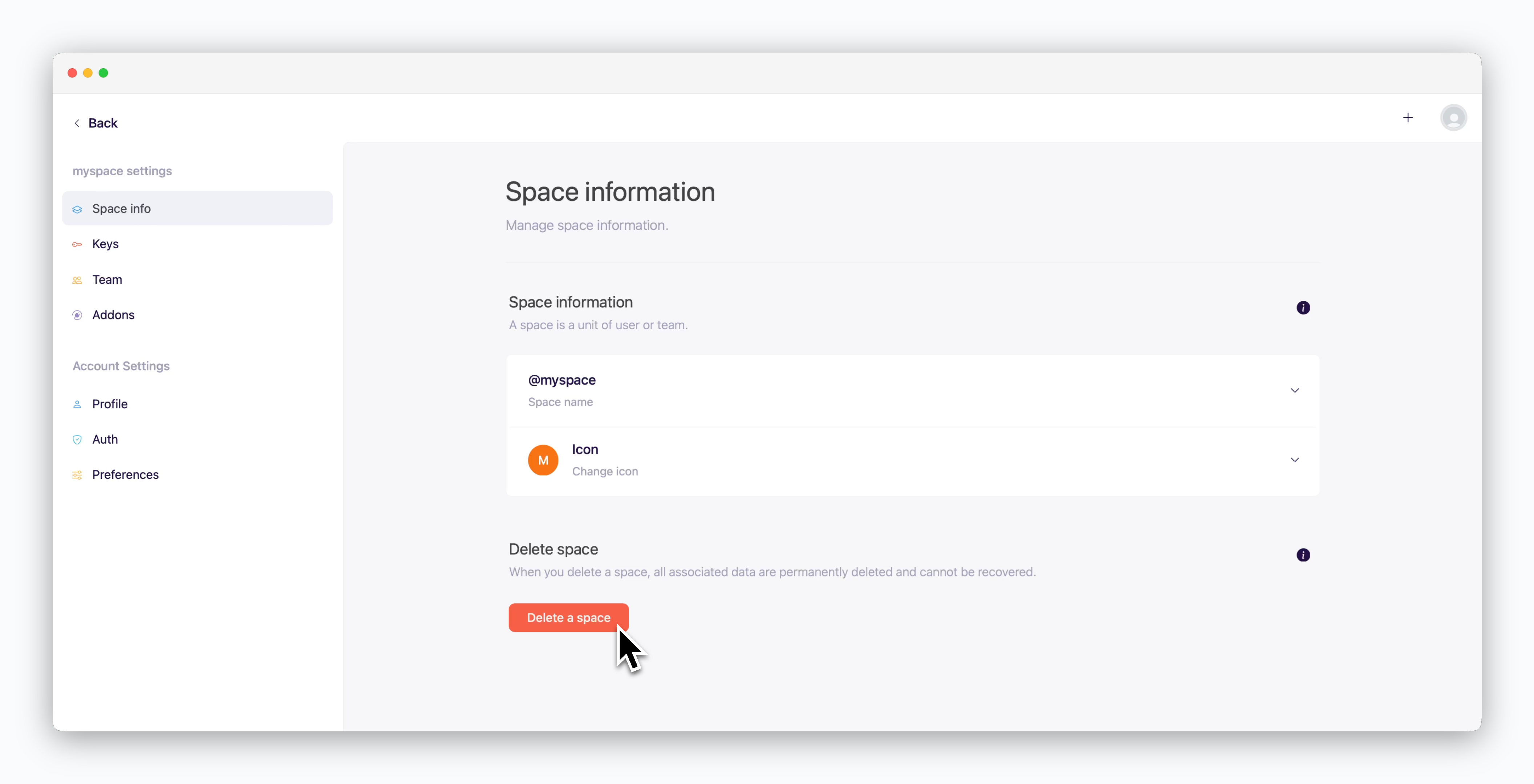 > In the space information page, click `Delete a space` at the bottom.
Each `ale` account must have at least one default space, and only additional spaces can be deleted.
When deleting a space, please note that all projects and services within the space will be permanently deleted.
## Team Management
### Add Members
> In the space information page, click `Delete a space` at the bottom.
Each `ale` account must have at least one default space, and only additional spaces can be deleted.
When deleting a space, please note that all projects and services within the space will be permanently deleted.
## Team Management
### Add Members
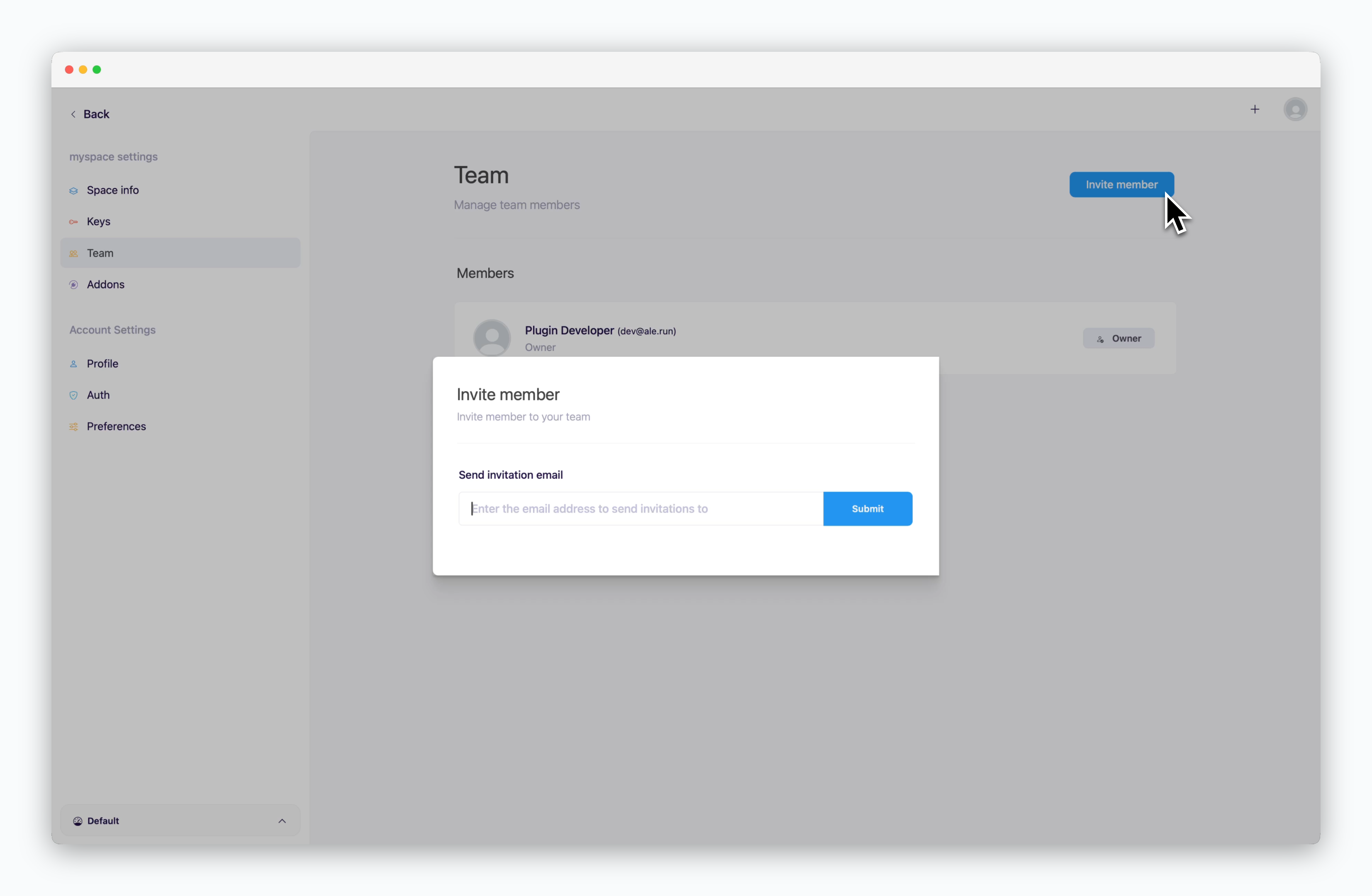 > Select **Team** from the sidebar in the space settings page. Then click `Invite` in the top right corner and enter the email address of the member you want to invite.
If the user is already registered in `ale`, they’ll be added as a team member right away. Otherwise, an invitation email will be sent to their email address.
If you've reached the team member limit for a space, increase the member quota for that space. For details, see [the Space and Resource Management page](/en/operations/spaces#general-settings-domain-connections%2C-team-size%2C-etc)
### Remove Members
> Select **Team** from the sidebar in the space settings page. Then click `Invite` in the top right corner and enter the email address of the member you want to invite.
If the user is already registered in `ale`, they’ll be added as a team member right away. Otherwise, an invitation email will be sent to their email address.
If you've reached the team member limit for a space, increase the member quota for that space. For details, see [the Space and Resource Management page](/en/operations/spaces#general-settings-domain-connections%2C-team-size%2C-etc)
### Remove Members
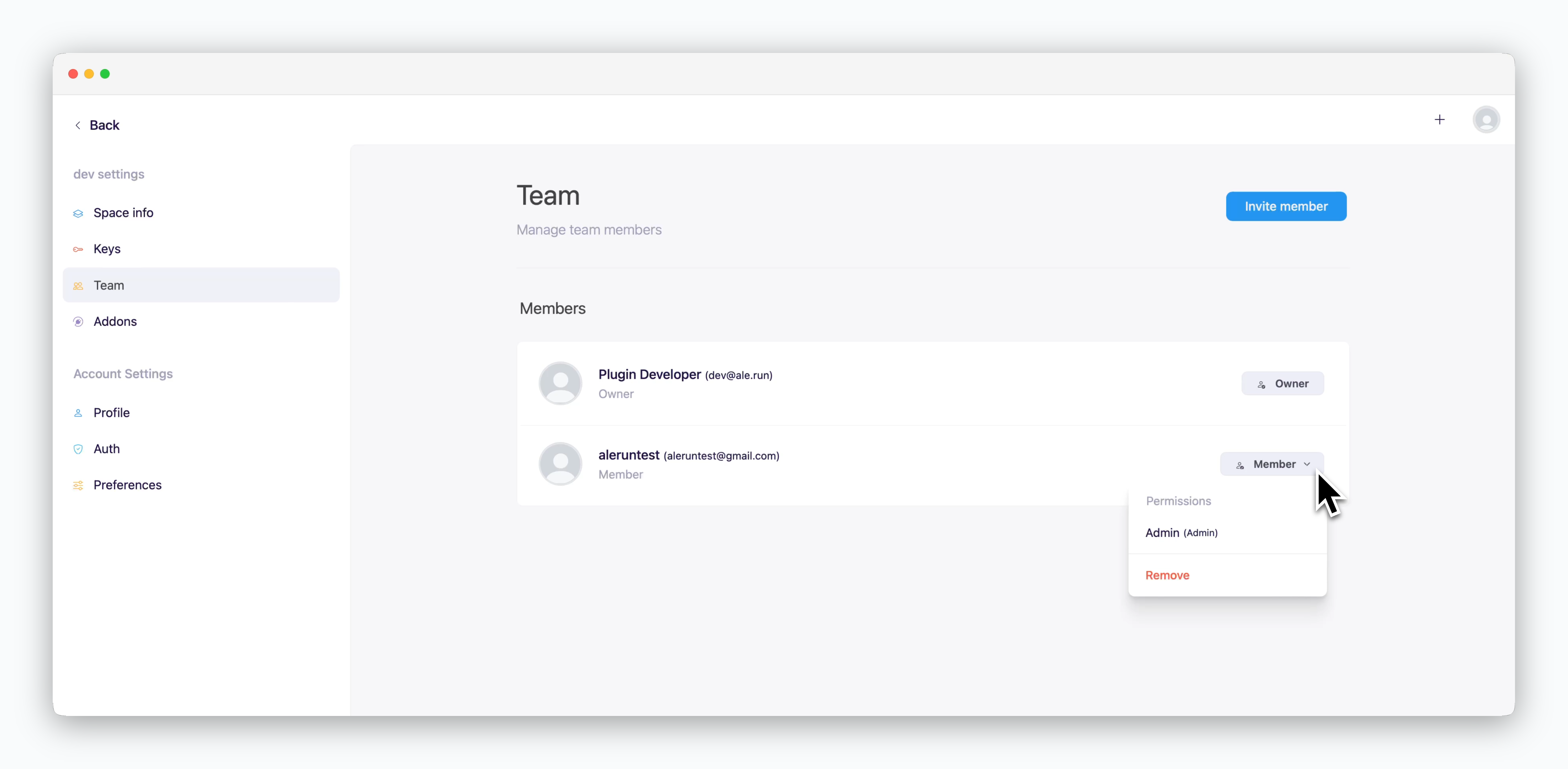 > In the team management page, click the dropdown menu next to the member you want to remove, then select **Delete** option.
## Resource usage
> In the team management page, click the dropdown menu next to the member you want to remove, then select **Delete** option.
## Resource usage
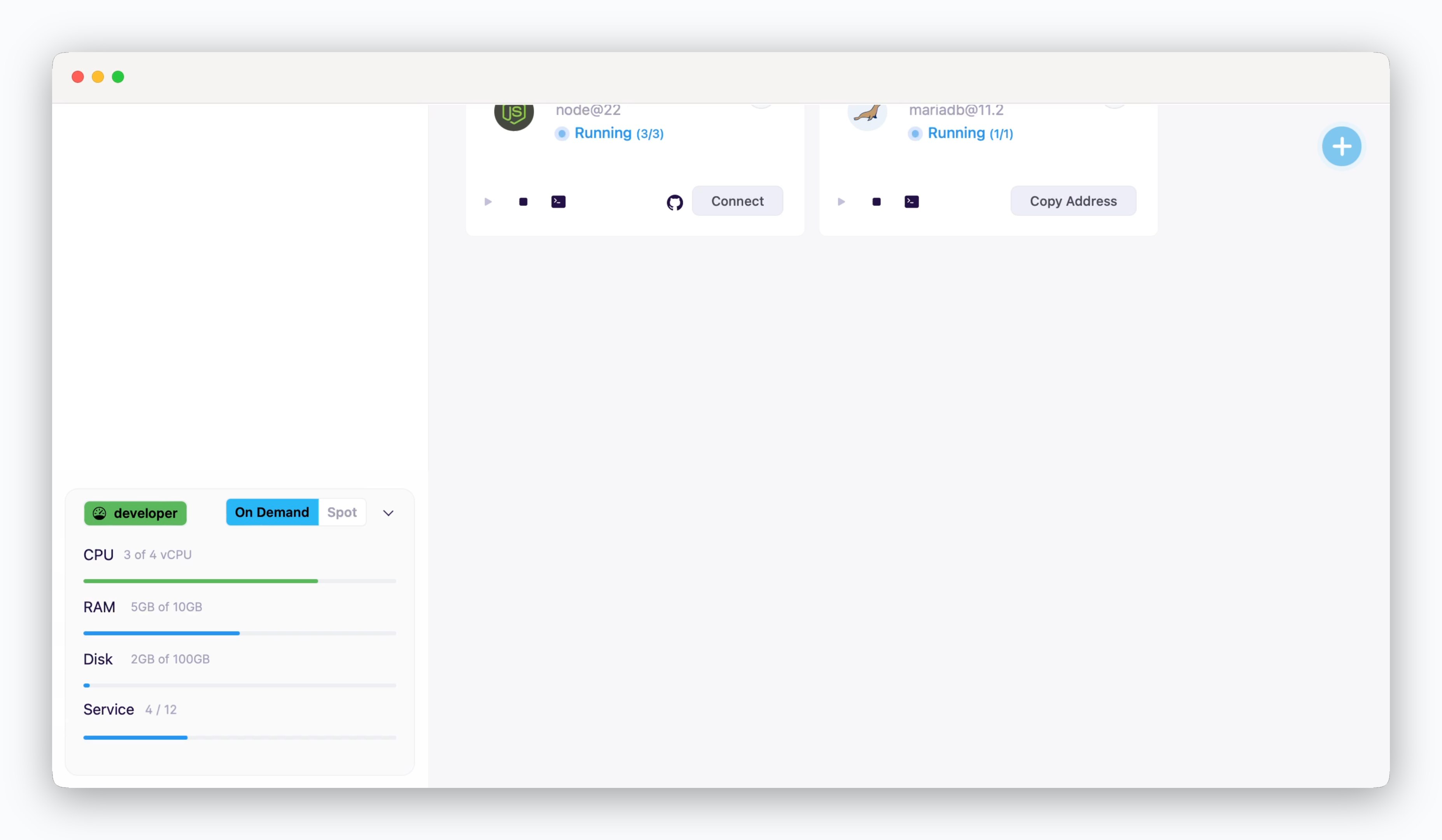 > You can check the `usage / quota` information of resources by VM type for the space in the lower left corner of the dashboard.
To change resource quotas, see [the Resource Allocation page.](/en/operations/spaces#allocate-resources) For detailed information on allocated resource management, see [the Resource Management page.](/en/developers/resource)
> You can check the `usage / quota` information of resources by VM type for the space in the lower left corner of the dashboard.
To change resource quotas, see [the Resource Allocation page.](/en/operations/spaces#allocate-resources) For detailed information on allocated resource management, see [the Resource Management page.](/en/developers/resource)