> ## Documentation Index
> Fetch the complete documentation index at: https://docs.ale.run/llms.txt
> Use this file to discover all available pages before exploring further.
# Docker Hub
> Guide for connecting Docker Hub
> You can configure **Docker Hub** as the repository for storing images built in `ale` and for use during deployment.
***
## Docker Hub Access Token
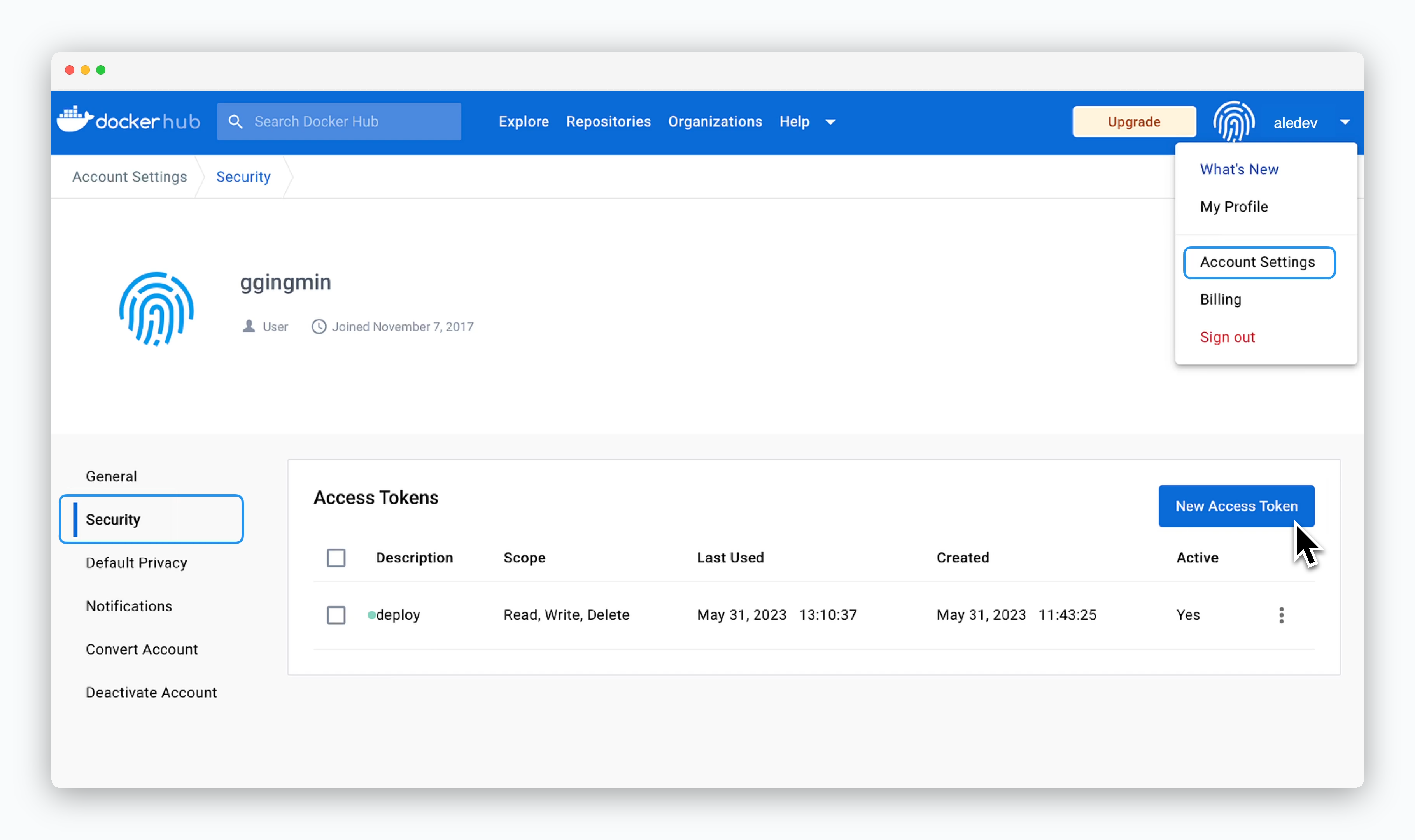 > After creating a Docker Hub account, click your account name button in the top right corner.
> Then navigate to **Account Settings > Security** and click `New Access Token`.
## Grant Permissions and Generate
> After creating a Docker Hub account, click your account name button in the top right corner.
> Then navigate to **Account Settings > Security** and click `New Access Token`.
## Grant Permissions and Generate
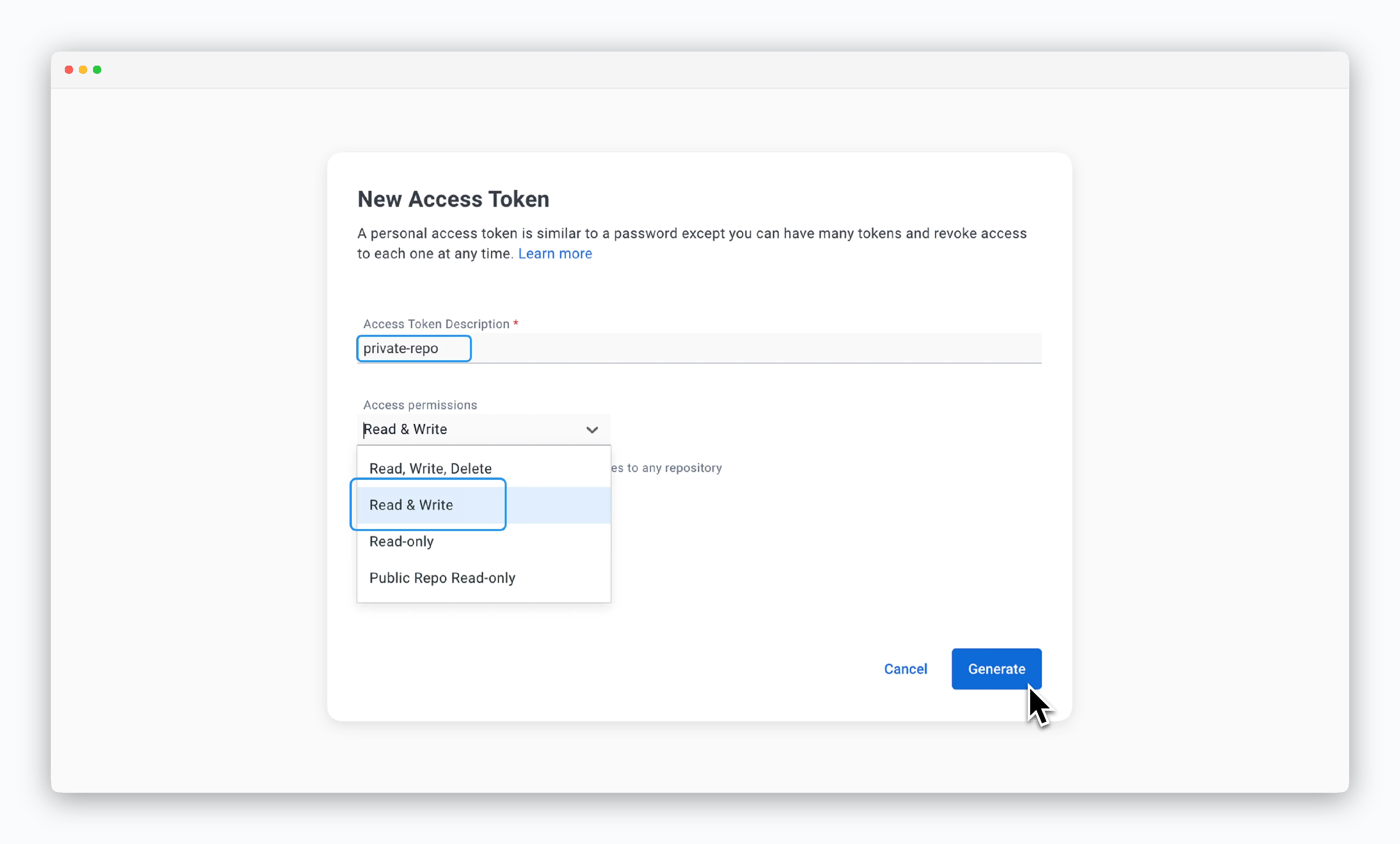 > In the Access Token Description field, enter a description that identifies the token's purpose or role, and select **Read & Write** for Access permissions.
> The generated token can only be viewed once upon creation.
## Connect to ale
> In the Access Token Description field, enter a description that identifies the token's purpose or role, and select **Read & Write** for Access permissions.
> The generated token can only be viewed once upon creation.
## Connect to ale
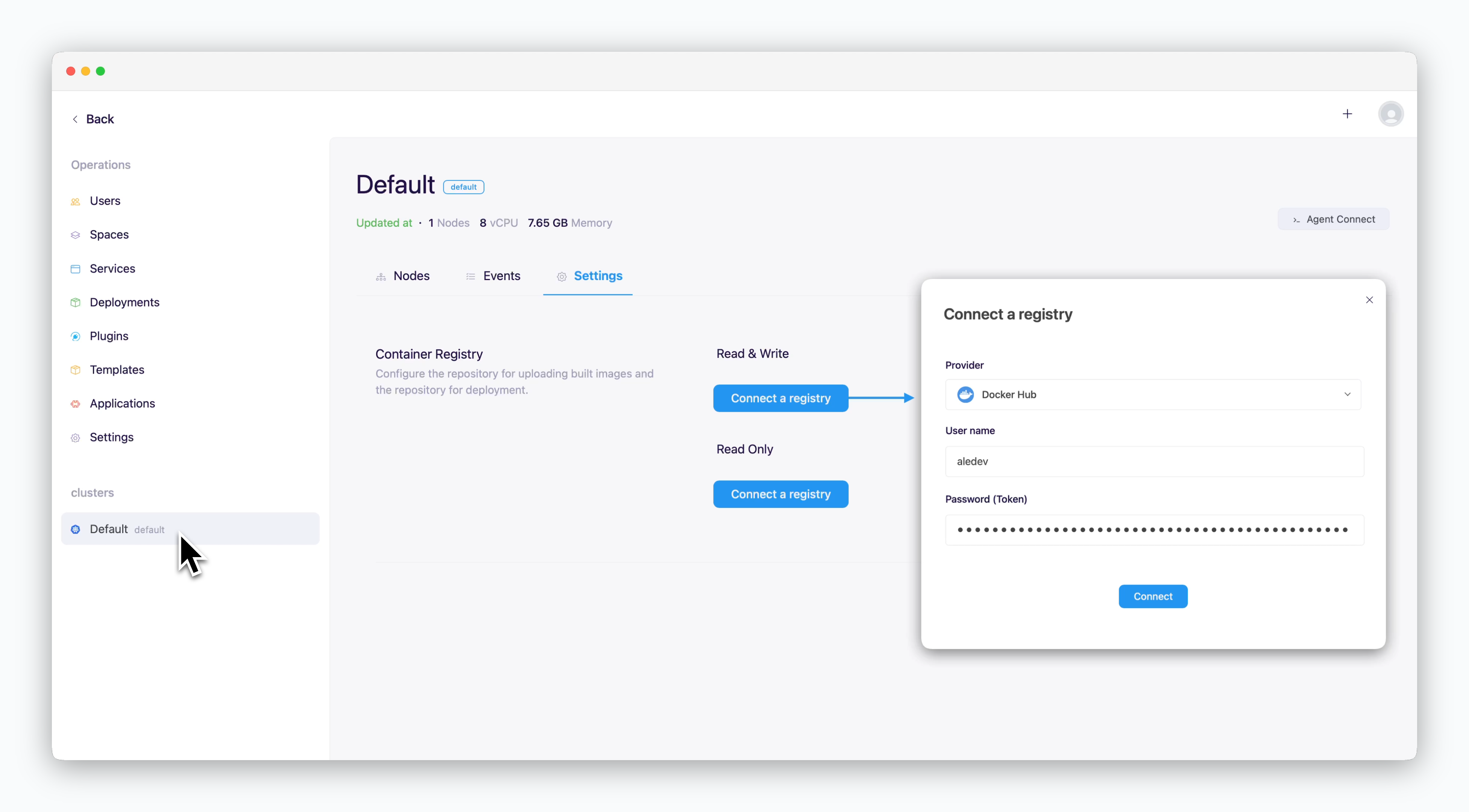 > In the operations system, go to the Settings tab on the cluster page and click `Connect Container Repository`. In the modal that appears, enter the following values and click `Connect`.
* **Repository Provider**: Docker Hub
* **Username**: Docker Hub ID
* **Password(Token)**: Docker Hub Access Token
> In the operations system, go to the Settings tab on the cluster page and click `Connect Container Repository`. In the modal that appears, enter the following values and click `Connect`.
* **Repository Provider**: Docker Hub
* **Username**: Docker Hub ID
* **Password(Token)**: Docker Hub Access Token