> ## Documentation Index
> Fetch the complete documentation index at: https://docs.ale.run/llms.txt
> Use this file to discover all available pages before exploring further.
# GitHub Container Registry
> Guide for connecting GitHub Container Registry
> You can configure **GitHub Container Registry** as the repository for storing images built in `ale` and for use during deployment.
***
## Personal Access Token
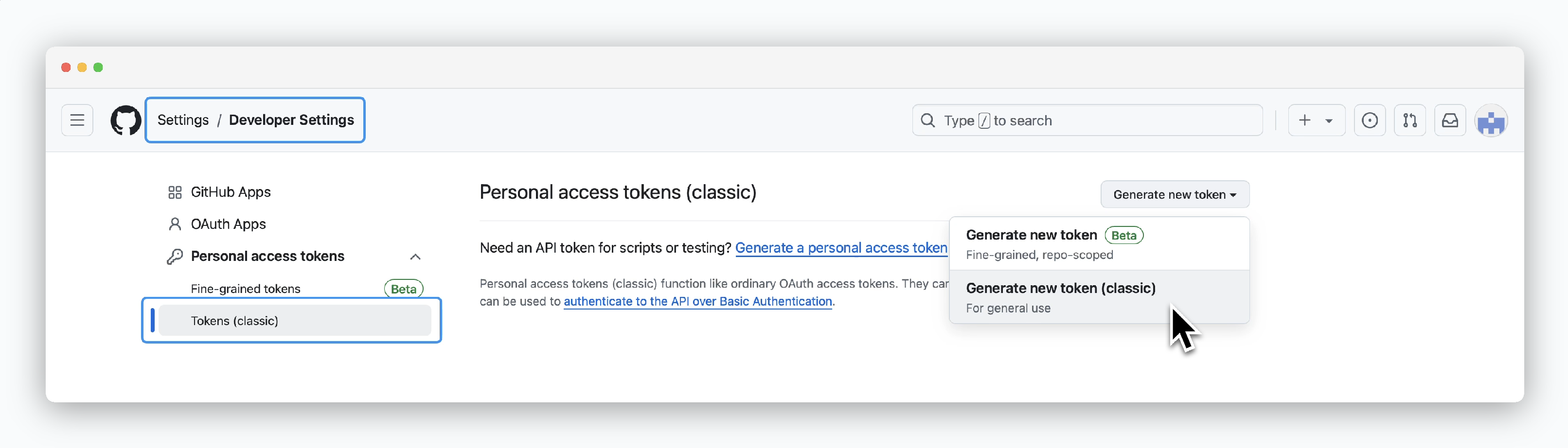 > Access your GitHub account **Settings**, then navigate to [Developer settings > Personal access tokens (classic) page](https://github.com/settings/tokens) and click `Generate new token > Generate new token(classic)` to create a token.
## Grant Permissions and Generate
> Access your GitHub account **Settings**, then navigate to [Developer settings > Personal access tokens (classic) page](https://github.com/settings/tokens) and click `Generate new token > Generate new token(classic)` to create a token.
## Grant Permissions and Generate
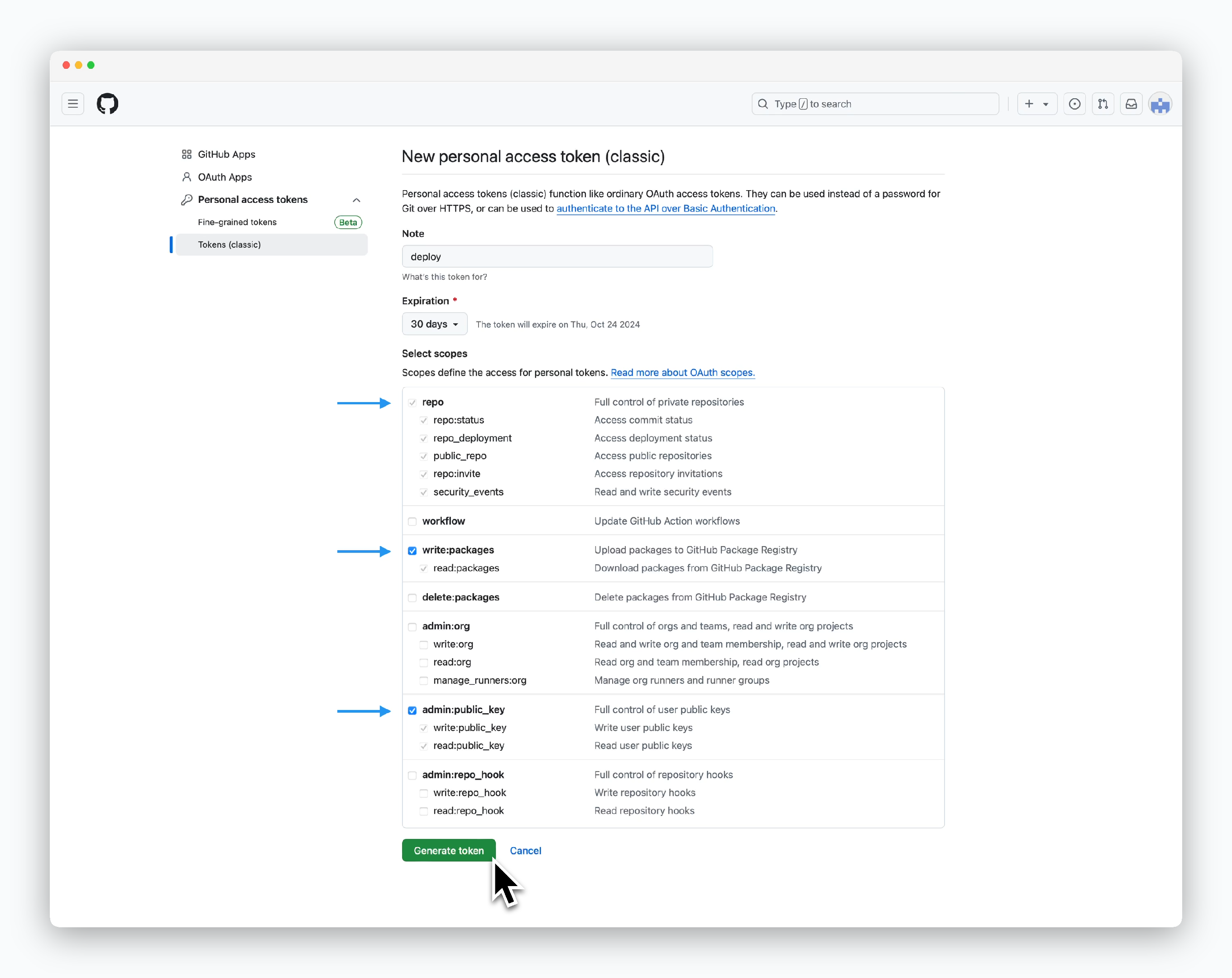 > Grant the following permissions and click `Generate token`:
* **repo**
* **write:packages**
* **admin:public\_key**
> Grant the following permissions and click `Generate token`:
* **repo**
* **write:packages**
* **admin:public\_key**
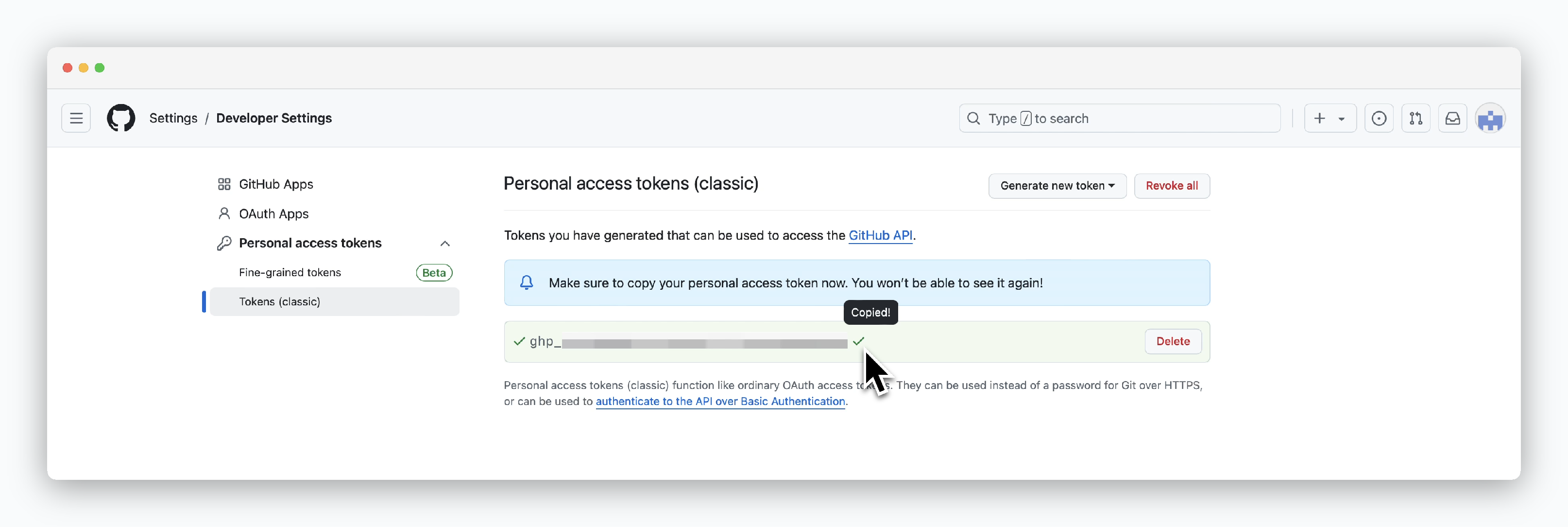 > Once token generation is complete, the token value will be displayed. Note that you can only view the token value once upon creation.
## Connect to ale
> Once token generation is complete, the token value will be displayed. Note that you can only view the token value once upon creation.
## Connect to ale
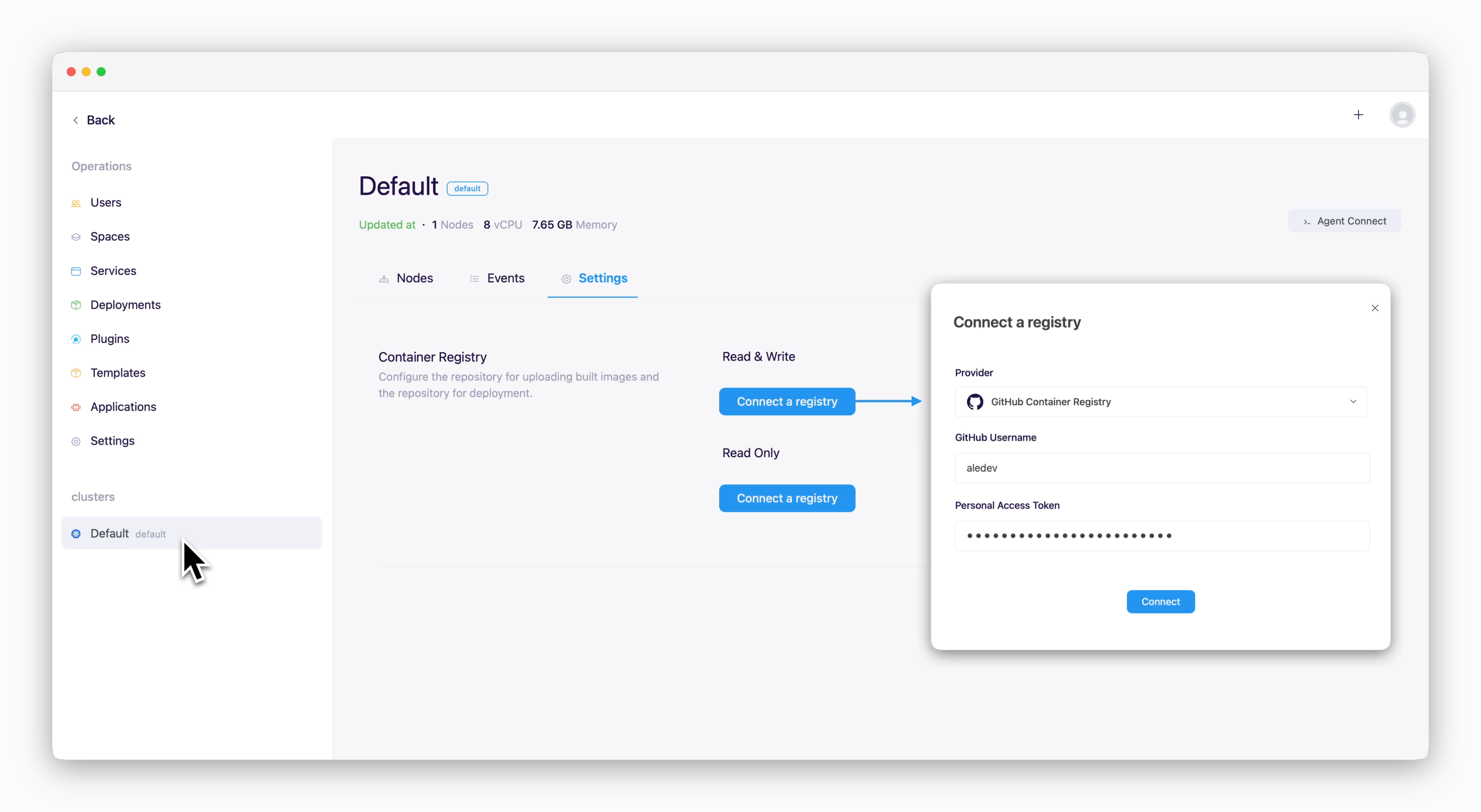 > In the operations system, go to the Settings tab on the cluster page and click `Connect Container Repository`. In the modal that appears, enter the following values and click `Connect`.
* **Repository Provider**: GitHub Container Registry
* **GitHub ID**: Your GitHub ID
* **Personal Access Token(PAT)**: Personal Access Token generated from GitHub
> In the operations system, go to the Settings tab on the cluster page and click `Connect Container Repository`. In the modal that appears, enter the following values and click `Connect`.
* **Repository Provider**: GitHub Container Registry
* **GitHub ID**: Your GitHub ID
* **Personal Access Token(PAT)**: Personal Access Token generated from GitHub