> ## Documentation Index
> Fetch the complete documentation index at: https://docs.ale.run/llms.txt
> Use this file to discover all available pages before exploring further.
# Prerequisites
> Prerequisites for installing ale on AWS EC2.
## Create VPC
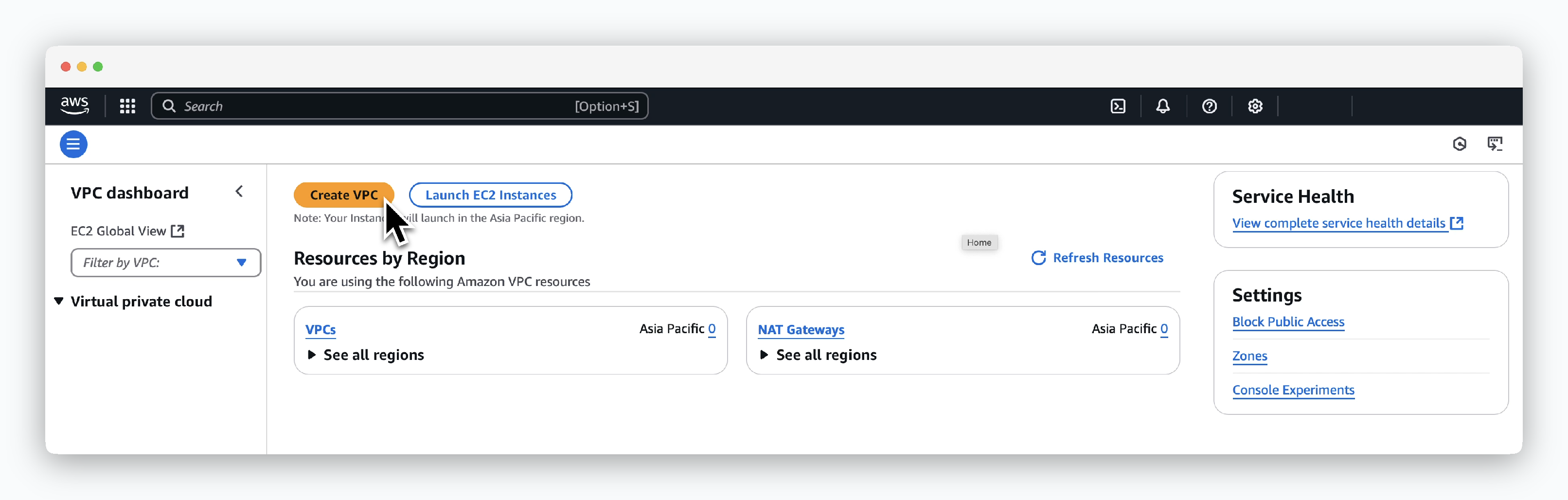 > Click `Create VPC` in the VPC dashboard.
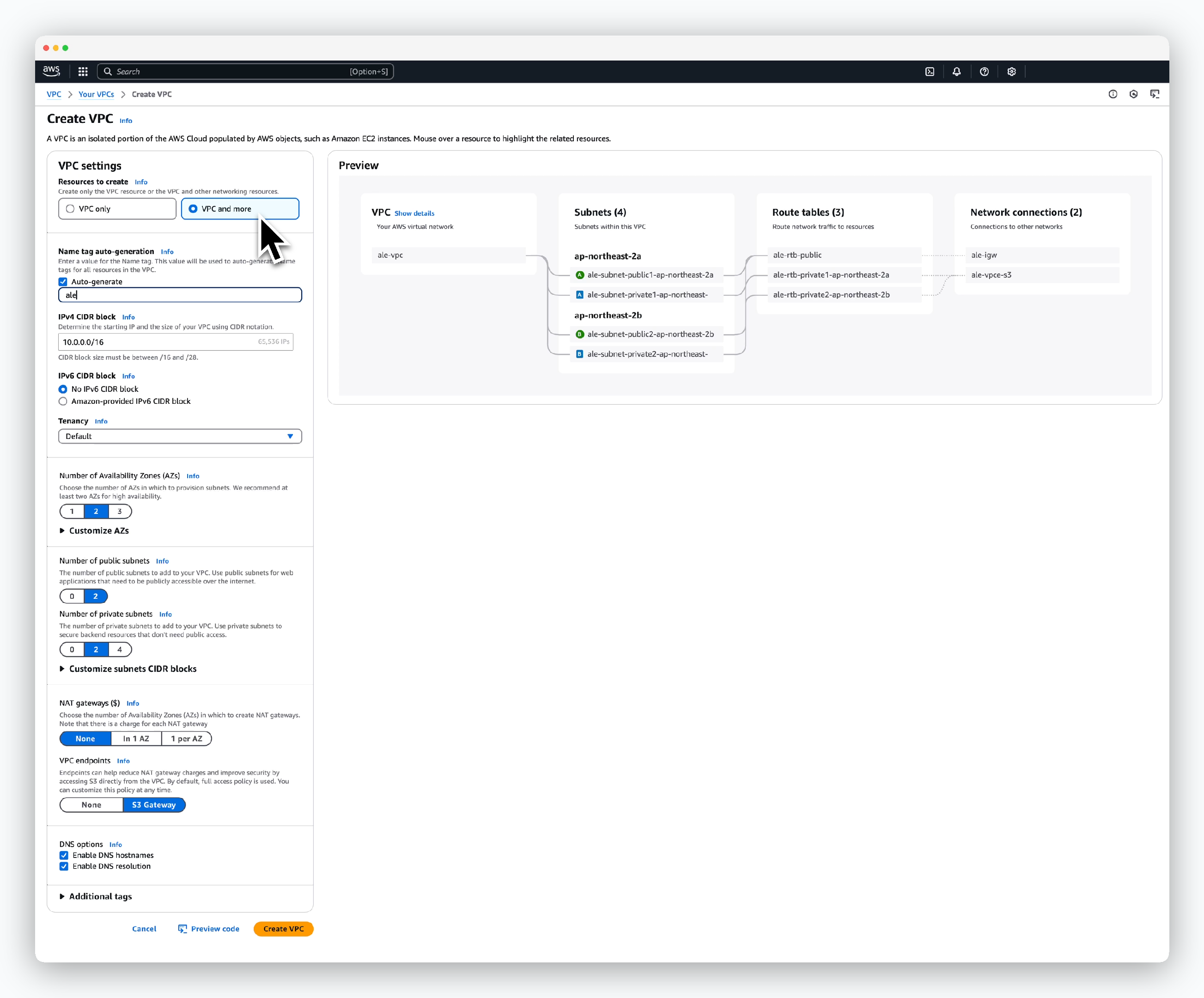 > Configure the VPC settings as follows and click `Create VPC`.
* Resources to create: VPC and more
* Name tag auto-generation
* Auto-generate: Enable
* Name tag: VPC resource prefix
* IPv4 CIDR block: VPC address range
* Tenency: Default
* Number of Availability Zones: Select 2 or more
* Number of public subnets: Same as AZ
* Number of private subnets: Same as AZ
* NAT Gateway: None
* DNS options
* Enable DNS hostnames: Enable
* Enable DNS resolution: Enable
## Create EC2 Key Pair
> Configure the VPC settings as follows and click `Create VPC`.
* Resources to create: VPC and more
* Name tag auto-generation
* Auto-generate: Enable
* Name tag: VPC resource prefix
* IPv4 CIDR block: VPC address range
* Tenency: Default
* Number of Availability Zones: Select 2 or more
* Number of public subnets: Same as AZ
* Number of private subnets: Same as AZ
* NAT Gateway: None
* DNS options
* Enable DNS hostnames: Enable
* Enable DNS resolution: Enable
## Create EC2 Key Pair
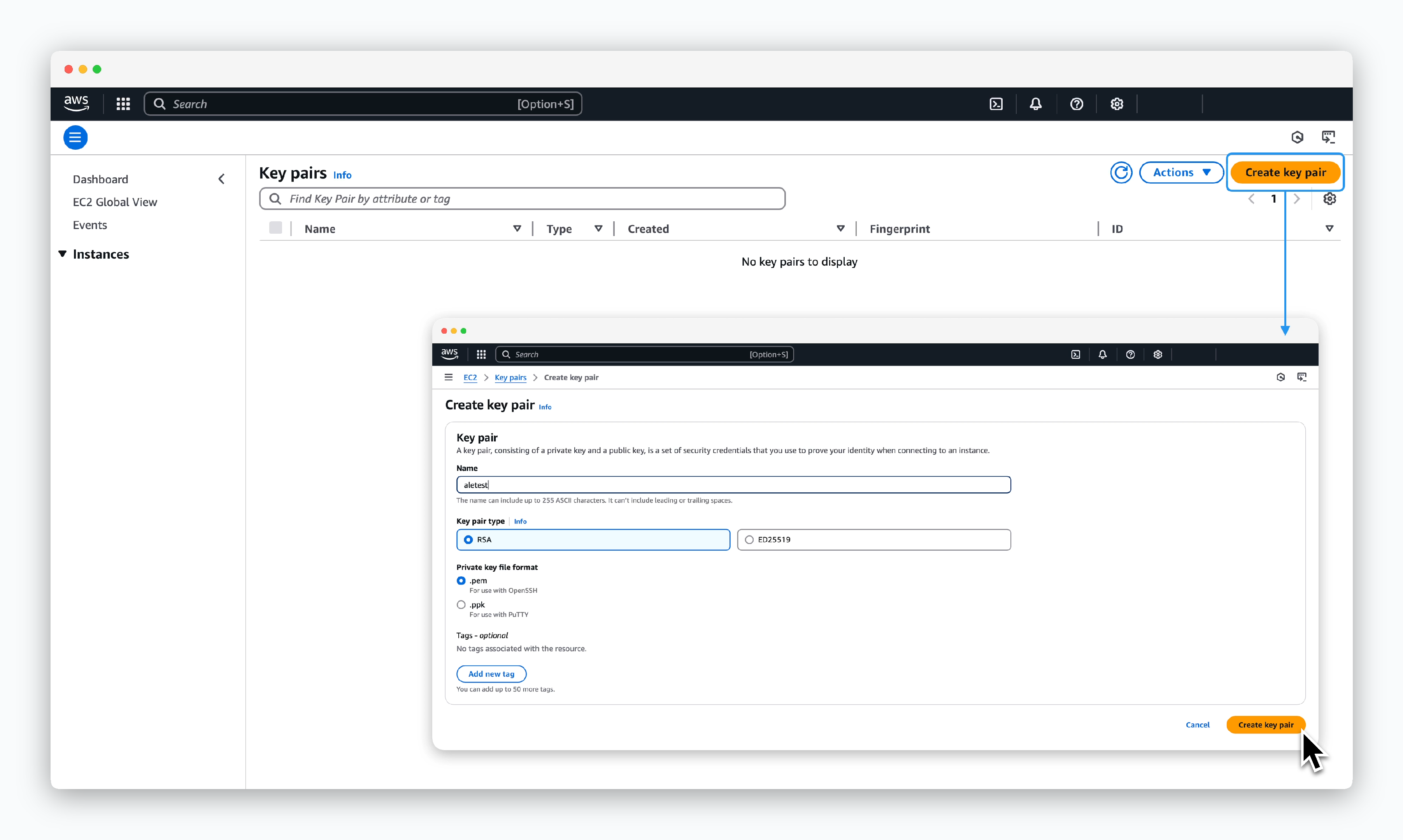 > Go to `EC2 > Network & Security > Key Pairs`, click `Create key pair`, then enter or select the key pair information as follows to create the key:
* Name: Key pair name
* Key pair type: Select key pair type
* RSA
* ED25519
* Private key file format
* `.pem`: OpenSSH
* `.ppk`: PuTTY
When the key pair is successfully created, the key file will automatically download to your local machine.
Keep this file in a secure location and ensure it's not exposed to others or the public.
## Allocate AWS Elastic IP
> Go to `EC2 > Network & Security > Key Pairs`, click `Create key pair`, then enter or select the key pair information as follows to create the key:
* Name: Key pair name
* Key pair type: Select key pair type
* RSA
* ED25519
* Private key file format
* `.pem`: OpenSSH
* `.ppk`: PuTTY
When the key pair is successfully created, the key file will automatically download to your local machine.
Keep this file in a secure location and ensure it's not exposed to others or the public.
## Allocate AWS Elastic IP
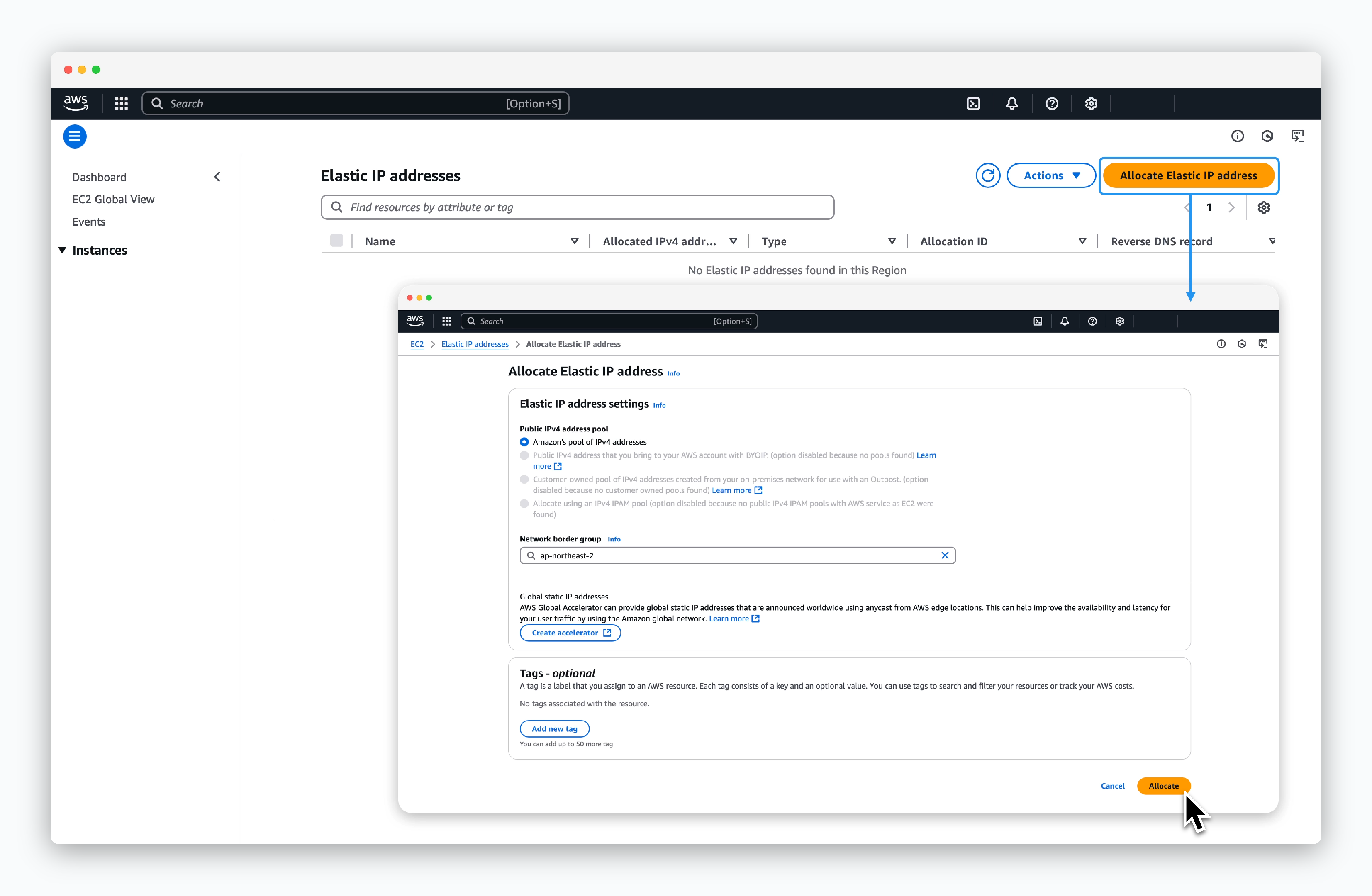 > Go to `EC2 > Network & Security > Elastic IPs`, click `Allocate Elastic IP address`, then select the following options and click `Allocate`:
* Public IPv4 address pool: Amazon's pool of IPv4 addresses
* Network border group: Region
> Go to `EC2 > Network & Security > Elastic IPs`, click `Allocate Elastic IP address`, then select the following options and click `Allocate`:
* Public IPv4 address pool: Amazon's pool of IPv4 addresses
* Network border group: Region