> ## Documentation Index
> Fetch the complete documentation index at: https://docs.ale.run/llms.txt
> Use this file to discover all available pages before exploring further.
# Integrating AWS ECR
> Guide for integrating ale with AWS ECR.
***
## Retrieve AWS ECR URL
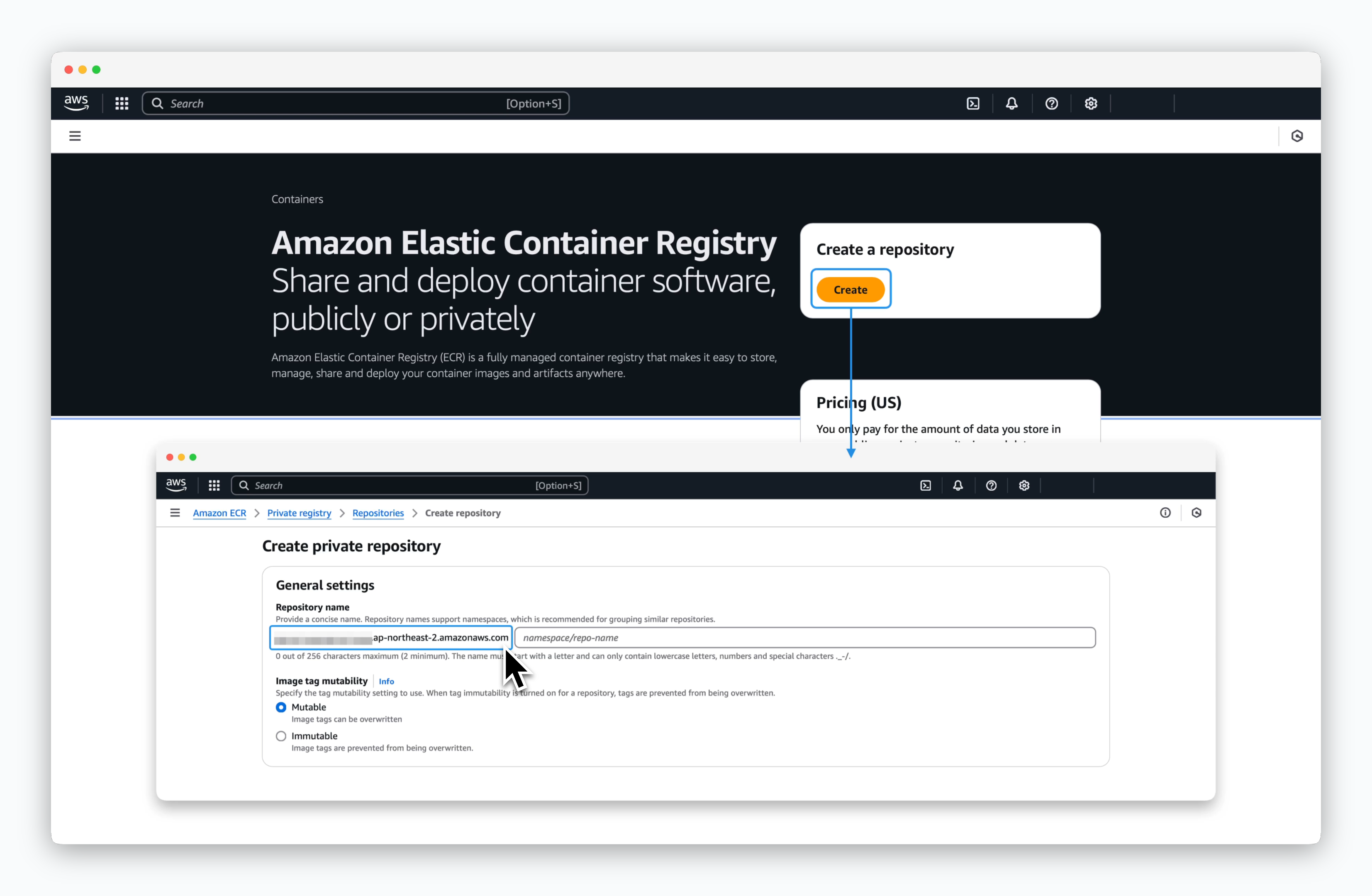 > In the AWS ECR console, click `Create repository` and copy the ECR URL from the **Repository name** field. The ECR URL will follow this format:
* `[AccountID].dkr.ecr.[Region].amazonaws.com`
## Connect to ale
> In the AWS ECR console, click `Create repository` and copy the ECR URL from the **Repository name** field. The ECR URL will follow this format:
* `[AccountID].dkr.ecr.[Region].amazonaws.com`
## Connect to ale
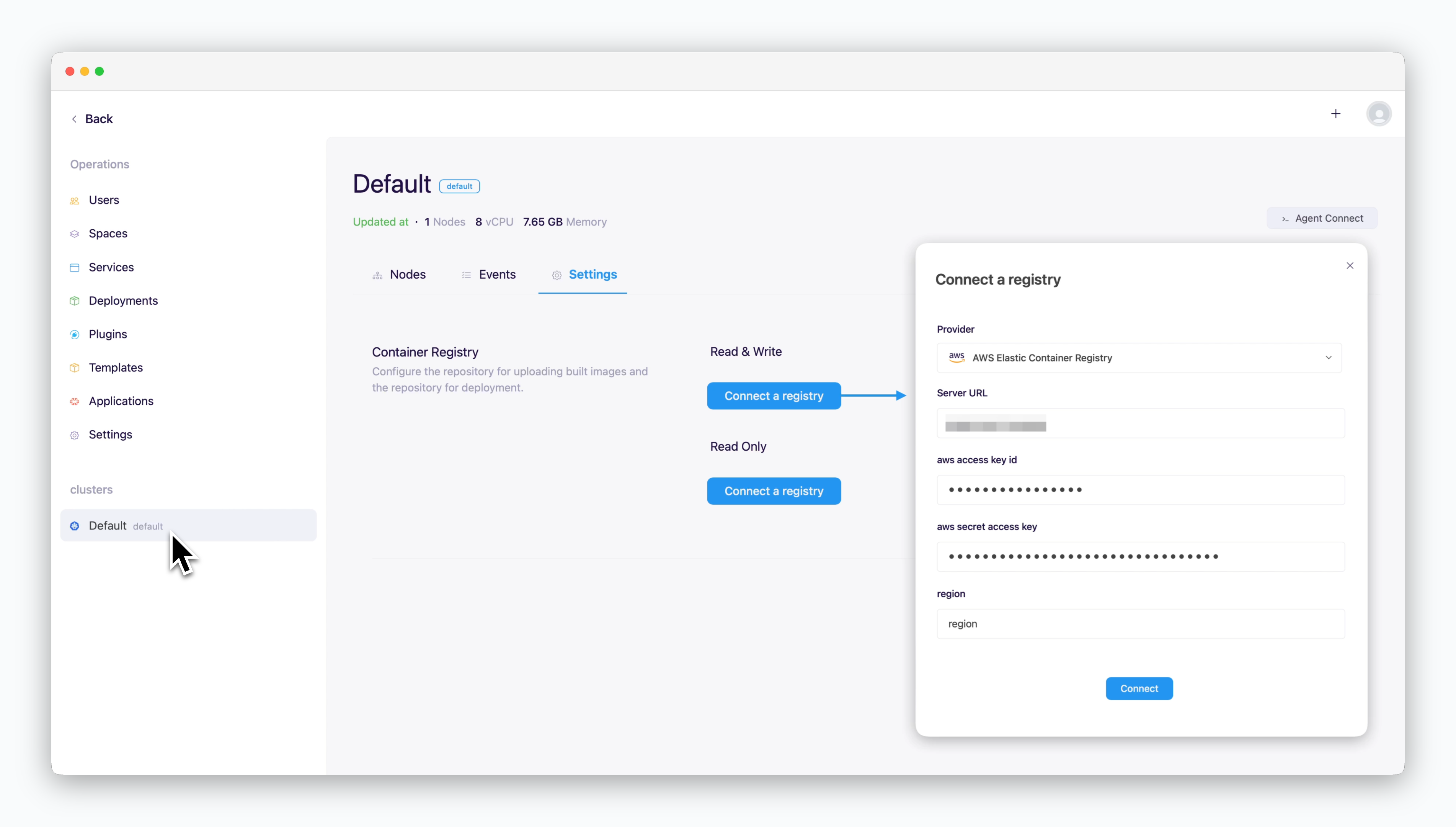 > In the `ale` operations system, go to the Settings tab on the cluster page and click `Connect Container Repository`. In the modal that appears, enter the following values and click `Connect`.
* **Repository Provider**: AWS Elastic Container Registry
* [Access URL](/en/registry/aws-ecr#create-aws-ecr): `[ID].dkr.ecr.[region].amazonaws.com`
* **aws access key ID**: Access key
* **aws secret access key**: Secret access key
* **region**: Region identifier where ECR is located **(e.g., us-east-1)**
> In the `ale` operations system, go to the Settings tab on the cluster page and click `Connect Container Repository`. In the modal that appears, enter the following values and click `Connect`.
* **Repository Provider**: AWS Elastic Container Registry
* [Access URL](/en/registry/aws-ecr#create-aws-ecr): `[ID].dkr.ecr.[region].amazonaws.com`
* **aws access key ID**: Access key
* **aws secret access key**: Secret access key
* **region**: Region identifier where ECR is located **(e.g., us-east-1)**