> ## Documentation Index
> Fetch the complete documentation index at: https://docs.ale.run/llms.txt
> Use this file to discover all available pages before exploring further.
# Domain Registration
> A guide to setting up a Cloudflare domain for the dashboard and preview URLs.
Purchase a domain from Cloudflare beforehand and follow the guide to configure it.
***
## Verify Nginx Ingress Controller Hostname
> To create a record in Cloudflare's nameserver, check the IP of the Nginx Ingress Controller.
```bash theme={null}
kubectl get svc \
-n ingress-nginx \
ingress-nginx-controller \
-o jsonpath='{.status.loadBalancer.ingress[0].ip}' \
| xargs -I{} echo "{}"
```
## Create a Cloudflare Record
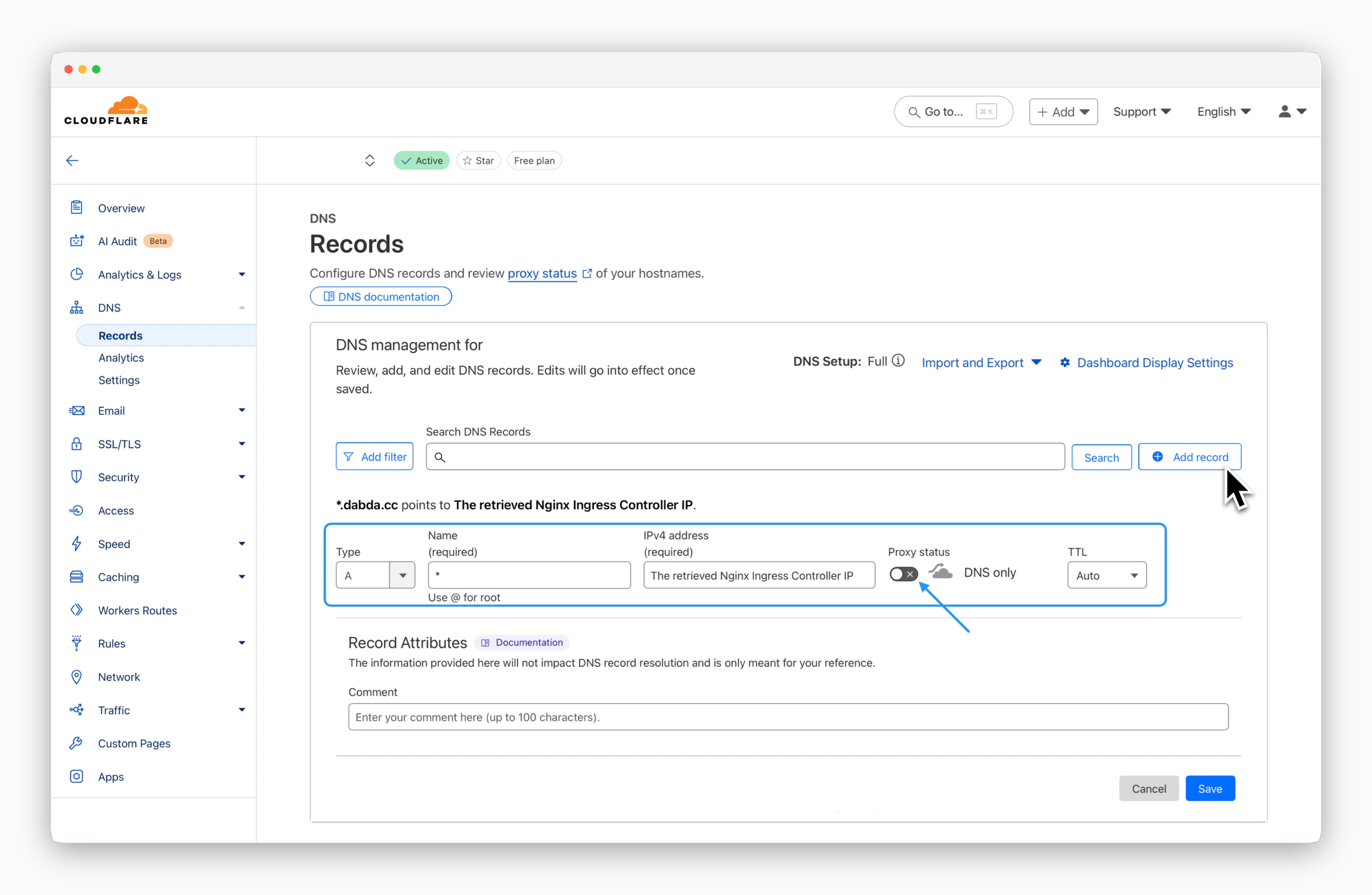 > Navigate to DNS > Records page, click `Add record` and enter the values as shown below, then click `Save`.
* **Record Name**: \*
* **Record Type**: A
* **Value**: The retrieved Nginx Ingress Controller IP
* **Proxy Status**: Disabled
You can verify that the record has been applied correctly with the following command:
```bash theme={null}
dig ""
```
> Navigate to DNS > Records page, click `Add record` and enter the values as shown below, then click `Save`.
* **Record Name**: \*
* **Record Type**: A
* **Value**: The retrieved Nginx Ingress Controller IP
* **Proxy Status**: Disabled
You can verify that the record has been applied correctly with the following command:
```bash theme={null}
dig ""
```