> ## Documentation Index
> Fetch the complete documentation index at: https://docs.ale.run/llms.txt
> Use this file to discover all available pages before exploring further.
# レプリカ
## 適用
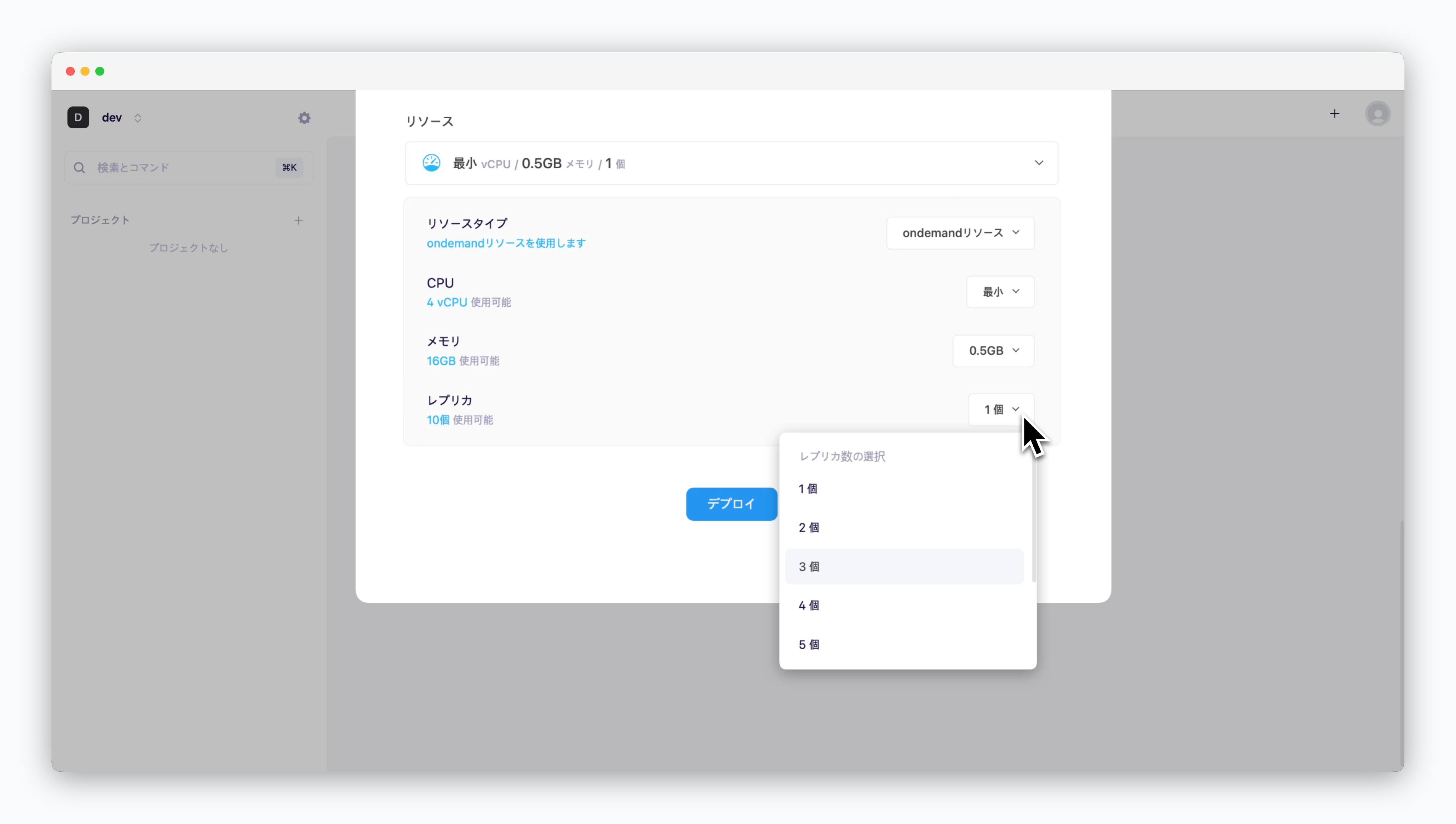 > デプロイ時に**レプリカ**数を設定することで、ReplicaSetを適用できます。
設定した数に応じてサービスを水平スケーリングし、負荷分散と可用性を確保できます。
## 確認
> デプロイ時に**レプリカ**数を設定することで、ReplicaSetを適用できます。
設定した数に応じてサービスを水平スケーリングし、負荷分散と可用性を確保できます。
## 確認
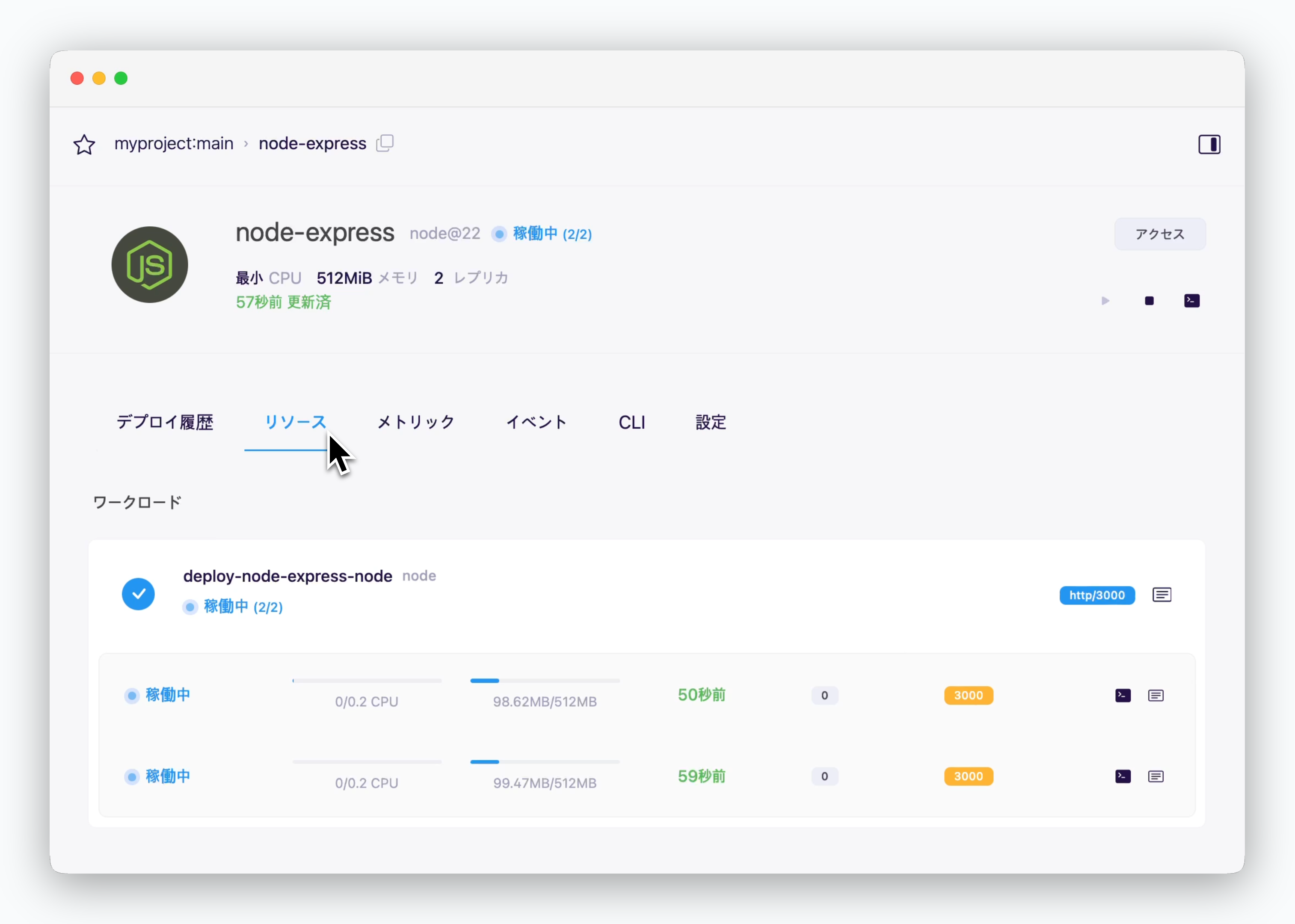 > サービスページのリソースタブでレプリカが適用されたサービスの状態を確認できます。左から`サービスの状態`、`CPU使用量`、`メモリ使用量`などが表示されます。
右側のアイコンから、実行中の各サービスの実行ログの確認、ターミナルへの接続、およびPodディスクリプションの確認ができます。
## 変更
> サービスページのリソースタブでレプリカが適用されたサービスの状態を確認できます。左から`サービスの状態`、`CPU使用量`、`メモリ使用量`などが表示されます。
右側のアイコンから、実行中の各サービスの実行ログの確認、ターミナルへの接続、およびPodディスクリプションの確認ができます。
## 変更
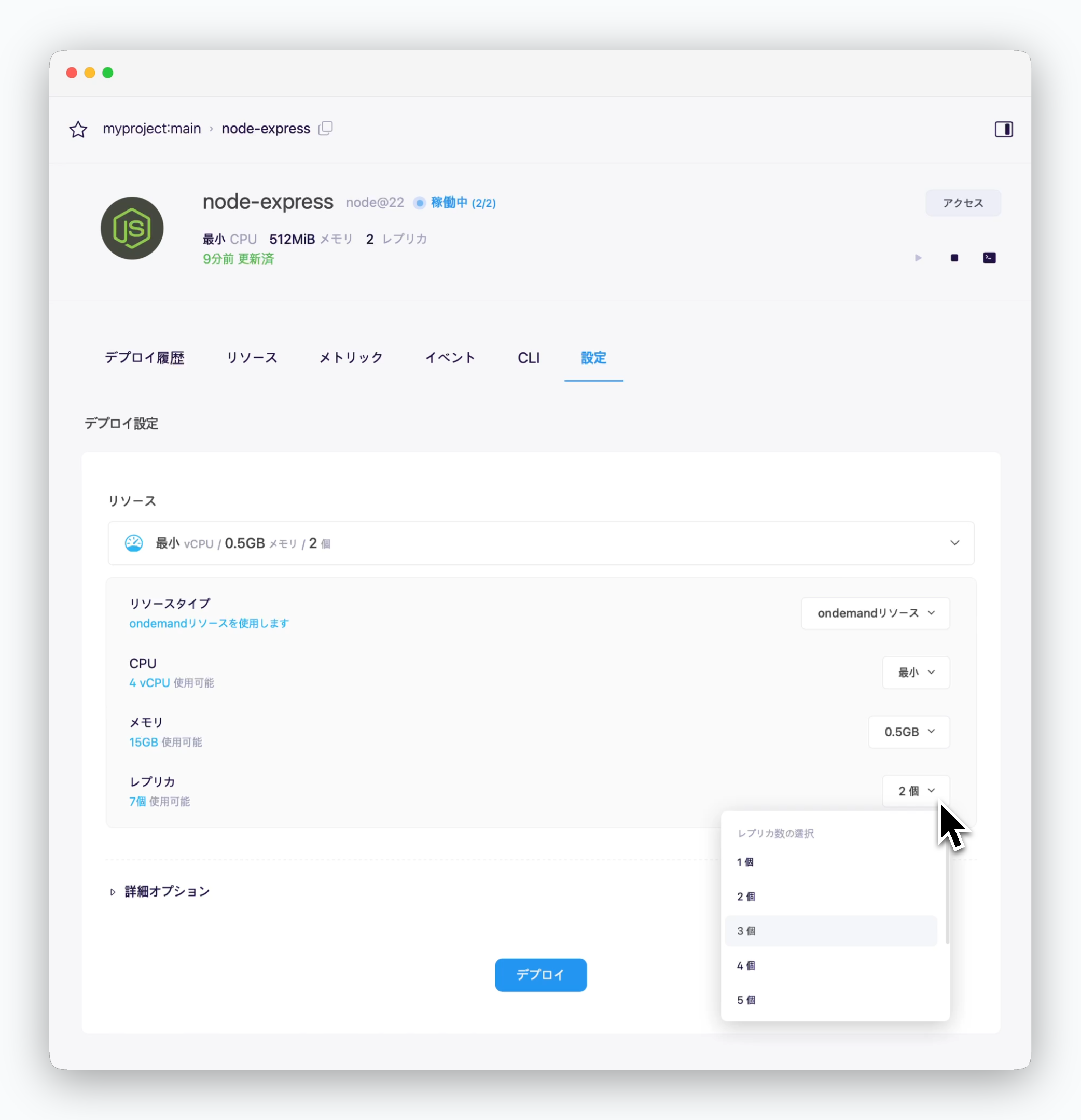 > サービスページ設定タブのリソースセクションでレプリカ数を変更し、`デプロイ`をクリックすると、変更内容が適用され再デプロイされます。