> ## Documentation Index
> Fetch the complete documentation index at: https://docs.ale.run/llms.txt
> Use this file to discover all available pages before exploring further.
# ロールバック
> エールはコンテナイメージをベースにサービスを実行するため、問題が発生した際に過去のバージョンへ迅速に復元できます。
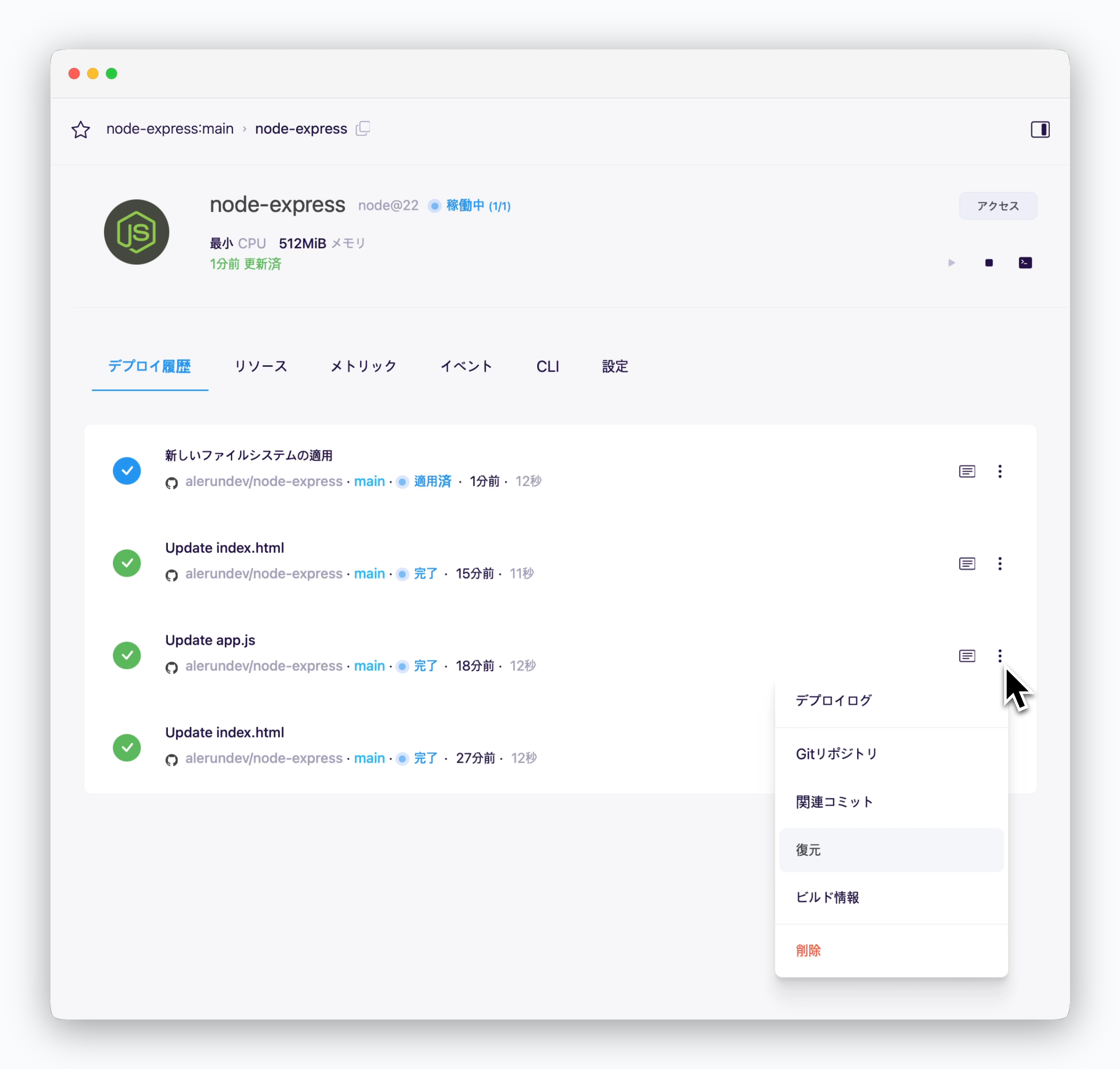 > 復元したいサービスページの**デプロイ履歴タブ**で、復元したいデプロイ履歴の右側にある アイコンをクリックすると復元できます。
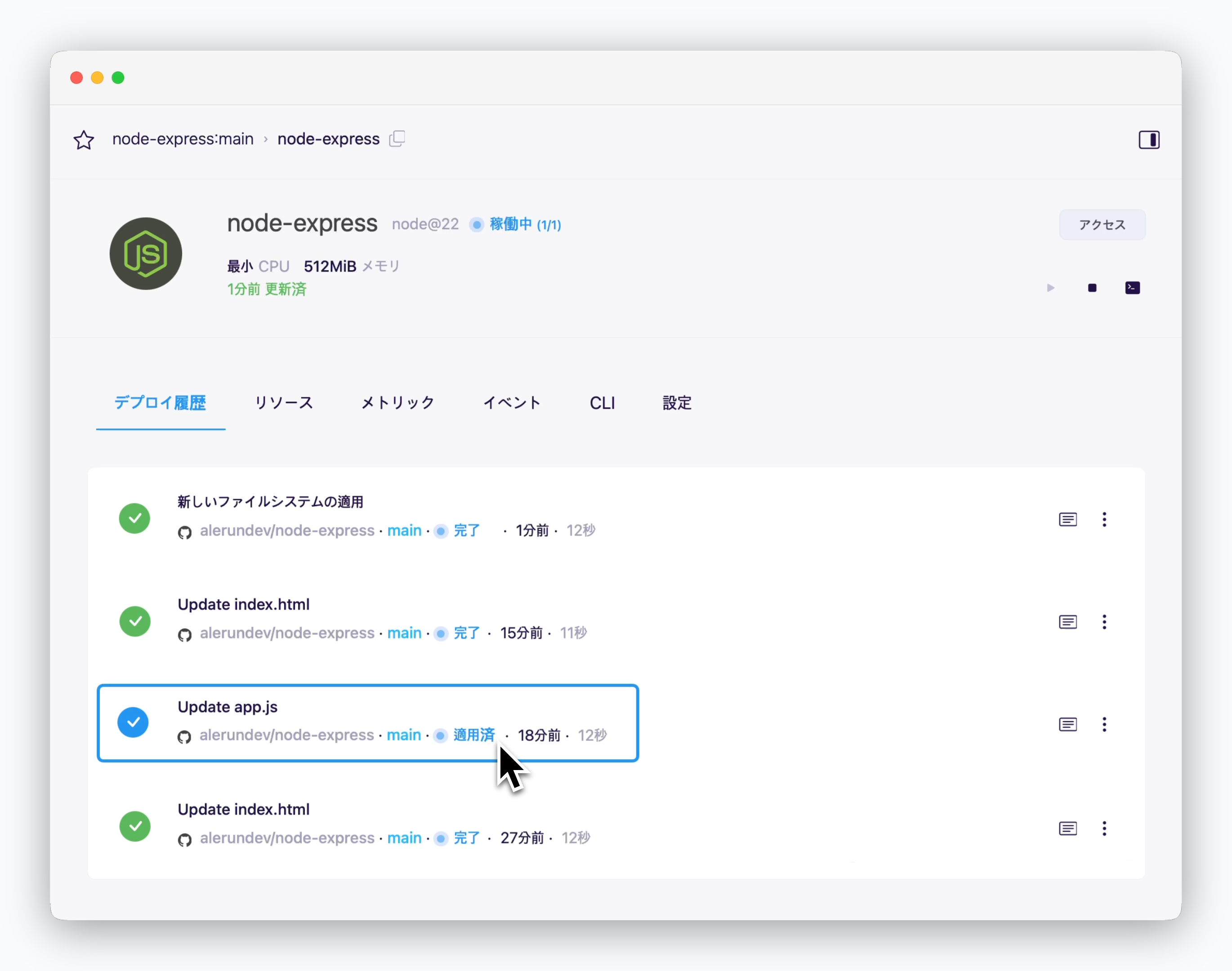 > 復元が完了すると、適用されたバージョンのステータスが**適用済み**に変更されます。
復元するバージョンを間違えないよう、コミットメッセージを確認してください。
> 復元が完了すると、適用されたバージョンのステータスが**適用済み**に変更されます。
復元するバージョンを間違えないよう、コミットメッセージを確認してください。