> ## Documentation Index
> Fetch the complete documentation index at: https://docs.ale.run/llms.txt
> Use this file to discover all available pages before exploring further.
# クラスター管理
> エールに接続されたクラスターの情報を確認し、設定を変更できます。
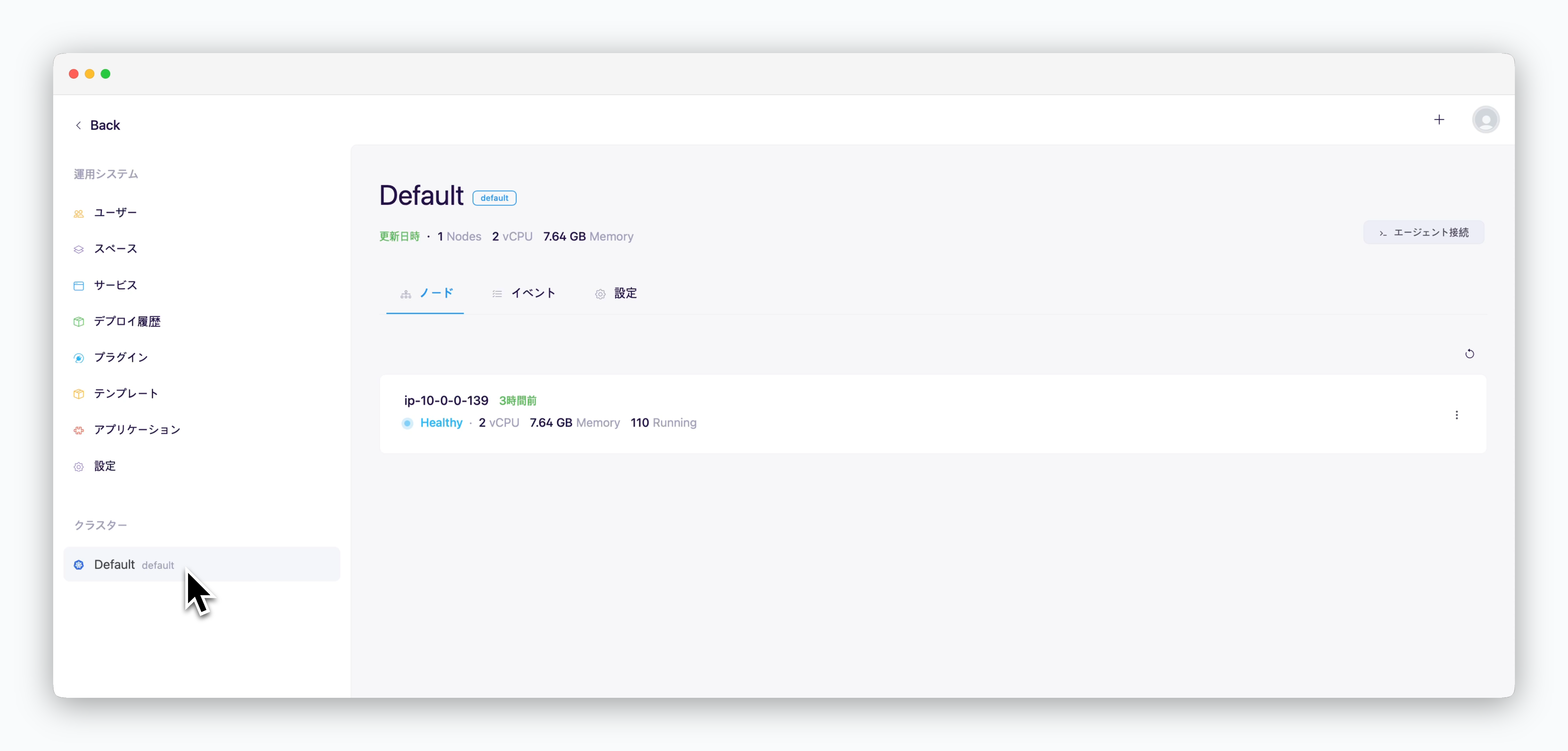 エールで管理するクラスターを追加するには、[マルチクラスターページ](/ja/advanced/multi-cluster)をご参照ください。
***
## エージェントアクセス
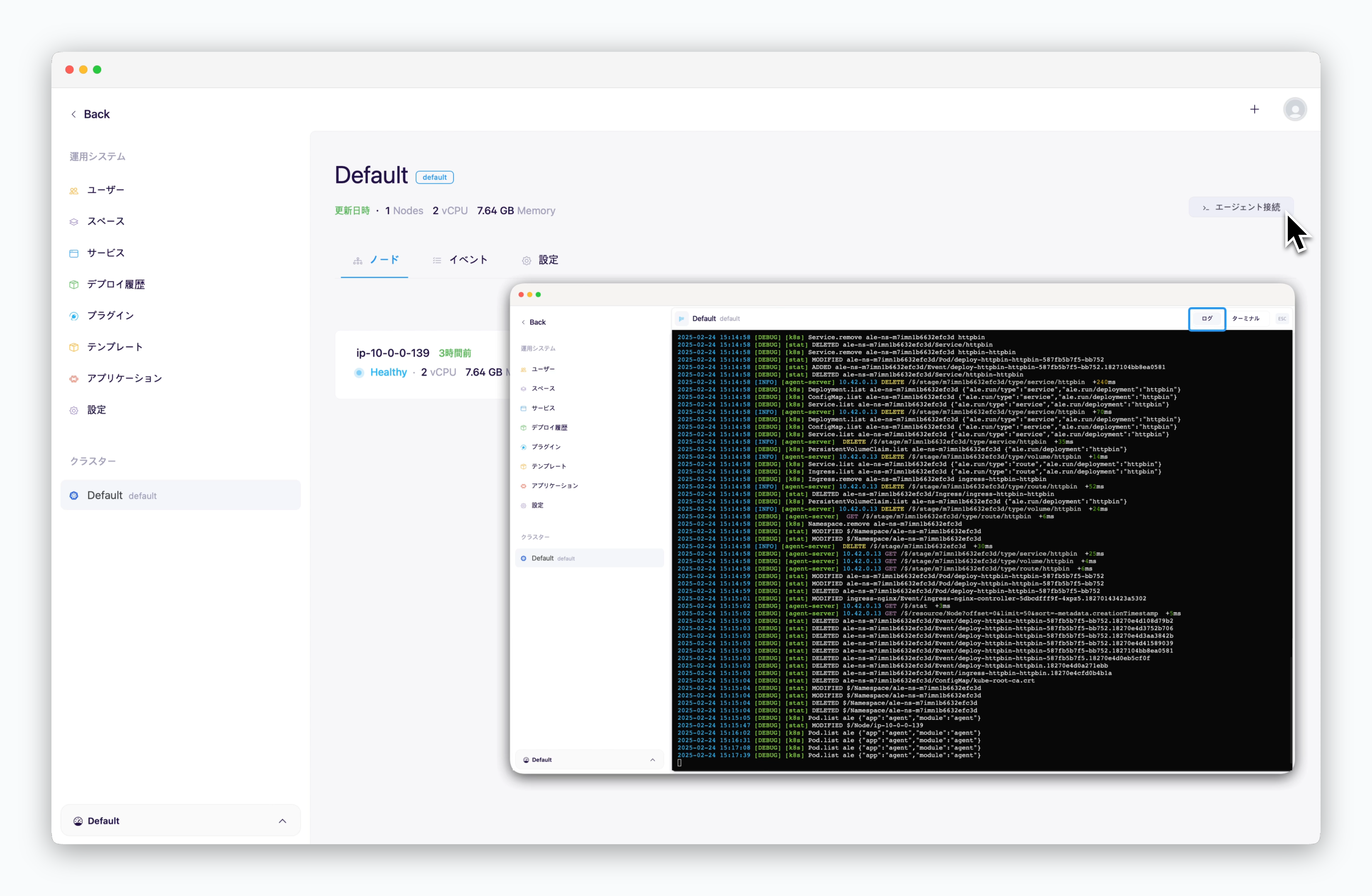
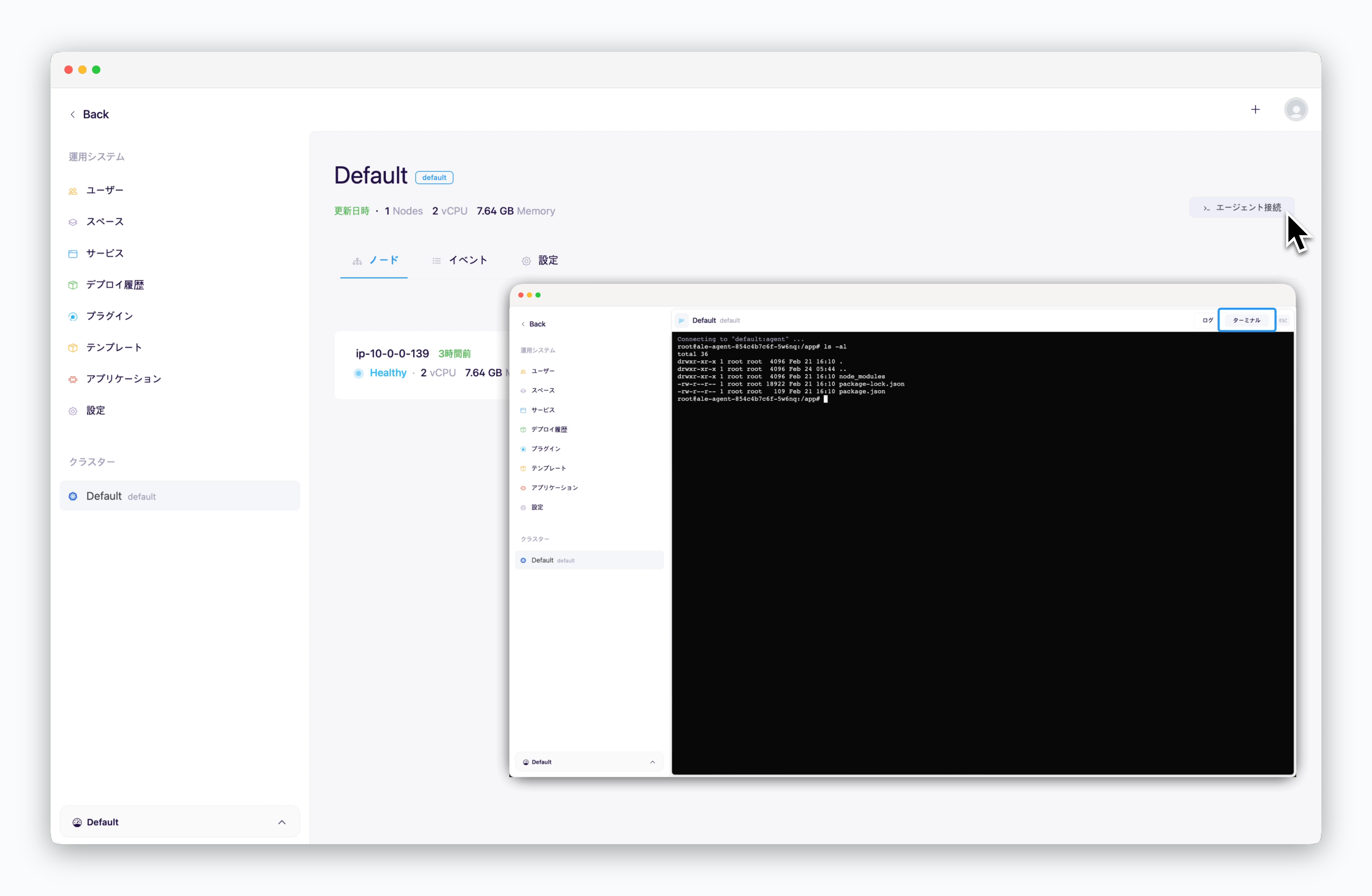
> 右上の`エージェントアクセス`ボタンで、エールとクラスター間の仲介役を果たすエージェントにアクセスできます。
エールで管理するクラスターを追加するには、[マルチクラスターページ](/ja/advanced/multi-cluster)をご参照ください。
***
## エージェントアクセス
> 右上の`エージェントアクセス`ボタンで、エールとクラスター間の仲介役を果たすエージェントにアクセスできます。
 ## クラスターノード
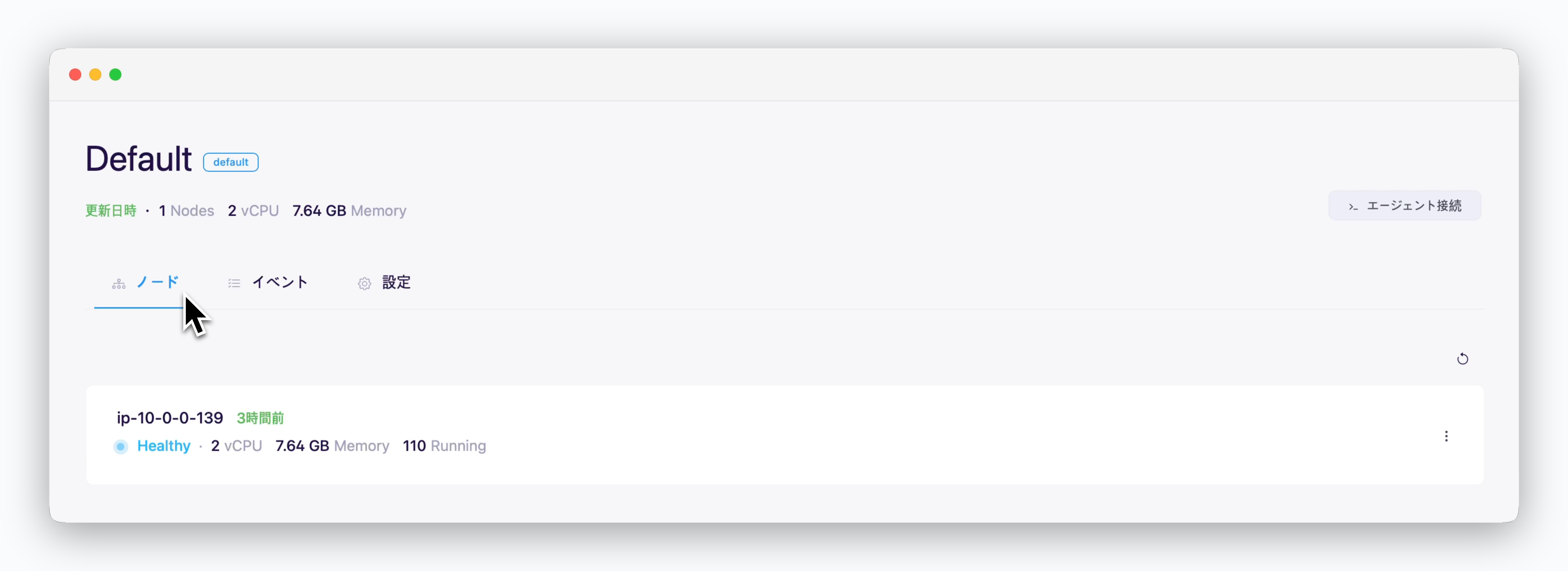 > エールに接続されたクラスターを構成するノード情報を確認できます。
* **ノードHostname**
* **ノードステータス**
* **CPU / メモリ**
* **稼働中のpod数**
## クラスターイベント
> エールに接続されたクラスターを構成するノード情報を確認できます。
* **ノードHostname**
* **ノードステータス**
* **CPU / メモリ**
* **稼働中のpod数**
## クラスターイベント
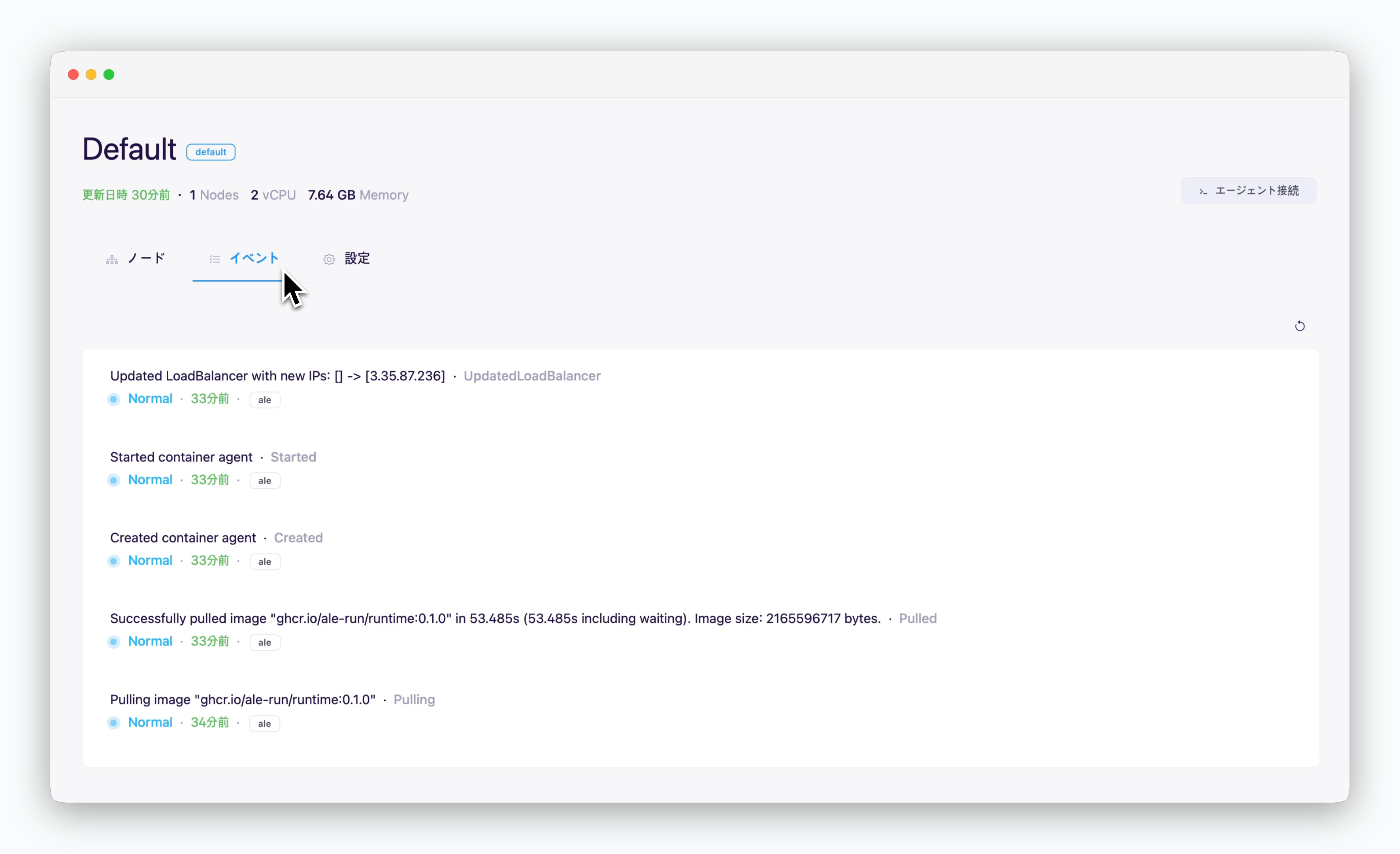 > クラスターで発生するイベントを照会できます。
## クラスター設定
### コンテナレジストリ
> クラスターで発生するイベントを照会できます。
## クラスター設定
### コンテナレジストリ
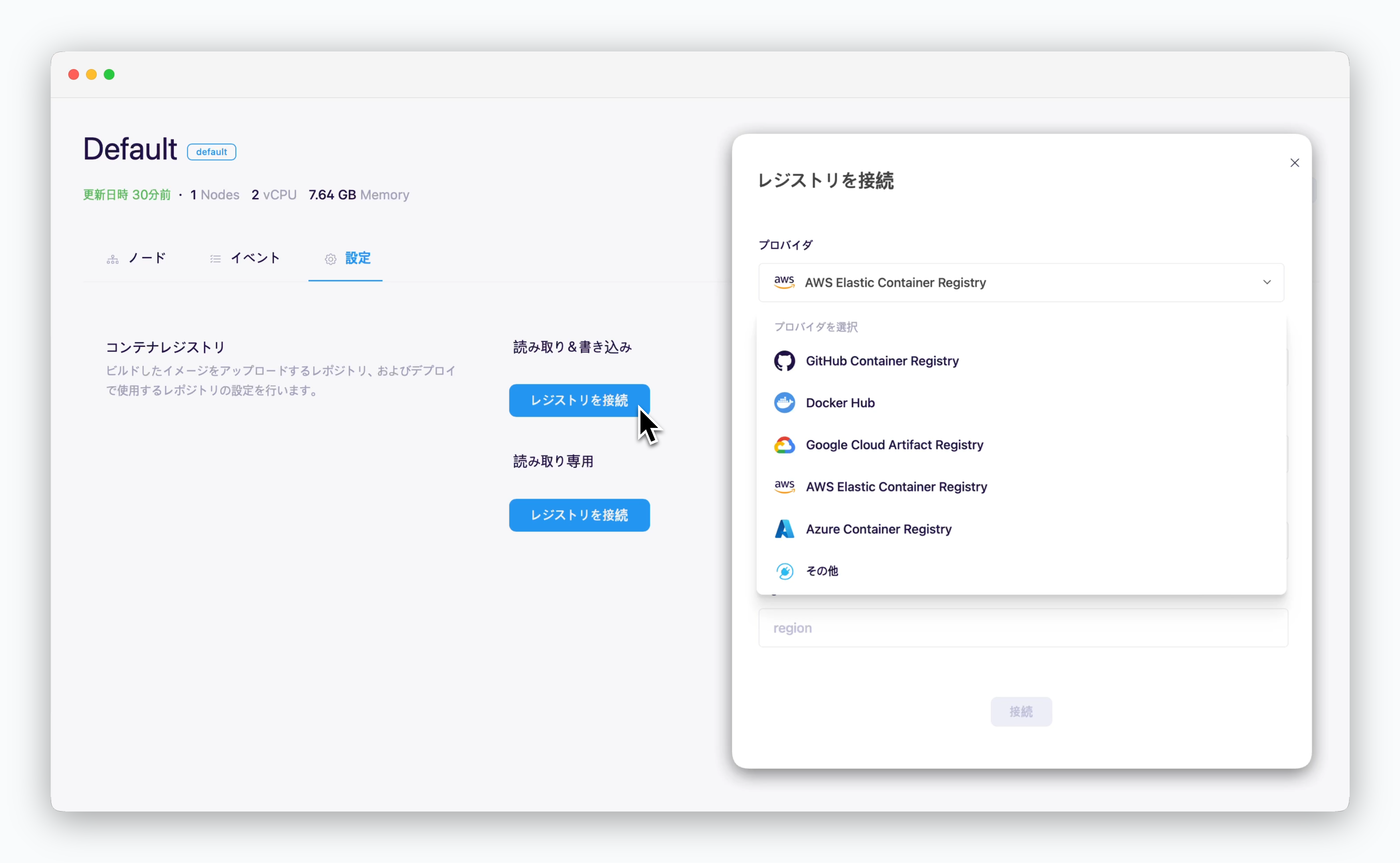 > レジストリ別の接続方法は以下のリンクをご参照ください。
### ネットワーク
> レジストリ別の接続方法は以下のリンクをご参照ください。
### ネットワーク
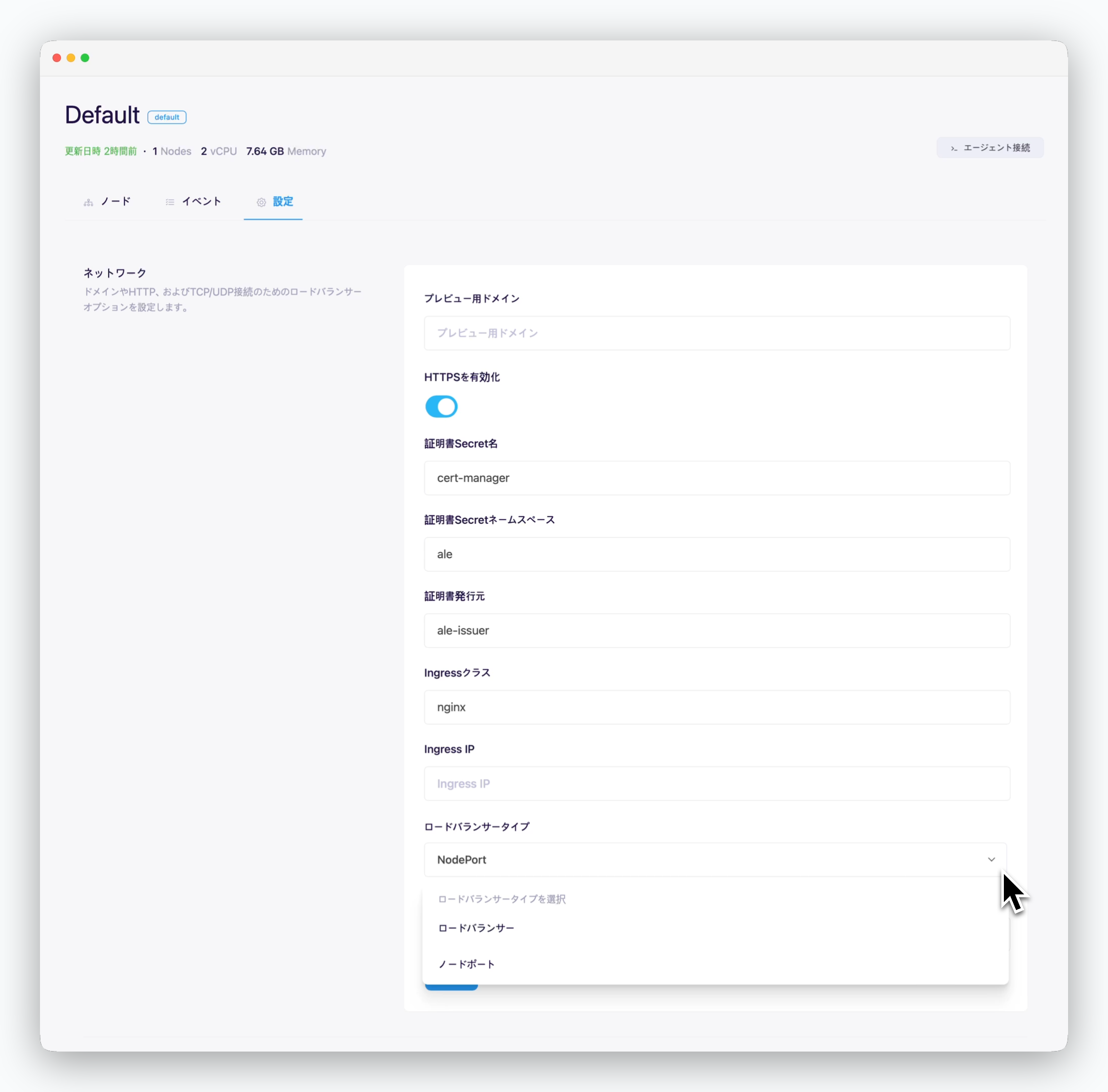 * **プレビュードメイン**: 接続されたルートドメイン
* **HTTPS使用**
* **チェック**: インターネット環境
* **チェック解除**: イントラネット/閉鎖網環境
* **証明書シークレット名**: TLS証明書シークレット名
* **証明書シークレットネームスペース**: TLS証明書のネームスペース
* **証明書発行者**: TLS証明書を発行する証明書発行者(ClusterIssuer)の名
* **イングレスクラス**: デプロイするWebサービスに適用するIngressクラス名
* **イングレスIP**: Nginx Ingress Controllerの外部IPまたはHostname
* **ロードバランサータイプ**: デプロイされたアプリケーションへのTCPアクセス方式
* **ロードバランサー**
* **ノードポート**
* **イングレス/イーグレス帯域幅**: Mbps単位で入力
### ストレージ
* **プレビュードメイン**: 接続されたルートドメイン
* **HTTPS使用**
* **チェック**: インターネット環境
* **チェック解除**: イントラネット/閉鎖網環境
* **証明書シークレット名**: TLS証明書シークレット名
* **証明書シークレットネームスペース**: TLS証明書のネームスペース
* **証明書発行者**: TLS証明書を発行する証明書発行者(ClusterIssuer)の名
* **イングレスクラス**: デプロイするWebサービスに適用するIngressクラス名
* **イングレスIP**: Nginx Ingress Controllerの外部IPまたはHostname
* **ロードバランサータイプ**: デプロイされたアプリケーションへのTCPアクセス方式
* **ロードバランサー**
* **ノードポート**
* **イングレス/イーグレス帯域幅**: Mbps単位で入力
### ストレージ
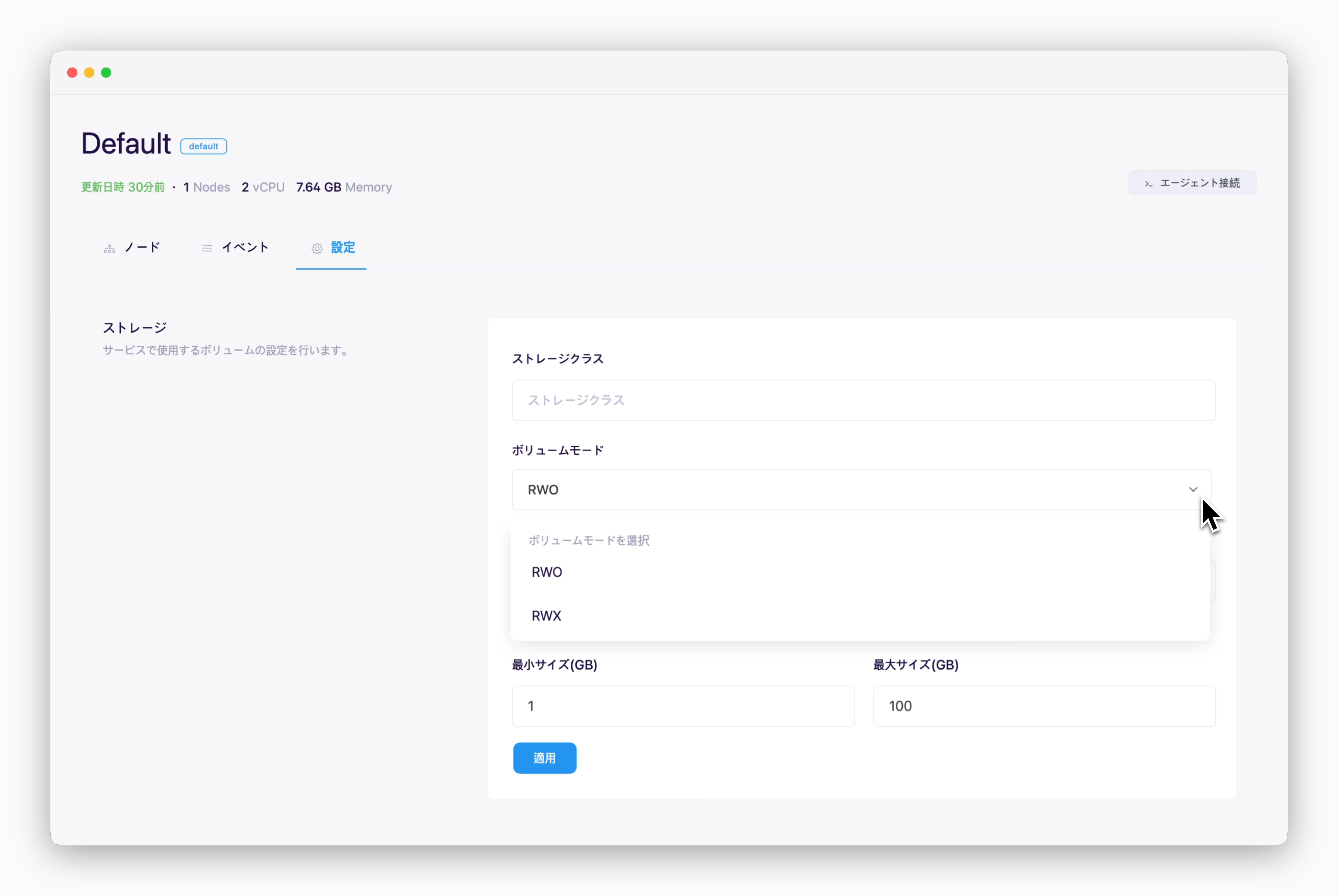 * **ストレージクラス**
* **ボリュームモード**
* RWO(ReadWriteOnce): 単一ノードボリュームマウント、単一ポッド使用
* RWX(ReadWriteMany): 複数ノードボリュームマウント、複数ポッド使用
* **最小/最大サイズ**: GB単位で入力
* **ストレージクラス**
* **ボリュームモード**
* RWO(ReadWriteOnce): 単一ノードボリュームマウント、単一ポッド使用
* RWX(ReadWriteMany): 複数ノードボリュームマウント、複数ポッド使用
* **最小/最大サイズ**: GB単位で入力