> ## Documentation Index
> Fetch the complete documentation index at: https://docs.ale.run/llms.txt
> Use this file to discover all available pages before exploring further.
# サービス管理
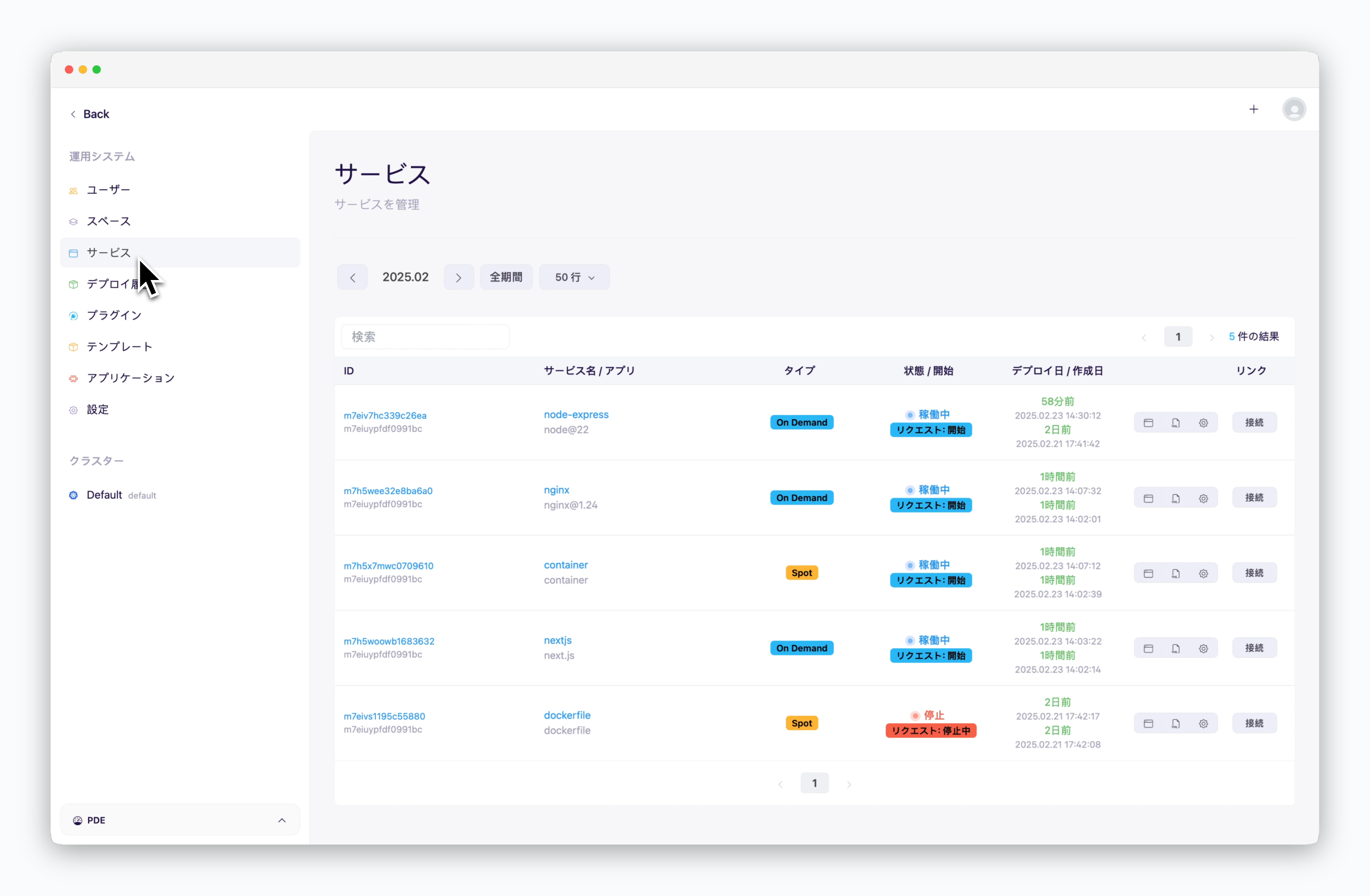
> ダッシュボードでデプロイされた全てのサービスを照会・管理するページです。
 ***
## サービス情報
***
## サービス情報
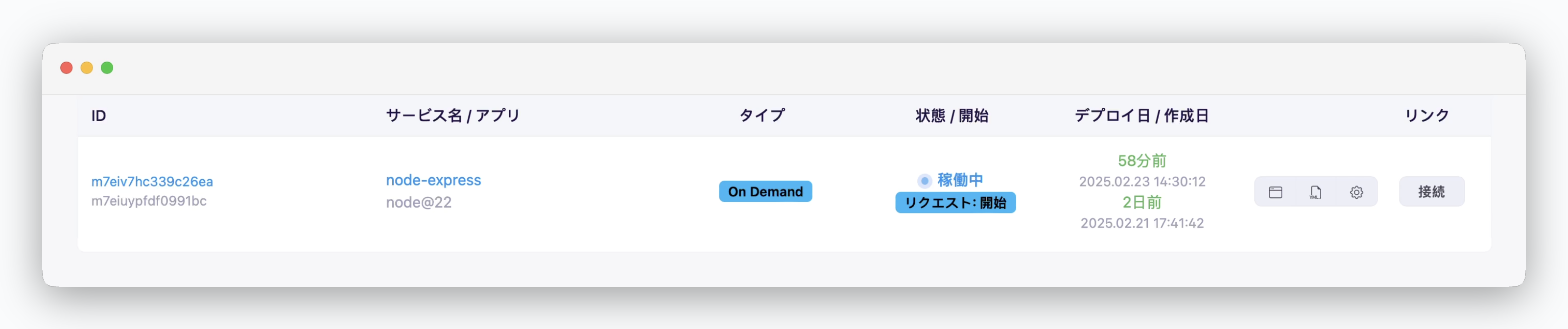 * **ID** : サービスの固有ID値
* **サービス名 / アプリ** : ユーザーが定義したサービス名 / 言語またはプラットフォーム
* **種類** : VMタイプ(オンデマンド/スポット)
* **ステータス** : 実行中 / 起動中 / 停止中 / 停止済み
* **デプロイ日、作成日** : サービスのデプロイ / 作成時間
## ログとターミナル
* **ID** : サービスの固有ID値
* **サービス名 / アプリ** : ユーザーが定義したサービス名 / 言語またはプラットフォーム
* **種類** : VMタイプ(オンデマンド/スポット)
* **ステータス** : 実行中 / 起動中 / 停止中 / 停止済み
* **デプロイ日、作成日** : サービスのデプロイ / 作成時間
## ログとターミナル
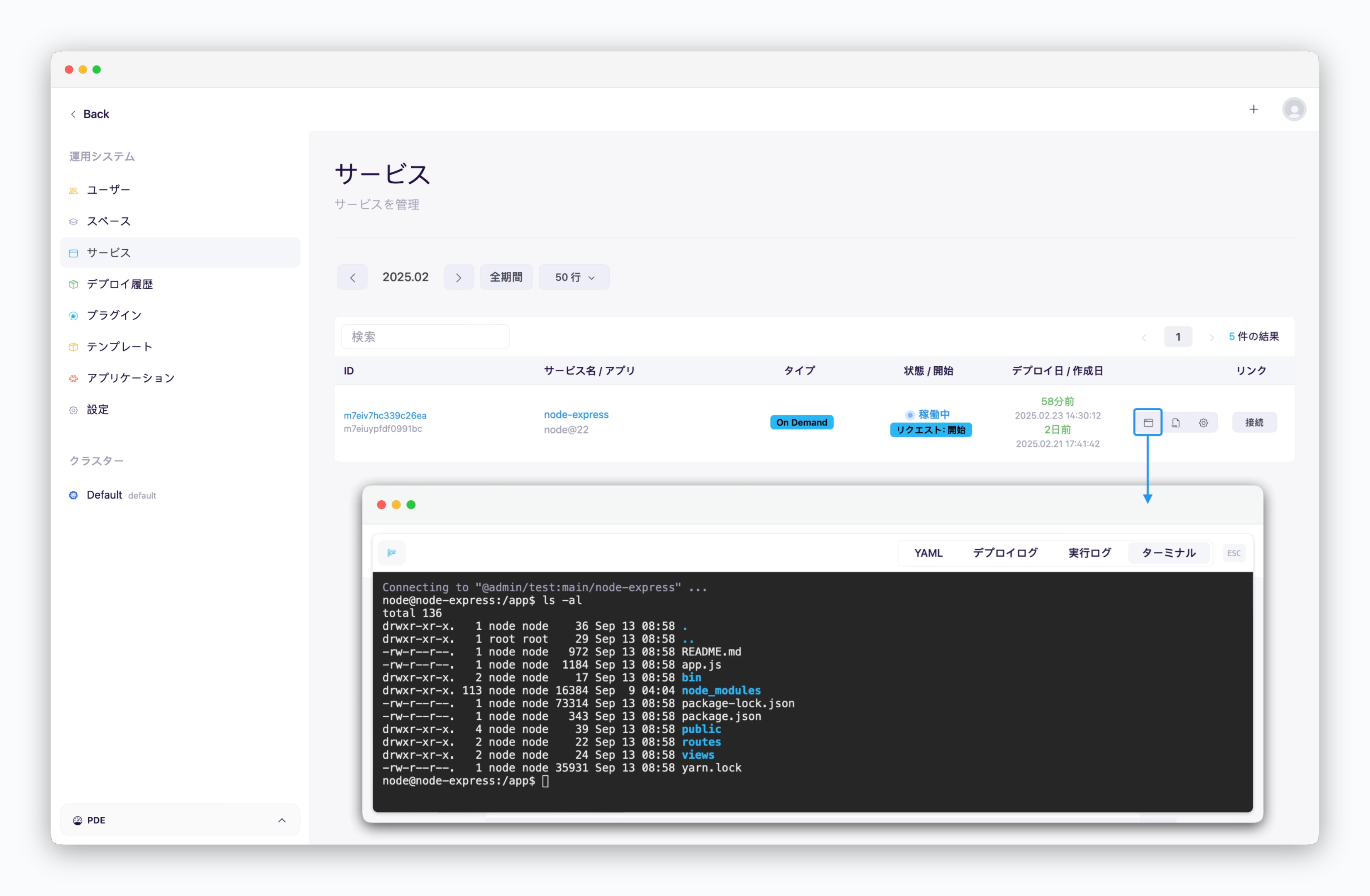 > サービス一覧の右側にあるアイコンをクリックすると、デプロイログや実行ログを確認したり、ターミナルにアクセスできます。
## ダッシュボードアクセス
> サービス一覧の右側にあるアイコンをクリックすると、デプロイログや実行ログを確認したり、ターミナルにアクセスできます。
## ダッシュボードアクセス
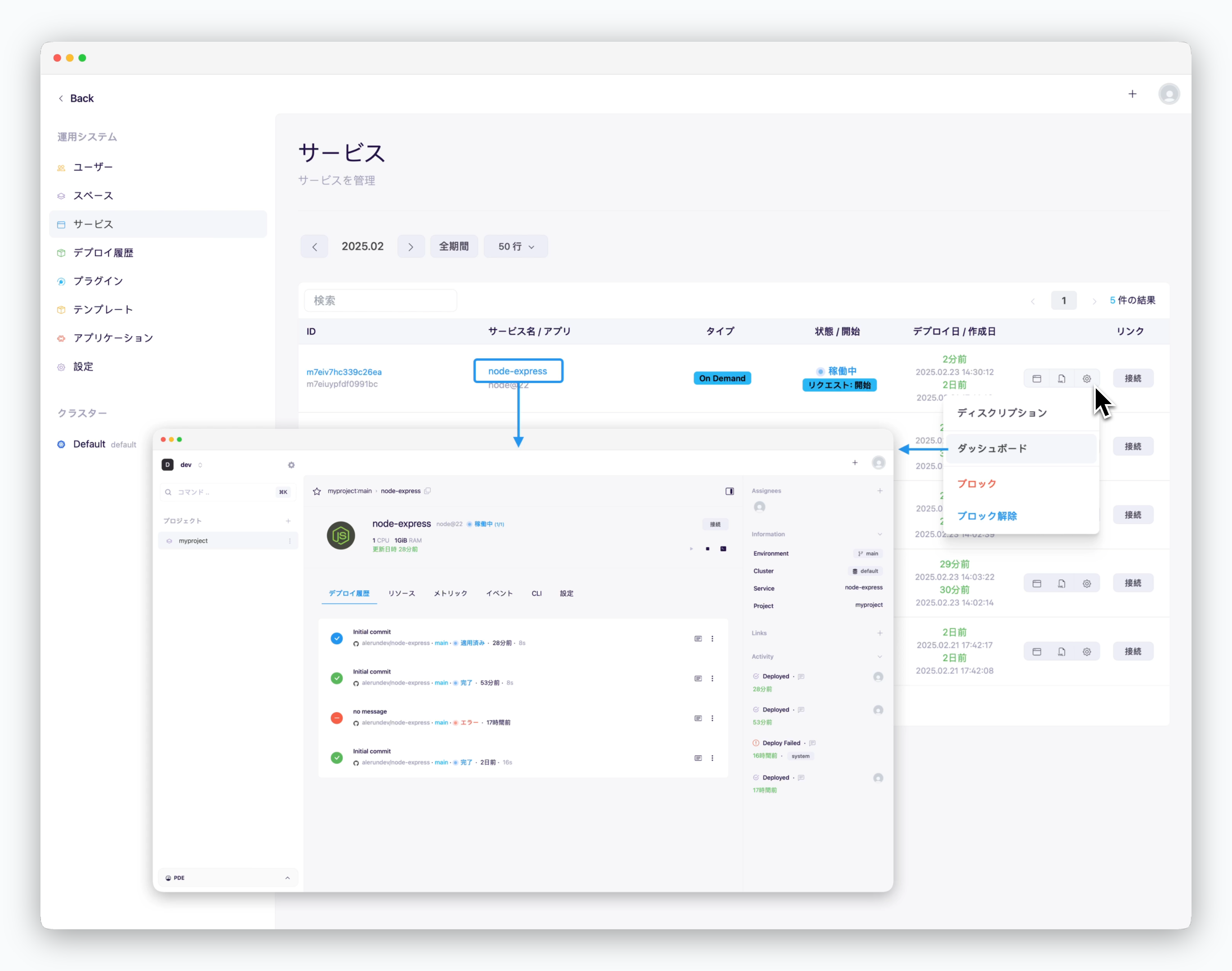 > サービス名をクリックするか、右側のアイコンをクリックして**ダッシュボード**を選択すると、該当サービスのダッシュボードに移動できます。
データベースでは、他のサービスと通信するための接続情報(ホスト名:ポート番号)をコピーできます。
## プレビューURLアクセス
> サービス名をクリックするか、右側のアイコンをクリックして**ダッシュボード**を選択すると、該当サービスのダッシュボードに移動できます。
データベースでは、他のサービスと通信するための接続情報(ホスト名:ポート番号)をコピーできます。
## プレビューURLアクセス
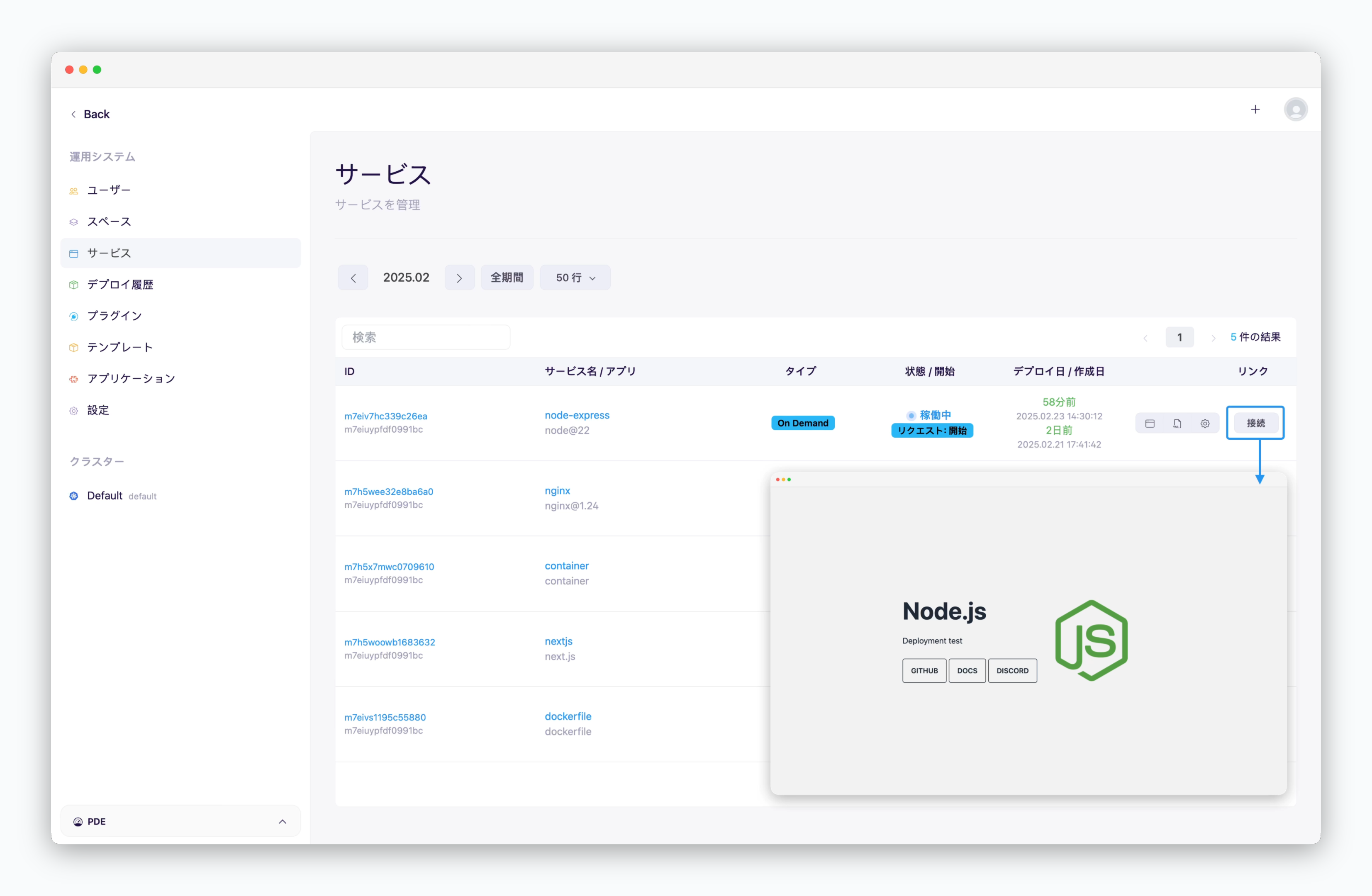 > 右側の`接続`をクリックすると、ブラウザで該当サービスのプレビュードメインにアクセスできます。
## サービスのブロック
> 右側の`接続`をクリックすると、ブラウザで該当サービスのプレビュードメインにアクセスできます。
## サービスのブロック
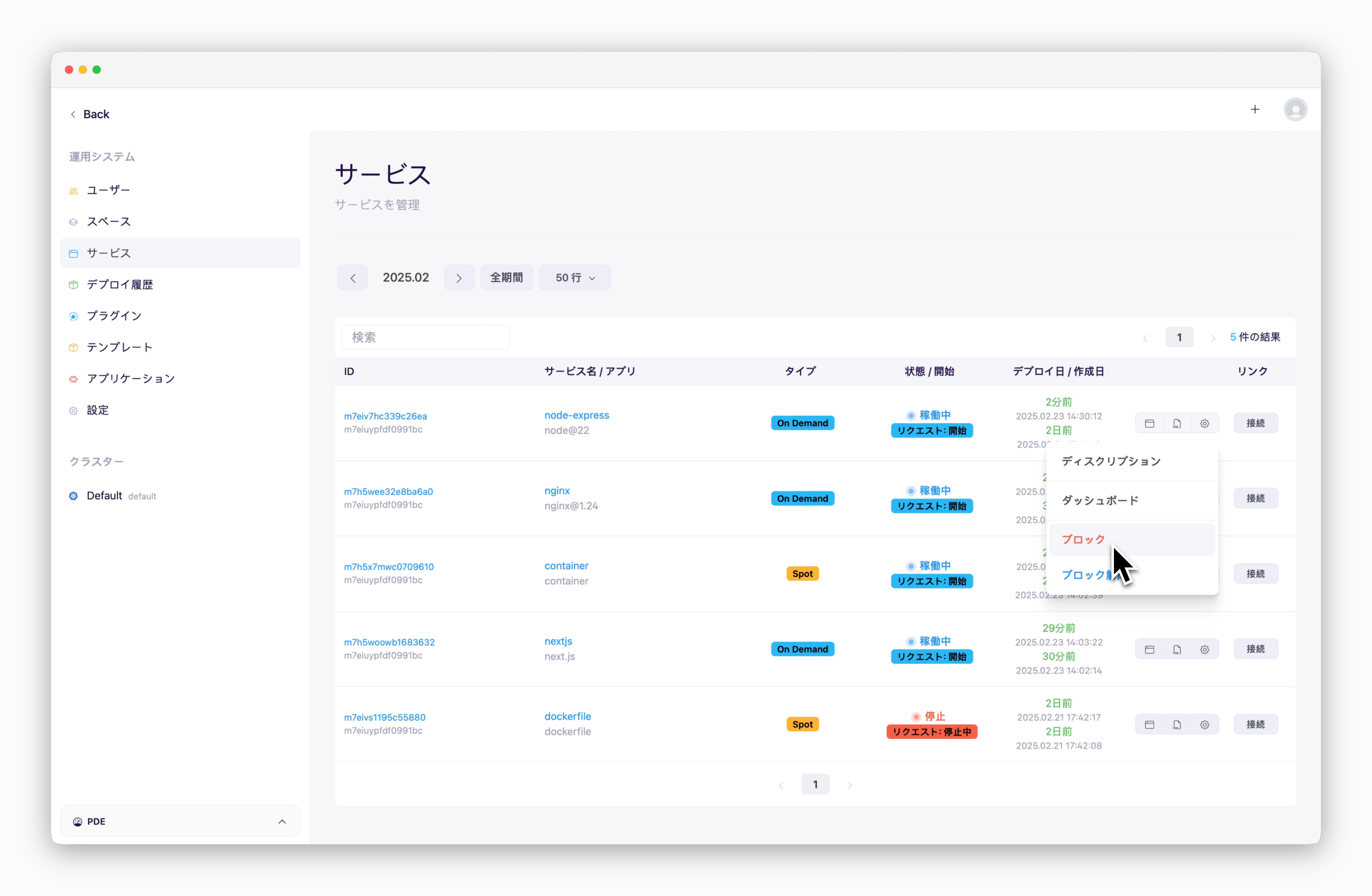 > ブロック対象のサービスの右側にあるアイコンをクリックし、**ブロック**を選択すると該当サービスがブロックされます。
ブロックされたサービスは即時停止され、ダッシュボードから再起動できません。ブロックを解除することで再起動できます。
> ブロック対象のサービスの右側にあるアイコンをクリックし、**ブロック**を選択すると該当サービスがブロックされます。
ブロックされたサービスは即時停止され、ダッシュボードから再起動できません。ブロックを解除することで再起動できます。