> ## Documentation Index
> Fetch the complete documentation index at: https://docs.ale.run/llms.txt
> Use this file to discover all available pages before exploring further.
# Docker Hub
> Docker Hubを接続するガイドです。
> エールでビルドされたイメージをアップロードするリポジトリと、デプロイ過程で使用するリポジトリを**Docker Hub**に設定できます。
***
## Docker Hub Access Tokenの作成
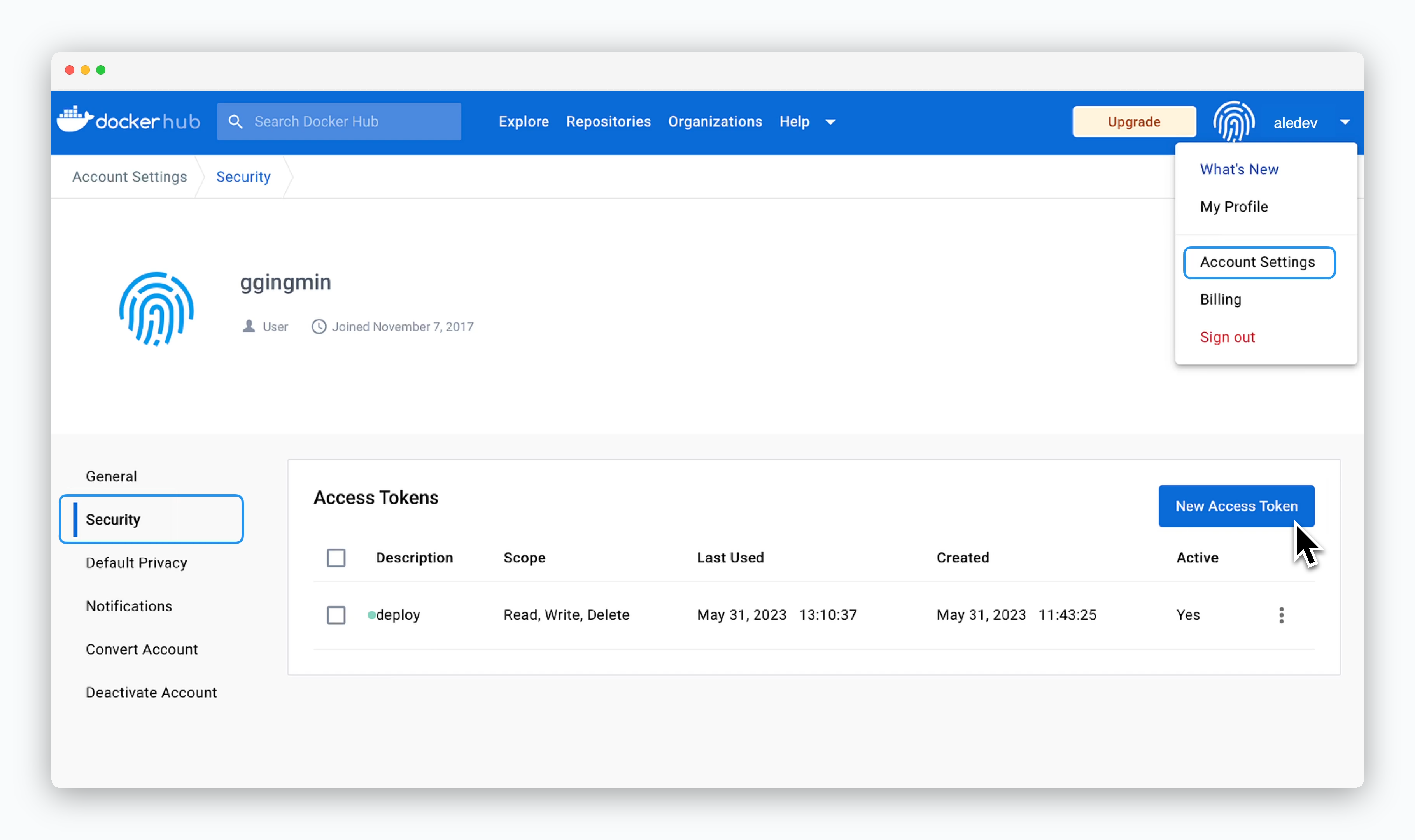 > Docker Hubアカウントを作成した後、右上のアカウント名があるボタンをクリックします。
> 続いて**Account Settings > Security**メニューにアクセスした後、`New Access Token`をクリックしてください。
## 権限の付与とトークンの発行
> Docker Hubアカウントを作成した後、右上のアカウント名があるボタンをクリックします。
> 続いて**Account Settings > Security**メニューにアクセスした後、`New Access Token`をクリックしてください。
## 権限の付与とトークンの発行
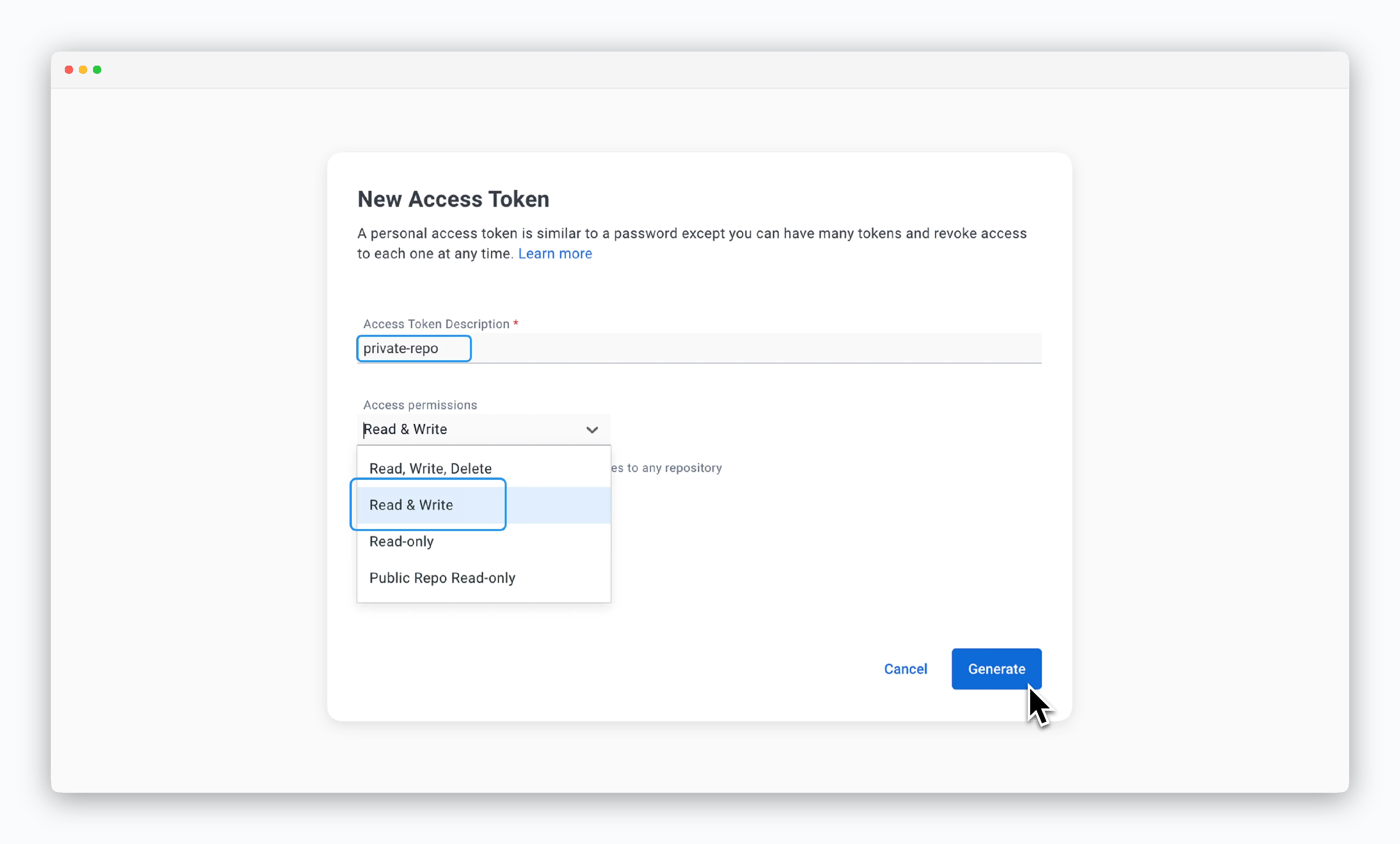 > Access Token Descriptionフィールドにトークンの用途や役割を区別できる文言を入力し、Access permissionsは**Read & Write**値を選択してください。
> 作成されたトークンは初回1回のみ確認することができます。
## エールへの接続
> Access Token Descriptionフィールドにトークンの用途や役割を区別できる文言を入力し、Access permissionsは**Read & Write**値を選択してください。
> 作成されたトークンは初回1回のみ確認することができます。
## エールへの接続
 > 運用システムで、クラスターページの **設定** タブに移動し、`コンテナリポジトリを接続` をクリックします。表示されるモーダルで、以下の値を入力し、`接続` をクリックします。
* **ストレージプロバイダー** : Docker Hub
* **ユーザー名** : Docker Hub ID
* **パスワード(トークン)** : Docker Hub Access Token
> 運用システムで、クラスターページの **設定** タブに移動し、`コンテナリポジトリを接続` をクリックします。表示されるモーダルで、以下の値を入力し、`接続` をクリックします。
* **ストレージプロバイダー** : Docker Hub
* **ユーザー名** : Docker Hub ID
* **パスワード(トークン)** : Docker Hub Access Token