> ## Documentation Index
> Fetch the complete documentation index at: https://docs.ale.run/llms.txt
> Use this file to discover all available pages before exploring further.
# AWS ECR連携
> aleとAWS ECRを連携するためのガイドです。
***
## AWS ECRアドレスの確認
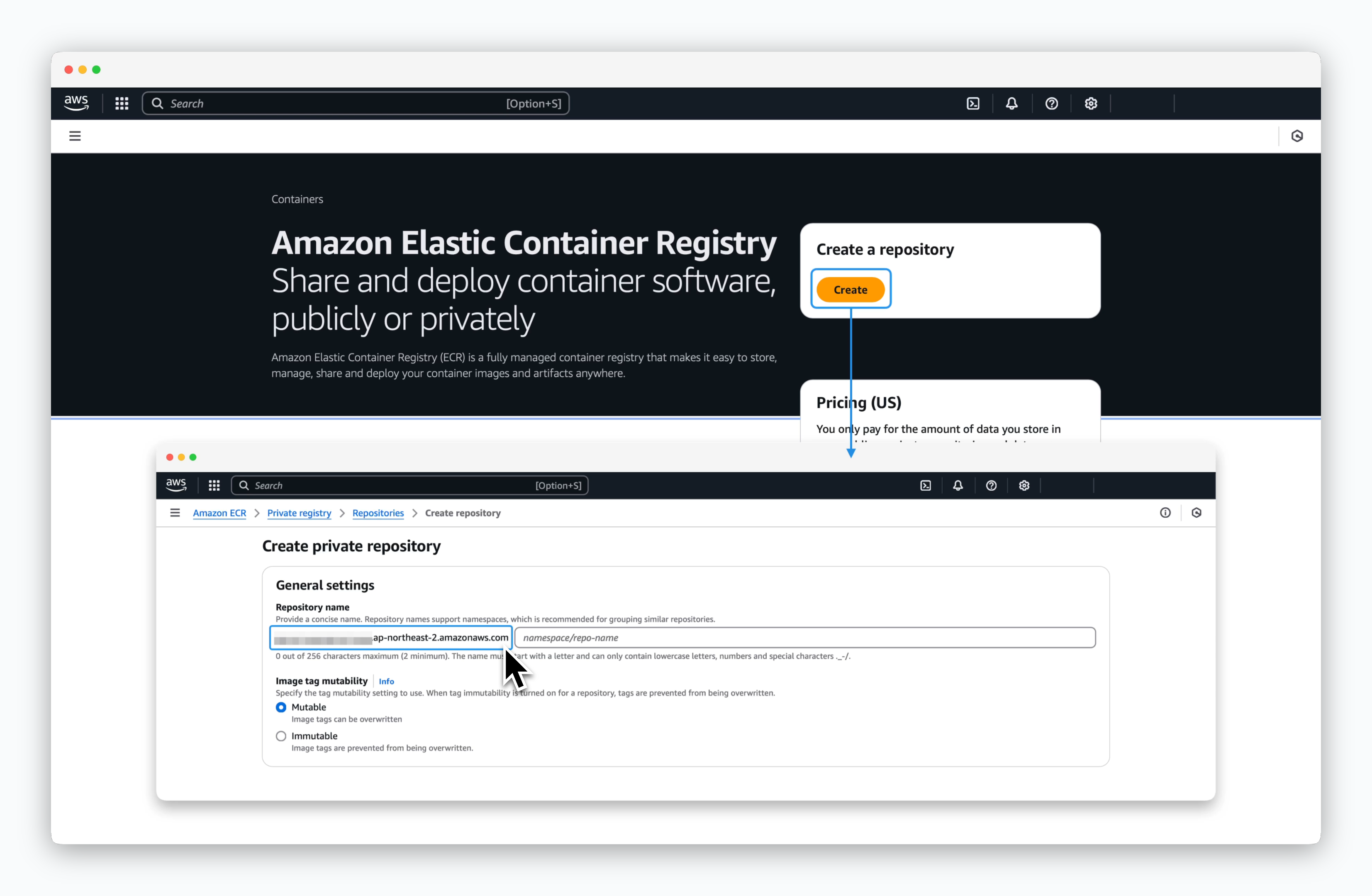 > AWS ECRコンソールで`Create repository`をクリックし、Repository nameセクションから以下の形式のECRアドレスをコピーしてください。
* `[アカウントID].dkr.ecr.[リージョン].amazonaws.com`
## コンテナレジストリの接続
> AWS ECRコンソールで`Create repository`をクリックし、Repository nameセクションから以下の形式のECRアドレスをコピーしてください。
* `[アカウントID].dkr.ecr.[リージョン].amazonaws.com`
## コンテナレジストリの接続
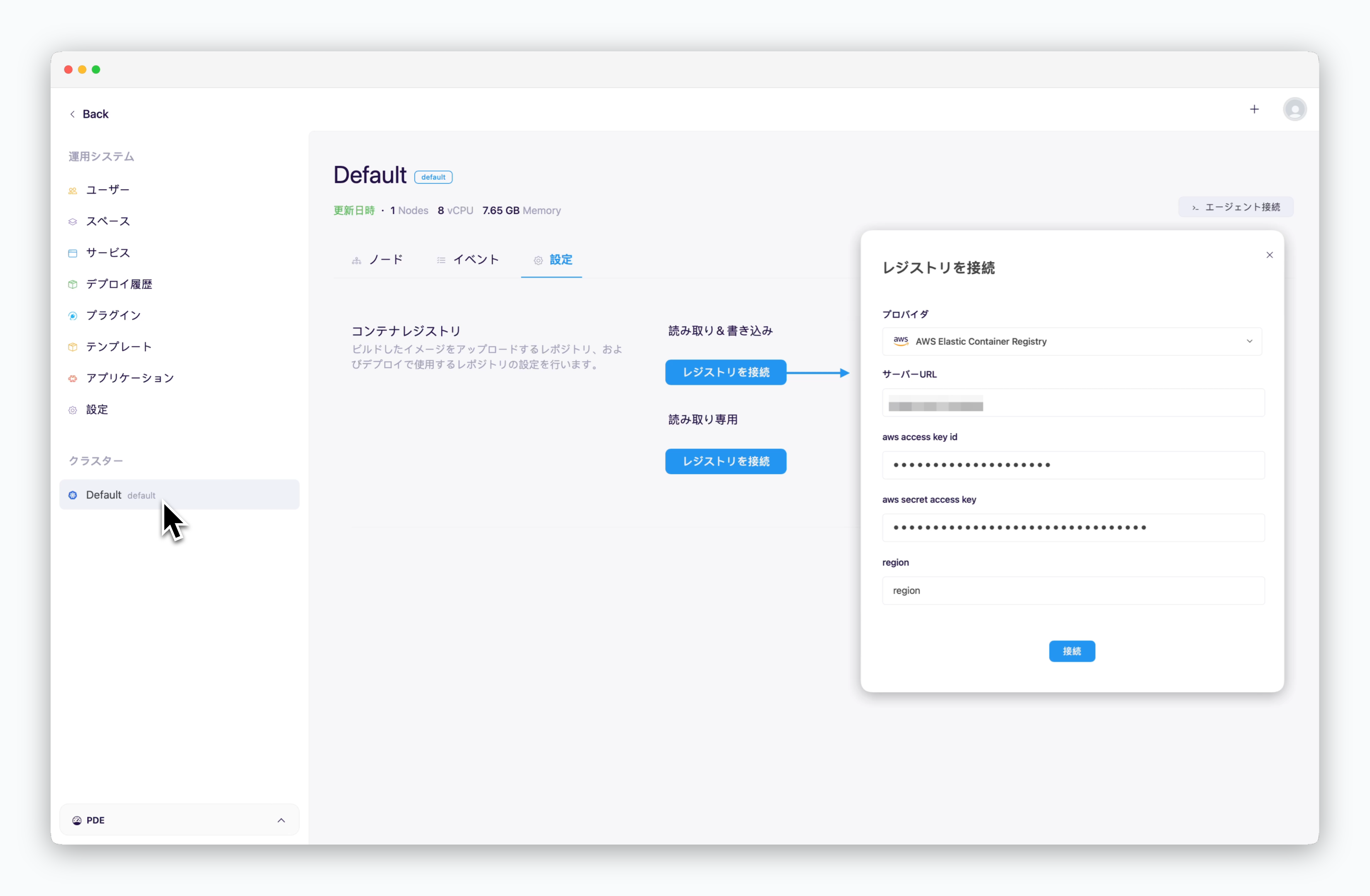 > `ale` 運用システムで、クラスターページの **設定** タブに移動し、`コンテナリポジトリを接続` をクリックします。表示されるモーダルで、以下の値を入力し、`接続` をクリックします。
* **リポジトリプロバイダー**: AWS Elastic Container Registry
* [アクセスURL](/en/registry/aws-ecr#create-aws-ecr): `[ID].dkr.ecr.[region].amazonaws.com`
* **AWS アクセスキーID**: アクセスキー
* **AWS シークレットアクセスキー**: シークレットアクセスキー
* **リージョン**: ECR が配置されているリージョン識別子 **(例: ap-northeast-1)**
> `ale` 運用システムで、クラスターページの **設定** タブに移動し、`コンテナリポジトリを接続` をクリックします。表示されるモーダルで、以下の値を入力し、`接続` をクリックします。
* **リポジトリプロバイダー**: AWS Elastic Container Registry
* [アクセスURL](/en/registry/aws-ecr#create-aws-ecr): `[ID].dkr.ecr.[region].amazonaws.com`
* **AWS アクセスキーID**: アクセスキー
* **AWS シークレットアクセスキー**: シークレットアクセスキー
* **リージョン**: ECR が配置されているリージョン識別子 **(例: ap-northeast-1)**