> ## Documentation Index
> Fetch the complete documentation index at: https://docs.ale.run/llms.txt
> Use this file to discover all available pages before exploring further.
# 로그와 터미널
> 배포된 서비스를 대시보드의 터미널을 통해 접속할 수 있으며, 실행 로그 및 빌드 내역도 손쉽게 확인할 수 있습니다.
> 배포 과정이나 서비스 실행 중 오류가 발생한 경우, 배포 및 실행 로그를 확인하고 조치하세요.
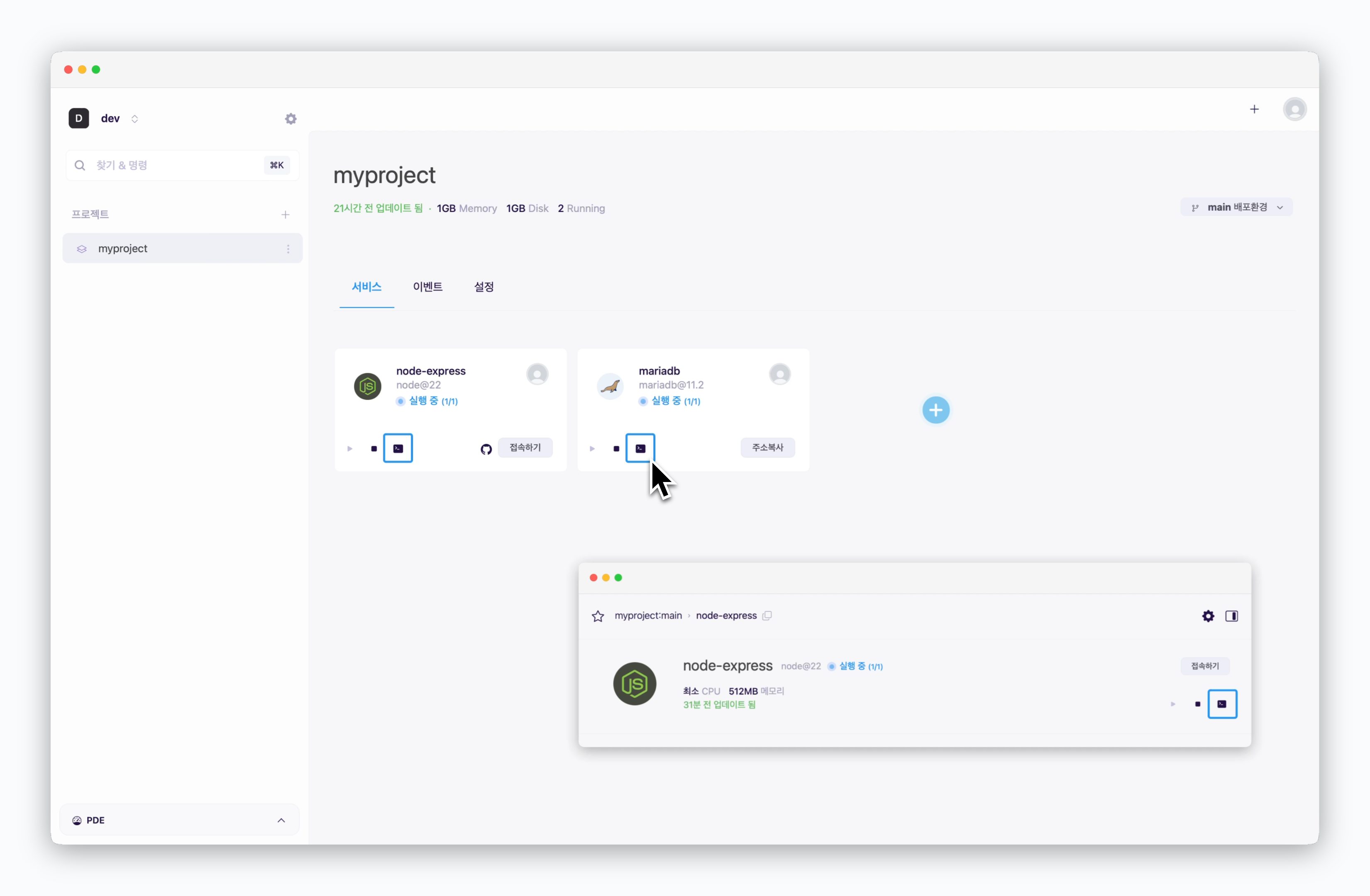 서비스 카드 내의 터미널 아이콘, 서비스 상세화면 우측의 터미널 아이콘으로 해당 서비스의 로그를 확인하거나 터미널에 접속할 수 있습니다.
`ale`은 VM이 아닌 컨테이너 방식으로 서비스를 구동하기 때문에 저장소 내 명세 파일을 통해 패키지 및 라이브러리를 설치해야 하며, 터미널을 통해 설치를 시도할 경우 정상적으로 동작하지 않을 수 있습니다.
데이터베이스 배포 및 사용 시, DB 콘솔/CLI로 터미널의 용도가 제한됩니다.
***
## 배포 로그
서비스 카드 내의 터미널 아이콘, 서비스 상세화면 우측의 터미널 아이콘으로 해당 서비스의 로그를 확인하거나 터미널에 접속할 수 있습니다.
`ale`은 VM이 아닌 컨테이너 방식으로 서비스를 구동하기 때문에 저장소 내 명세 파일을 통해 패키지 및 라이브러리를 설치해야 하며, 터미널을 통해 설치를 시도할 경우 정상적으로 동작하지 않을 수 있습니다.
데이터베이스 배포 및 사용 시, DB 콘솔/CLI로 터미널의 용도가 제한됩니다.
***
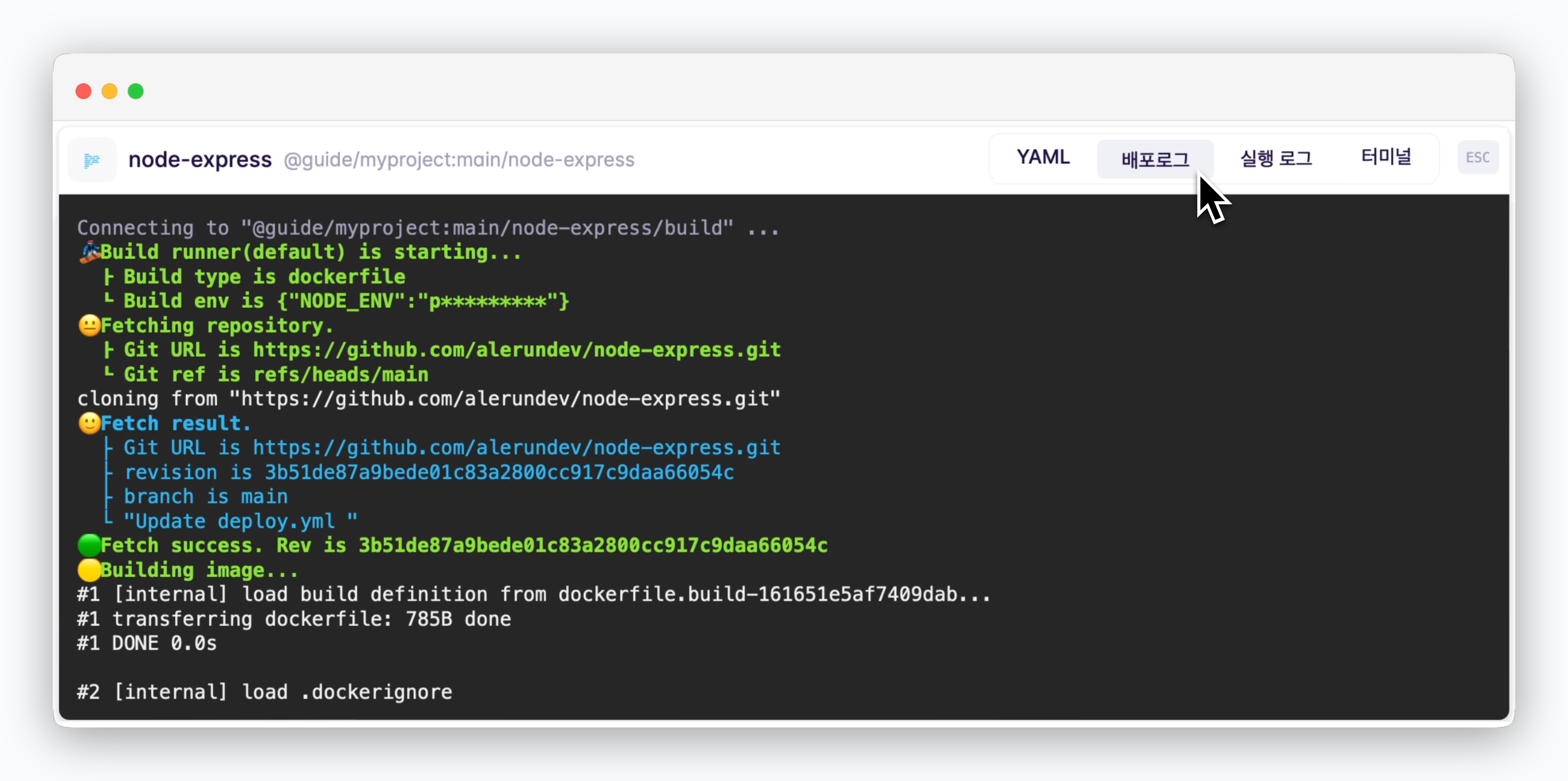
## 배포 로그
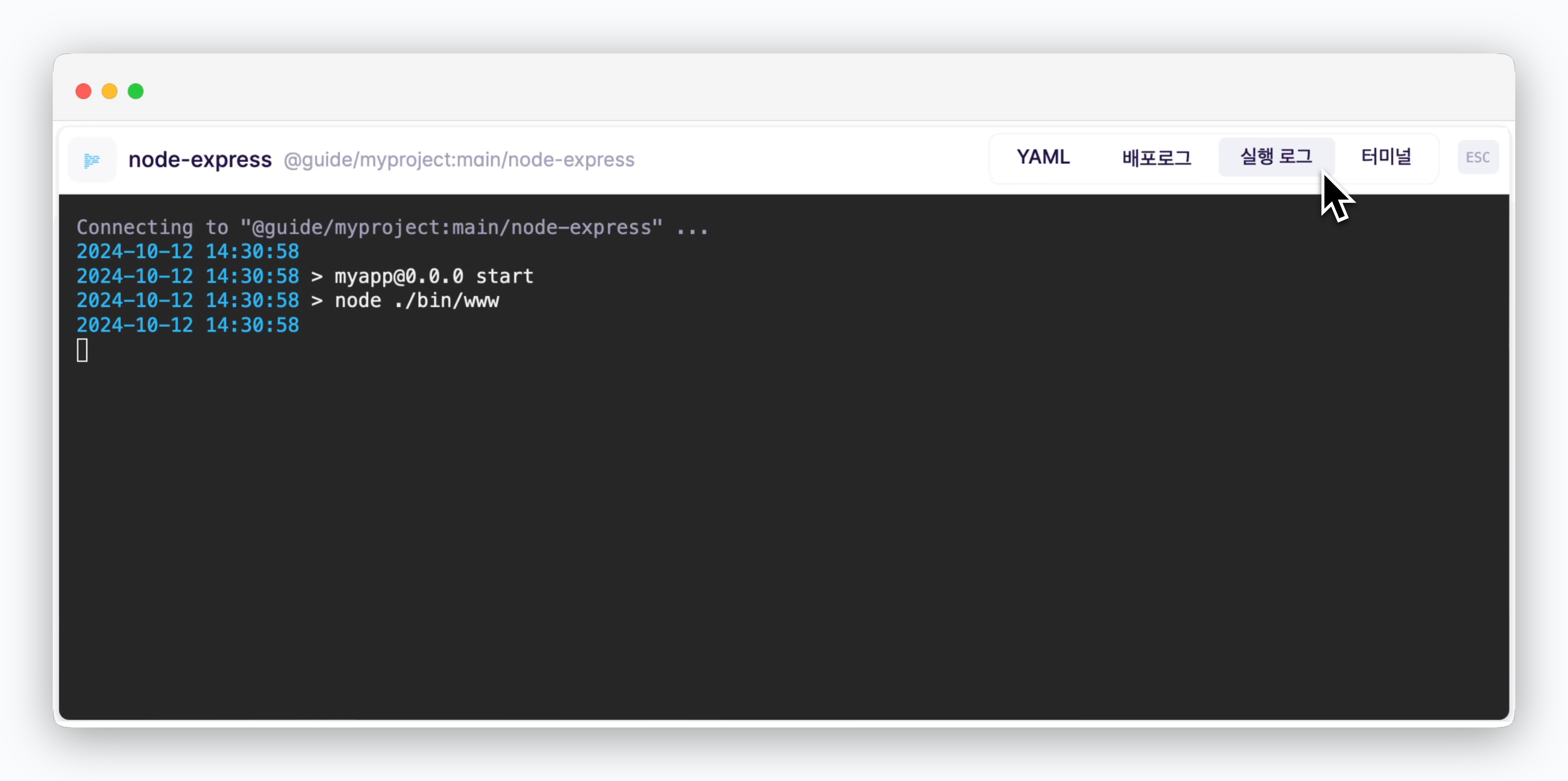
 ## 실행 로그
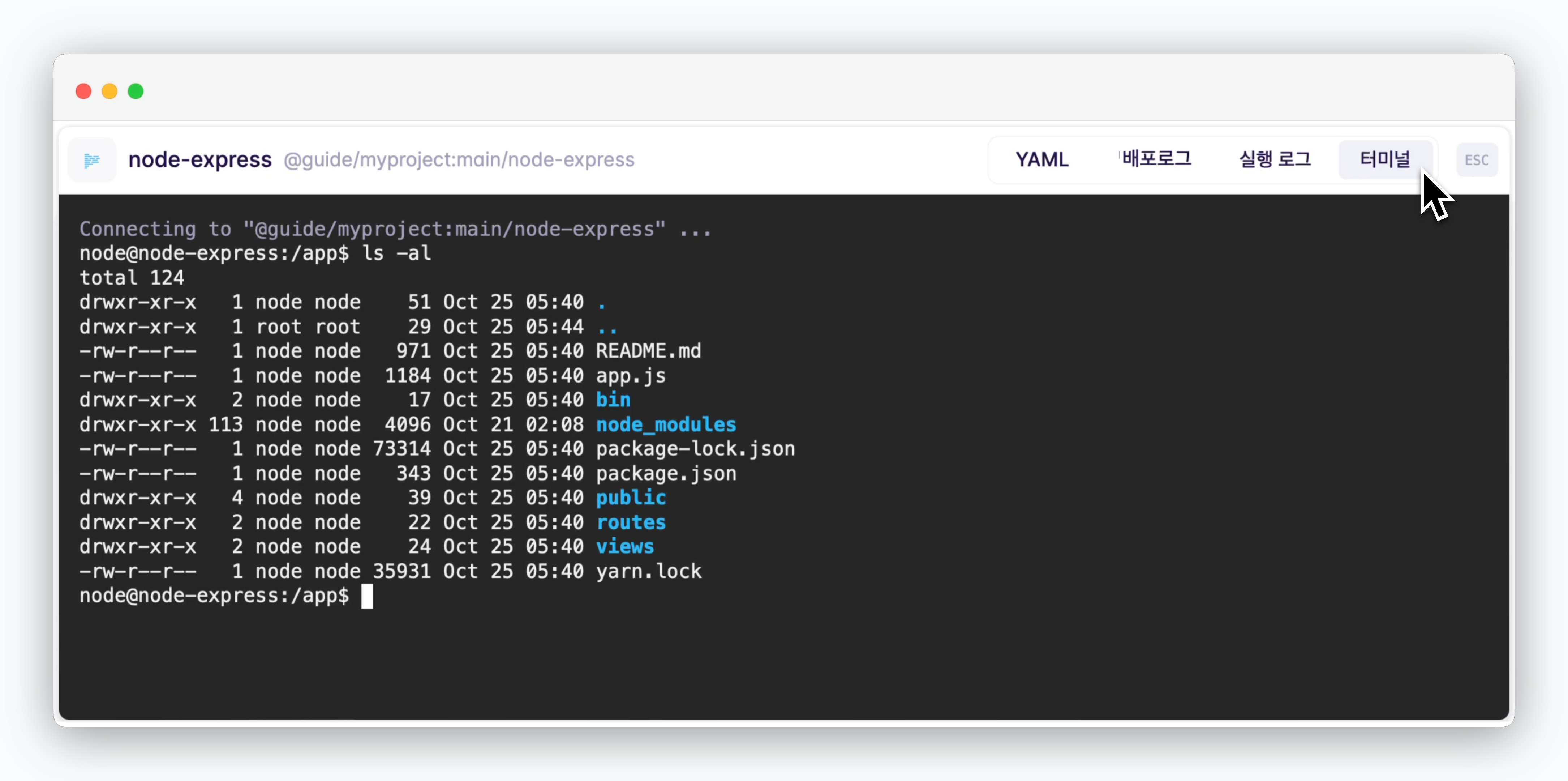
 ## 터미널