> ## Documentation Index
> Fetch the complete documentation index at: https://docs.ale.run/llms.txt
> Use this file to discover all available pages before exploring further.
# 서비스
## 서비스 상세 정보
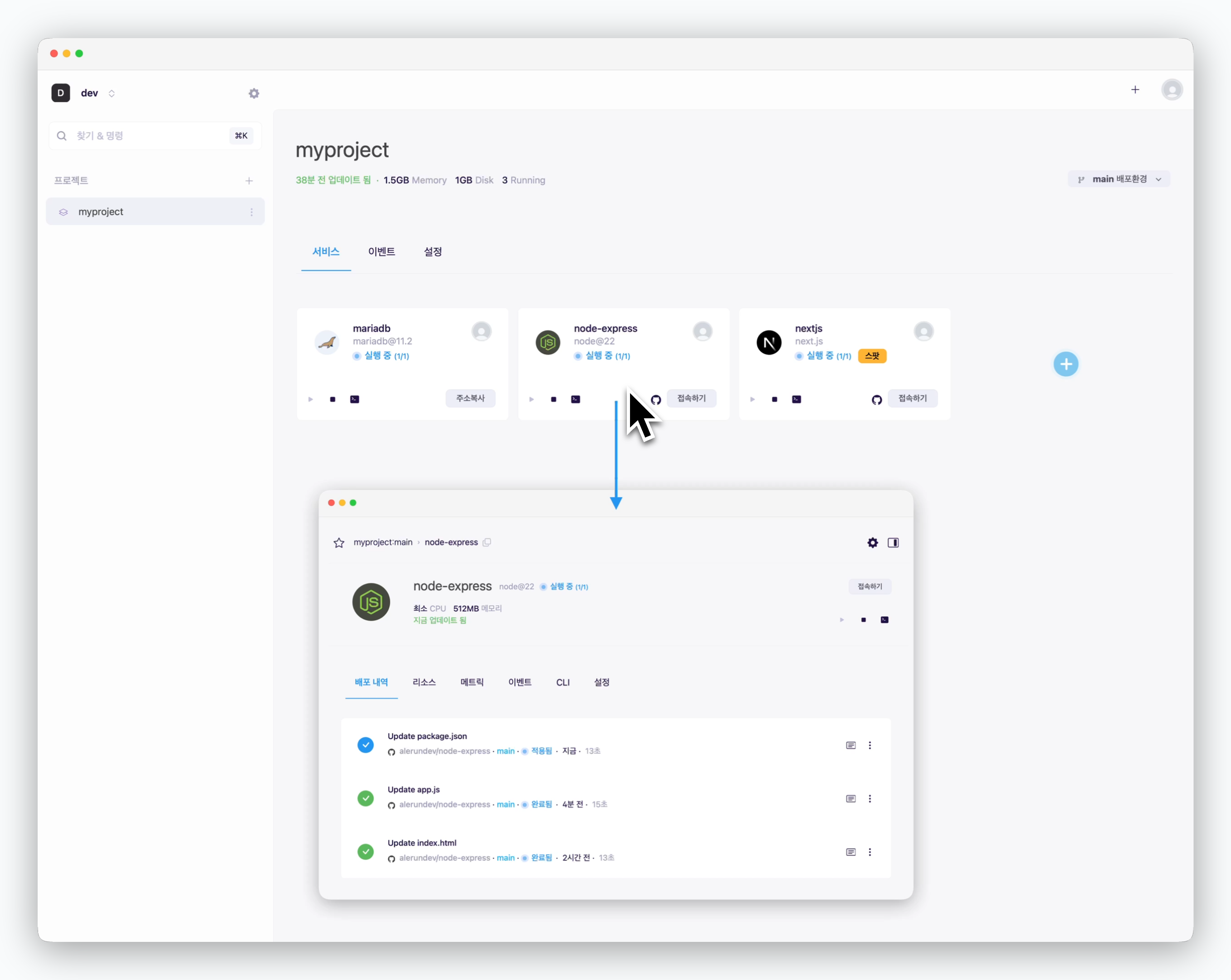 > 프로젝트 화면에서 배포된 서비스 카드를 클릭하면, 해당 서비스 상세 페이지로 진입할 수 있습니다. 서비스 정보탭에서는 아래의 정보를 조회할 수 있습니다.
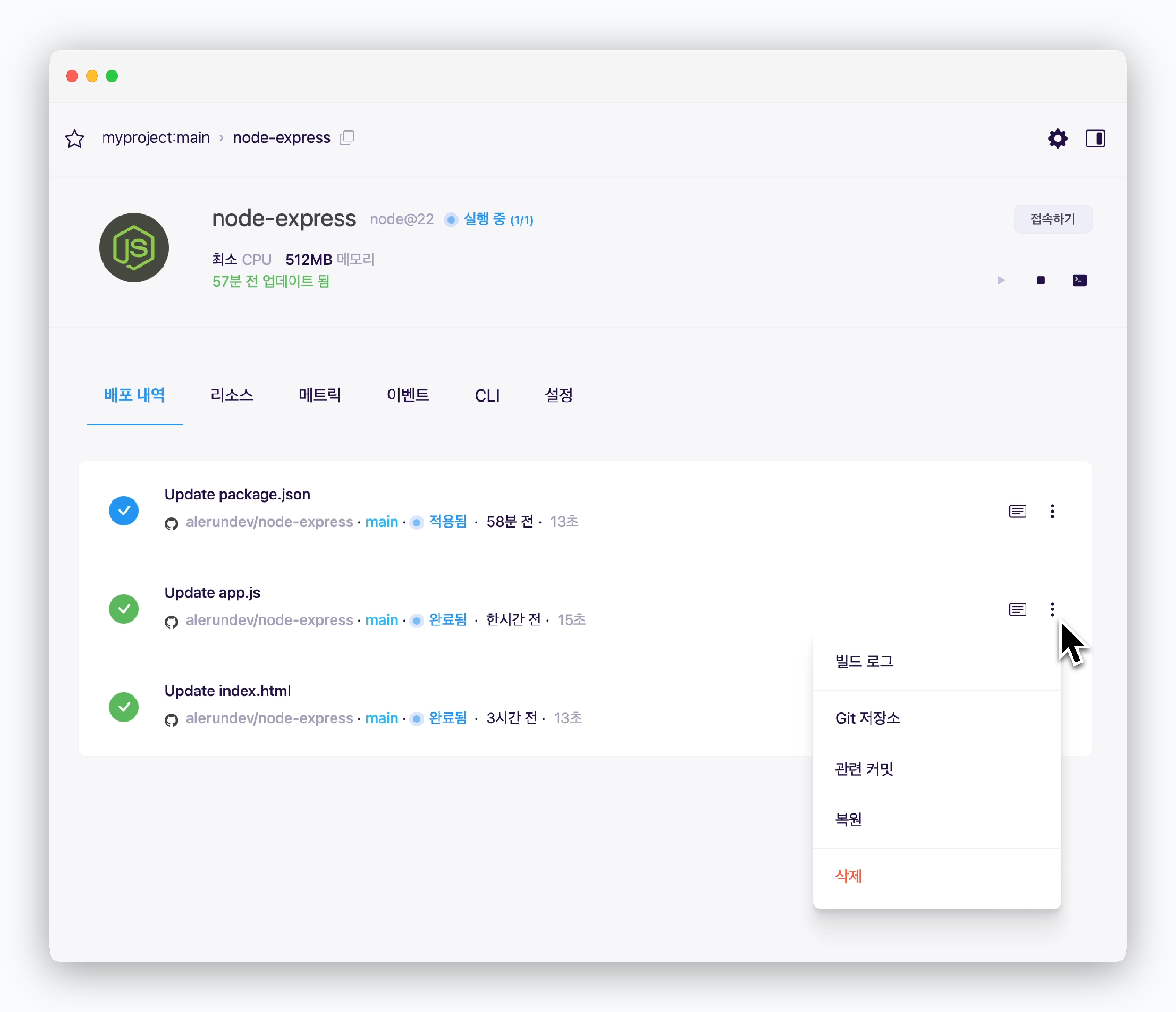 > 배포 내역과 빌드로그를 조회할 수 있고, 배포내역 우측의 를 클릭하면 관련 GitHub 페이지로 이동하거나 [재배포 또는 롤백](/ko/developers/rollback)할 수 있습니다.
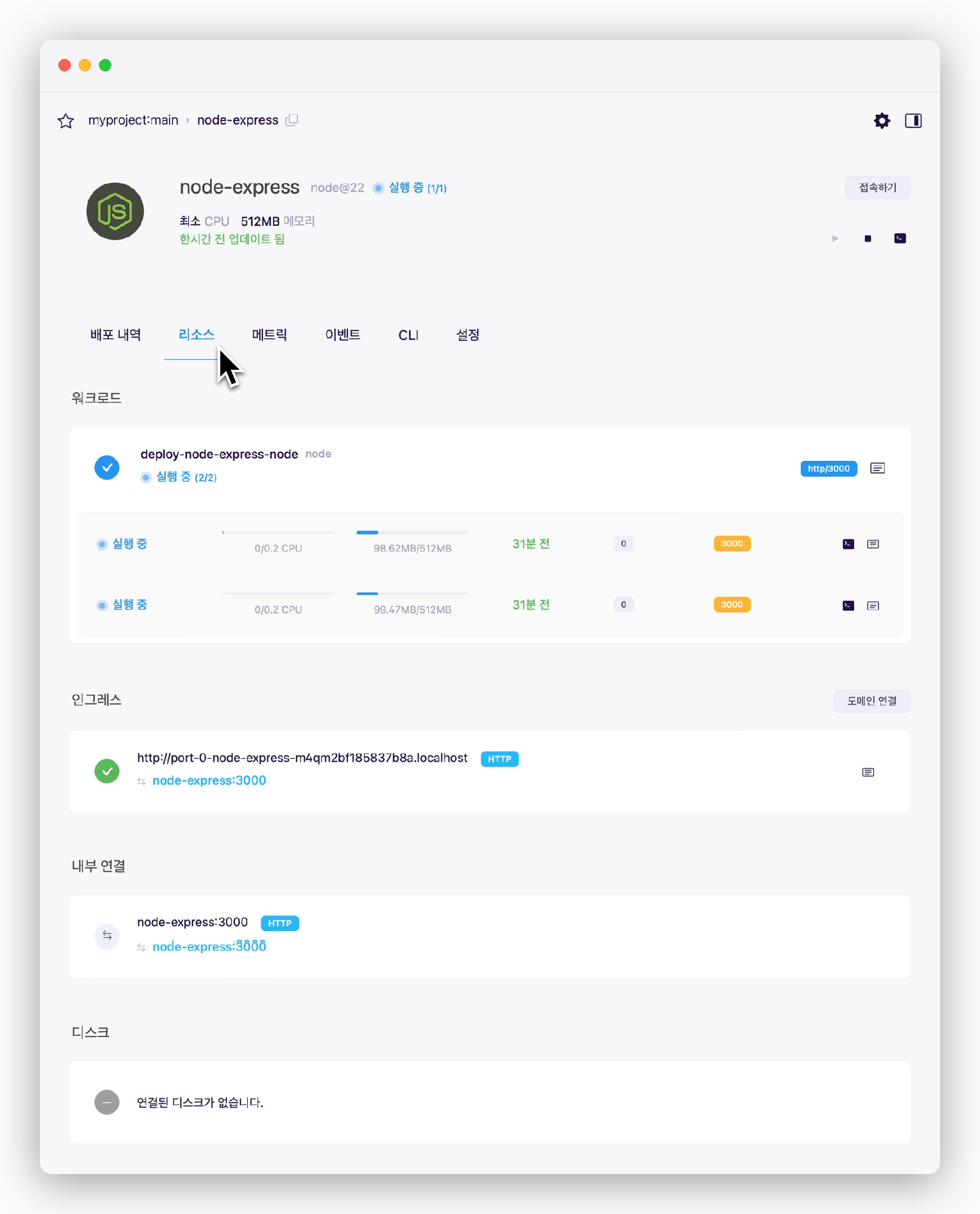 > 리소스 탭에서 아래의 정보를 조회하고 관리할 수 있습니다.
* 서비스가 차지하는 리소스 사용량과 디스크립션을 조회할 수 있는 화면입니다. 좌측부터 실시간 `서비스 상태` `CPU 사용량` `메모리 사용량` 등을 나타내며, [동시실행(레플리카)을 적용](/ko/developers/replica)한 경우 구동중인 서비스 각각의 상태를 모두 조회할 수 있습니다.
* 서비스 배포시 자동으로 부여된 프리뷰 URL 또는 Database의 경우 TCP 접속 주소를 조회할 수 있습니다. 또한 우측의 `도메인 연결` 버튼으로 커스텀 도메인을 연결할 수 있습니다.
커스텀 도메인 연결에 관한 가이드는 [도메인 연결 페이지](/ko/developers/domain)를, 외부 서비스와의 통신에 관한 가이드는 [서비스 간 통신 페이지](/ko/developers/connect#%EB%8B%A4%EB%A5%B8-%EB%B0%B0%ED%8F%AC%ED%99%98%EA%B2%BD-%EB%98%90%EB%8A%94-%EC%99%B8%EB%B6%80-%EC%84%9C%EB%B9%84%EC%8A%A4)를 참고하세요
* [같은 배포환경에 있는 서비스 간 통신](/ko/developers/connect#%EB%82%B4%EB%B6%80-%EC%84%9C%EB%B9%84%EC%8A%A4-%EA%B0%84-%ED%86%B5%EC%8B%A0)을 위한 호스트네임과 포트번호 표시
* 데이터베이스의 경우 연결된 디스크의 용량 및 권한 등의 정보 표시
> 리소스 탭에서 아래의 정보를 조회하고 관리할 수 있습니다.
* 서비스가 차지하는 리소스 사용량과 디스크립션을 조회할 수 있는 화면입니다. 좌측부터 실시간 `서비스 상태` `CPU 사용량` `메모리 사용량` 등을 나타내며, [동시실행(레플리카)을 적용](/ko/developers/replica)한 경우 구동중인 서비스 각각의 상태를 모두 조회할 수 있습니다.
* 서비스 배포시 자동으로 부여된 프리뷰 URL 또는 Database의 경우 TCP 접속 주소를 조회할 수 있습니다. 또한 우측의 `도메인 연결` 버튼으로 커스텀 도메인을 연결할 수 있습니다.
커스텀 도메인 연결에 관한 가이드는 [도메인 연결 페이지](/ko/developers/domain)를, 외부 서비스와의 통신에 관한 가이드는 [서비스 간 통신 페이지](/ko/developers/connect#%EB%8B%A4%EB%A5%B8-%EB%B0%B0%ED%8F%AC%ED%99%98%EA%B2%BD-%EB%98%90%EB%8A%94-%EC%99%B8%EB%B6%80-%EC%84%9C%EB%B9%84%EC%8A%A4)를 참고하세요
* [같은 배포환경에 있는 서비스 간 통신](/ko/developers/connect#%EB%82%B4%EB%B6%80-%EC%84%9C%EB%B9%84%EC%8A%A4-%EA%B0%84-%ED%86%B5%EC%8B%A0)을 위한 호스트네임과 포트번호 표시
* 데이터베이스의 경우 연결된 디스크의 용량 및 권한 등의 정보 표시
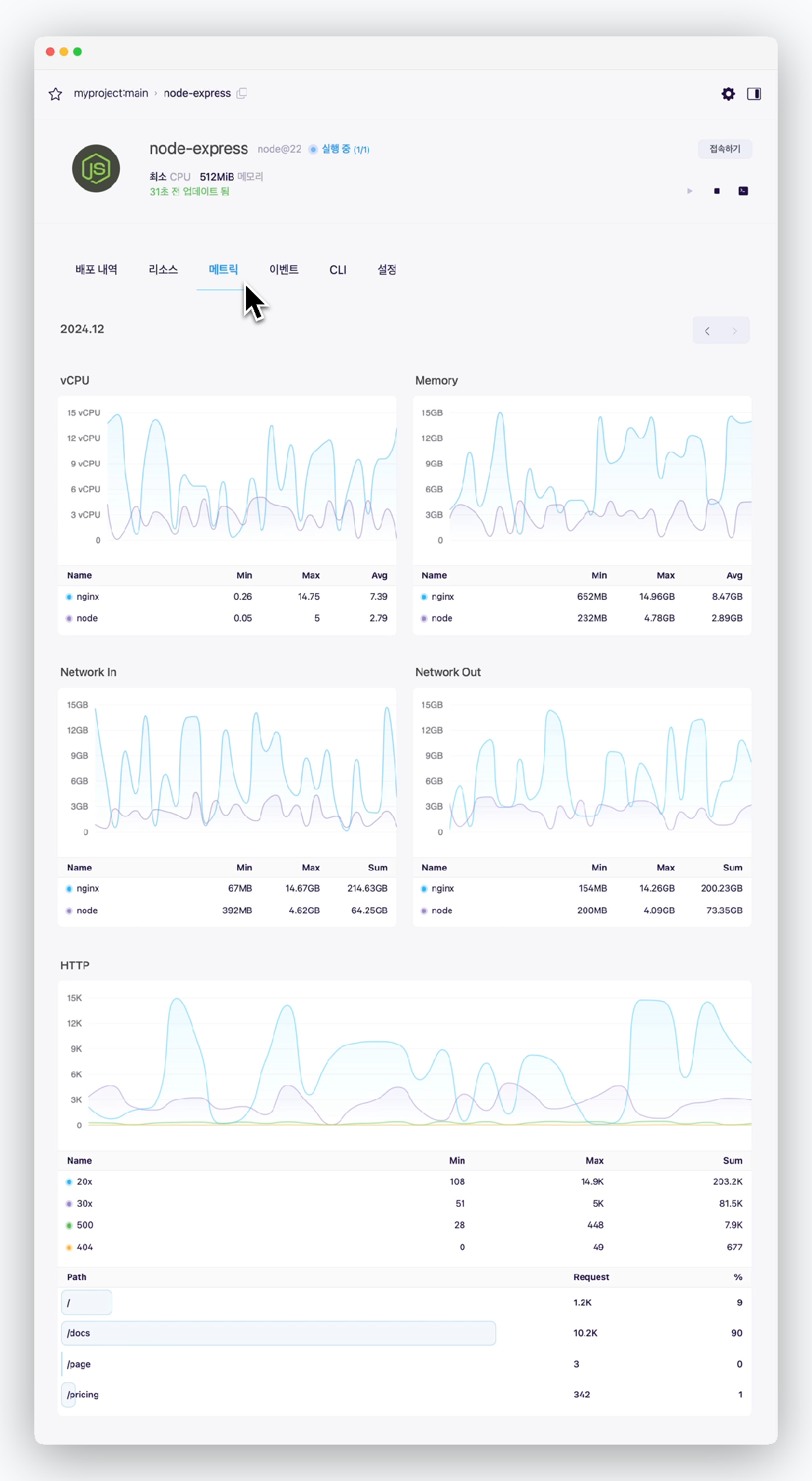 > 서비스의 메트릭을 조회할 수 있습니다.
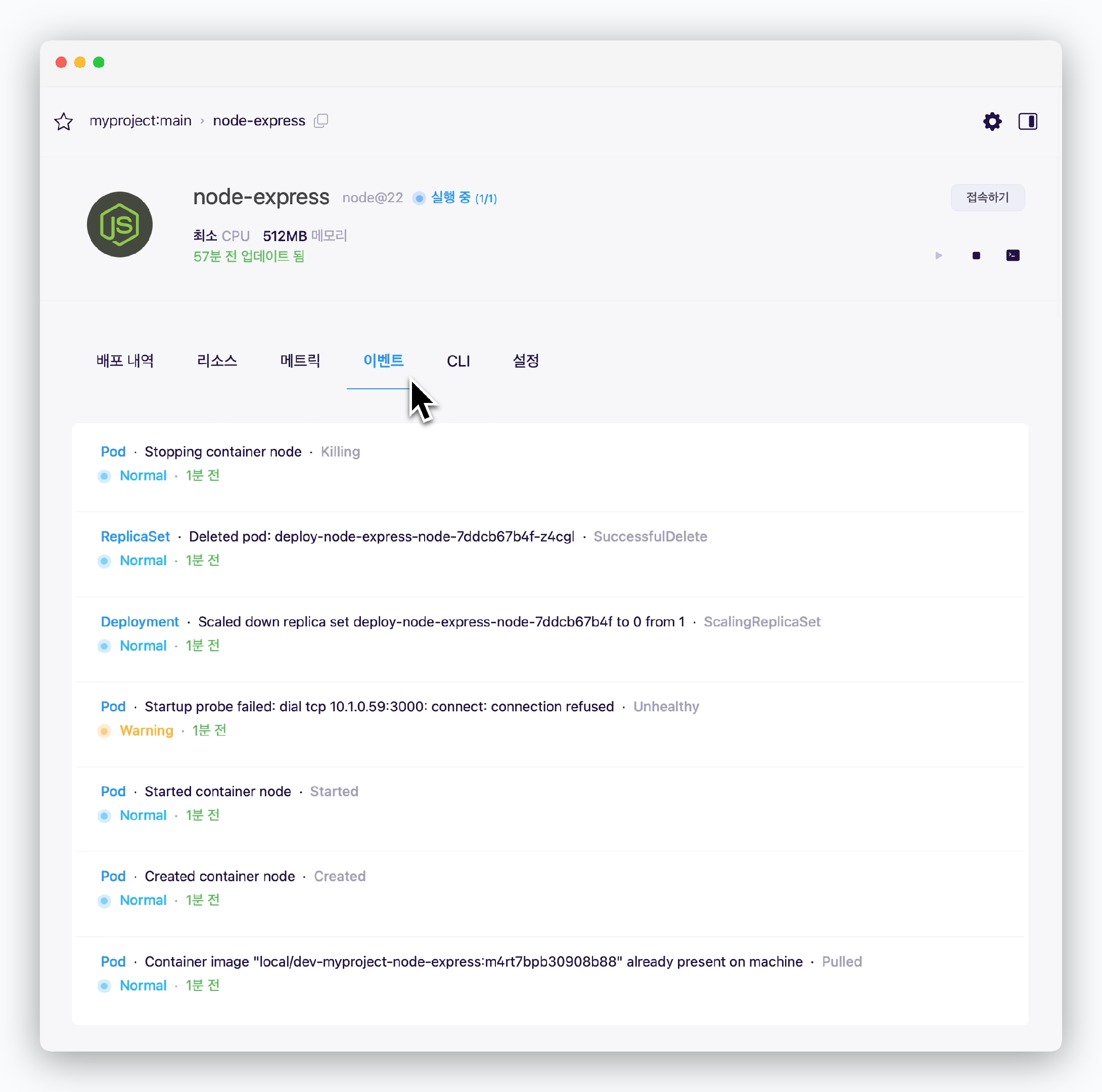 > 연동된 클러스터에서 서비스와 관련하여 발생한 이벤트를 조회할 수 있습니다.
시간이 지나면 이벤트가 더 이상 조회되지 않을 수 있습니다.
> 연동된 클러스터에서 서비스와 관련하여 발생한 이벤트를 조회할 수 있습니다.
시간이 지나면 이벤트가 더 이상 조회되지 않을 수 있습니다.
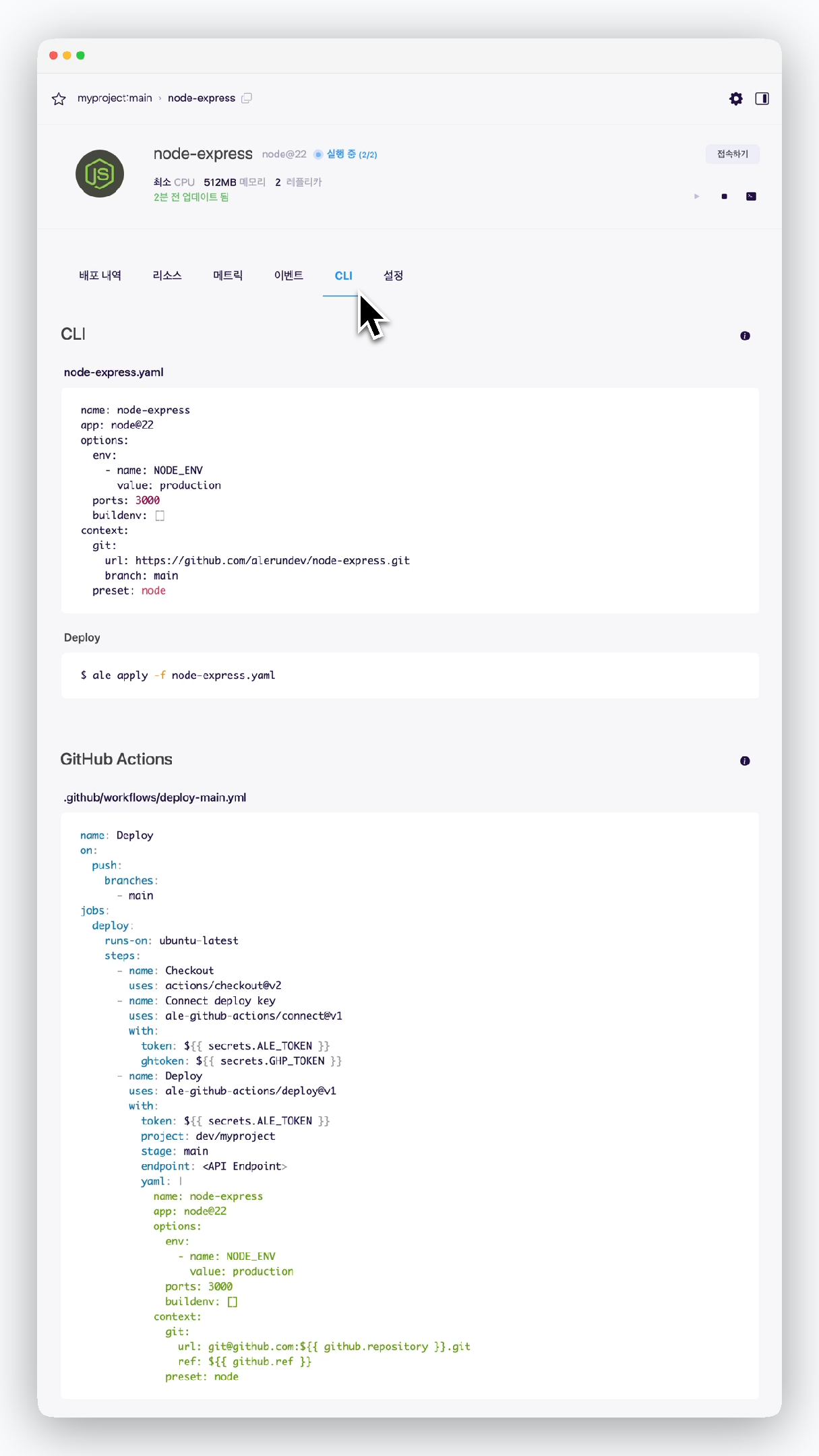 > 서비스를 CLI로 배포하기 위한 yaml파일 내용과, GitHub Actions를 적용할 수 있는 workflow 파일 내용을 조회할 수 있습니다.
GitHub Actions 적용법은 [GitHub Actions 페이지](/ko/developers/githubactions)를 참고하세요.
## 서비스 설정
> 서비스를 CLI로 배포하기 위한 yaml파일 내용과, GitHub Actions를 적용할 수 있는 workflow 파일 내용을 조회할 수 있습니다.
GitHub Actions 적용법은 [GitHub Actions 페이지](/ko/developers/githubactions)를 참고하세요.
## 서비스 설정
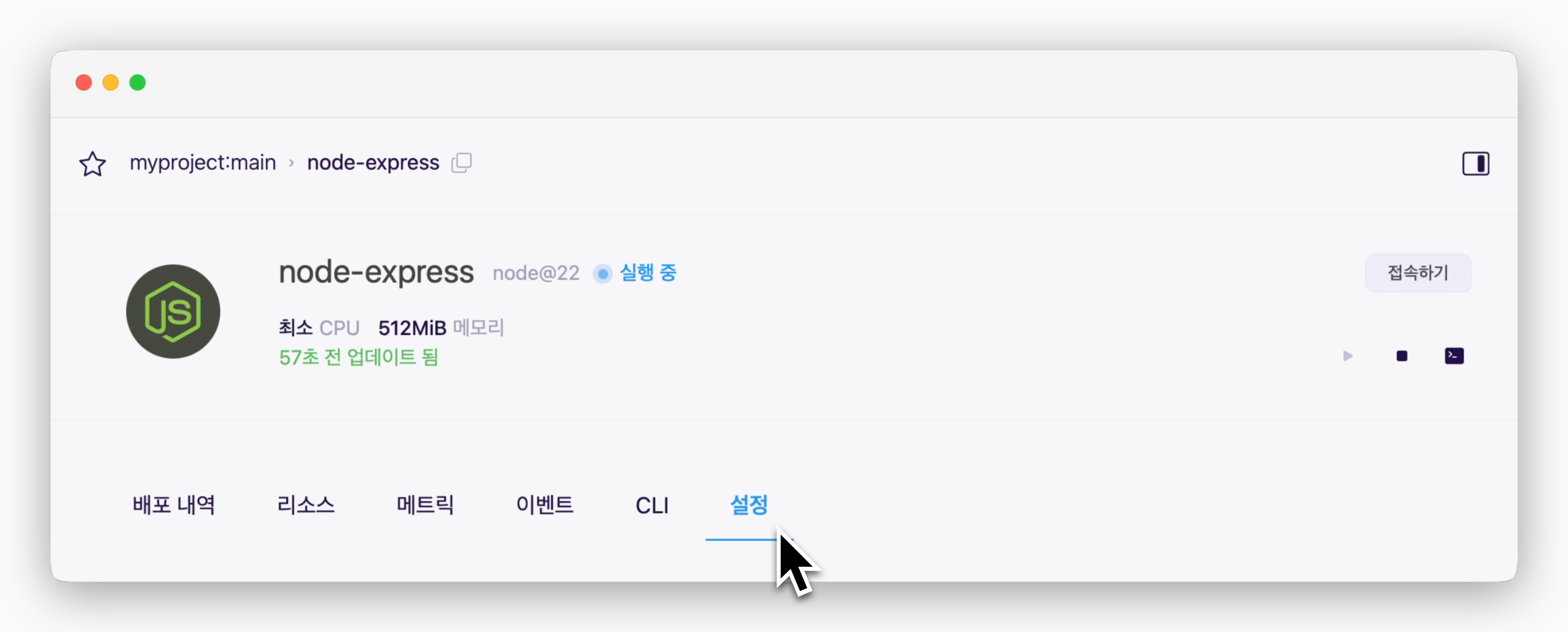 > 서비스 상세페이지의 설정탭에서 아래의 정보를 조회하거나 관리할 수 있습니다.
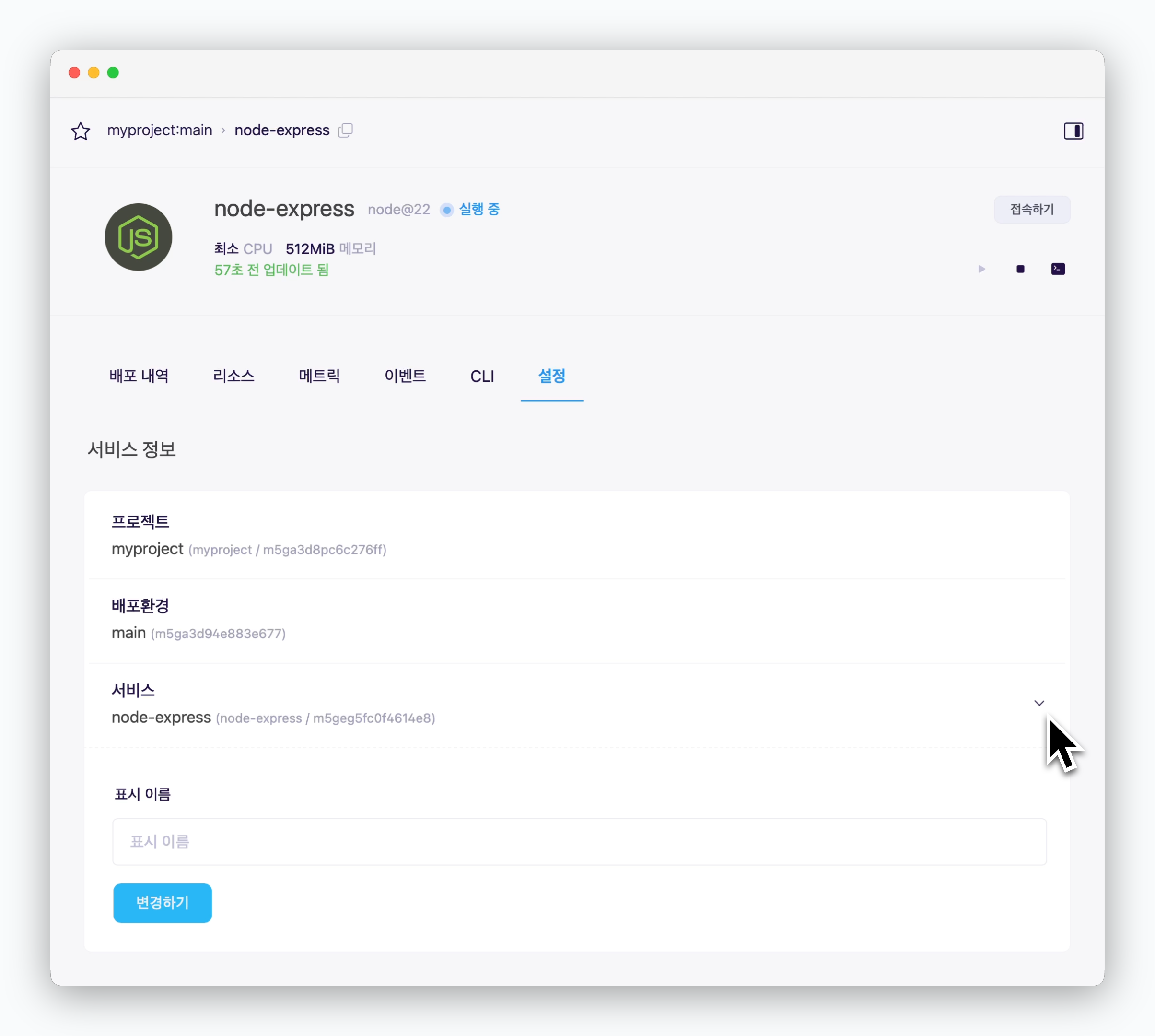 > 서비스가 속한 프로젝트, 배포환경 및 서비스 이름을 조회할 수 있으며, 서비스 표시명을 변경할 수 있습니다.
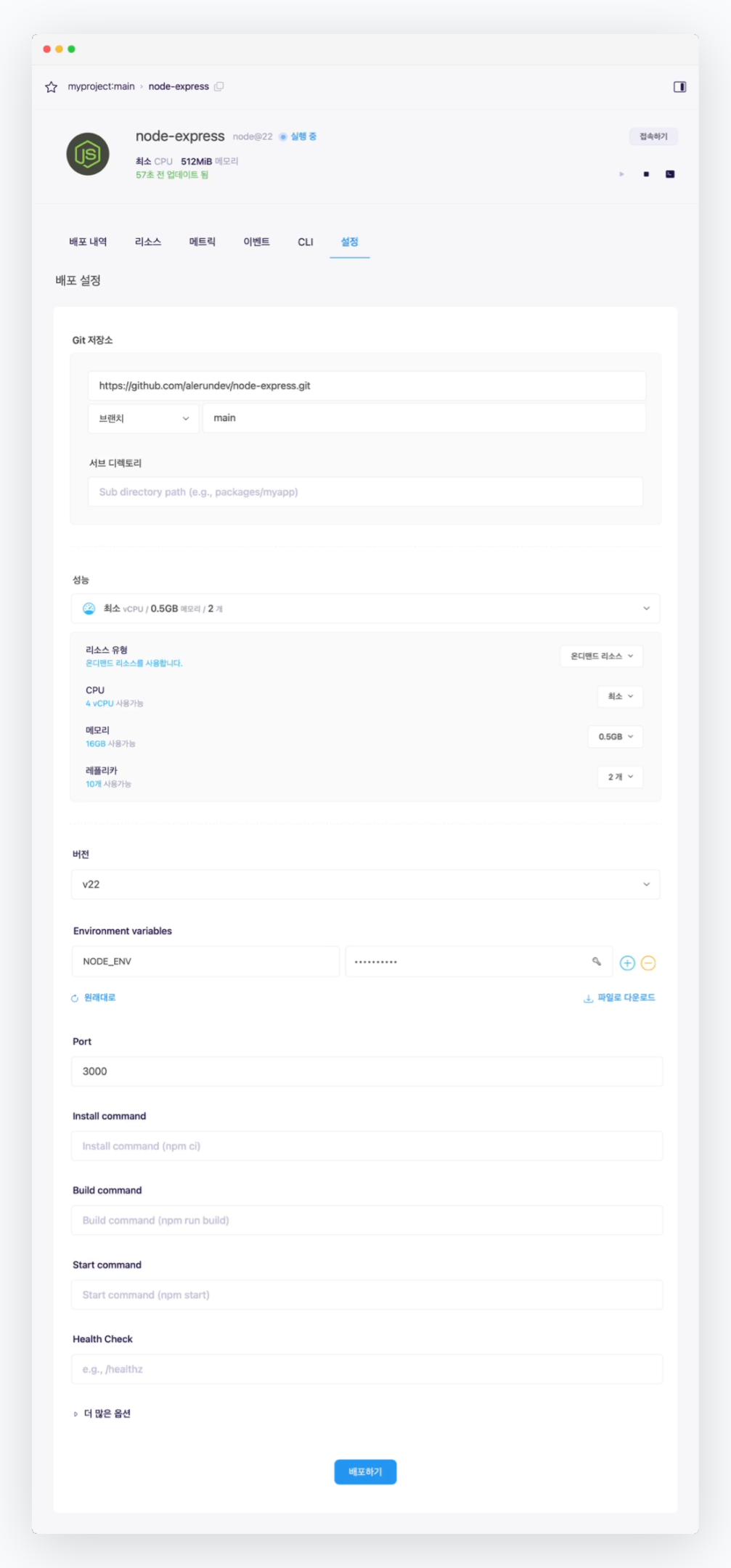 > 배포 시 설정한 설정값들을 조회 및 변경할 수 있습니다.
배포 설정값을 변경한 경우, 하단부의 `배포하기`를 클릭하면 변경된 설정이 반영됩니다.
## 서비스 재배포(업데이트)
> 배포 시 설정한 설정값들을 조회 및 변경할 수 있습니다.
배포 설정값을 변경한 경우, 하단부의 `배포하기`를 클릭하면 변경된 설정이 반영됩니다.
## 서비스 재배포(업데이트)
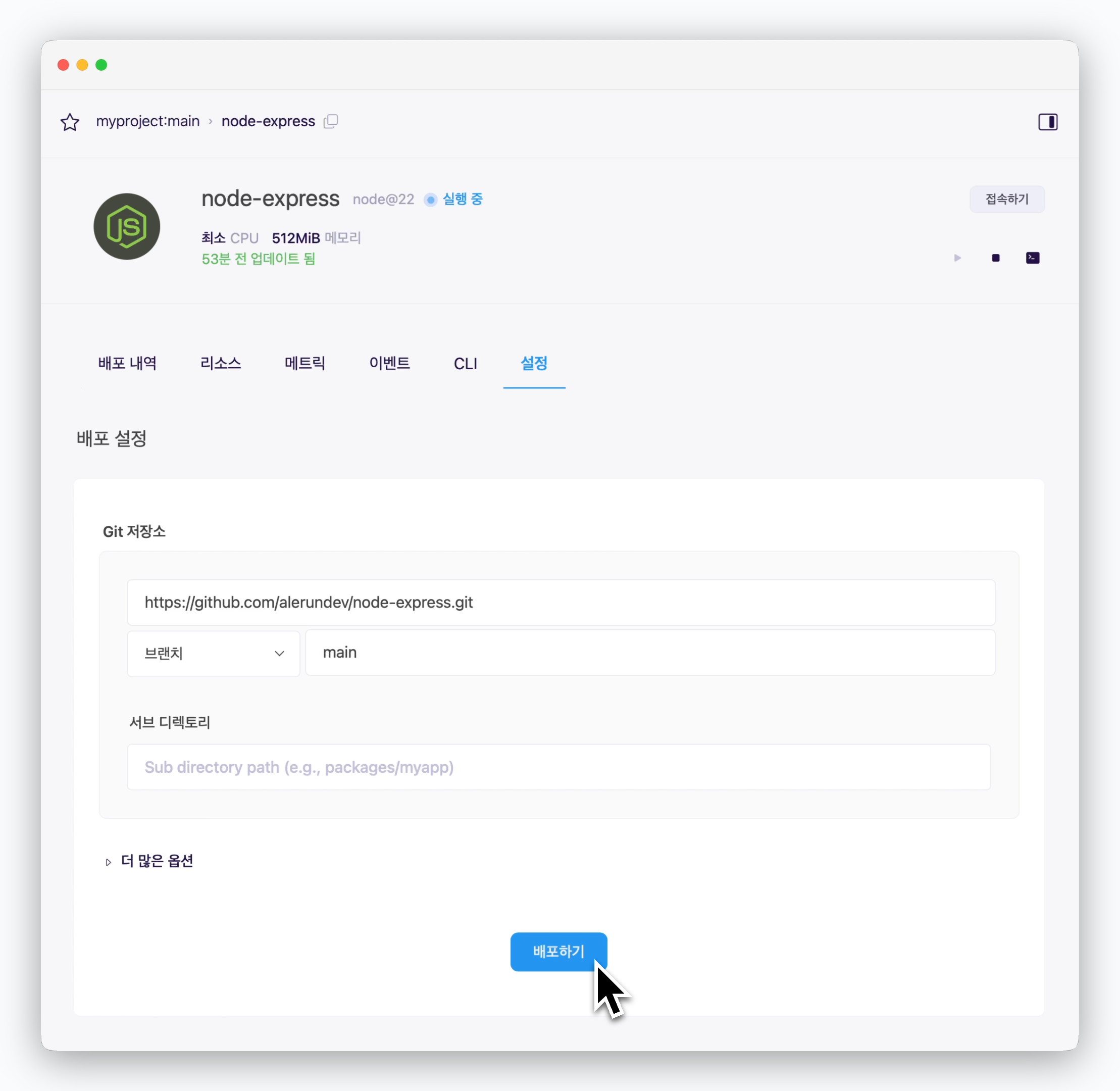 > **코드 수정, 리소스 변경 등** 업데이트할 내역이 있는 경우, 서비스 설정화면 하단부의 `배포하기`를 누르면 업데이트를 반영한 새로운 배포가 진행됩니다.
배포 자동화를 위한 GitHub Actions 적용은 [GitHub Actions 페이지](/ko/developers/githubactions)를 참고하세요.
## 서비스 삭제
> **코드 수정, 리소스 변경 등** 업데이트할 내역이 있는 경우, 서비스 설정화면 하단부의 `배포하기`를 누르면 업데이트를 반영한 새로운 배포가 진행됩니다.
배포 자동화를 위한 GitHub Actions 적용은 [GitHub Actions 페이지](/ko/developers/githubactions)를 참고하세요.
## 서비스 삭제
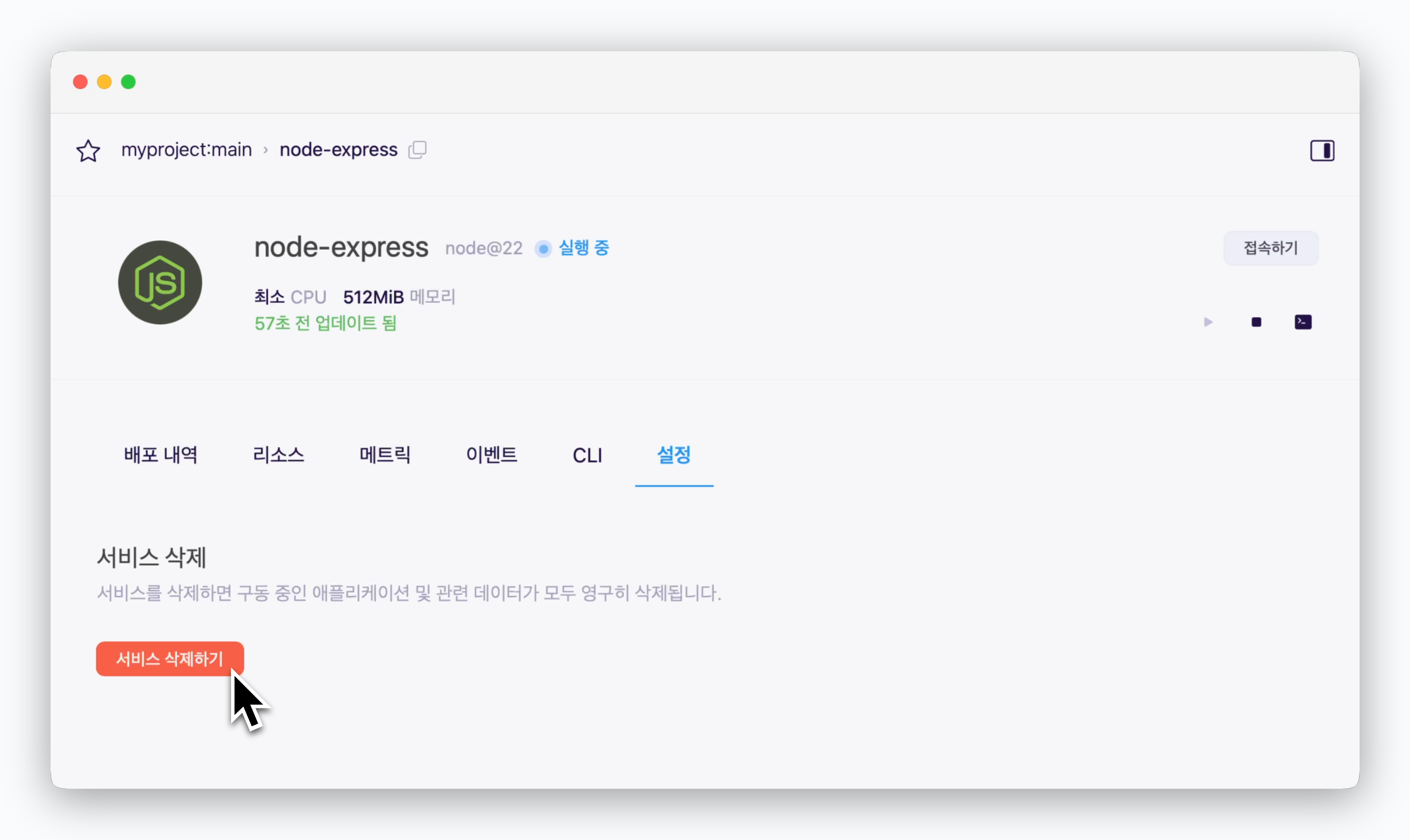 > 서비스 설정탭 하단부의 `서비스 삭제하기`를 클릭하면 서비스가 삭제됩니다.