> ## Documentation Index
> Fetch the complete documentation index at: https://docs.ale.run/llms.txt
> Use this file to discover all available pages before exploring further.
# GitHub Container Registry
> GitHub Container Registry를 연결하는 가이드입니다.
> `ale` 에서 빌드된 이미지를 업로드할 저장소와 배포되는 과정에서 사용할 저장소를 **GitHub Container Registry**로 설정할 수 있습니다.
***
## Personal Access Token 생성
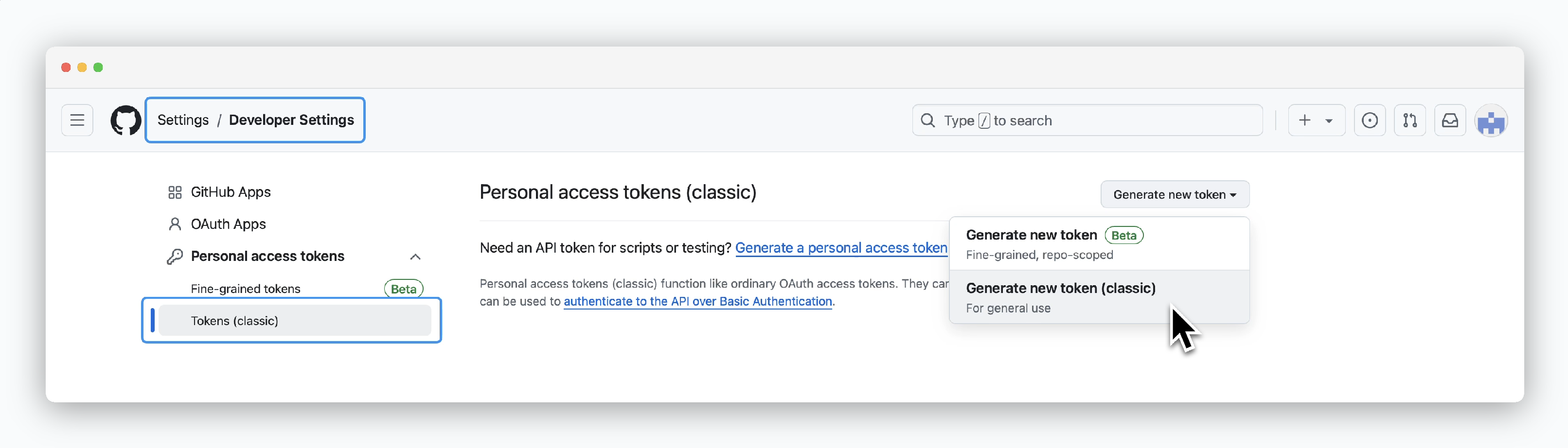 > GitHub 계정의 **Settings**에 진입 후 [Developer settings > Personal access tokens (classic) 페이지](https://github.com/settings/tokens)에서 `Generate new token > Generate new token(classic)` 버튼으로 토큰을 생성하세요.
## 권한 부여 및 토큰 발급
> GitHub 계정의 **Settings**에 진입 후 [Developer settings > Personal access tokens (classic) 페이지](https://github.com/settings/tokens)에서 `Generate new token > Generate new token(classic)` 버튼으로 토큰을 생성하세요.
## 권한 부여 및 토큰 발급
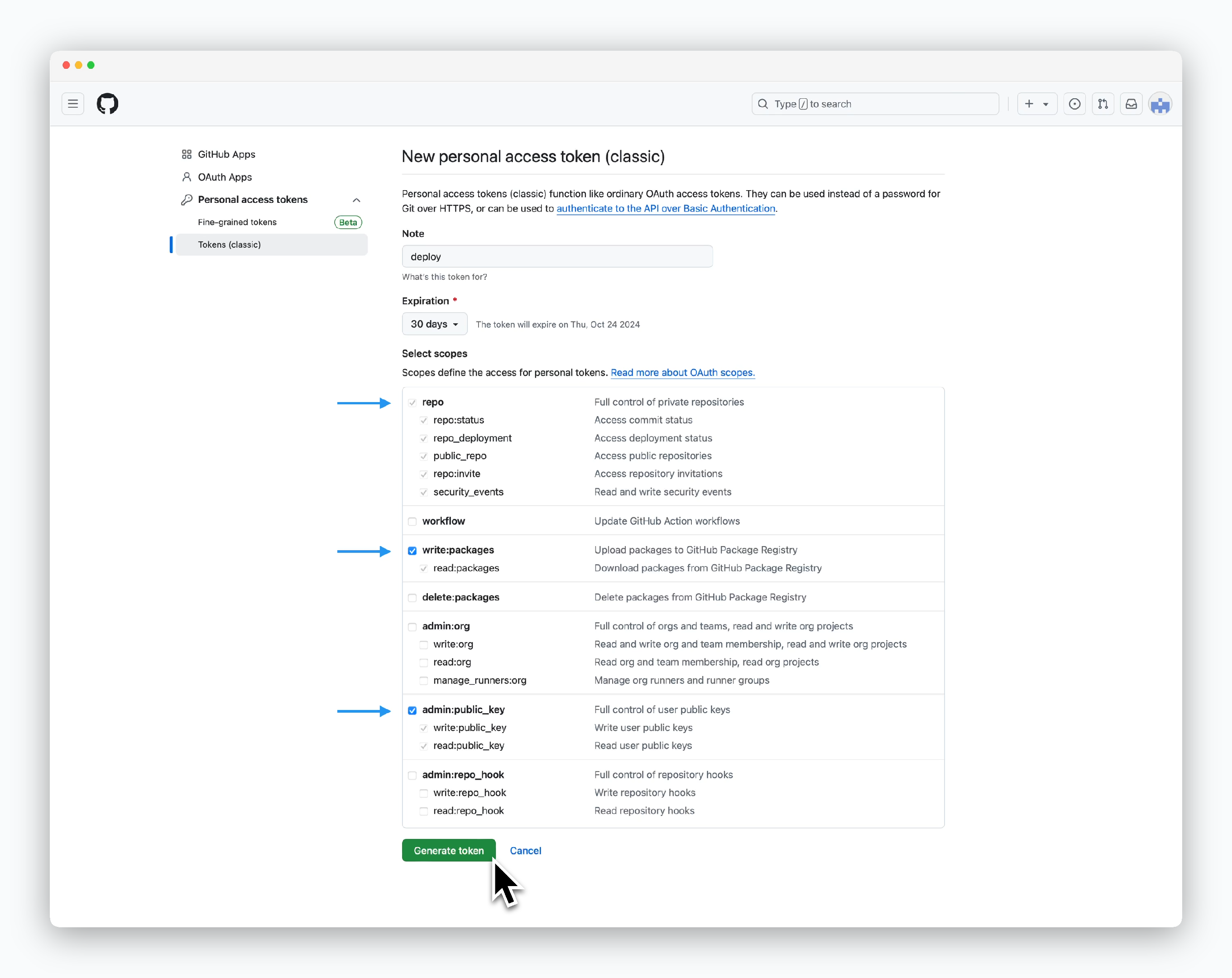 > 아래의 권한을 부여하고 `Generate token`을 클릭하세요.
* **repo**
* **write:packages**
* **admin:public\_key**
> 아래의 권한을 부여하고 `Generate token`을 클릭하세요.
* **repo**
* **write:packages**
* **admin:public\_key**
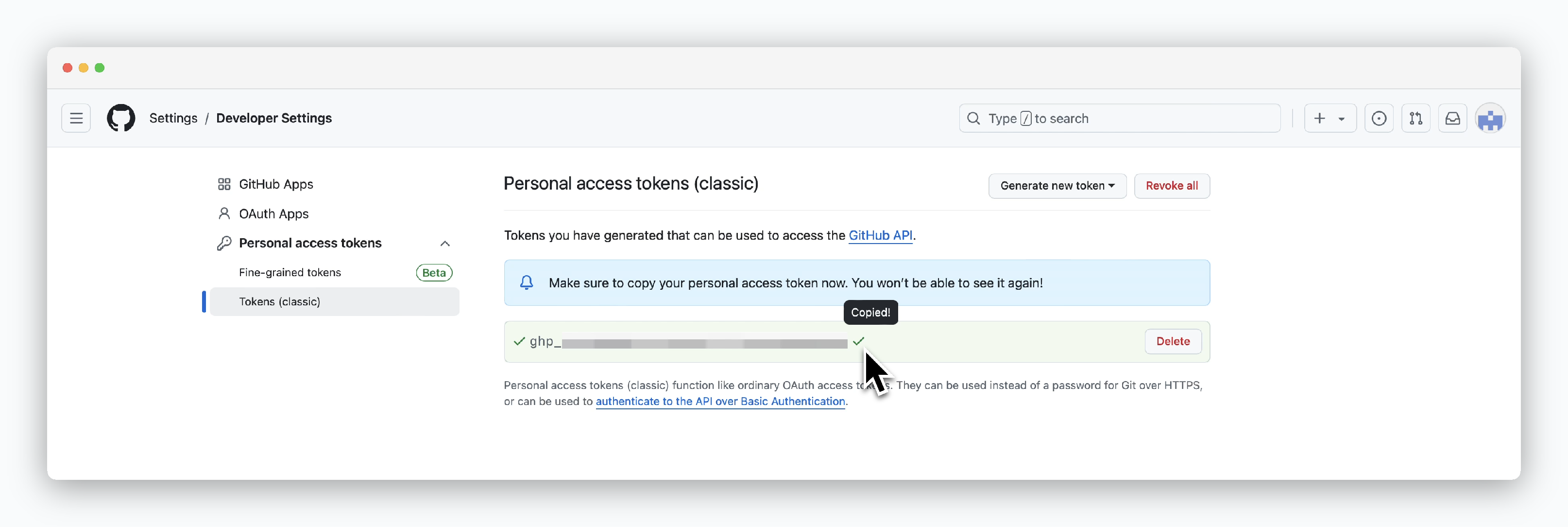 > 토큰 생성이 완료되면 토큰 값이 표시됩니다. 토큰은 생성 시 최초 한 번만 값을 확인할 수 있습니다.
## ale에 연결
> 토큰 생성이 완료되면 토큰 값이 표시됩니다. 토큰은 생성 시 최초 한 번만 값을 확인할 수 있습니다.
## ale에 연결
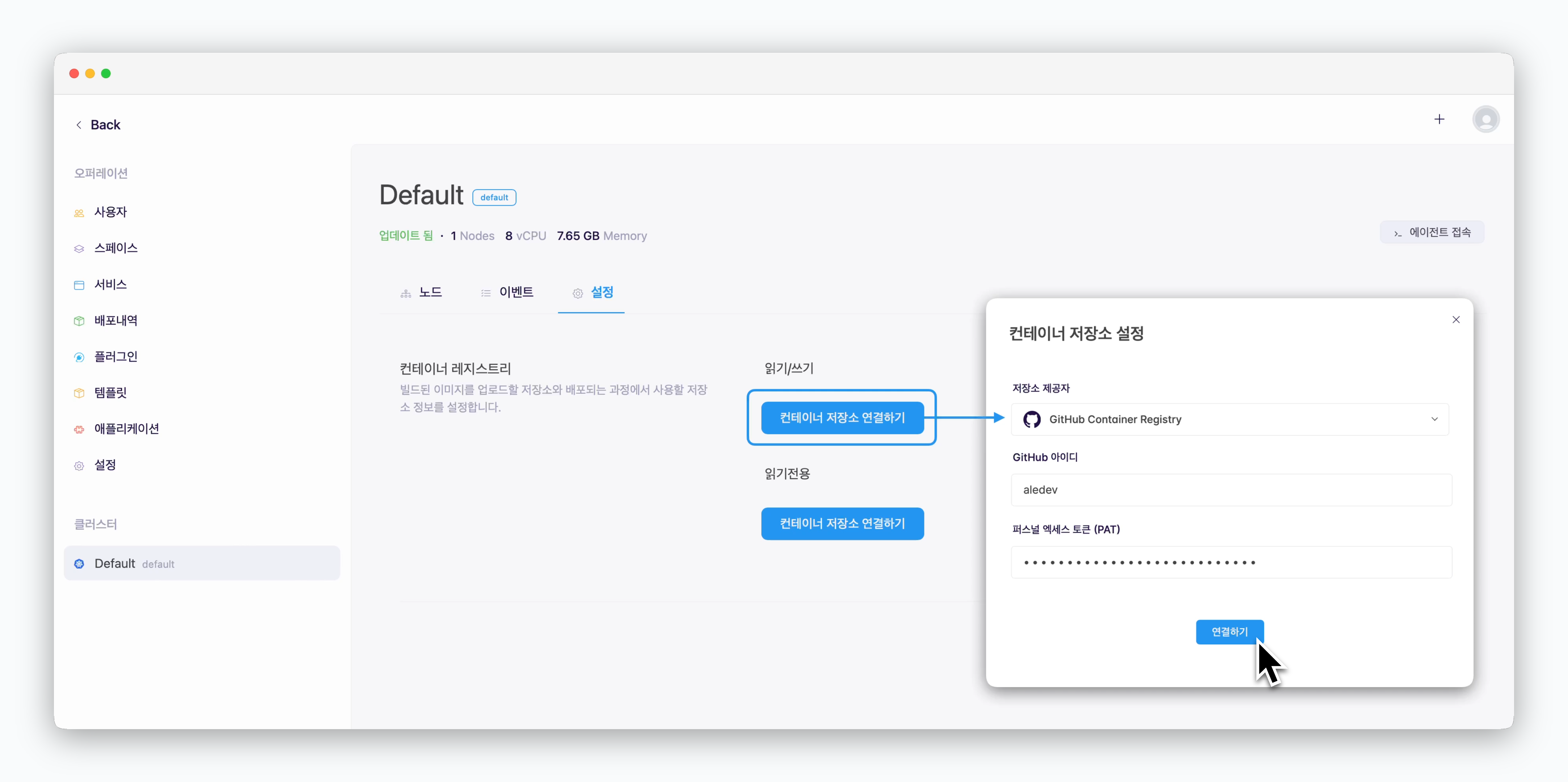 > `ale` 운영시스템의 **클러스터 > 설정 > 컨테이너 레지스트리 > 읽기/쓰기** 항목의 `컨테이너 저장소 연결하기`를 클릭하면 표시되는 **컨테이너 저장소 설정** 창에서 아래의 값들을 입력한 후 `연결하기`를 클릭하면 **GitHub Container Registry**가 연결됩니다.
* **저장소 제공자** : GitHub Container Registry
* **GitHub 아이디** : GitHub ID
* **퍼스널 엑세스 토큰(PAT)** : GitHub에서 생성한 Personal Access Token
> `ale` 운영시스템의 **클러스터 > 설정 > 컨테이너 레지스트리 > 읽기/쓰기** 항목의 `컨테이너 저장소 연결하기`를 클릭하면 표시되는 **컨테이너 저장소 설정** 창에서 아래의 값들을 입력한 후 `연결하기`를 클릭하면 **GitHub Container Registry**가 연결됩니다.
* **저장소 제공자** : GitHub Container Registry
* **GitHub 아이디** : GitHub ID
* **퍼스널 엑세스 토큰(PAT)** : GitHub에서 생성한 Personal Access Token