

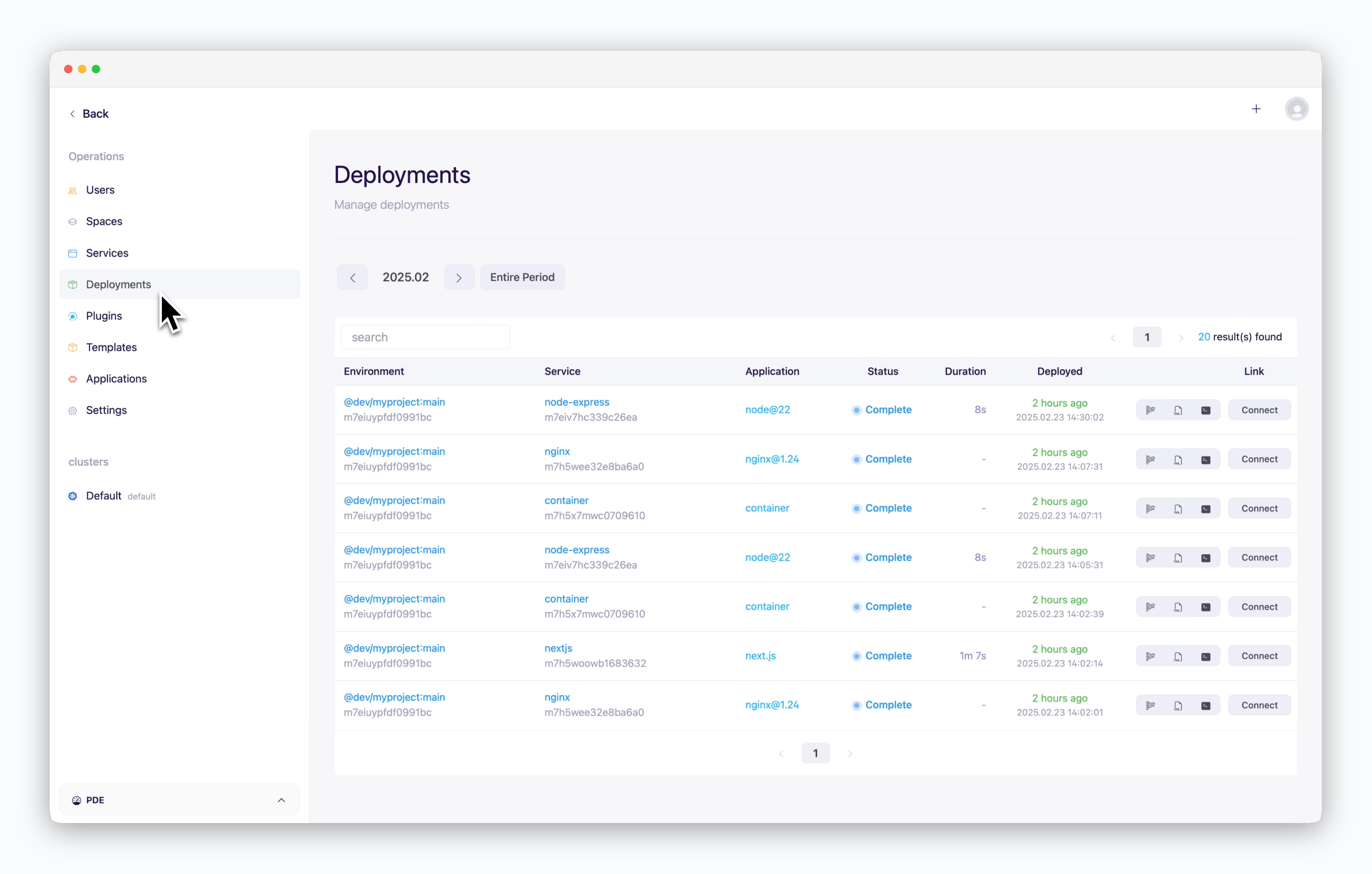
Deployments page provides an overview of the deployment history for all services listed in the dashboard. The following details are available:
-
Environment: Displays in the format
@spacename / projectname : environmentname. Clicking on it redirects to the corresponding dashboard. - Service: Shows the service name and links to the service page when clicked.
- App: The preset selected during deployment.
- Status: Indicates the service status, such as deploying, starting, stopped, error, etc.
- Duration: Displays the time taken to complete the deployment.
- Deploy Date: Shows the timestamp of the deployment.
- Logview / Description / Terminal
- Connect: Redirects to the preview domain of the service.